
Your Ultimate Guide to Creating a Chibi VTuber Model
Ready to design and rig your own chibi VTuber model? This guide provides actionable steps for bringing your unique character to life, from AI art to streaming.
A chibi VTuber model is more than just a cute avatar; it's a powerful tool for streamers who want to forge an instant, genuine connection with their audience. You'll recognize them immediately by their signature look: large heads, big expressive eyes, and simplified bodies. This design isn't just for show—it's incredibly effective at broadcasting emotion and personality in a way that feels fun and approachable.
The Irresistible Appeal of Chibi VTuber Models
Ever popped into a stream and found yourself instantly charmed by a tiny, expressive character on screen? That's the unique magic of a chibi VTuber model. Their design isn't just an aesthetic choice; it’s a strategic one that excels at audience engagement.
By boiling expressions down to their most potent forms, chibi models cut through the digital noise and help create a friendly, welcoming vibe for anyone who stops by.
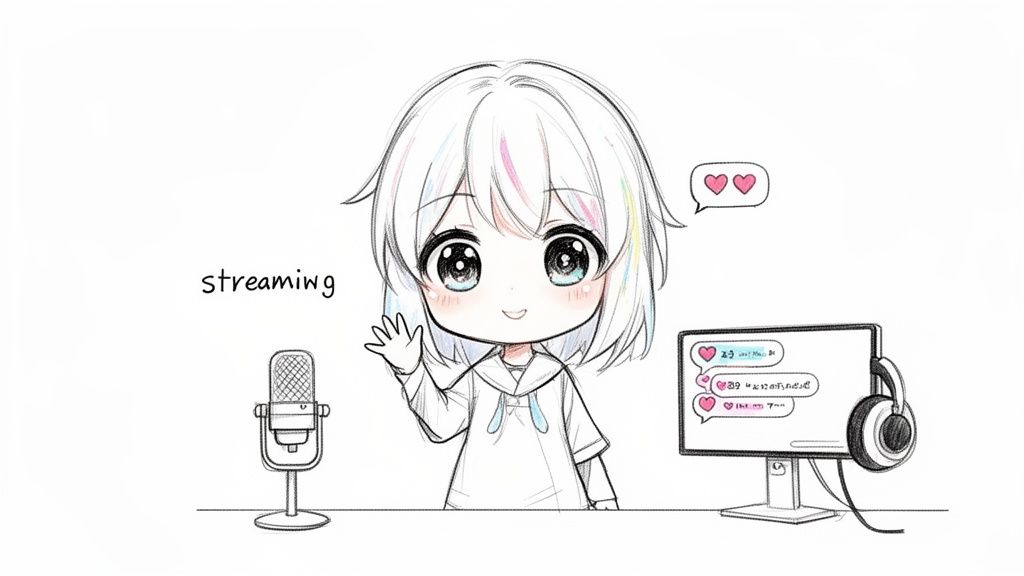
This style is a perfect match for the high-energy world of platforms like Twitch and YouTube. A chibi’s reactions are always crystal clear, whether it’s a joyful leap after a donation or a comical pout when a game goes wrong. Even in a small corner of the screen, that clarity ensures your personality is always front and center, helping you build a brand that people remember.
Why a Chibi Model Works So Well
Here's a quick look at the core advantages of choosing a chibi VTuber model for your content creation journey.
| Feature | Benefit for Creators | Audience Impact |
|---|---|---|
| Exaggerated Features | Emotions are easier to animate and express clearly. | Viewers can instantly read your mood and feel more connected. |
| Simplified Design | Lower cost and faster turnaround for creation and rigging. | A professional, polished look without breaking the bank. |
| Approachable Vibe | Feels less intimidating and more playful. | Creates a welcoming and fun atmosphere, perfect for community. |
| High Readability | Stays clear and expressive even in small screen windows. | Your personality always shines through, no matter the layout. |
Ultimately, the chibi style lowers the barrier to entry while maximizing your ability to connect with people on a personal level.
Why Chibis Are Perfect for New Creators
One of the biggest wins for a chibi model is just how accessible they are. They typically require less complex rigging and fewer high-detail textures than a full-scale avatar. That translates directly into lower costs and less time spent in development, which is a massive relief when you're just starting out. It makes them the perfect entry point for aspiring VTubers who want to jump in without a huge upfront investment.
For a lot of new creators, going the chibi route removes the pressure to create some hyper-realistic, super-intricate masterpiece. It lets you focus on what really matters: your content and your community.
And you'd be getting into a booming market. The global VTuber industry hit a wild $5.36 billion in 2024 and is projected to skyrocket to nearly $49.94 billion by 2032. Chibi models are a huge driver of this trend, resonating strongly with younger audiences and making them a savvy choice for anyone looking to build a following.
Tapping into the Trend with Modern Tools
Not too long ago, getting a custom model meant hunting down an artist and a rigger, which could get expensive fast. But now, tools like Tooncraft are completely changing the game. You can generate a unique character base just from a simple photo.
This makes it incredibly easy to experiment with different looks until you land on one that perfectly captures your personality. I'd recommend checking out the huge variety of chibi styles available here to see what's possible with just a few clicks. This kind of accessibility empowers you to join the massive chibi trend without needing to be a professional artist, letting you get straight to building your online presence.
Bringing Your Character Concept to Life with AI
Alright, this is where the magic really happens—turning those ideas swirling in your head into an actual character you can see. Instead of staring at a blank canvas and feeling that all-too-familiar artist's block, we're going to use a modern shortcut to get a solid foundation.
Thanks to some pretty clever AI tools, you don't need to be a professional artist to create a high-quality chibi vtuber model. It's all about translating your unique vibe into a visual form.
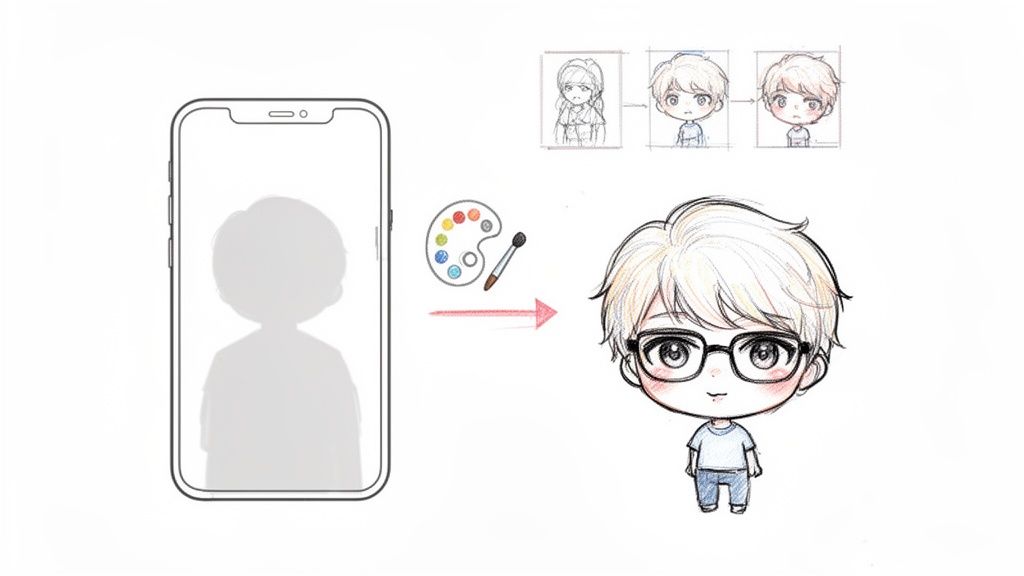
The process is surprisingly straightforward. With a tool like Tooncraft, for example, you can just upload a selfie and watch the AI spin it into a fantastic anime-style character. This completely sidesteps what is, for many people, the single biggest roadblock to starting their VTubing journey: creating the art from scratch.
From Selfie to Chibi Avatar
Think about it: you probably have a favorite photo of yourself, one where you just love the expression. That single picture can be the seed for your entire virtual identity. The whole trick is to pick a photo that truly captures the personality you want your chibi to project.
When you're digging through your camera roll, keep these things in mind:
- Clear Lighting: Good, even light is your friend. It helps the AI see your features clearly without weird shadows messing things up.
- Direct Gaze: A photo where you’re looking more or less at the camera tends to give you a more balanced, usable base model to work with.
- Authentic Expression: Don't force it. Pick a picture with a genuine smile, a quirky smirk, or whatever feels most like you.
This is such a powerful way to start because your avatar is literally built from a piece of you. That connection makes the final character feel instantly familiar and way more authentic when you go live.
The best chibi models I've seen feel like a natural extension of the creator. When you start with your own image, you bake that connection in from the very beginning, and your audience can feel that authenticity.
And this space is just exploding. The VTuber industry was valued at $2.95 billion in 2023 and is on track to hit a mind-boggling $44 billion by 2032. That’s a growth rate (CAGR) of 35%! Chibi models are a huge driver of this trend, and you can see it in how they blend idol culture with streaming.
Building Your Character's Personality Library
Once you've got a base design that makes you say, "Yes, that's it!" it's time to give them some emotional range. A single static image isn't going to cut it for a dynamic stream. You need a whole library of expressions and poses to react to chat, nail a difficult boss, or get jump-scared.
This is another spot where AI can be a massive timesaver. Instead of going back to an artist for every single emotion, you can generate variations based on your initial design. You’ll want a core set to handle the most common streaming moments.
Essential Expressions to Generate:
- Happy/Joyful: For celebrating those new subs and hype trains!
- Sad/Crying: For the emotional story beats or a particularly tough loss.
- Angry/Frustrated: Perfect for when you miss that critical headshot.
- Surprised/Shocked: For when the game throws a wild plot twist at you.
- Neutral/Smiling: This will be your default, go-to look.
By creating this library, you're doing more than just making art assets; you're defining how your chibi vtuber model is going to communicate with your audience. For a more detailed walkthrough, our guide on how to create your own anime character has some great tips on nailing the style. Getting this done now will make the next stages, like rigging and animation, so much easier.
Alright, you’ve got your AI-generated chibi art. High five! That's a huge hurdle cleared. But right now, it’s basically just a cool-looking statue. To get it moving and grooving, we need to prep it for animation.
In the VTuber world, this is called "cutting" or "layer separation."
Think of it like one of those old paper dolls. You can't make a flat, single piece of paper wave or smile. You need to cut out the arms, the head, and the different mouth shapes to make it interactive. We're doing the exact same thing here, just digitally. By slicing up your character into individual moving parts and stacking them on separate layers, you’re handing a rigger the puzzle pieces they need to work their magic.
Honestly, this is probably the most important technical step in the entire process. A clean, well-prepped file means a smoother rigging experience, which translates directly into a more expressive and lively model in the end.
So, What's Layer Separation All About?
At its core, layer separation is about taking your single image and breaking it down into a whole bunch of layers in a program like Adobe Photoshop, Clip Studio Paint, or even a free tool like GIMP. Every single thing you want to move on its own must have its own layer. No exceptions.
For a chibi model, here’s a pretty standard checklist of parts to separate:
- The Head: Just the basic head shape, without any hair or facial features.
- The Face: This gets detailed! You'll want each eye (pupil, white part, lash line), each eyebrow, and the mouth (often split into top and bottom lips/teeth) on its own layer.
- The Hair: Break it into front pieces (bangs), side pieces, and a back section. This is the secret to getting that signature bouncy, flowy hair animation.
- The Body: The torso, separate from everything else.
- The Limbs: Each arm and each leg gets its own layer. Sometimes, you'll even want to split the upper and lower arm for more complex movements.
Getting this right gives your rigger total control. The more thought you put into separating the layers now, the more dynamic and fluid your final chibi will be.
To give you a visual, here’s what a fully prepped model looks like once it’s loaded into Live2D Cubism, the go-to software for rigging 2D VTubers.
See how every little piece can be grabbed and moved on its own? That’s all thanks to careful layer separation.
Cleaning Up and Filling in the Gaps
Okay, so you've cut out an arm and put it on a new layer. Great! But now you've got an arm-shaped hole in your torso layer. You can't just leave that there. This is where "inpainting"—or filling in the blanks—comes in.
Imagine you move your chibi's front hair bangs to their own layer. Suddenly, you've got a bald spot on the forehead underneath. You have to actually draw in the rest of the forehead on the head layer. That way, when the hair sways, you see a forehead, not a weird void. This logic applies everywhere parts overlap, like where the neck meets the chin or the arms connect to the shoulders.
My biggest piece of advice: Always draw a little "extra" art on each layer that will be hidden by another. This overlap, sometimes called "padding," gives the rigger more material to work with and prevents ugly gaps or seams from showing up when your model moves around.
This part of the job can feel a bit tedious, I won't lie. It takes patience. But it is absolutely essential for a quality result. Taking your time to create a clean, organized PSD file with perfectly inpainted layers is what separates a great chibi vtuber model from a janky one. Your future rigger will thank you for it
Choosing Your Rigging Path: The Great 2D vs. 3D Debate
Alright, your art is prepped, cleaned, and perfectly layered. Now comes the big decision, the one that’ll define how your chibi avatar moves, emotes, and connects with your audience: are you going 2D or 3D?
This is a huge fork in the road. There’s no right or wrong answer, but your choice will shape everything from the software you use to the overall vibe of your streams. It really boils down to your goals, your technical skills, and the aesthetic you’re aiming for.
This little decision tree can help you visualize the workflow and see where you're at in the process.
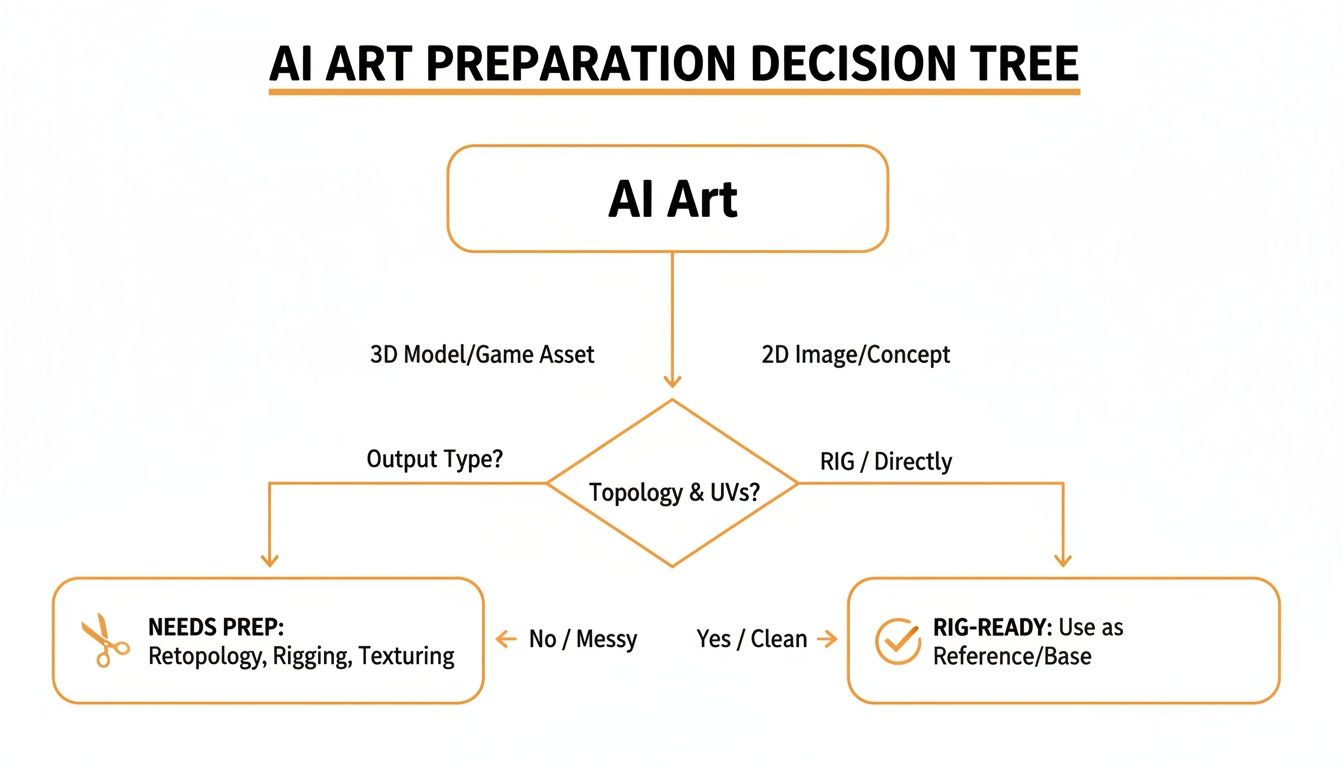
As you can see, no matter which path you take, getting that initial art prep right is absolutely essential for smooth, believable animation down the line.
The Expressive Charm of 2D Rigging
Ever see a VTuber that looks like they leaped straight out of a high-quality anime? That’s the magic of 2D rigging. The go-to software here is Live2D Cubism, an industry-standard tool famous for its ability to breathe life into a flat piece of art without losing its original charm.
A 2D chibi model is an absolute powerhouse for conveying subtle emotions. The entire rigging process is focused on perfecting those little details—the soft turn of the head, the gentle blink of the eyes, and mouth movements that feel incredibly natural. It’s the perfect choice if you want to preserve the exact artistic style of your base image.
The real strength of 2D lies in its expressiveness. You can achieve subtle, emotional details that are often harder to capture in 3D without a massive amount of work. It’s about making your original art feel truly alive.
The catch? It can be a steep learning curve if you're doing it yourself, and hiring a professional rigger can be pricey. The work is incredibly detailed, involving a ton of meticulous mesh adjustments and deformer setups for every single layer you created. Still, for that authentic, hand-drawn feel, many creators agree it's worth every bit of effort.
The Freedom and Flexibility of 3D Rigging
Then we have the 3D route, which is all about total freedom. A 3D model isn't just turning its head; it can do a full 360-degree spin, dance, run, and interact with a virtual environment. This is a total game-changer if you’re planning on content that uses full-body tracking or jumping into VR.
Getting started has never been easier, thanks to amazing and free tools like VRoid Studio. Instead of rigging a flat drawing, you’re basically sculpting a digital puppet, using sliders to tweak everything from hair physics to the shape of the eyes. For a lot of newcomers, it’s a much more intuitive and less intimidating process.
Going 3D brings some fantastic perks to the table:
- Full Range of Motion: Your model isn't stuck in one pose. You can create way more dynamic and interactive streams.
- Easy Outfit Swaps: Changing clothes or adding accessories is often as simple as applying a new texture file. No re-rigging needed!
- A Whole Ecosystem: Your 3D model is incredibly versatile and can be used in programs like VRChat or for animations in software like Blender.
The main trade-off is usually the aesthetic. While 3D models can look incredible, getting that perfect stylized, anime-like look can be tough and often requires some pretty advanced shading work.
Rigging Software: A Head-to-Head Comparison
To help you decide, here’s a quick breakdown of what to expect from each path. Use this direct comparison to figure out which approach is the right one for your chibi model.
| Factor | 2D (Live2D Cubism) | 3D (VRoid/Blender) |
|---|---|---|
| Aesthetic | Preserves the original 2D art style perfectly. Great for that classic anime look. | Can look 'plasticky' or 'game-like' without advanced shading and texturing. |
| Movement | Limited to a front-facing perspective with head turns and body tilts (pseudo-3D). | Full 360-degree freedom. Can walk, dance, and interact with a virtual space. |
| Learning Curve | Can be steep and unintuitive for beginners. Rigging is a highly technical skill. | More intuitive, especially with tools like VRoid. Feels like a character creator. |
| Cost | Free version available, but the Pro license is subscription-based. Rigger commissions can be expensive. | VRoid and Blender are completely free. Assets can be bought, but the tools are accessible. |
| Flexibility | Primarily for VTubing. Limited use outside of face-tracking applications. | Extremely versatile. Use in VRChat, games, animations, and other 3D software. |
| Outfit Changes | Requires a complete re-rig of new art assets, which is time-consuming and costly. | Simple texture swaps or adding new 3D assets. Much faster and easier. |
Ultimately, your choice comes down to one core question: do you want to prioritize the pristine artistic expression of your 2D art, or do you crave the total freedom of movement that 3D offers? Answering that will put you squarely on the right path.
Bringing Your Chibi to Life on Stream
Alright, this is where the magic really happens. You’ve designed, refined, and rigged your chibi model, and now it’s time to bring that personality to the screen. Getting this final stretch right is all about making sure your tech plays nicely together, so your performance feels seamless and your stream runs like a dream.
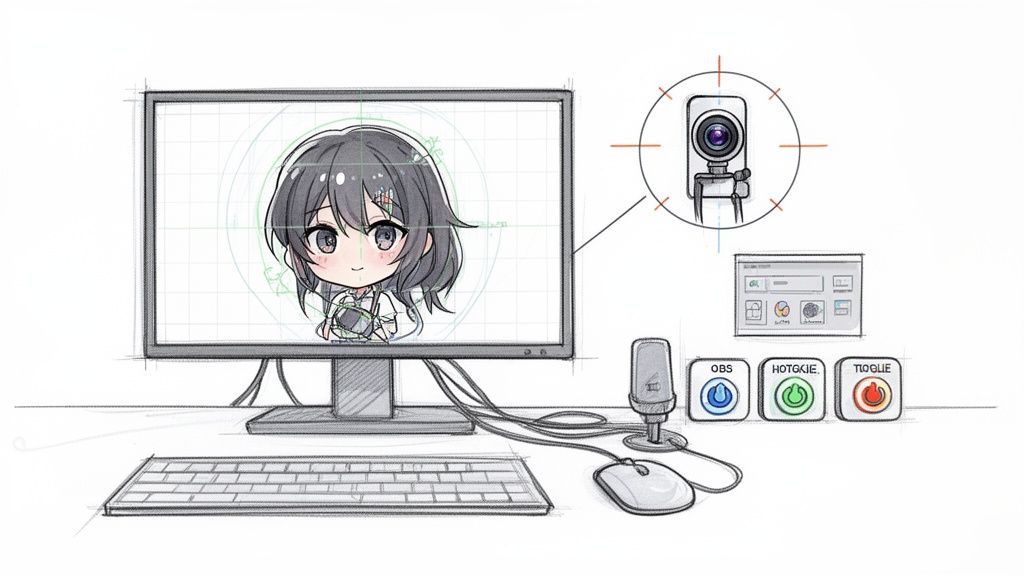
First things first, you need to get your model into your tracking software. If you've got a 2D model, your go-to is almost certainly going to be VTube Studio. For my 3D friends, folks usually gravitate toward VSeeFace or Luppet.
Getting your model imported is usually a piece of cake—just drag and drop your model’s complete folder into the right spot. For example, VTube Studio has a dedicated "Live2DModels" folder just waiting for you.
Once it's in, the software should pick it up right away. If you hit a snag and see an error, the first thing to check is your file structure. VTube Studio is a bit fussy and needs all its texture files and configurations exactly where it expects them to be.
Fine-Tuning Your Tracking and Expressions
Now, let's make you move. Your webcam or smartphone is the bridge between you and your avatar, so a solid setup here is non-negotiable.
Honestly, a modern iPhone with its Face ID sensors offers some of the best tracking you can get without breaking the bank. That’s why you see so many pros using them. You can connect your phone with an app like iFacialMocapi and see a massive improvement in tracking precision.
Next up: expressions! Your rigger probably set up parameters for all the core emotions like "happy," "angry," or a cute blush. Inside your tracking software, you’ll map these to hotkeys. This is how you'll trigger an emotion instantly while you're live.
Here’s what I recommend for a good starting setup:
- Core Emotions: Put your most-used expressions—joy, sadness, anger, surprise—on keys you can hit without looking, like your number pad.
- Fun Toggles: Set up hotkeys for special actions. Think head pats, sparkling eye effects, or toggling accessories like glasses on and off.
- Idle Motion: To keep your chibi from looking frozen, set up a subtle idle animation. A little breathing or gentle swaying makes a huge difference.
Getting your hotkeys right feels like learning an instrument. At first, you'll have to think about it, but soon it becomes muscle memory, allowing you to react to your chat and game with genuine, instant emotion.
Connecting to Your Streaming Software
The final piece of the puzzle is piping your chibi into your broadcast software, which for most people is OBS Studio or Streamlabs.
You'll add your VTubing application as a "Game Capture" source in OBS. The absolute key setting here is to check the box for "Allow Transparency." This simple click makes the background of your tracking software invisible, leaving just your adorable chibi floating over your game or whatever else you're streaming. If for some reason that doesn't work and you have a solid green background, you can always use a "Chroma Key" filter to get the same effect.
Getting your digital puppet set up is a huge step. If you're just getting started, our guide on using a VTuber avatar maker has some great tips to build a strong foundation.
Just a final heads-up on performance: running a game, tracking software, and OBS all at once can be pretty demanding on your PC. Keep an eye on your CPU usage. If you see it spiking above 80%, you might want to lower your game's graphics settings or reduce your webcam's resolution to keep the stream from lagging.
Got Questions About Making a Chibi VTuber?
So, you're thinking about diving into the world of chibi VTubing? That’s awesome! But it's totally normal to have a million questions swirling around. It’s a space where creativity meets tech, and it's easy to feel like you're in over your head at first.
Let's clear the air. This section is all about tackling those big, common questions head-on. We'll go over everything from how much this will actually cost to what kind of computer you’ll need, and even the nitty-gritty of creative rights. Think of it as your personal cheat sheet for getting started.
So, What's the Real Cost of a Chibi VTuber Model?
This is usually the first thing on everyone's mind, and for a good reason! The price for a chibi VTuber model can be all over the map—we're talking anything from basically free to a few thousand dollars. It really just boils down to how you decide to go about it.
If you're willing to get your hands a little dirty and go the DIY route, you can keep things incredibly cheap. By using an AI tool like Tooncraft for your base art and then pairing it with free software like GIMP and VRoid Studio, you could realistically get a great-looking model up and running for under $50. This guide is all about showing you how that's not just possible, but pretty straightforward.
On the other hand, you could commission a totally custom 2D model. This involves hiring a pro artist to draw your character and a rigger to bring it to life. For that, you’re looking at a range of $500 to $3,000+. The final number really depends on the artist's reputation, how complex your design is, and how much detail you want in the rigging.
Do I Actually Need to Be an Artist to Make My Own Model?
Nope! Not at all. This is probably the biggest misconception out there. The game has totally changed, and you no longer need to be a professional illustrator to create a stunning avatar.
Tools like AI art generators do the heavy lifting for you by creating a polished character design from a simple idea or even a photo. From there, the process is less about artistic talent and more about following technical steps—things like separating layers for rigging or tweaking sliders in a 3D program like VRoid Studio. This guide was written for creative people, not necessarily for seasoned digital artists.
The old barriers are gone. You no longer need to spend years learning to draw to have a unique, expressive avatar. Your creativity and personality are what matter most, and the tools are here to handle the rest.
Can I Make Money Streaming with My Chibi Model?
For the most part, yes you can! But this is where you really need to read the fine print. Whether you can monetize your streams all comes down to the terms of service for every single tool and asset you use.
- AI Art Generators: Dig into their commercial use policy. Some platforms give you full commercial rights right out of the gate, while others have some strings attached.
- Software: Most creative software like VRoid Studio or Blender are perfectly fine for commercial use, but it never hurts to give their license agreement a quick read.
- Commissions: If you go the commission route, make sure your contract with the artist and rigger explicitly gives you full commercial rights. You need this in writing!
Seriously, take a few minutes to verify your licenses before you start earning anything. It's a crucial step that will protect you and your channel later on.
What Kind of PC Setup Do I Need for VTubing?
VTubing can be pretty demanding on your computer, mostly because you're juggling a few resource-hungry programs all at once. To keep your stream smooth and lag-free, a solid gaming PC is usually the way to go.
You’ll want a setup with a modern multi-core processor (think an Intel i7 or AMD Ryzen 7), at least 16GB of RAM, and a decent dedicated graphics card (something like an NVIDIA RTX 3060 or better). This kind of power ensures your machine can handle your game, your tracking software, and your streaming app all at the same time without breaking a sweat.
Ready to create the perfect chibi face for your new avatar? Tooncraft lets you turn a simple selfie into a high-quality, expressive anime character in seconds. Get started and bring your vision to life today at Tooncraft.ai