
Your Guide to Creating a VTuber Avatar Maker Persona
Ready to join the virtual world? Our friendly guide shows you how to use a VTuber avatar maker to design, rig, and stream your unique virtual identity.
So, what exactly is a VTuber avatar maker? Think of it as your personal digital artist, powered by AI. It’s a tool designed to help you create a unique, stream-ready virtual persona without the traditional hassle or high costs. Instead of spending weeks commissioning an artist, you can get a professional-looking avatar just by uploading a photo and picking a style you love.
Your First Step into the VTuber World
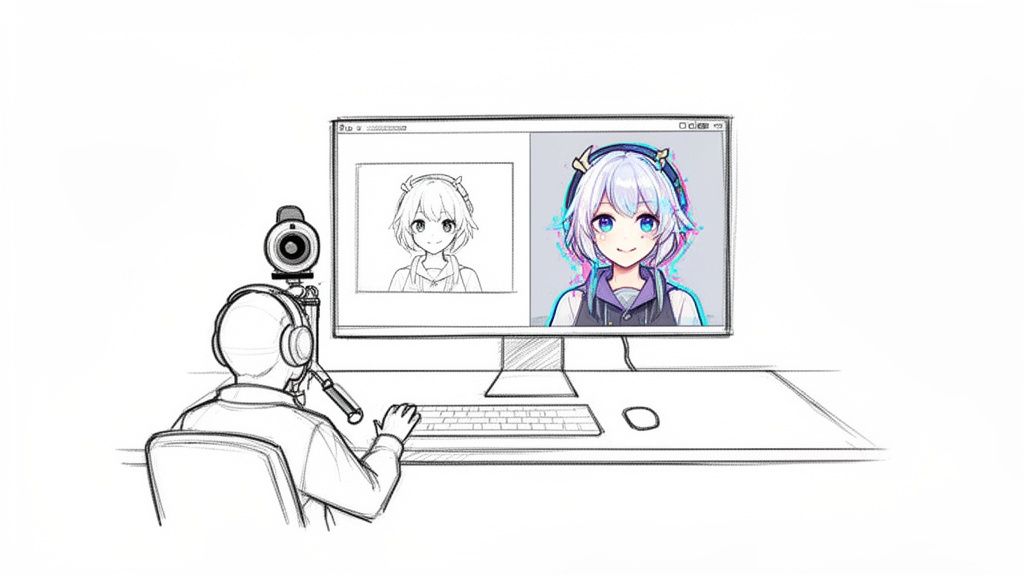
Ever watched a VTuber stream and wondered how they bring those vibrant, expressive characters to life? The secret is often less about spending months learning complex 3D modeling and more about using smart, accessible tools. Creating a digital identity is easier than ever, and AI-powered avatar makers have thrown the doors wide open for new creators.
Gone are the days when becoming a VTuber meant a massive upfront investment and a long, drawn-out process with artists and riggers. Modern platforms put the creative power right in your hands. You can literally turn a simple photo into a fully realized character in minutes, not months. This is a game-changer for anyone trying to carve out their own space in the ever-growing world of content creation.
Why a Unique Avatar Matters
Your avatar is so much more than a digital mask—it's the core of your brand. It’s how you build a memorable persona that truly connects with your audience. For many streamers, it also provides a welcome layer of anonymity, giving them the confidence to be their true selves without the pressure of being on camera.
A well-designed virtual identity helps you:
- Build a Recognizable Brand: Your avatar is the face of your channel. It makes your content instantly recognizable on crowded platforms like Twitch, YouTube, and TikTok.
- Boost Viewer Engagement: An expressive character can react to chat, celebrate subs, and tell stories in a way that keeps viewers totally captivated.
- Open Up New Content Opportunities: Your avatar isn't just for streaming! It can star in animated shorts, get featured on merchandise, and become the hero of your social media posts.
The VTuber world is absolutely booming. The global market, valued at USD 6.28 billion in 2023, is expected to explode to a staggering USD 117.16 billion by 2032. With that kind of growth, having a distinct and appealing avatar isn't just nice—it's essential. If you want to dive deeper, you can get more insights into the VTuber market's rapid expansion.
Comparing Avatar Creation Methods
Here's a quick look at how modern AI avatar makers stack up against traditional creation methods.
| Feature | Traditional 3D Modeling | AI VTuber Avatar Maker |
|---|---|---|
| Creation Time | Weeks to months | Minutes to hours |
| Cost | High ($500 - $5,000+) | Low to moderate ($20 - $100) |
| Skill Required | Advanced artistic & technical skills | Minimal; beginner-friendly |
| Customization | Full control, but complex | High, within style parameters |
| Accessibility | Limited to professionals/high budget | Open to everyone |
The choice really comes down to your budget, timeline, and how much control you want over the tiny details. For most aspiring VTubers, the AI route is the perfect starting point.
Key Takeaway: Using a VTuber avatar maker isn't just a shortcut; it's a smart, strategic move. It lets you jump into a booming market with a professional look, skipping the old barriers of high costs and long waits. This frees you up to focus on what really matters: making awesome content.
From a Spark of an Idea to Your First Image
This is the fun part—where your virtual self starts to come alive. Before you even touch an AI avatar maker, just take a beat and think. What's the personality? Are you a chaotic gremlin who thrives on mischief, a comfy streamer with cozy vibes, or a hyper-focused esports pro? Nailing down your character's core personality is the first real step to designing a VTuber that feels like you.
Next, think about the aesthetic. Are you drawn to the crisp, modern look of today's anime, or do you prefer the softer, dreamier feel of a Ghibli film? Maybe something else entirely! This choice will guide everything from your avatar's outfit to its go-to expressions. You don't need to be an artist here; a simple Pinterest board or even a text file with a list of keywords will do the trick.
Getting Your Reference Photos Ready
Okay, with a concept in mind, it's time to prep your source material. AI tools are pretty amazing, but their output is only as good as what you feed them. The photos you upload are the bedrock of your final avatar, so putting in a little effort now will pay off big time later.
Here are a few pointers I’ve learned for getting that perfect reference shot:
- Light It Up: Good lighting is non-negotiable. Stand facing a window for some nice, natural light, or use a ring light if you have one. You want even, front-facing light to get rid of any harsh shadows so the AI can see your features clearly.
- Keep the Background Simple: A plain, neutral-colored wall is your best friend. A busy background with posters or furniture can confuse the AI and muddle the results.
- Say Cheese (or Don't): The best starting point is a straight-on, passport-style photo. Look right at the camera with a neutral expression. This gives the AI a clean, unbiased map of your face to build from.
I'd also suggest avoiding photos with heavy makeup, glasses that hide your eyes, or hats that cover up your hair. You want the AI to have the clearest possible view of your unique features.
Finding Your Look and Sticking With It
Now we get to the most exciting part: playing with different art styles. Most AI avatar platforms have a whole buffet of artistic options to choose from. This is your chance to experiment and see what really connects with the persona you've dreamed up.
For instance, a tool like Tooncraft lays out the styles in a really visual way.
The whole point is to discover what works. You can generate a bunch of different versions of yourself in just a few minutes until you land on one that makes you say, "Yep, that's it."
Once you find a style you absolutely love, the key to building a memorable character is consistency. To make sure your avatar looks the same across all your content, always use the same one or two reference photos for every single generation. This trains the AI on your specific features, ensuring your avatar is recognizable whether you're creating a new pose or a different expression. You can check out a bunch of anime portrait avatar styles to find the perfect one for your brand.
By using a consistent set of reference photos, you're essentially teaching the AI what makes your character unique. This simple trick is the key to creating a library of expressions and poses that all look like they belong to the same person.
Building Your Library of Poses and Expressions
A static, single-image avatar can feel a bit lifeless on stream. To really engage with your audience, you need to show a little emotion! After you've locked in your base design, it's time to start building out your expression library.
Start generating a whole range of emotions for your avatar, like:
- Happy and smiling
- Sad or crying
- Angry or determined
- Surprised or shocked
- Playful or winking
Think of this as your emotional toolkit. This library of expressions and poses is what you'll use to react to chat, in-game events, or anything else that happens during a stream. Having these assets ready to go makes the next phase—rigging and animation—so much easier.
Bringing Your Avatar to Life with VTube Studio
Alright, you’ve got a fantastic library of expressions and poses. Now for the fun part: making it move. This is where we take that collection of static images and turn it into a dynamic avatar that reacts and emotes right along with you.
To get this done, we’re going to rely on a classic, beginner-friendly combo: VTube Studio for the animation and OBS for the actual streaming. Both are industry standards, powerful, and totally free to start with, which is a huge plus.
The big idea here is to rig your avatar, which is just a fancy way of saying we'll connect it to your webcam or phone. This allows the software to track your face in real-time, making your character mimic your head movements, blinks, and mouth shapes. It's the secret sauce that breathes life into your digital persona and makes your streams feel genuinely interactive.
This little graphic breaks down the journey so far.
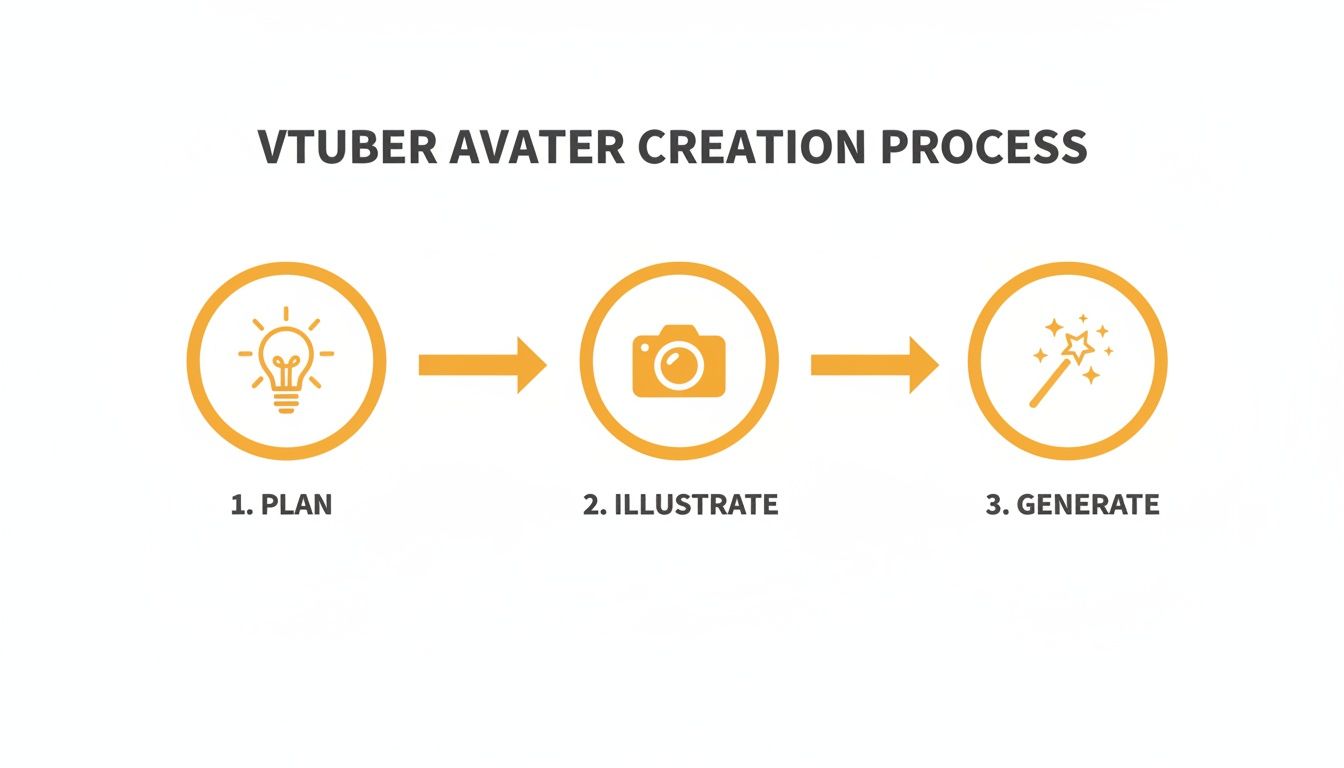
As you can see, it all flows from a clear plan, to getting a good photo, and finally to generating the artwork. It’s a pretty straightforward path from an idea in your head to a finished image.
Importing Your Model into VTube Studio
First things first, let's get your images organized. VTube Studio is a bit particular about its file structure, so you'll need to create a dedicated folder for your new avatar. This folder will hold all the separate pieces—the open-mouth image, the closed-mouth one, the blinking eyes, and every other expression you created.
Since we're working with an AI vtuber avatar maker, the simplest route is to set it up as a "PNGTuber" model. This is the perfect entry-level setup.
These models work by swapping between a few key images:
- Idle State: Your default, neutral expression with a closed mouth.
- Talking State: The same expression, but with the mouth slightly open.
- Blinking States: Separate images for closed and half-closed eyes.
VTube Studio’s interface is thankfully quite intuitive. Once you import your new model's folder, the software will walk you through assigning each image to an action. For example, it listens to your microphone; when it detects your voice, it automatically swaps the idle image for the talking one. Easy peasy.
Setting Up Face Tracking and Hotkeys
Now, let's connect your face. Plug in your webcam or link your phone, and VTube Studio will start mapping your facial movements. Take a moment to calibrate it. You want to make sure that when you tilt your head or look from side to side, your avatar mirrors you accurately. This is what sells the illusion and gives your stream that polished, lively feel.
Hotkeys are going to be your best friend for showing emotion on the fly. You can assign any of those cool expressions from your library to specific keys on your keyboard.
Think about it: you could set the F1 key to trigger your "surprised" face and F2 for your "happy" one. When a viewer leaves a really nice comment or something wild happens in your game, you just tap a key and your avatar reacts instantly. It makes your stream so much more engaging for your audience.
Connecting VTube Studio to OBS
The final piece of the puzzle is getting everything into OBS (Open Broadcaster Software), which is what most people use to stream. Inside OBS, you'll add VTube Studio as a "Game Capture" source.
Here’s a crucial step: make sure you check the "Allow Transparency" box! This is the magic button that removes the background from the VTube Studio window. Without it, you'll have a big colored box around your avatar. With it, your character will float cleanly over your gameplay, desktop, or any other background you've designed.
All that's left is to position and resize your avatar within your OBS scene until it looks perfect. And just like that, you're ready to go live. You’ve successfully taken a character from a simple idea to a fully animated, stream-ready persona. Go get 'em
Pro Tips for a Polished VTuber Presence
Alright, so you've got your avatar moving and grooving. Awesome! But going from a basic setup to a truly professional-looking VTuber stream is all about sweating the small stuff. Now that you have your animated model, the real fun begins: building a whole brand around it.
Think of your new virtual persona as the face of your channel, everywhere. The AI avatar maker handed you a treasure trove of assets, so it's time to put them to work! Your goal is to create a consistent look across the board. Your YouTube thumbnails, Twitch offline screens, Twitter banner, Discord PFP—everything should feature your character. This is how you build that instant recognition and make your persona stick in people's minds.
Make Your Stream React to Your Audience
One of the coolest things you can do to boost engagement is to make your stream feel alive and interactive. That's where reactive PNGs come in. These are just images of your avatar that pop up on screen when certain things happen, and they're surprisingly easy to set up in OBS or Streamlabs.
You can get super creative and make custom PNGs for all kinds of alerts:
- New Followers: A happy, waving version of your avatar could appear.
- Subscribers: Maybe your character does a little celebratory dance or holds up a "Thank You!" sign.
- Donations: An avatar with sparkling, grateful eyes or making a heart shape with their hands is always a winner.
This little trick does wonders for making your community feel seen. When a viewer's action triggers a direct, visual reaction from you (well, your avatar), it makes the whole experience so much more personal and fun.
Build a Community Around Your Character
Remember, you didn't just create a model; you created a character. They have a personality, maybe some quirky lore, and unique traits. Lean into that! The strongest VTuber communities are often built on shared experiences and inside jokes that all revolve around the persona.
A simple but powerful idea is to give your community a name that fits your theme. If you're a space captain, your followers could be the "Star Crew." This creates a sense of belonging and helps turn passive viewers into a real fanbase that’s invested in what you do.
My Takeaway: A polished VTuber presence isn't just about having a great model. It's about using that model to build a cohesive brand and an interactive experience that pulls your audience right into the show.
Use your character to create moments people want to share. Did your avatar make a hilarious face when something unexpected happened in-game? Clip it! Turn it into a TikTok or a GIF. Not only does this give you more content, but it also gives your community something fun to share, organically growing your channel and cementing the personality you've worked so hard to build.
Turning Your VTuber Passion into a Paycheck
Alright, so your avatar is rigged, you're ready to stream, and things are looking good. Now for the exciting part: turning this whole thing into a real, sustainable career. It’s absolutely possible, but it takes more than just hitting the "go live" button. You have to start thinking like a business, and your virtual persona is your biggest asset.
That avatar you just created with a solid vtuber avatar maker isn't just a pretty face; it’s your brand. It’s what people will recognize across Twitch, YouTube, and TikTok. A consistent, high-quality look is what draws people in and makes them remember you.
Ways to Make Money as a VTuber
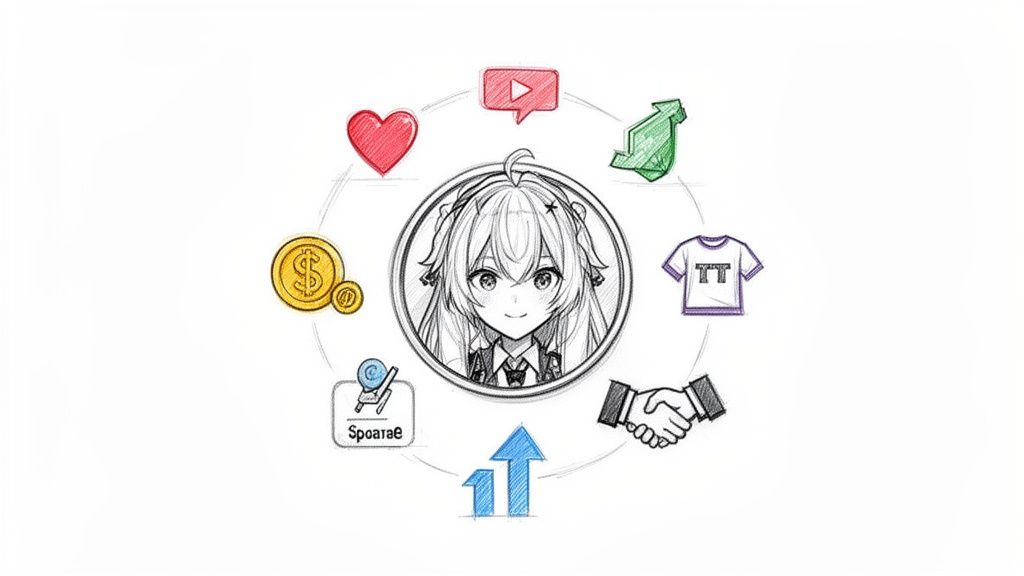
The cool thing about being a VTuber is that you aren't stuck with just one way to earn a living. The most successful creators I've seen have several income streams working at once, which creates a much more stable career.
Here are the most common paths people take:
- Platform Goodies: This is where most people start. We're talking about Twitch subscriptions, YouTube channel memberships, and all those direct donations like Super Chats and Bits. It’s your community showing their direct support.
- Brand Deals and Sponsors: Once you build an audience, brands will notice. A unique and memorable avatar makes you way more attractive for sponsorships. They aren't just partnering with you; they're partnering with your character.
- Selling Your Own Merch: Your avatar is basically a mascot for your channel. Think about it—t-shirts, keychains, stickers, posters. It's a fantastic way for fans to support you and get something tangible in return.
The VTuber Advantage in Making Money
Virtual avatars have this wild, almost magical ability to connect with audiences. People form really strong bonds with the character, which is a huge advantage in the creator world. That connection often makes viewers much more willing to open their wallets.
The numbers don't lie. Monetization trends consistently show virtual streamers at the top. In fact, something like 70% of the top Super Chat earners on YouTube are VTubers. That stat alone tells you how powerful a well-made persona can be. You can dig deeper into the VTuber market trends from Mordor Intelligence if you're curious.
Spending a little bit upfront on a good avatar maker that gives you a ton of expressions and poses is one of the smartest moves you can make. It’s a small investment that pays off big time by helping you build a more genuine—and profitable—relationship with your viewers right from the start.
At the end of the day, it all comes down to using your persona everywhere you can. Those static avatar images can become social media posts, promotional art, or even animated shorts. If you want some ideas, we have a guide on how to create AI videos that can show you how to breathe even more life into your character outside of streaming. When you treat your avatar as the heart of your brand, you open up a massive world of creative and financial doors.
Got Questions About VTuber Avatar Makers? We've Got Answers.
Jumping into the world of VTubing can feel like a lot at first, and you probably have a few questions. If you're looking at a VTuber avatar maker and wondering where to even start, you're in good company. Let's tackle some of the most common questions we hear from new creators.
A big one that stops a lot of people before they even begin is the fear that they just aren't "artsy" enough to pull it off.
Do I Need to Be an Artist to Use an AI Avatar Maker?
Not at all. And honestly, that's the whole point of these tools! They were built for everyone, not just people who can draw.
If you can snap a decent, well-lit selfie, you already have all the skills you need. The AI does the heavy lifting by turning your photo into a fully-realized character, which lets you skip right to the fun stuff—like dreaming up your VTuber's personality, backstory, and killer sense of style.
Can I Make Money Streaming With My AI Avatar?
For the most part, yes! Most of the big AI avatar platforms know that creators want to monetize their work, so they usually give you full commercial rights to whatever you create. That means you're free to use your avatar for monetized streams, brand deals, and even slapping it on a t-shirt.
Still, it's always a good idea to skim the terms of service of the specific tool you're using. It just gives you peace of mind. As your channel grows, you'll also want to get smart about protecting your digital identity. For a deeper look into platform rules and safety, our guide on AI video moderation guidelines is a great resource.
Pro Tip: Think of the terms of service as your safety net. A quick five-minute read can save you from major headaches later and ensures you can earn from your hard work without any unexpected legal issues.
How Can I Make Sure My Avatar Always Looks the Same?
Consistency is everything when you're building a brand. You want your audience to recognize you instantly, no matter what. The secret? It all comes down to the photos you feed the AI.
Try to stick to just one or two really good reference photos for everything you generate. When you do this, you’re basically teaching the AI what you look like. It helps the algorithm lock onto key details like your hairstyle, eye color, and face shape, keeping them consistent across every new pose, expression, or even a totally different art style. It's the simplest and most effective trick in the book.
Ready to bring a character to life that truly stands out? Tooncraft makes it easy to turn a photo into a stream-ready avatar in just a few minutes. Start designing your digital self today!