
Style Transfer AI Your Guide to Creating Stunning Art From Photos
Discover how style transfer AI turns your photos into masterpieces. This guide explains the technology and provides tips for creating incredible AI art.
Ever wonder how an app can take your family portrait and make it look like a vibrant anime scene, or turn a simple landscape photo into something that looks like it was painted by Van Gogh himself? You've just stepped into the world of style transfer AI.
What Is Style Transfer AI and How Does It Work?
At its heart, style transfer AI is a bit like a digital chameleon. It has the incredible ability to look at one image, understand its unique artistic fingerprint—the colors, the textures, the brushstrokes—and then paint another image using that exact same style.
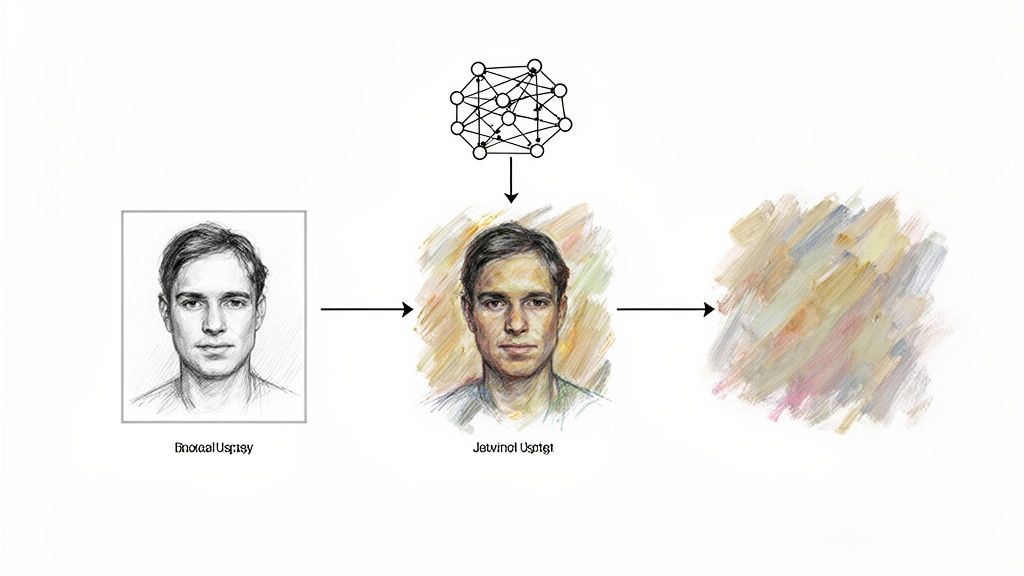
Think of it like this: you have a simple line drawing (the content) and a beautiful watercolor painting (the style). The AI acts as the artist, meticulously redrawing your sketch but using the soft, blended colors and textures from the watercolor. The original drawing is still there, but it’s been completely reimagined.
This guide will pull back the curtain on how tools like Tooncraft use this amazing technology to let you create stunning art from your favorite memories. It’s the first step to understanding the real magic happening behind the pixels.
The Two Key Ingredients
To make this work, the AI needs two things from you: a content image and a style image. The model, which is usually a special type of AI called a convolutional neural network (CNN), gets to work analyzing both.
- The Content Image: This is your starting point—the photo you want to transform. Its structure, subjects, and overall composition provide the "what" for the final piece.
- The Style Image: This is your artistic inspiration. It provides the aesthetic DNA—the colors, patterns, and textures the AI will learn from. This is the "how."
The AI then gets to work, generating a brand new image. Its goal is a delicate balancing act: it tries to keep the new image as close as possible to your original photo's structure while also making it a near-perfect match for the artistic style.
The real magic of style transfer is creating an image that’s instantly recognizable as your photo, but looks as if it were genuinely created in a completely different artistic style.
This mind-bending capability was first introduced in a landmark 2015 research paper that showed how neural networks could separate and recombine these visual elements. Since then, the idea has exploded. The generative AI market, which includes this tech, was valued at $22.21 billion in 2025 and is expected to rocket to $324.68 billion by 2033. This massive growth shows just how much creative and commercial power is packed into these tools. You can read more about the growth of the generative AI market to see just how fast things are moving.
To help break this down, let's look at the core concepts that make all of this possible.
Core Concepts in Style Transfer AI
This table provides a quick overview of the essential terms and technologies behind the magic.
| Concept | Simple Explanation | Why It Matters |
|---|---|---|
| Content Image | The original photo you want to transform. | It provides the foundational structure and subject for the final artwork. |
| Style Image | The image providing the artistic look (e.g., a painting). | It gives the AI the "artistic DNA"—colors, textures, and patterns to mimic. |
| Content Loss | A measurement of how different the new image is from the original photo's structure. | A low content loss means the final image is still recognizable as your photo. |
| Style Loss | A measurement of how different the new image's style is from the style reference. | A low style loss means the AI successfully captured the desired artistic feel. |
| CNN | A type of AI great at "seeing" and understanding patterns in images. | This is the "brain" that analyzes both images and generates the new one. |
Understanding these basic building blocks is the key to appreciating how style transfer can take a simple input and produce something truly extraordinary.
From Lab Experiment to Pocket-Sized Picasso
It feels like magic, doesn't it? The ability to instantly turn a photo into a masterpiece. But this "magic" has roots that go back to some pretty serious academic research. The whole thing really took off in 2015, thanks to a landmark paper that showed how a neural network could separate what's in an image (its content) from how it's rendered (its style). That was the lightbulb moment for style transfer AI.
Before that, digital filters were just glorified overlays. They’d tweak the colors or slap a texture on top, but they couldn't fundamentally reimagine the picture. This new approach was totally different. The AI wasn't just editing; it was painting a brand new image from the ground up, using one picture for the subject and another for the artistic flair.
From a Paper to a Pop Culture Phenomenon
It didn't take long for this incredible idea to escape the research labs. By 2016, style transfer exploded into the mainstream, fueled by projects like Google's Magenta and, most famously, the app Prisma. All of a sudden, anyone could give their selfies the swirling energy of a Van Gogh or the bold lines of a Mondrian.
Prisma's success was staggering—it hit over 10 million downloads just weeks after launching. This wasn't just a fleeting trend; it was a huge signal. It proved that millions of people were hungry for creative AI tools and showed that this complex tech could actually work on the phone in your pocket.
The viral craze around early apps wasn't just for fun. It was a massive proof-of-concept for the entire field of generative art, showing developers that people were ready and willing to create with an AI. This paved the way for everything that came next.
That initial wave of public excitement kicked off a firestorm of investment and research. Today, North America holds over 50% of the generative AI revenue share, but the race is on. The Asia-Pacific market is expected to surge ahead by 2027, thanks in large part to businesses in China adopting the tech. This global competition is what keeps pushing the boundaries of what's possible. You can dive deeper into these trends with insights on the global AI fashion and art markets from Mckinsey.
Smoothing Out the Rough Edges
As cool as they were, those first-generation style transfer models had a major problem: they were slow. Painfully slow. Each new image required a long, clunky optimization process that made real-time use impossible. The next big goal was clear: make it fast and make it flexible.
Researchers got to work, developing new models that could be "pre-trained" on a particular style. This meant the heavy lifting was done upfront, allowing for almost instantaneous transformations. Then came another huge leap with models like CycleGAN. It cracked an even tougher nut: how to apply a style when the content and style images don't match up. Think turning a photo of a horse into a zebra, without needing a perfectly aligned painting of a striped horse to learn from. This "unpaired image-to-image translation" blew the doors wide open, leading directly to the powerful and versatile style transfer AI tools we have today.
A Look Under The Hood: How Style Transfer AI Works
Not all style transfer tools are built the same. Under the surface, different engines are busy turning your photos into art, and each one has its own way of working its magic. Getting to know these methods helps you understand what's happening behind the scenes and why some tools are better for certain creative goals than others.
The Original Pioneer: Neural Style Transfer (NST)
The technique that kicked off this whole revolution is called Neural Style Transfer, or NST. You can think of NST as a very deliberate, almost painfully meticulous artist. For every single photo you give it, the process starts from scratch. The AI painstakingly analyzes your photo (the "content") and the artwork you want to mimic (the "style"), then generates a brand new image, adjusting it pixel by pixel until it strikes the perfect artistic balance.
The results can be stunningly detailed and beautiful. The downside? It’s incredibly slow and computationally heavy, often taking several minutes to process just one image.
This timeline gives you a great visual of how we got from those early, slow-moving academic concepts to the powerful models we have at our fingertips today.
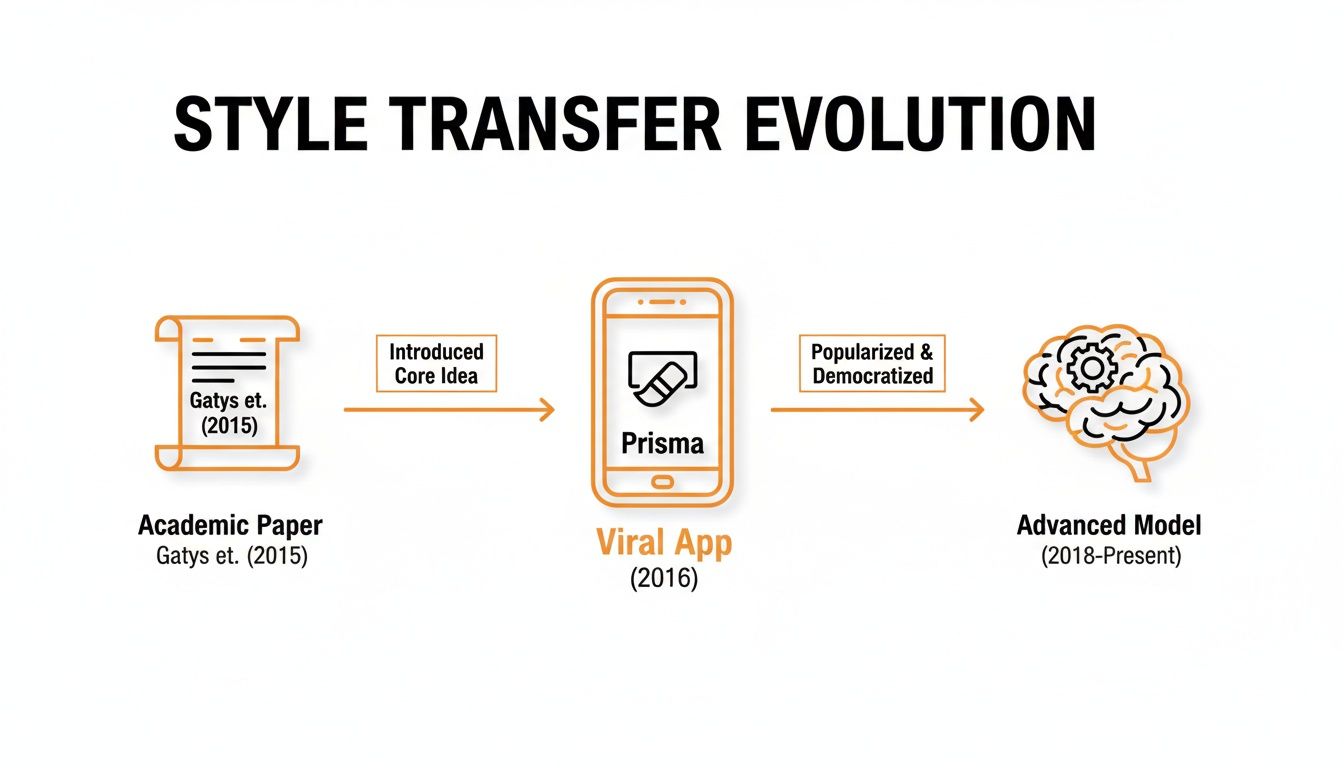
As you can see, the journey shows a clear path: from slow, complex papers to fast, fun apps, and now to highly specialized and powerful models.
The Need for Speed: Faster, More Flexible Methods
The sluggish pace of classic NST was a major hurdle. To solve it, developers came up with faster alternatives. A common trick was to pre-train a network on one specific artistic style. Imagine an artist who has dedicated their entire life to mastering Pop Art. They've done all the hard work, so when you ask them to paint your portrait in that style, they can do it in a flash.
This is exactly why many of the first style transfer apps only offered a handful of filters—each style needed its own dedicated, pre-trained model. It’s a fantastic way to nail a specific aesthetic, like the vibrant, high-impact looks you can explore in Tooncraft's pop art and comic book style collection.
The Game Changer: Generative Adversarial Networks (GANs)
Things got really interesting with the arrival of Generative Adversarial Networks (GANs). This approach uses a brilliant "cat-and-mouse" game between two competing neural networks:
- The Generator: This is the "artist." Its mission is to create new images that perfectly capture a specific artistic style.
- The Discriminator: This is the "art critic." Its job is to look at the Generator's creations and decide if they're authentic examples of the style or just clever fakes.
The two networks train together in a constant battle of wits. The Generator works tirelessly to fool the Discriminator, which in turn gets better and better at spotting fakes. After millions of these rounds, the Generator becomes an absolute master at creating believable, stylized images at lightning speed.
This constant competition is the secret sauce of GANs. The artist (Generator) refines its craft by trying to outsmart the critic (Discriminator), leading to faster, more creative, and often much more convincing results.
This rivalry has fueled incredible advancements. The global AI market, the engine behind all this, was valued at nearly USD 260 billion in 2024 and is on track to soar past USD 1.8 trillion by 2030, according to insights from Statista. That explosive growth is built on landmark models like CycleGAN and pix2pix from 2017, which figured out how to swap styles between images that weren't even a perfect match. That’s the very technology that lets you turn a simple selfie into a character straight out of Attack on Titan.
Comparing AI Style Transfer Techniques
To help you get a clearer picture, here’s a quick side-by-side comparison of the most common style transfer methods we've discussed. Each has its strengths and is best suited for different kinds of creative tasks.
| Technique | Key Advantage | Best For |
|---|---|---|
| Neural Style Transfer (NST) | Extremely high-quality, detailed artistic results. | Fine art applications where processing time isn't a concern. |
| Pre-Trained Models | Very fast and efficient for a single, specific style. | Mobile apps and tools offering a curated set of artistic filters. |
| GANs (e.g., CycleGAN) | Fast, flexible, and can produce highly realistic results. | Complex transformations, like turning photos into anime or cartoons. |
| Diffusion Models | Unmatched creative control and photorealistic output. | High-end creative work, custom style generation, and photorealism. |
Ultimately, whether you're using a speedy GAN or a highly-tuned diffusion model, the goal is the same: to give you a powerful new way to express your creative vision. Knowing what's happening under the hood just makes the magic that much more impressive.
Practical Tips for Creating Perfect AI Art
Knowing the tech behind style transfer AI is one thing, but getting that perfect, jaw-dropping result? That takes a bit of hands-on strategy. The good news is that a few simple adjustments can elevate an image from good to great. It all boils down to picking the right ingredients for your creative recipe.
Think of it like a chef needing fresh, high-quality ingredients. In the same way, your AI needs a solid source photo to work its magic. A blurry, poorly lit picture will almost always produce a muddy, confusing final image because the AI gets lost trying to figure out what it’s even looking at.
Prepare Your Photos for Success
Before you even start browsing styles, take a minute to prep your content image. Seriously, this single step has the biggest impact on your final quality.
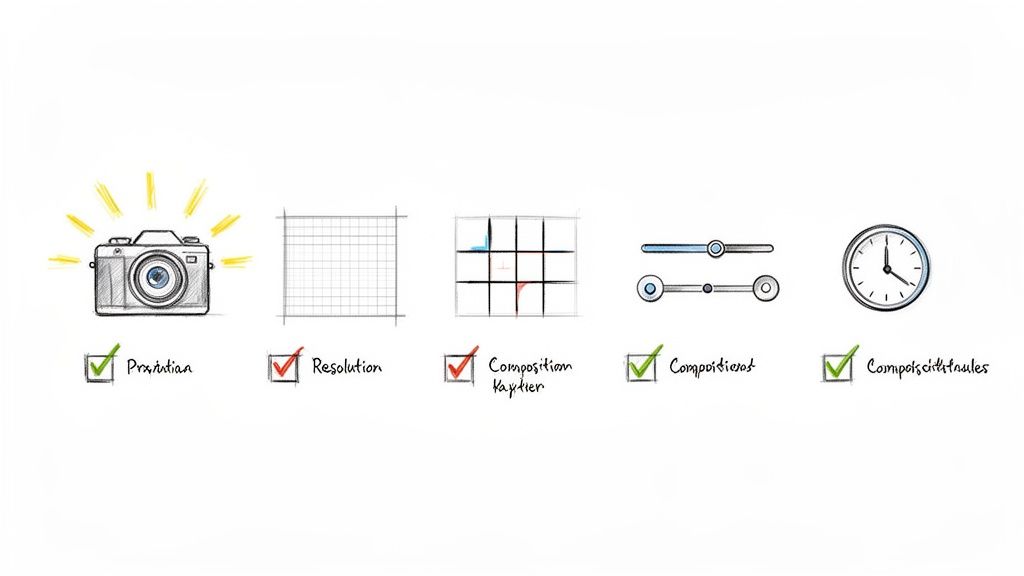
Here’s a quick checklist for a great source photo:
- Clear Subjects: The main person or object needs to be sharp and in focus. The AI relies on clear lines to understand the structure of your image.
- Good Lighting: Photos with balanced lighting—no deep, dark shadows or blown-out, super-bright highlights—give the AI much more information to play with.
- Higher Resolution: You don’t need a gigantic file, but a higher-resolution image provides more detail, which leads to a cleaner, more polished look after the style is applied.
Think of your source photo as the blueprint for your final artwork. A detailed and well-drawn blueprint allows the artist—in this case, the AI—to build something beautiful and coherent. A smudged or incomplete one just leads to a shaky foundation.
Once your photo is ready, the fun really begins: picking the perfect artistic direction.
Match Your Photo to the Perfect Style
The style you choose should complement your photo, not clash with it. For example, a busy, detailed photo paired with an equally complex artistic style can create a chaotic mess. On the other hand, a simple portrait can be the perfect canvas for a bold, expressive style.
Turning a family photo into a vibrant animation, for instance, works best when the style is good at capturing expressions and personalities. You can see a ton of different options like this when you explore the cartoon style collection on Tooncraft. Experimentation is your best friend here; don’t be shy about trying a few different styles to see which one really makes your photo pop.
Testing different looks is easy, helping you find the ideal match for your image's composition and mood.
Fine-Tune Your Creative Vision
Many style transfer AI tools, including Tooncraft, give you settings to tweak the final output. These controls are your secret weapon for getting the exact look you're going for.
- Style Strength: This slider usually controls how heavily the style is applied. A lower setting might just add a hint of the new style, while a higher setting will completely remake the image.
- Content Fidelity: This setting dictates how much of your original photo's structure is preserved. If you notice important details are getting lost, try bumping up the content fidelity to keep them intact.
- Refinement and Iteration: Let's be real—your first attempt might not be perfect, and that's okay! Try cropping your image differently, adjusting the brightness, or simply running the process again. Sometimes, tiny changes can lead to a dramatically better result.
By starting with a great photo, thoughtfully choosing a style, and making small adjustments, you'll be creating stunning AI art in no time.
Creative Ways to Use Style Transfer AI
So, beyond the cool tech, what can you actually do with style transfer AI? Turns out, quite a lot. This isn't just a novelty; it’s a genuinely useful tool that can inject a serious dose of creativity into everything from personal memories to professional work. It's about turning something ordinary into something extraordinary.
Forget basic filters. We're talking about a complete artistic overhaul. Imagine turning your wedding photos into something that looks like it was hand-drawn for a Studio Ghibli movie, or transforming a family portrait into a vibrant, fun-loving cartoon. These aren't just edits—they're total recreations.
From Personal Projects to Professional Branding
The sheer variety of applications is what makes this so exciting. It really bridges the gap between a personal memento and a professional business asset. People are finding all sorts of clever ways to make their mark.
- Unique Social Media Avatars: Want to stand out on Twitch, YouTube, or Instagram? A custom-styled avatar does the job way better than a standard headshot. It instantly shows off your personality or brand.
- Personalized Gifts and Invitations: You can design truly one-of-a-kind birthday cards, holiday greetings, or event invitations. A stylized picture of a beloved pet or a child makes for a gift that people will actually remember and cherish.
- Engaging Business Mascots: Small businesses can now create memorable mascots without the hefty price tag and long waits that come with hiring an illustrator. It’s a fantastic way to make branding more fun and accessible.
Style transfer AI is more than just a fun toy; it's a powerful communication tool. It gives you the power to set a mood, tell a story, or build an entire identity through art, all starting from a simple photo.
The examples below, straight from Tooncraft users, show just how much a style can change the entire vibe of an image.
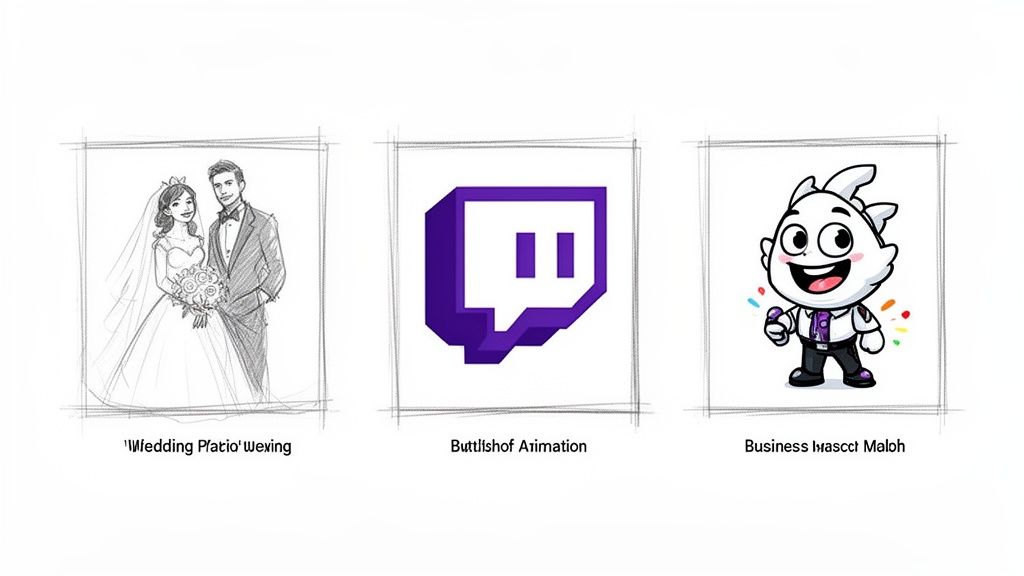
You can see how different styles can make a photo feel professional, playful, or deeply personal, depending on what you’re going for.
Bringing Your Creative Ideas to Life
And it doesn't just stop with still images. The same magic is now being applied to video, which is a massive leap forward for content creators. Imagine animating short clips for TikTok or Instagram, creating slick intros for your YouTube videos, or even producing entire short films with a consistent artistic style.
By keeping the style consistent from one frame to the next, the AI can create smooth, flicker-free animations that look surprisingly polished. This opens up a whole new world for visual storytelling. If you're curious to see it in action, check out our guide on how to create AI videos for a deeper dive. Honestly, the only real limit is your own imagination.
Navigating Common Challenges and Limitations
While style transfer AI often feels like pure magic, it's good to know about the occasional hiccups you might run into. Getting familiar with the tech's limits isn't about finding fault; it’s about becoming a smarter creator who knows how to coax the best possible results out of the tool.
One of the most common issues you'll see are visual artifacts. Think of these as small, unexpected glitches—a random patch of weirdly colored pixels or a blurry spot where you’d expect a crisp line. This usually happens when the AI gets a bit confused by a complex or low-quality photo and has to "guess" how to fill in the gaps.
You might also notice a loss of fine detail. The AI is a master at capturing the broad, sweeping feel of an art style, but the really delicate stuff—like a subtle facial expression, the intricate weave of a fabric, or tiny background elements—can sometimes get smoothed over in the translation.
Understanding Artifacts and Detail Loss
It helps to think of the AI as an artist trying to repaint your photo in a totally new style. If the reference photo you give them is blurry, they have to make some educated guesses about your features, and the final portrait might not be as spot-on.
- Busy Backgrounds: A cluttered background can confuse the AI, sometimes causing it to blend your subject into its surroundings.
- Low Resolution: Starting with a small, pixelated image is like giving the AI a fuzzy blueprint. It has very little information to work with, which often leads to a muddy or distorted output.
- Mismatched Styles: Trying to apply a very abstract, blocky style to a photo full of delicate, intricate details can make those fine points vanish completely.
Here's the key: the AI isn't just slapping a filter on top of your picture. It's fundamentally rebuilding the image from scratch based on the style you've chosen. The better the blueprint you provide (your original photo), the stronger and more beautiful the final creation will be.
A Quick Word on the Ethics of AI Art
Beyond the technical side, it's worth thinking about the ethics of creating with AI. A huge conversation in the art world right now revolves around copyright and respecting artists. While a well-built style transfer AI learns general patterns from art rather than directly copying specific pieces, the dialogue around AI-generated art and artist consent is still evolving.
This is why responsible platforms like Tooncraft train their own unique style models. They’re inspired by popular aesthetics but are built from the ground up, so you can create freely without worrying about stepping on an individual artist's toes. By understanding both the potential and the pitfalls, you can use this incredible technology with confidence and a clear conscience.
Common Questions About Style Transfer AI
We get asked a lot of great questions about how style transfer actually works. Let's tackle some of the most common ones so you can feel confident as you start creating.
Is AI Style Transfer Stealing from Artists?
This is a big one, and it's a valid concern. The short answer is no, a well-built style transfer model isn't just copying and pasting parts of an artist's work.
Think of it this way: the AI studies an art style to understand its core ingredients—things like the texture of the brushstrokes, the typical color combinations, and the way lines are formed. It's learning the recipe, not stealing the cake.
That said, the ethics are super important. It's best practice to use styles from artists who've given their permission or styles that are in the public domain. Here at Tooncraft, we take this seriously. We train our own unique models that are inspired by popular aesthetics, which lets us sidestep any direct copyright problems.
Why Do My AI Stylized Images Look Weird or Distorted?
Ever get a result that just looks… off? It happens, and it's usually down to a few common culprits.
Often, the problem starts with the source image. If your photo is low-resolution, has poor lighting, or is cluttered with too much detail, the AI can get confused. The style you choose can also be a factor; sometimes a bold, abstract style just doesn't mesh well with a detailed portrait.
For the best results, always start with a clear, high-quality photo. Don't be afraid to experiment with a few different styles to see what clicks.
Can I Use Style Transfer on Videos?
Absolutely! Applying a style to a video introduces a unique challenge called temporal consistency.
Basically, you need to make sure the style looks smooth and stable from one frame to the next. If you don't, you get that distracting, flickering effect. The good news is that modern video style transfer models are specifically designed to solve this, ensuring a seamless and professional look.
Ready to see what you can create? Tooncraft makes it easy to turn your favorite photos into incredible cartoons and anime art. Start creating with Tooncraft today