
Your Guide to Using an AI Anime Character Generator
Discover how to create stunning custom art with an AI anime character generator. This friendly guide covers everything from prompts to real-world uses.
Ever wondered how you could create stunning, unique anime-style art without spending years learning to draw? An AI anime character generator is the answer. It’s a tool that uses artificial intelligence to turn your simple text descriptions or even your own photos into high-quality anime characters in just seconds.
Welcome to Your New Creative Playground
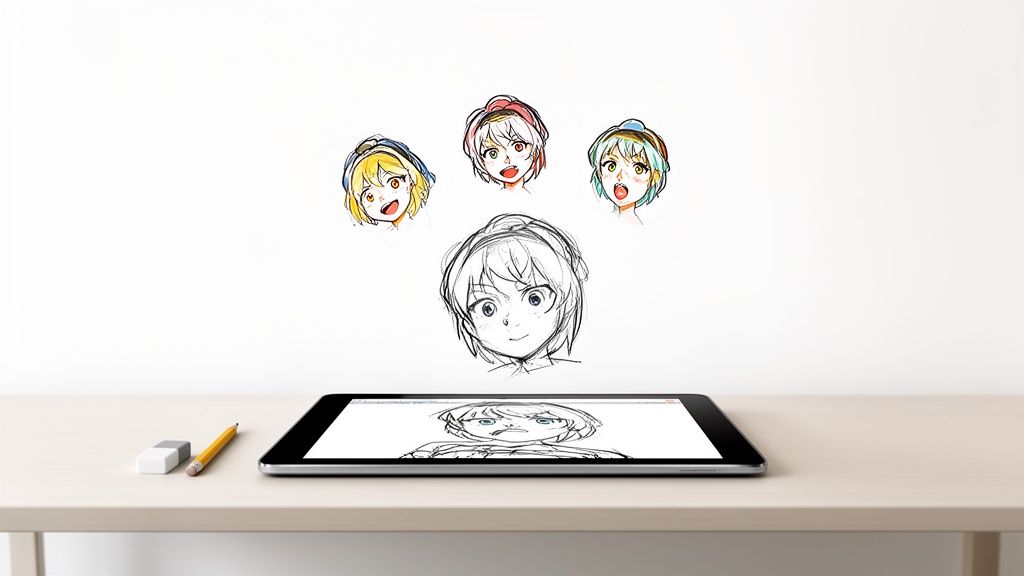
Have you ever pictured yourself as a hero in your favorite anime? Or maybe you've wanted a custom avatar for your Twitch stream that captures your vibe perfectly, but drawing isn’t your strong suit. For a long time, bringing those ideas to life meant learning complex software or hiring an artist.
Not anymore. That barrier is officially gone. The world of digital art is opening up, and AI is handing the creative keys to everyone. Think of this guide as your personal tour through the incredible world of AI anime generation, where your imagination is the only limit.
Your Ideas, Instantly Realized
What I love about tools like Tooncraft is how straightforward they are. You feed it an idea—a detailed description or just a selfie—and it brings back polished anime art. The intimidating learning curve that kept so many people away from digital art has been completely flattened.
This opens up a ton of cool possibilities:
- Social Media: Ditch the boring headshot and create a profile picture that actually stands out.
- Content Creators: Design a mascot for your YouTube channel or unique assets for your stream that help build your brand.
- Gifts with a Personal Touch: Imagine giving a friend a custom portrait of them as their favorite anime character or creating a one-of-a-kind family portrait.
More Than Just a Fun Distraction
While it’s definitely fun to play with, the quality you can get is seriously impressive. Today’s AI generators can nail specific, iconic art styles with stunning accuracy. You can create an anime portrait avatar that looks like it was plucked straight from a Studio Ghibli classic or a high-energy shonen manga.
At its heart, this technology is all about creative freedom. It's designed to let you bring the characters living in your imagination to life, no artistic training required. It’s like having a professional artist on call, ready to go.
So, whether you're looking to craft a unique online identity, design a truly personal gift, or just have some fun exploring your creativity, these tools offer an amazing new playground. In the next few sections, I'll walk you through everything you need to know to get started, from prepping your photos to writing the perfect prompts for your first masterpiece.
How to Prepare for Your First Masterpiece
The secret to incredible AI anime art? It actually starts before you even think about writing a prompt. The whole game is won or lost with the quality and variety of the photos you feed the machine.
Think of it like this: you're giving the AI its only reference material. Handing it great photos is like giving a portrait artist a well-lit, crystal-clear view of their subject. A few minutes spent prepping your images here will make a night-and-day difference in your final character.
Our goal is to give the AI clean, easy-to-understand data so it can nail a person's likeness. This initial step is what separates a generic anime face from one that genuinely looks like you or the person you're trying to recreate.
Choosing Your Core Photos
When you’re picking out photos, remember this: quality always trumps quantity. An AI anime character generator is incredibly powerful, but it can't see through sunglasses or magically guess what a face looks like when it's buried in shadow. Clarity is everything.
So, what should you look for?
- Good Lighting: Ditch any photos with harsh shadows, backlighting that turns the face into a silhouette, or super dim, grainy light. Natural, even lighting is your best friend.
- Clear Facial Features: The AI needs a clean shot of the eyes, nose, and mouth. Selfies or portraits where the person is looking more or less at the camera are perfect starting points.
- No Obstructions: Sunglasses, hats casting shadows, hands covering the face, or even really heavy makeup can throw the AI for a loop. The cleaner the shot, the better the result will be.
Seriously, this first selection is crucial. A blurry, poorly lit photo will almost always give you a muddy, distorted, or disappointingly generic anime character.
Building a Smart Character Library
Want a pro tip? One of the best ways to get a high-quality, consistent character is to build a small "character library." Instead of just tossing in one or two photos, you'll give the AI a hand-picked set of images. This gives the model a much deeper, more three-dimensional understanding of a person's face.
For a tool like Tooncraft, we've found that a library of 10 to 15 diverse photos is the sweet spot. This collection essentially teaches the AI to recognize the person from all sides, which is absolutely essential for keeping the character looking the same across different poses and art styles.
Think of your photo library as a training manual for your own personal AI artist. The more varied and clear the examples you provide, the better it gets at recreating that specific person.
So, what does a strong library look like? You'll want a good mix:
- Multiple Angles: Make sure to include a few straight-on shots, some three-quarter views (head turned just a bit), and at least one profile. This helps the AI map out the actual structure of the face.
- Varied Expressions: Don't just use smiling photos! Toss in some with a neutral expression, maybe a surprised look, or even a thoughtful one. This gives the AI more emotional range to work with later.
- Different Environments: While the face is the star, using photos from different locations (and thus, different lighting) can help the AI get better at separating the person from the background. You end up with a much cleaner final image.
Spending just ten minutes putting this library together is probably the single best thing you can do to get an AI anime character that feels truly personal and looks professional from the very first try.
Crafting Prompts That Bring Your Vision to Life
Alright, with your photos prepped and ready to go, we can get into the fun part. This is where you really start to shape your character and guide the AI to create the exact image you have in your head. It all begins with picking an art style, but the real magic happens when you master writing a great prompt.
Think of the art style as your canvas and the prompt as your paintbrush. If you're using a tool like Tooncraft, you’ve got a massive library of over 50 styles to choose from. You could go for the gritty, high-stakes vibe of 'Attack on Titan' for an action shot or maybe the soft, dreamy look of 'Ghibli' for something more whimsical. Your first big decision is matching the style to the mood you're aiming for.
Moving Beyond Simple Descriptions
Once you've settled on a style, it's all about the prompt. A lot of people new to this just type in simple phrases like "a man with brown hair," but if you want truly incredible results, you need to start thinking like an artist giving detailed instructions. The more specific and descriptive you are, the better.
Instead of just listing physical features, begin layering in details about clothing, the setting, the mood, and even the lighting. This whole process is often called prompt engineering, which sounds way more technical than it actually is. It’s really just the art of using the right words to get the outcome you want.
Mastering this is a huge advantage, especially when you consider how fast this space is growing. The AI generator market was valued at an eye-watering USD 91.56 billion in 2024 and is expected to rocket to USD 667.68 billion by 2032. That explosion is all about the massive demand for personalized content. To see the full picture, you can read the full research about the AI anime generator market and see just how fast things are moving.
And remember, it all starts with good source material. This quick guide shows the simple flow for prepping your photos, which is the foundation for everything that comes next.
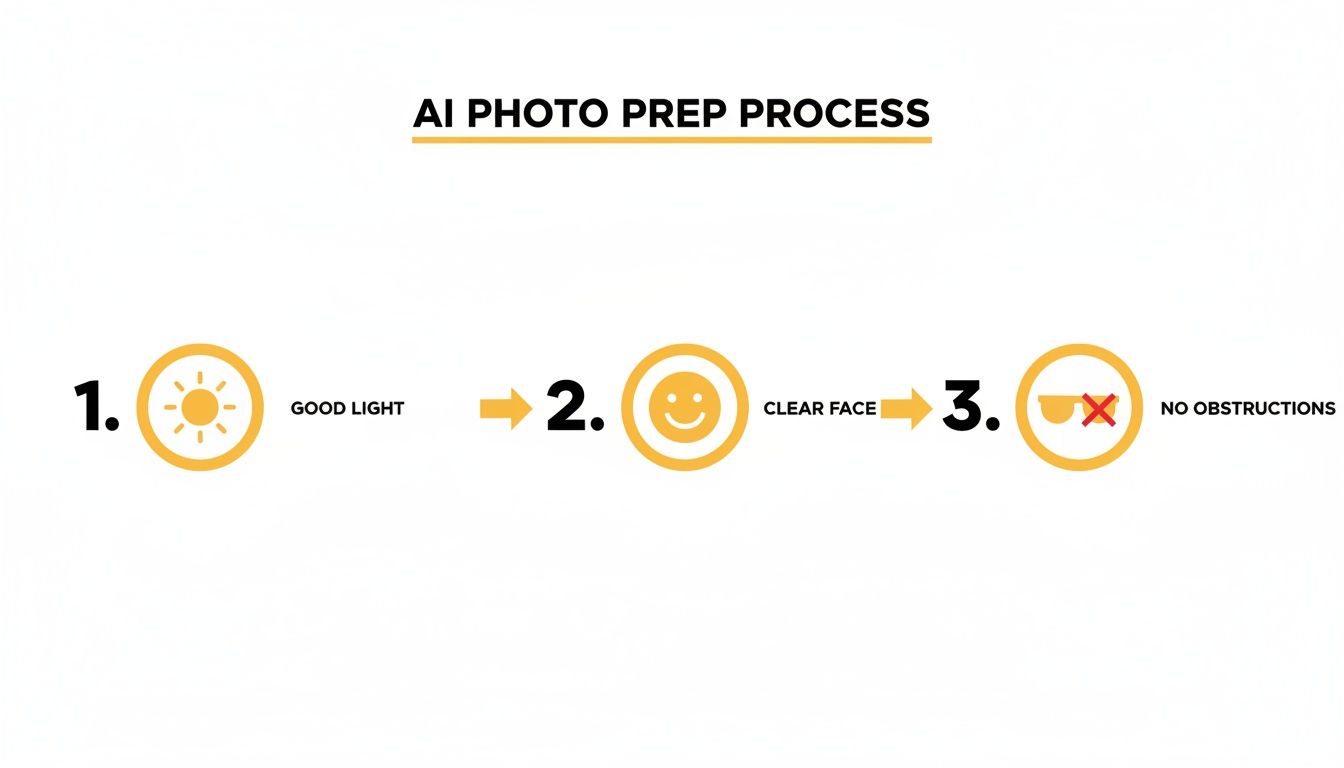
As you can see, things like good lighting and a clear, unobstructed view of the face give the AI the best possible information to work with from the start.
The Anatomy of a Powerful Prompt
A great prompt is really built in layers. You can start with the basics and then add modifiers to fine-tune every little detail. Let's break down how you might build one from the ground up.
- The Subject: First, describe who or what you're creating. Something simple like, "A young woman with long, silver hair and bright green eyes."
- Action & Expression: Next, what's happening? What emotion are they showing? You could add, "...smiling softly, holding a glowing lantern."
- Setting & Background: Where is your character? Placing them in a scene adds so much context and depth. For instance, "...in an enchanted forest at twilight."
- Artistic Flair: This is where you can get really specific with the visual details. Throw in words like "cinematic lighting," "highly detailed," "dynamic angle," or "vibrant colors" to really influence the final image.
Put it all together, and you get a much richer, more effective prompt: "A young woman with long, silver hair and bright green eyes, smiling softly, holding a glowing lantern in an enchanted forest at twilight, cinematic lighting, highly detailed, dynamic angle, vibrant colors."
Your prompt is a direct conversation with the AI. Vague questions get vague answers, but clear, detailed instructions result in art that feels intentional and polished. The difference between a good and great result is almost always the quality of the prompt.
Using Keywords to Control Specifics
To give you a better feel for how to steer the AI, let's look at some specific modifiers you can sprinkle into your prompts. Think of these keywords as different tools in a digital art program—they let you control everything from the camera angle to the tiny details of the art style itself.
For example, if you want a more painterly look, you could add "oil painting style" or "impressionistic." If you need a dramatic shot that pops for a YouTube thumbnail, something like "low-angle shot" or "Dutch angle" can create a powerful sense of action and energy.
Here's a table with a few handy modifiers to get you started. Try experimenting with these in your next project to see how they totally transform your results with an AI anime character generator.
Effective Prompt Modifiers for Character Design
A guide to keywords and phrases that can be added to your prompts to control specific elements of your AI-generated anime character, from art style to emotional expression.
| Element to Control | Example Modifiers | Sample Prompt Snippet |
|---|---|---|
| Lighting | cinematic lighting, soft glow, dramatic shadows, golden hour | "...portrait of a knight, golden hour lighting..." |
| Composition | close-up shot, full body, dynamic pose, from above | "...full body shot of a mage casting a spell..." |
| Detail Level | highly detailed, intricate patterns, 8k resolution, sharp focus | "...wearing a kimono with intricate patterns..." |
| Expression | joyful expression, smirking, thoughtful gaze, determined look | "...a warrior with a determined look..." |
| Art Style | cel shaded, watercolor style, sketch, retro anime | "...a magical girl, retro anime style from the 90s..." |
By combining these different elements, you shift from being a passive user to an active creator. You're no longer just rolling the dice to see what the AI spits out; you're actively directing it to build the exact character and scene you've imagined. That level of control is what makes this process so satisfying.
Keeping Your Character Looking Consistent
One of the biggest headaches with AI image generators is getting your character to look the same from one picture to the next. You finally nail that perfect look, but then you try to put them in a new scene, and suddenly they’re a complete stranger. It’s a common problem, but thankfully, one you can solve.
Getting your anime character to look right across different images—and even in videos—is a must if you're building a brand, telling a story, or just making a set of assets for your stream. The good news is, there are a few solid tricks you can use to lock in that visual identity.
Building Your Character's "Digital DNA"
The smartest way to tackle this is by setting a strong foundation right from the get-go. Think of your first few amazing images as the "source code" for your character. Once you have a handful of generations that absolutely nail the look you're going for, you can use them as the reference for everything else you create.
This is actually where platforms like Tooncraft have a natural edge. Because they constantly refer back to the photos you uploaded, the results are just inherently more consistent. The AI already knows your specific facial features, so it's much less likely to go off-model when you generate new images.
The real secret to consistency isn't just a clever prompt. It's giving the AI a stable, unchanging reference. That could be a set of photos or a specific seed number—either way, you need an anchor.
If you’re using a generator that doesn’t work from photos, you’ll have to get a little more hands-on. Your two best friends here are going to be your prompt and, if the tool has it, the "seed" value.
How to Use Prompts and Seeds to Your Advantage
A seed value is basically a starting number the AI uses to begin generating an image. If you use the exact same prompt and the exact same seed, you'll get a nearly identical image every single time. By locking in that seed, you can start making small changes—like tweaking the background or your character’s expression—while the core facial structure and body type stay put.
If the generator you're using doesn't let you control the seed, then your prompt becomes absolutely critical. Here’s how to make it work for you:
- Make a "Core Prompt": Write down a super-specific description of your character's defining features. Something like, "woman with sharp amethyst eyes, a small scar over her left eyebrow, long wavy crimson hair tied in a high ponytail." Save this exact phrase somewhere safe.
- Reuse and Add On: Every time you create a new image, paste in your core prompt first. Then, add the new details for the scene, pose, or outfit. This keeps the foundational details front and center.
- Get Specific: Vague words like "blue eyes" are a recipe for inconsistency. You'll get different shapes and shades every time. Instead, use much more descriptive terms like "ice-blue eyes" or "round, sapphire eyes" to really lock in the look.
This level of detail is becoming a huge deal as more creators use these tools for things like webcomics and animation. The demand is exploding—the market for AI comic generators was valued at USD 2.07 billion in 2024 and is expected to soar to USD 11.61 billion by 2033. A big reason for this boom is that AI can slash creation time by up to 70%, freeing up artists to focus on the story instead of repetitive drawing. You can read more about the booming market for AI-powered creative tools and see how they're reshaping content creation.
At the end of the day, getting a consistent character is all about using your platform’s features wisely and being disciplined with your prompts. It might take a bit of practice, but once you nail down a workflow, you can build an entire world for your character and trust they'll look right in every shot.
Putting Your AI Anime Characters to Work
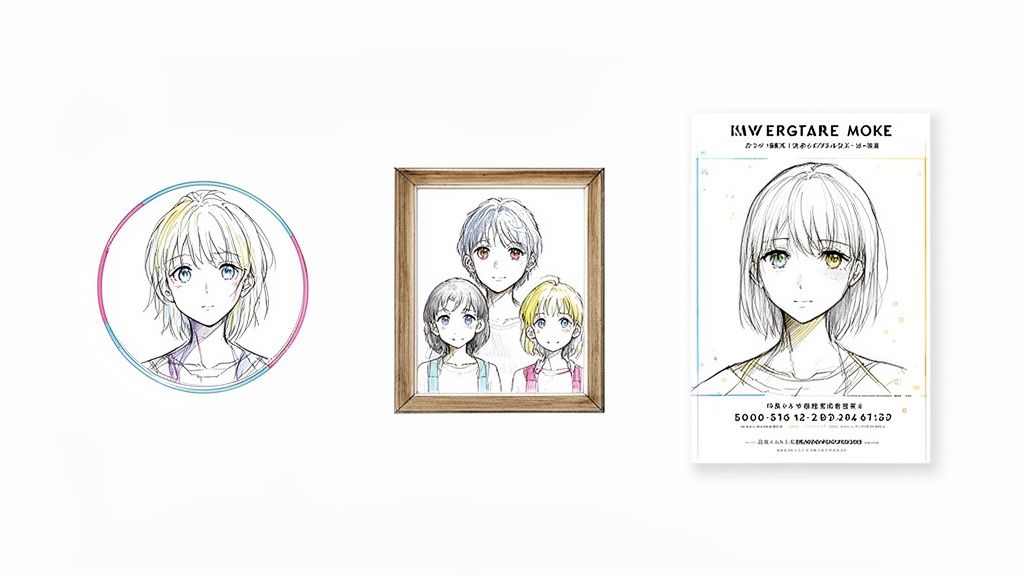
Alright, so you've nailed the process of creating some incredible, consistent characters. What's next? Let's go beyond just making cool art and dive into some genuinely useful ways you can put your creations to work in the real world.
The truly amazing thing about a high-quality ai anime character generator is how it unlocks creative doors that used to be reserved for professional artists. From deeply personal gifts to polished assets for your brand, the possibilities are legitimately exciting.
This isn't just a niche hobby, either. The global appetite for AI-driven anime content is huge, tracking right alongside the anime market's massive growth. In fact, the AI generator segment is projected to hit an incredible USD 384.40 billion by 2030. In places like North America and the Asia-Pacific region, these tools are slashing art costs by up to 90% and helping creators make shareable content that can drive social media engagement up by 30-50%.
Level Up Your Online Presence
For any content creator, a unique and recognizable visual identity is everything. Your AI-generated character can become the face of your brand, forging a memorable connection with your audience.
Picture this: you're a streamer on Twitch. Instead of a simple photo, you use Tooncraft to create a dynamic anime avatar of yourself. You could generate a whole sheet of expressions—happy, surprised, focused—and use them for stream alerts, emotes, and YouTube thumbnails. All of a sudden, your channel has a cohesive, professional feel that makes you stand out.
- Social Media Avatars: Ditch the boring headshot. Create a profile picture for Instagram, X, or Discord that actually shows off your personality.
- Stream Assets: Design custom overlays, alerts, and emotes for platforms like Twitch and YouTube that your community will love.
- Brand Mascots: If you're running a small business, you can whip up a friendly mascot for your website and marketing materials without the hefty price tag of a designer.
Create Unforgettable Personal Gifts
Some of the most meaningful uses for these characters are also the most personal. You have the power to create one-of-a-kind gifts that people will actually treasure, turning cherished memories into beautiful art.
Let’s say the holidays are approaching. You could gather a few favorite family photos and generate a stunning anime-style family portrait. Or maybe for a friend who's obsessed with their pet, you could transform a picture of their golden retriever into a heroic anime sidekick, complete with tiny armor and a determined look. It’s a thoughtful, custom gift that shows you really put in the effort.
A great AI-generated portrait does more than just copy a photo in a new style. It captures a bit of magic, turning a simple moment into a piece of fantasy that tells a story.
Here are a few other ideas to get your wheels turning:
- Custom Wedding Invitations: Design unique "Save the Date" cards or invitations featuring anime versions of the happy couple.
- Holiday Cards: Send out festive cards with your family reimagined in a cozy, winter-themed anime scene.
- Children’s Story Illustrations: Bring a bedtime story you wrote for your kids to life by creating visuals that feature them as the main characters.
Branching into Professional and Creative Projects
When you use a platform like Tooncraft that gives you watermark-free outputs, you open the door to even more ambitious projects. This is where maintaining character consistency really becomes crucial, as it’s what makes the leap from static images to dynamic videos possible.
For instance, a small business could create an animated explainer video for their product using a consistent brand mascot you designed. This is a fantastic way to produce engaging marketing content without the budget of an animation studio. If you're curious about taking that next step, you can learn more about bringing characters to life in our guide on how to create AI videos.
At the end of the day, the power of an ai anime character generator isn't just in the art it produces, but in the creativity it unleashes. Whether you’re building a brand, celebrating loved ones, or telling a new story, you now have an incredibly accessible tool to make your vision a reality.
A Few Common Questions About AI Anime Art
Jumping into the world of AI art usually brings up a handful of questions. It's totally normal to wonder about the details, especially when you start thinking about using your creations for more than just a quick laugh. I've pulled together some of the most common questions I hear to give you clear, straightforward answers.
Think of this as your confidence booster. We'll cover everything from the rules around making money with your art to practical tips for fixing those weird AI glitches, making sure you have the info you need to create without holding back.
Can I Actually Use My AI Anime Characters Commercially?
This is the big one, and the short answer is: it depends. The make-or-break factor is always the terms of service for the specific AI anime character generator you're using. The good news is that many services, especially paid ones, get that creators need this flexibility.
For instance, with a tool like Tooncraft, the paid plans give you clear commercial rights. This is a game-changer for streamers wanting to sell merch, marketers creating a brand mascot, or small business owners designing promo materials. You can actually monetize your creations without looking over your shoulder for legal trouble.
Free generators are a different story. They often come with some serious strings attached, like forbidding commercial use entirely or demanding you give them credit. My advice? Always, always read the fine print before using an image for anything business-related.
It helps to think of it like stock photography. The license you have dictates what you can and can't do. If you plan to make money from your art, choosing a service with an explicit commercial license is the safest and most professional way to go.
How Do I Fix Weird Glitches Like Extra Fingers?
Ah, the infamous six-fingered AI hand. It's a classic quirk you'll run into sooner or later. Glitches like extra fingers, slightly off-kilter faces, or blurry spots happen because the AI is still figuring out the super-complex rules of human anatomy. Luckily, you can usually iron these out with a bit of tweaking.
Your first move should be to refine your prompt. Try adding negative keywords to tell the AI what you don't want to see. Simple phrases like "deformed, extra limbs, blurry, disfigured, poorly drawn hands" can work wonders. This small step often cleans up the most obvious mistakes right away.
If that doesn't quite do the trick, here are a few other tactics I use:
- Just Regenerate: Sometimes, the easiest solution is the best one. Just hit the generate button again. A different roll of the dice might nail it without any other changes from you.
- Use Inpainting (If Available): More advanced tools have an "inpainting" feature. This lets you highlight just the problem area (like that weird hand) and tell the AI to regenerate only that little piece, leaving the rest of your masterpiece untouched.
- Pick a Specialized Model: Platforms like Tooncraft are often fine-tuned specifically on portraits and characters. This specialized training means they're just plain better at getting details like faces and hands right from the get-go, so you'll see these glitches less often.
What's the Real Difference Between Free and Paid Generators?
The old saying "you get what you pay for" really rings true here. The biggest differences between free and paid AI anime generators boil down to quality, freedom, and the features you have to work with.
Free tools are awesome for just playing around, but they typically have limitations that get in the way of any serious project.
- Watermarks: Most free generators will slap their logo on your images.
- Lower Resolution: Outputs are often smaller and not great for printing or professional use.
- Slower Speeds: You might find yourself waiting in a queue for your images to be created.
- Restricted Use: Like we just talked about, commercial rights are rarely part of the deal.
Paid platforms get rid of those roadblocks. You get high-resolution, watermark-free images, much faster processing, and full commercial rights. Plus, you unlock more advanced tools, a bigger library of unique art styles, and better features for things like character consistency. It’s simply a more powerful and flexible creative toolkit. On top of that, many platforms have clear rules and protections; for instance, you can check out our guide on AI video moderation guidelines to see how content is managed for a safer creative space.
How Many Photos Are Needed for Good Consistency?
For the absolute best results when starting with photos, you should aim to upload between 10 and 20 high-quality pictures. But here’s the real pro tip: the variety of those photos is even more important than the exact count. Your goal is to give the AI a complete, 3D understanding of the person's face.
Imagine you're briefing an artist for a portrait. A single photo only tells part of the story. To really capture someone's likeness, the artist needs to see them from different angles and in different moods.
A really strong photo set should include a mix of these:
- Varied Angles: Make sure you have close-ups, shots from the side (profile), and three-quarter angles where the head is just slightly turned.
- Different Expressions: Don't just use a dozen smiling photos. Toss in some with a neutral face, a surprised look, or a thoughtful gaze. This gives the AI more emotional data to work with.
- Clean and Clear Shots: Go back to our tips on photo prep—good lighting and a clear view of the face are non-negotiable for getting top-tier results.
This diverse dataset is exactly what allows an AI anime character generator to accurately recreate a person in any style, pose, or scene you can dream up.
Ready to stop wondering and start creating? With Tooncraft, you can turn your photos into stunning anime art in seconds. Explore over 50 styles and bring your characters to life today at https://tooncraft.ai