
Create: create cartoon character from photo instantly
Learn how to create cartoon character from photo with AI tools to turn photos into avatars, mascots, and portraits in minutes.
Ever wondered how people get those cool, cartoon versions of themselves for their profiles? It used to take serious artistic skills, but now, with tools like Tooncraft, you can do it in just a few clicks. The whole idea is to upload a good, clear selfie, pick a style you love—like Pixar or anime—and let the AI work its magic.
In just a few seconds, you get a high-quality, consistent character that actually looks like you.
So, Why Bother Turning a Photo into a Cartoon?
Turning a photo into a cartoon is way more than just slapping on a fun filter. It's about crafting a digital persona that’s uniquely you, just in a different art style. It lets anyone, artist or not, imagine themselves in the worlds they see in their favorite animated movies or shows. This opens up some really cool creative doors for both personal fun and professional branding.
And it’s not just a niche thing; this trend is exploding. The market for AI cartoon generators is on track to hit $3 billion by 2026, mostly because social media creators and families can't get enough of it.
This is all part of an even bigger wave. The AI anime generator market is projected to skyrocket from $91.56 billion in 2024 to an eye-watering $667.68 billion by 2032. Photo-to-cartoon tools are a huge piece of that pie, making up 44% of the market share. If you're curious, you can read more about the growth of AI cartoon generators and see for yourself why this tech is taking off.
The process itself is surprisingly straightforward. This little diagram breaks it down perfectly.
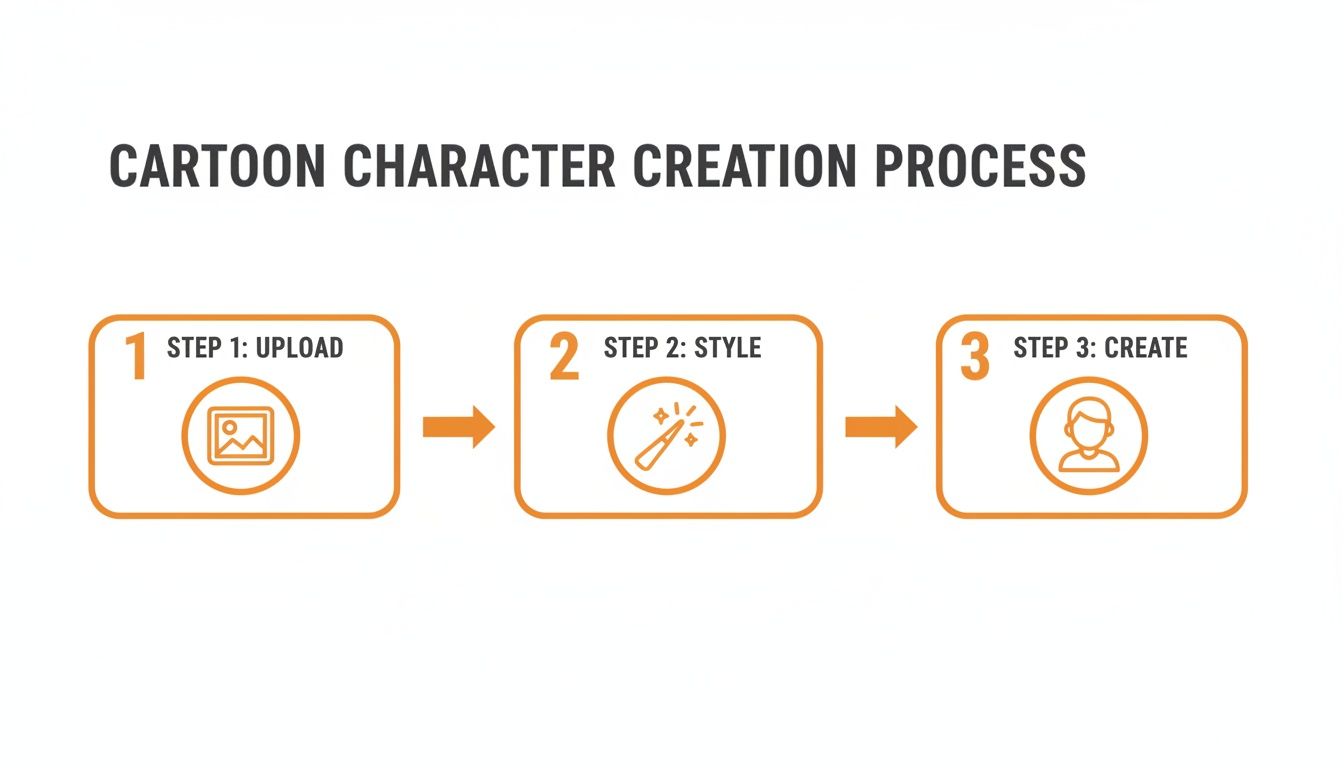
As you can see, it’s all about speed and simplicity. The goal is to give everyone access to professional-looking results without the steep learning curve.
To give you a quick overview, here's a breakdown of the key stages involved.
Key Steps for Creating Your Cartoon Character
| Stage | Key Action | Why It Matters |
|---|---|---|
| 1. Preparation | Select a high-quality, well-lit photo of your face. | A clear photo is the foundation. The AI needs good data to capture your likeness accurately. |
| 2. Stylization | Choose an artistic style from the platform's library. | This defines the entire look and feel of your character, from whimsical to serious. |
| 3. Generation | Let the AI process your photo and style choice. | This is where the magic happens. The platform generates a consistent character based on your input. |
These simple steps are all it takes to go from a standard photo to a unique and engaging cartoon persona.
What’s the Big Deal About Having a Cartoon Persona?
Using a cartoon version of yourself instead of a regular photo has some real perks. It’s a fantastic way to build a memorable online presence that genuinely stands out from the sea of headshots.
Here’s what I mean:
- Connects With Almost Anyone: Cartoons have this amazing universal appeal. They break down age and cultural barriers, making your brand or content feel more approachable and relatable.
- Builds a Real Emotional Bond: A great character can ooze personality and emotion. This helps you connect with your audience on a much deeper, more human level than a static photo ever could.
- Gets Shared… a Lot: Let's be honest, fun and unique visuals are prime content for social media. A cool cartoon avatar is far more likely to get shared, boosting your engagement and reach.
- Keeps Your Privacy Intact: You can build a strong personal brand and be "seen" online without ever having to post your actual photograph. It’s the best of both worlds.
The real power of a cartoon character is its ability to communicate a message or feeling instantly. A single expressive image can convey a whole story without a single word, making it a powerful tool for creators and brands.
Choosing the Right Photo for Amazing Results
The secret to a great AI cartoon conversion always starts with your source image. Think of it like a chef choosing the best ingredients—the final dish can only be as good as what you start with. When you're turning a photo into a cartoon character, the AI is essentially "reading" the data in your picture to understand your unique features.
A blurry, poorly lit, or distant photo gives the AI very little to work with, which often leads to a generic or wonky-looking cartoon. On the flip side, a high-quality photo provides all the juicy details for a stunning and recognizable transformation.
Nail the Fundamentals of Your Headshot
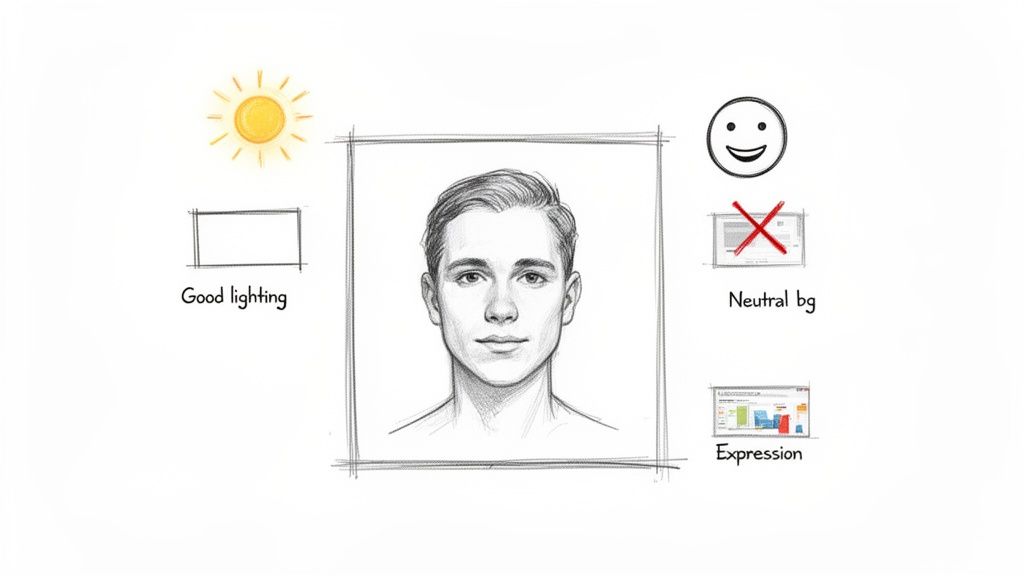
First things first, let's talk clarity and lighting. A high-resolution photo taken in good, even light is your absolute best friend here. I've found that natural light from a window is often perfect, as it illuminates your face without creating harsh shadows that can totally distort your features.
You'll want to avoid photos taken in direct sunlight—that's what causes squinting and deep shadows—or in dimly lit rooms, which will just make the image grainy. The AI needs to clearly see the shape of your eyes, nose, and mouth to really capture your likeness. A simple headshot or an upper-body photo where your face is the star of the show works best.
The Dos and Don'ts of Photo Selection
To make it super simple, here’s a quick checklist for what works and what to avoid when picking your photo.
- DO use a photo where you're looking directly at the camera. This keeps your facial features symmetrical and makes it much easier for the AI to interpret.
- DON'T use photos with hats, sunglasses, or anything else that covers up your face. The AI needs an unobstructed view to work its magic.
- DO choose an image with a simple, uncluttered background. A busy background can confuse the AI and pull focus away from you.
- DON'T upload group photos. The tool is built to focus on one person at a time to get the most accurate results.
Here's my personal pro-tip: just take a few new photos specifically for this. It takes five minutes. Stand in front of a plain wall, face a window, and snap a few shots with a neutral expression and a few with a slight smile. That little bit of effort will dramatically improve your final character.
Expression and Personality Matter
Lastly, give some thought to the expression you want your character to have. While the AI is great at generating different emotions later on, your base photo really sets the tone. A neutral expression or a gentle smile provides a versatile foundation that can be easily adapted into a whole range of styles and emotions down the line.
An overly dramatic expression, on the other hand, can sometimes lock your character into a single mood, which isn't ideal. The goal is to provide a clean, clear, and representative "canvas" of your face. By giving the AI a high-quality source image, you're laying the groundwork for a fantastic and consistent character you can use anywhere.
Finding Your Style and Keeping Your Character Consistent
Once you've got that perfect source photo prepped and ready, you get to move on to the really fun part. Picking an art style isn't just like slapping a filter on your picture; you're actually deciding on your character's entire vibe. Is this character going to be a sharp-edged hero from a classic anime, or do they have that soft, friendly look of a Pixar movie?
Tools like Tooncraft have a massive library to play around in, so you're not stuck with some generic "cartoon" button. You can really dig into dozens of specific, well-known aesthetics. Think about turning a family photo into a Simpsons-style couch gag for a holiday card, or making your social media profile pic look like it was hand-painted by Studio Ghibli.
This is where you can really start to see how you can create a cartoon character from a photo that feels unique to you.
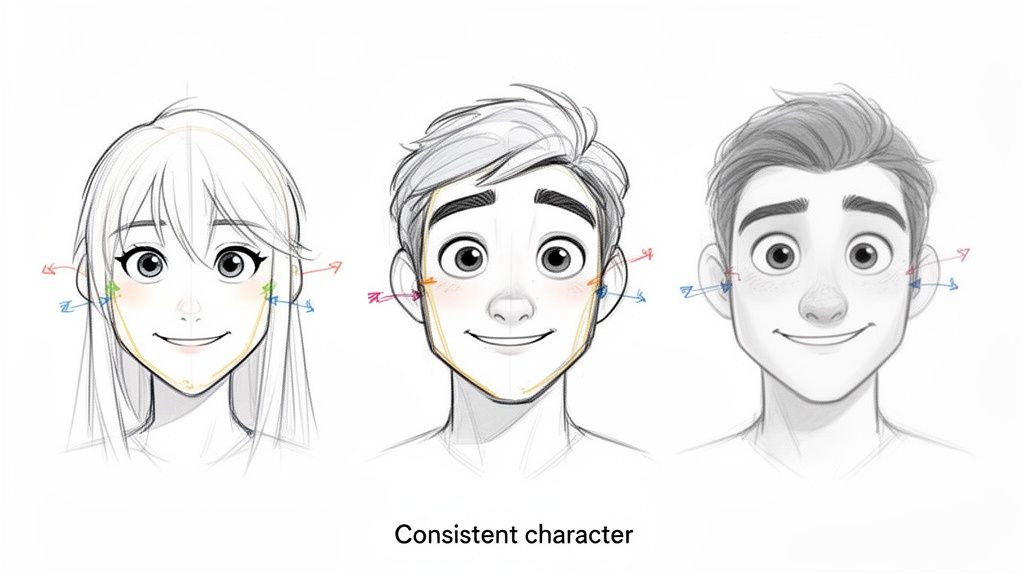
As you can see, you can apply wildly different styles while still making sure the person is recognizable.
The Secret to Unlocking Character Consistency
Let's be honest: the biggest headache with most AI image tools is consistency. It’s incredibly frustrating to get one amazing image, only to have the AI generate a slightly different-looking person every time you ask for a new pose. The trick to cracking this is to start with one killer source photo and stick with it.
Think of that high-quality photo as your character’s unique DNA. A good AI platform learns the specific structure of your face from that one image. After that, you can pump out an entire library of different poses and expressions, and the core features—like the shape of the eyes, the nose, the jawline—all stay perfectly locked in.
This is an absolute game-changer for a few reasons:
- Streamers and YouTubers can finally build a full set of reaction emotes and avatars that their audience will instantly recognize.
- Businesses can create a consistent brand mascot for marketing campaigns without the months and thousands of dollars it takes to hire an illustrator.
- Families can design a matching set of characters for everyone, which is perfect for custom storybooks, gifts, or party invitations.
The generative AI in animation market is valued at $2.4 billion in 2024 and is projected to rocket to $45.5 billion by 2033. This massive growth is happening because tools are making consistent character creation accessible to everyone, slashing production times from weeks down to a few seconds.
Practical Tips for Style and Consistency
Getting great results is all about matching the right style to what you're trying to achieve. A dark, high-contrast style like Attack on Titan would be awesome for a gaming avatar, but it probably wouldn't work for a LinkedIn headshot.
Here are a few pointers I've picked up:
- For Professional Use: I'd recommend sticking to cleaner, more universally appealing styles like the Pixar look or a general 3D Cartoon aesthetic. They show off personality without being too quirky or distracting.
- For Personal Fun: Go nuts! This is your chance to see what you'd look like in your favorite shows. Have a look through a diverse cartoon style collection and see what sparks your imagination.
- Batching is Your Best Friend: When you find a style you love, don’t just make one image. Generate a whole batch at once. I always create a starter set of expressions: happy, sad, surprised, angry. This gives you a versatile toolkit you can pull from for any situation.
Taking Your Character From Static to Dynamic
A single image of your cartoon self is a great starting point, but let's be honest, the real fun begins when that character starts to show some personality. This is the moment your creation goes from being a cool picture to a living, breathing digital persona you can use just about anywhere.
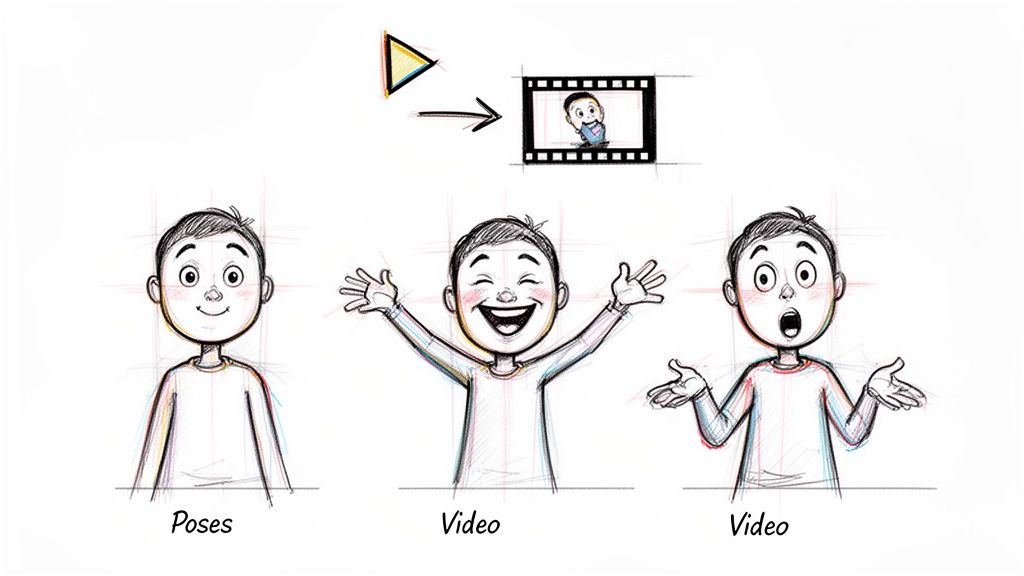
The next logical step is building out a full library of poses and expressions. Since you're using that same consistent character model we talked about, you can generate a whole spectrum of emotions—happy, confused, thinking, laughing—and it will always look like you.
Create Your Own Expression and Pose Library
I like to think of this as creating my own personal sticker pack. It's incredibly handy to have a go-to folder of reactions for social media, where a picture often says more than a paragraph of text ever could.
To build a really useful library, I'd suggest starting with a mix of these:
- Core Emotions: Get the basics down first. Generate your character looking happy, sad, angry, and surprised. These are the building blocks for everything else.
- Action Poses: Now for some action! Think pointing, waving, a thumbs-up, or even a classic shrug. These are gold for reaction images and spicing up presentations.
- Situational Poses: Get specific to your life. Maybe your character is holding a coffee mug for your "good morning" posts or wearing a party hat for birthday shout-outs.
I saw a streamer do something brilliant with this. They built their entire on-screen alert system using their cartoon self. A new subscriber would trigger an animation of their character throwing confetti, while a new follower got a friendly wave. It made their stream feel so much more personal and connected.
Building a library of poses isn't just about making more images; you're crafting a versatile communication tool. The right pose can inject personality into a boring email, make a social post pop, and solidify your brand.
Animate Your Character with AI Video
Okay, this is where things get really exciting. Beyond still images, you can now bring your character to life with animation. Many AI platforms let you upload a short video clip of yourself and apply your cartoon style to it, frame by frame. It’s pretty wild.
This technology opens up creative avenues that used to require an entire animation studio. You can literally bring your memories to life in a completely new medium.
Just think about the possibilities:
- A Killer Social Media Intro: Film a quick 5-second clip of yourself waving and turn it into a looping, animated intro for your YouTube or TikTok videos. Instant brand recognition.
- Living Family Photos: I've seen people turn short clips from a family vacation into these beautiful, Ghibli-style animated loops. Imagine that playing on a digital photo frame.
- Marketing That Doesn't Suck: A business could use its animated mascot to explain a new product feature or celebrate a company milestone. It's so much more engaging than a static graphic.
The workflow to create a cartoon character from a photo and then animate it is a complete game-changer. If you're curious, you can check out a full gallery of AI-powered video examples to see what's possible. It’s a great way to get inspired and see how simple movements can become really captivating little scenes.
Putting Your New Cartoon Character to Use
Okay, so you've turned a photo into a fantastic cartoon character. Now the real fun begins. You've got this consistent, unique digital version of yourself (or a client!), so... what now? The possibilities are way more exciting than just a new profile picture.
Think about it for personal projects first. This is a brilliant way to create things that are genuinely one-of-a-kind. I've seen people design incredible wedding invitations featuring the couple as their favorite animated duo. You could also make adorable cartoon portraits of your pets that actually capture their quirky personalities, or design holiday cards with the whole family in a cohesive style. It's personal, it's memorable, and it's something you just can't buy off a shelf.
Powering Up Your Online Brand
If you're a streamer, gamer, or content creator, a consistent character is basically a branding cheat code. It helps you carve out your own visual space on packed platforms like Twitch or YouTube.
- Custom Avatars: Slap that character on every profile you own. Instant recognition.
- Unique Emotes: Build a set of custom emotes for your community—happy, sad, the classic facepalm—that are unmistakably yours.
- Engaging Stream Overlays: Weave your character into on-screen graphics for alerts, transitions, and just general branding.
This kind of visual consistency makes your audience feel more connected. They aren't just following another random account; they're engaging with a personality they can see and recognize.
From Personal Fun to Business Asset
This isn't just for fun and games, though. The business applications are huge. Small businesses can whip up a friendly brand mascot for social media marketing without blowing their budget on a design agency. This isn't a fringe idea anymore; it's a massive trend.
Fun Fact: The whole "cartoonify" craze led to a 221% spike in downloads for apps like ToonMe. People are all-in on this.
This is part of the booming market for AI anime and cartoon generators, which hit a staggering $91.56 billion in 2024 and is expected to reach $667.68 billion by 2032. If you want to dive deeper into the numbers, you can read the full analysis of the cartoon photo trend and see just how big this thing has gotten.
I've even seen cosplayers use this to turn their best photos into epic fan art, creating jaw-dropping visuals that really resonate with their communities. The goal here is just to get your creative gears turning.
And remember, your character doesn't have to be a static image. Why not bring it to life? Animated intros, dynamic social posts, and short video clips open up a whole new world of creative content. Our team put together a deep dive on this, so be sure to check out our guide on how to create AI videos to see how it's done.
Got Questions? We've Got Answers
Jumping into AI art is exciting, but it's natural to have a few questions, especially when you're trying to get a cartoon character that actually looks like you. Let's walk through some of the most common things people ask so you can get amazing results right from the start.
Think of this as your personal cheat sheet for sidestepping the usual headaches.
What Kind of Photo Should I Use?
This is, without a doubt, the most critical part of the whole process. Your source photo makes or breaks the final result. For the best outcome, grab a high-resolution photo where one person is looking straight at the camera.
Good lighting is your best friend here. You'll want to avoid photos with harsh, direct sunlight that creates weird shadows, and steer clear of dark, grainy pictures. Those things tend to throw the AI for a loop. A clean, simple background is also a game-changer because it helps the AI lock onto your face without any distractions. I've found that a clear headshot or a shot from the chest up almost always delivers a better, more recognizable cartoon than a full-body picture from a distance.
How Do I Keep My Character Looking the Same?
Ah, the consistency problem. This is where so many people get tripped up with AI tools. You create one great image, but then the next one looks like a distant cousin. The secret is surprisingly simple: use the exact same high-quality source photo for every single generation.
Once the AI gets to know your face from that one perfect picture, it can easily whip up new poses and expressions while keeping the character's core look and style the same.
The number one mistake I see people make is using different source photos for the same character. It's a surefire way to get inconsistent results and will just leave you feeling frustrated. Pick one great photo and treat it as your character's blueprint.
Can I Use My Cartoon Character for Commercial Stuff?
This is a huge question for anyone looking to use their creations professionally. Can you legally use these characters for business? With a platform like Tooncraft, absolutely. The images you create with a paid plan come without a watermark, so they're ready for any commercial project you can dream up.
This means you’re totally free to:
- Create a brand mascot to use on social media or in marketing materials.
- Design and sell custom merchandise like t-shirts, mugs, and stickers.
- Use your cartoon self in monetized content, like for your YouTube channel or Twitch stream.
Just be sure to give the terms of service a quick read on whatever tool you use. Any reputable platform will be built to help creators succeed.
What Happens to My Photos? Is My Privacy Protected?
Uploading your face to a website can feel a little weird, so let's talk about privacy. Any trustworthy AI platform will take your privacy very seriously. Your photos should only ever be used for the one thing you uploaded them for: creating your cartoon character.
They shouldn't be used to train other AI models, and they definitely shouldn't be sold or shared with anyone else. Always look for a clear, easy-to-understand privacy policy that tells you exactly how your data is handled. Your photos are personal, and they should be treated with care.
Ready to see yourself in a whole new light? Join over 10,000 creators who use Tooncraft to bring their characters to life. Start creating your cartoon character today!