
Turn Picture Into Cartoon with AI in Minutes (turn picture into cartoon)
Learn how to turn picture into cartoon with AI. A quick, friendly guide to creating unique avatars and striking AI art - start today.
Ever wanted to turn a picture into a cartoon in just a few clicks? With AI-powered platforms, you can do exactly that. These tools look at your photo and completely redraw it in a cool animated style—think Pixar or classic anime—no drawing skills required.
The Magic of Turning Photos Into Cartoons
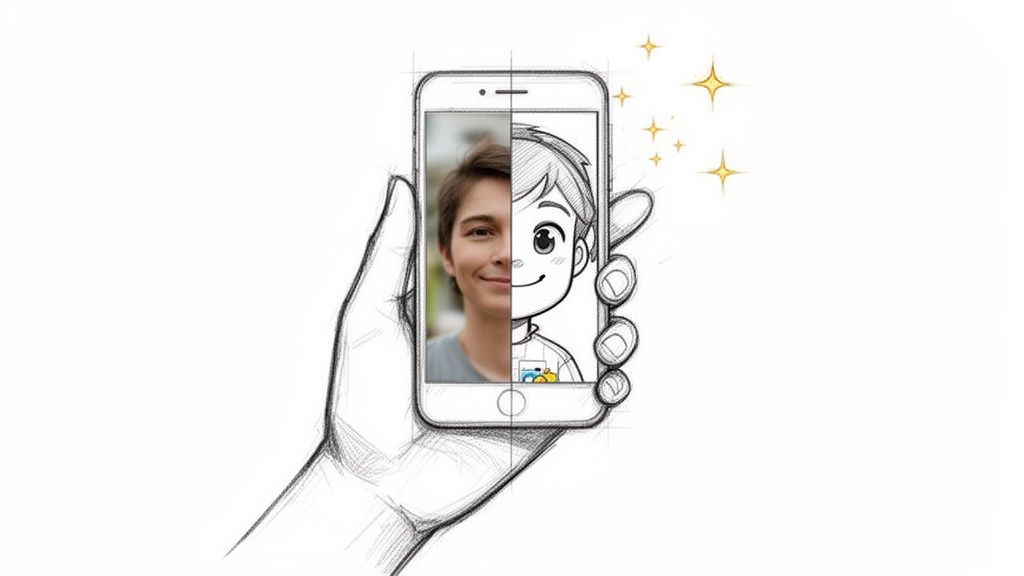
It’s a fun thought, isn't it? Taking one of your favorite photos and giving it a completely new, artistic vibe. This idea of transforming regular pictures into eye-catching cartoons has moved from a fun little hobby to a full-blown creative movement. We're way past simple filters now; this is about reimagining your photos with a whole new personality.
What used to take a professional illustrator hours, or even days, is now something anyone can do, all thanks to some incredible leaps in artificial intelligence. Tools like Tooncraft make it simple to turn your selfies, family pictures, or even photos of your dog into art that looks like it came straight from a Ghibli film or a polished Pixar movie.
Why Is This Trend Exploding?
It's not hard to see why everyone loves it. A cartoon version of yourself just feels more personal and fun than a standard headshot. This has fueled a huge demand for these specialized AI tools. In fact, the photo-to-cartoon AI market is on track to become a $3.2 billion industry by 2025, grabbing a big slice of the larger AI image generation pie. That kind of growth shows that creators, families, and businesses are all looking for easy and affordable ways to get that illustrated look.
This opens up a ton of creative possibilities. You can:
- Create a Unique Profile Picture: Ditch the boring selfie and stand out on social media with a cartoon avatar that truly shows off who you are.
- Design Heartfelt Gifts: Imagine turning a favorite family photo into a custom portrait for a holiday or anniversary. It’s personal and unforgettable.
- Express Your Fandom: Ever wondered what you’d look like as a character from your favorite show? Now you can find out by trying out different cartoon styles.
The real magic is getting to see yourself through a completely different lens. A cartoon photo isn't just a copy; it's a fresh take that can emphasize your best features and sprinkle a little imagination onto a moment you already love. It’s like telling a new story with an old picture.
Your Guide To Cartooning Any Photo
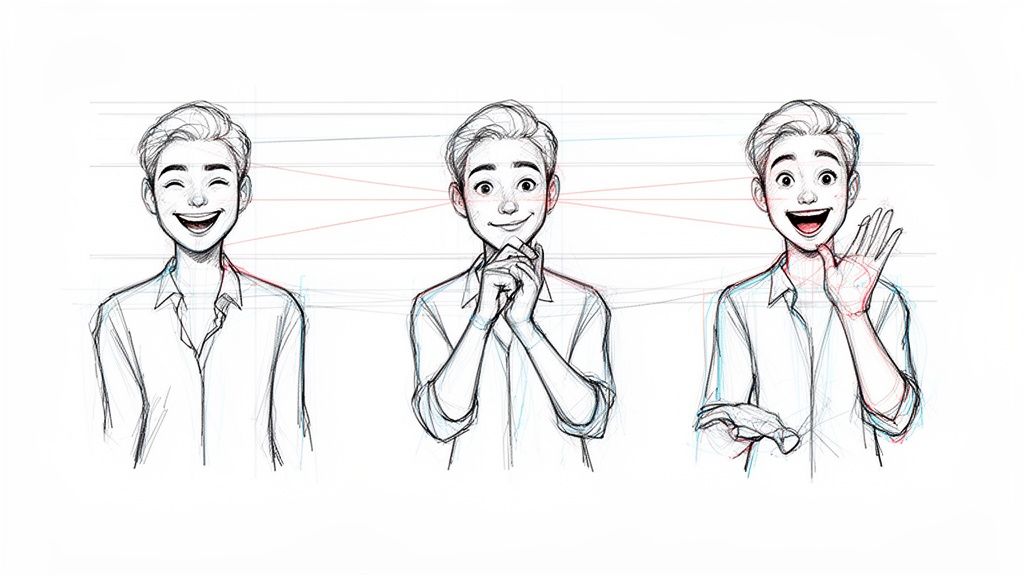
Alright, let's get to the fun part—actually turning your photo into a cartoon. The process itself is surprisingly quick, but a few pro tips can take your result from "good" to "wow." It all begins with the most critical ingredient: your photo.
Selecting The Perfect Source Photo
Think of the AI as an artist. If you give it a blurry, dark, or low-resolution reference, you're going to get a muddy and indistinct cartoon back. Garbage in, garbage out, as they say.
To set yourself up for success, find a photo with these key traits:
- Good Lighting: You want your face to be evenly lit, without any harsh shadows cutting across your features. Natural light from a window is your best friend here.
- Clear Facial Features: The AI needs to see your eyes, nose, and mouth clearly. Push that hair out of your face and take off the sunglasses for this one.
- High Resolution: Always try to use the original photo from your camera or phone. Images saved from social media are often compressed and lose a ton of detail, which the AI needs to create a sharp result.
A simple headshot with a clean background is the perfect starting point. This lets the AI focus completely on you without getting distracted by a busy scene. Once you've got your winning shot, you're ready to upload it and start playing.
Finding Your Ideal Cartoon Style
After you upload your photo, you'll land in the style gallery. This is your creative playground! Are you going for a classic anime vibe, or something more like a modern 3D animated character? This is where you make that call.
Each style offers a completely different aesthetic, from the bold, graphic lines of a comic book to the soft, dreamy watercolors of a Ghibli-inspired scene. Think about where you'll use the final image. A zany, exaggerated style might be perfect for a new profile picture, while a more painterly look could be stunning as a framed gift.
Don't hesitate to experiment! I've found that trying out 3-4 different styles on the same photo is the best way to discover which one truly captures the look you're after.
Choosing The Right AI Cartoon Style For Your Photo
Picking a style can feel overwhelming with so many options. The key is to match the aesthetic to the mood and quality of your original photo. This table breaks down some popular choices to help you find the perfect fit.
| Style (e.g., Ghibli, Pixar, Simpsons) | Best For (Photo Type) | Key Aesthetic Qualities |
|---|---|---|
| Pixar / 3D Animated | High-resolution portraits with clear expressions | Smooth, rounded features, vibrant colors, and a friendly, approachable feel. Great for professional or fun avatars. |
| Anime / Ghibli | Photos with soft lighting and expressive eyes | Hand-drawn look, often with dreamy or nostalgic color palettes and an emphasis on emotion. |
| Comic Book / Pop Art | Dynamic poses or photos with strong contrast | Bold outlines, halftone dot patterns, and a graphic, high-energy aesthetic. Perfect for making a statement. |
| Simpsons Style | Simple, front-facing headshots | Exaggerated, iconic features (yellow skin, big eyes), and a humorous, recognizable look. Best for novelty and fun. |
| Caricature | Photos where personality shines through | Emphasizes and exaggerates key facial features for a comedic or artistic effect. Ideal for gifts and social media. |
| Painterly / Watercolor | Outdoor shots or photos with interesting backgrounds | Soft edges, blended colors, and an artistic, less literal interpretation. It feels like a traditional art piece. |
Ultimately, the "best" style is subjective, so use this as a starting point. Let your personal taste guide you and have fun seeing how different AIs interpret your photo.
Fine-Tuning With Simple Prompts
While the AI does most of the work, you can nudge it in the right direction with simple text prompts. You don't need to write code—just use plain, descriptive language to add specific details.
For instance, you could try adding prompts like:
- "Smiling with bright green eyes"
- "Wearing a classic detective trench coat"
- "In the middle of a neon-lit city at night"
These small instructions can totally transform the final image. If the first try isn't quite right, tweaking your prompt is the easiest way to refine the result. I often use phrases like "cinematic lighting" to add a bit of drama or "whimsical art style" to give it a softer, more imaginative feel.
My go-to strategy is to start with a style I already know, like 'Pixar' or 'Anime.' It gives me a familiar baseline to see how the AI handles my photo. Once I have that, I feel more confident branching out to more unique or abstract styles.
Downloading And Sharing Your Creation
Once you've created a cartoon you love, it's time to save it. Most AI platforms will offer a few download options.
For anything you plan to share online—like on Instagram, a blog, or X (formerly Twitter)—a JPEG is usually your best bet. It keeps the file size small while maintaining great quality for screen viewing.
However, if you're thinking bigger, like printing your cartoon on a mug, a t-shirt, or as a poster, you'll want the highest quality available. In that case, always choose the PNG option if it's there. PNGs are "lossless," meaning they don't discard any image data, which ensures your print will be crisp, clear, and vibrant.
Creating A Consistent AI Character
It’s one thing to turn a photo into a cartoon for a quick laugh, but the real magic happens when you can create a consistent character. This is how you build a recognizable brand mascot, a set of custom emotes for your Twitch stream, or a social media avatar that people know is you at a glance. You want every new image to look like the same character, just in a different pose or mood.
Getting that consistency is where AI really flexes its muscles, but it takes a little more than just a single, perfect photo. You'll need to feed the AI a small batch of high-quality images of the same person. Think of it as a mini training session—you’re teaching the AI to recognize your specific features from different angles, with various expressions, and in changing light.
The core workflow is pretty simple, as this little graphic shows.
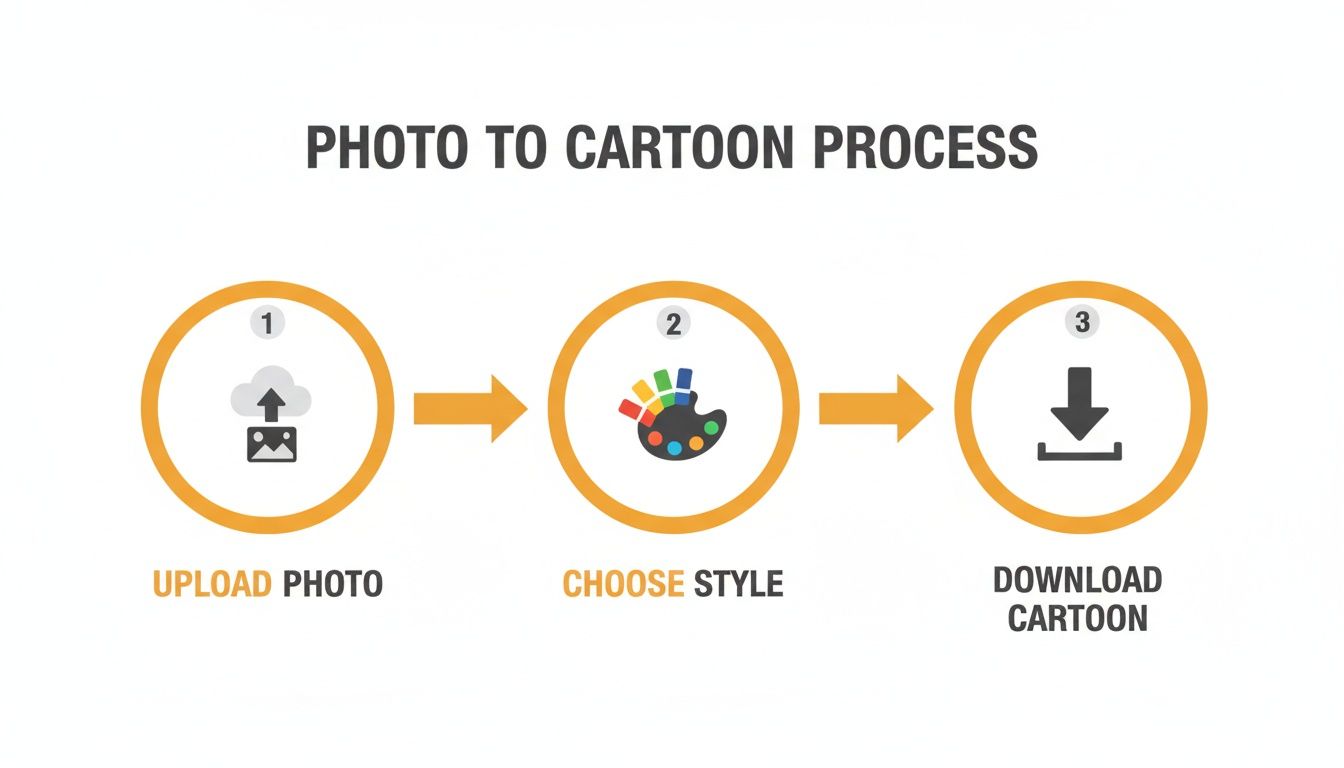
You’re essentially creating a personal model based on a collection of your photos. Once that's done, you can apply that unique "you" style again and again.
Mastering Poses and Expressions
After the AI learns your face, the fun really begins. You can start generating your new cartoon persona in all sorts of situations. This is where you graduate from simply converting a photo to actually directing the AI. The trick is to use clear, descriptive text prompts to get what you want.
For instance, you could bring your character to life with prompts like:
- "Laughing and pointing at the screen"
- "Looking thoughtful with a hand on their chin"
- "Waving hello with a huge, cheerful smile"
Each prompt will generate an image of your character doing that exact action, all while keeping that core likeness it learned from your original photos. This is how you can build a whole library of reactions and poses without having to stage a new photoshoot every time. If you're stuck for ideas, browsing collections of anime portrait avatars can spark some great inspiration for different styles and poses.
Pro Tips for A Coherent Character
Look, getting a perfect result on the first try doesn't always happen. It takes a little finessing. Over time, I’ve picked up a few tricks that make a world of difference in keeping a character looking consistent across dozens of images.
Use a "Seed" Image: Many AI tools have a feature where you can use one image to influence another—often called a "seed" or reference. Once you get an output that you feel perfectly nails your look, save it. Re-uploading that successful cartoon as a reference for your next prompts really helps keep the AI locked in on the right style.
The goal is to create a digital identity, not just a single picture. By feeding the AI multiple reference points, you're training it to recognize the subtle features that make you, you. This consistency is what transforms a cool image into a personal brand.
Refine Prompts with Adjectives: Don't just tell the AI what to do; tell it how. Instead of a generic "smiling," try prompting "a gentle, knowing smile" or "a huge, excited grin." These little details give the AI the context it needs to fine-tune the facial expression and capture the exact emotion you're going for. It's a small tweak that leads to much more believable and dynamic results.
So, What Can You Do With Your Cartoon Pictures?
Alright, you’ve figured out how to turn a picture into a cartoon, and now you have this awesome piece of digital art. The real fun is just getting started. Don't just let it sit on your hard drive—there are so many cool things you can do with it, for both personal projects and professional use.
Think about family gifts. Forget the same old photo prints. Why not design custom holiday cards with your whole family reimagined as cartoon characters? It's a surefire way to make your card the one that ends up on the fridge. Or, for an anniversary, you could transform a favorite wedding photo into a framed cartoon portrait—a totally fresh and artistic take on a treasured memory.
Give Your Online Presence a Makeover
Standing out online is tough, but a custom cartoon avatar gives you an instant edge. If you're a streamer, content creator, or just want to build a more memorable online identity, this is a fantastic way to do it.
- Upgrade Your Social Profiles: Using the same cartoon avatar across Instagram, X, and TikTok creates a consistent, recognizable brand that people will remember.
- Create Your Own Emotes and Stickers: Imagine having a set of custom emotes for your Twitch or Discord community that perfectly capture your personality. You could even design a unique sticker pack for your friends to use in messaging apps.
- Make Thumbnails That Pop: A vibrant, custom cartoon thumbnail on YouTube is practically guaranteed to catch someone's eye and boost your click-through rate.
A cartoon version of yourself just has more personality than a standard headshot. It’s friendly, memorable, and one hundred percent you.
Awesome Gifts and Smart Business Moves
The possibilities go way beyond just pimping your social media profile. These cartoon creations make for incredible gifts and can be a surprisingly effective marketing tool.
Turning a picture of a friend’s pet into a piece of art is a guaranteed win for any animal lover. If you're into cosplay, you can take your best photos and make them look like they were ripped straight from the pages of a comic book or an anime. For a really vibrant, classic look, you should check out our guide on creating pop art comic portraits.
For small businesses, this is a huge deal. Think about it: hiring an illustrator to create a brand mascot or illustrations for something like a children's book could easily set you back $3,000 to $10,000. AI tools have completely changed the game, making it affordable for anyone to design a friendly mascot for their website, social media, or flyers. You can read more about how AI is impacting content creation costs over on Market.us.
The way I see it, your cartoon pictures are more than just edited photos. They're creative building blocks. Whether you’re crafting a one-of-a-kind gift, building an online brand, or making your business more approachable, you're creating a brand new visual that tells your story.
Getting Around Common Pitfalls
So, you've followed the steps, but your cartoon came out looking a little… strange. It happens to the best of us. Maybe the eyes are a bit wonky, the colors look muddy, or the style just missed the mark.
Nine times out of ten, the problem isn't the AI—it's the photo you gave it. The old saying "garbage in, garbage out" has never been more true.
The absolute biggest mistake I see people make is starting with a bad photo. Feeding the AI a blurry, dark, or pixelated image is like asking a master painter to work from a smudged sketch and expecting a masterpiece. The AI is smart, but it's not a magician. A low-quality starting point will almost always give you a disappointing result.
The Problem of Low-Quality Photos
To get that sharp, professional-looking cartoon, you have to start with a clean, high-resolution photo. Don't worry, you don't need a fancy DSLR. The camera on your phone is more than capable.
The trick is to make sure your photo is well-lit, in sharp focus, and that your face isn't hidden by weird shadows, hair, or big sunglasses.
Here’s a quick mental checklist I run through before uploading any photo:
- Good lighting is non-negotiable: Soft, even light is your best friend. My go-to trick is to simply face a window during the day. Avoid harsh lights from directly above, which create those raccoon-like shadows under your eyes.
- Focus on the face: The AI needs to see your features clearly to capture your likeness. A straightforward headshot, looking toward the camera, is a fantastic starting point.
- Keep the background clean: A super busy or cluttered background can sometimes distract the AI. A simple wall or a clean outdoor background almost always works better than, say, a chaotic party scene.
Here's my golden rule: If you have to squint to make out the details in your own photo, the AI will struggle, too. Always, always pick the sharpest, cleanest picture you have. It makes a world of difference.
When Your Prompts Get Too Complicated
Another common trap is writing prompts that are way too complex or even contradictory. It’s tempting to just throw a laundry list of adjectives at the AI, hoping for the best, but this usually backfires. The AI can get confused trying to juggle a dozen different instructions at once.
I’ve seen prompts like, "Pixar style, Ghibli color palette, comic book line art, with a happy and sad expression." That’s just asking for trouble. It's pulling the AI in too many different artistic directions, and you'll probably get a weird, muddled hybrid that doesn't really work.
Instead, keep it simple and focused. Start with your main style, then add one or two key details to nudge it in the right direction. Something clear and concise like, "Pixar style, character laughing with bright blue eyes" gives the AI a direct, achievable goal. You can always refine and add more detail in the next round once you have a good base. Trust me, simplicity is often the secret to getting the most stunning and accurate cartoons.
Got a Few Questions?
Even with a step-by-step guide, you're bound to have a few questions pop up as you get started. It happens to everyone! Let's clear up some of the most common things people ask when they first dive into turning their pictures into cartoons.
How Many Photos Should I Use?
This is a great question. For the most consistent and accurate results, you’ll want to upload between 10 to 15 high-quality photos. This gives the AI enough material to really understand your facial features from different angles and in various lighting situations.
I've found the best mix includes:
- A handful of clear, front-facing headshots.
- Profile shots from both your left and right sides.
- A few half-body pictures to give the AI more context.
A little pro tip: try to avoid pictures where you're wearing sunglasses or where heavy shadows are obscuring your face. And definitely skip any group shots. The more the photos focus on you, the more the final cartoon will actually look like you.
Can I Cartoonify My Pet?
Of course! And honestly, the results are often hilarious and heartwarming. The AI is fantastic with animals, whether you have a golden retriever, a grumpy cat, or even a pet parrot.
The same rules apply here. Use clear, well-lit photos where your pet is the main subject. Styles like ‘Pixar’ or ‘3D Animated’ are especially fun for animals, creating these incredibly expressive portraits that are perfect for a new phone background or even a custom coffee mug.
It's wild how well the AI captures a pet's personality. It doesn't just get the fur right; it somehow manages to translate that quirky head tilt or the mischief in their eyes into the cartoon version. It's a lot of fun to see.
Will the Cartoon Look Exactly Like Me?
Think of the AI as a talented caricature artist, not a photocopier. It's designed to create an artistic interpretation of you, filtered through the specific style you've selected. It nails your core likeness—your hairstyle, key facial features, and expressions—but it's still an artistic creation.
So, if you pick a 'Simpsons' style, you're going to have yellow skin and big eyes, but your friends will still immediately know it's you. The clearer your input photos are, the stronger that resemblance will be in the final image.
Is It Possible to Turn a Whole Video Into a Cartoon?
Yep, this is a seriously cool feature that a lot of the newer AI tools are offering. The process is pretty clever: the AI applies your chosen cartoon style to every single frame of your video, turning your home movie into a short animation.
It’s an amazing way to create a unique intro for a YouTube channel or a social media post that really stands out. Keep in mind that it's a bit more intensive and can take longer to process than a single photo, but the jaw-dropping results are almost always worth the wait.
Ready to see yourself in a whole new light? Tooncraft, Inc. makes it incredibly simple to create amazing cartoons from your photos. Start creating your first cartoon now!