
Photo to Cartoon: Easy AI Tricks to Cartoonize Your Images (photo to cartoon)
Discover how to turn any photo to cartoon using AI with practical steps to cartoonize your images, pets, and friends.
Turning your photos into cartoons used to be a job for a professional artist, but now, anyone can do it with just a few clicks. This tech can transform your favorite pictures into anything from a Ghibli-inspired portrait to a bold, Simpsons-style character. It's a seriously fun and easy way to see your memories in a whole new light.
What’s the Magic Behind AI Cartoon Conversion?
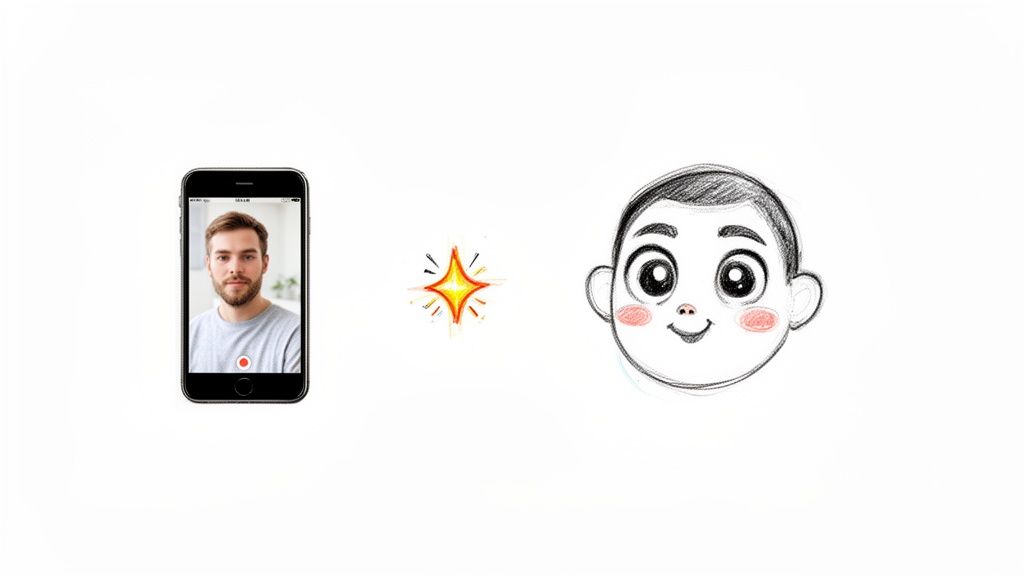
Ever wondered what your dog would look like as a Pixar sidekick? Or pictured a family portrait done in a classic anime style? That creative spark is all thanks to artificial intelligence. AI tools look at the key parts of your photo—facial structure, expressions, colors—and then redraw them based on the rules of a specific cartoon style you choose.
This goes way beyond a simple filter. Modern AI conversion is a pretty smart process. It holds onto the soul of your original subject while giving it a completely new artistic feel. The final image feels both familiar and fresh, mixing your personal memories with iconic animation styles. It's a fantastic way to inject personality and charm into any picture.
Why Is Everyone Doing This?
The appeal of turning photos into cartoons is huge, catching on with everyone from social media influencers to families searching for that perfect, unique gift. This newfound creative freedom has opened up a world of possibilities that just wasn't there for most of us before.
I've seen it used in all sorts of cool ways:
- Content Creators and Streamers: Gamers and YouTubers are building their brands with custom avatars and channel art. Having a consistent cartoon version of yourself makes you instantly recognizable and helps you connect with your audience.
- Families and Couples: People are designing one-of-a-kind wedding invitations, holiday cards, and family portraits. Imagine a Christmas card with your whole family drawn in the warm, cozy style of Studio Ghibli.
- Businesses and Marketers: Small businesses can whip up memorable brand mascots without shelling out big bucks for a graphic designer. A friendly cartoon character can make a brand feel more approachable and help it stand out from the crowd.
The big idea here is simple but powerful: AI puts you in the artist's chair. It gives you the tools to play with different visual identities, celebrate memories in a fun new way, and create stuff that really grabs people's attention.
That accessibility is what’s really driving this trend. You don't need to be a digital illustration wizard anymore to bring your creative ideas to life. Whether you're making fan art of yourself in the Dragon Ball Z universe or designing a cute cartoon for your partner, the tech is right there, ready to go. It’s all about making art personal, fun, and shareable for absolutely everyone.
Choosing Your Perfect Cartoon Aesthetic
Jumping into AI art is a blast, and honestly, the first step is the most fun: picking your cartoon style. With a whole universe of looks to choose from—everything from the sunny streets of Springfield to the dramatic world of Attack on Titan—it can feel like a lot. But don't sweat it. Think of this as your personal style guide to matching your photo's vibe with the perfect cartoon finish.
The secret is to think like a creative director for a moment. What's the mood of your original photo? A sweet family picture taken in a park would look incredible in a soft, Ghibli-inspired scene. On the other hand, that high-energy gym selfie or an awesome cosplay shot would really pop with the dynamic lines and vibrant colors you'd see in Dragon Ball Z.
Matching the Vibe to the Art Style
Getting the emotional tone right is what separates a decent conversion from a fantastic one. Sure, the AI does the heavy lifting, but your creative choice is what makes the final image feel like it was meant to be. Before you hit that "generate" button, just ask yourself: what feeling am I going for here?
Are you aiming for something...
- Whimsical and Heartwarming? Styles like Pixar or classic Disney are masters at capturing joy and warmth. They’re perfect for pictures of kids, pets, or those happy family moments.
- Action-Packed and Intense? For any photo that screams movement, power, or drama, look toward aesthetics from action-packed anime like Naruto or even American superhero comics.
- Funny and Offbeat? If your photo is goofy and meant to get a laugh, styles from shows like The Simpsons or Rick and Morty will crank that humor up to eleven.
This little bit of thought takes your creation from being a simple filter to a real piece of art. It’s all about making sure the cartoon style tells the same story your photo does. To get your gears turning, feel free to browse our diverse collection of cartoon styles for some inspiration.
Choosing a style isn't just a technical step; it's a creative decision. The right aesthetic will amplify the personality of your original photo, while the wrong one can feel disconnected, no matter how well the AI performs.
This whole trend of turning a photo to cartoon is part of something much bigger. The global animation market was already valued at an incredible USD 446.84 billion in 2024 and is projected to climb to USD 705.17 billion by 2033. A huge part of that growth comes from the demand for animated content on social media and in marketing—which is exactly where these custom cartoon creations fit in perfectly. You can dive deeper into the expanding animation market and its trends if you're curious.
Matching Photo Types to Popular Cartoon Styles
To help you narrow it down, I’ve put together a quick guide on what styles tend to work best for different kinds of photos. Every aesthetic has its own personality, and picking the right one is the key to getting a result you'll love.
| Photo Type / Use Case | Recommended Cartoon Style | Why It Works Well |
|---|---|---|
| Family & Couple Portraits | Ghibli-Inspired, Pixar | These styles emphasize warmth, emotion, and soft, painterly backgrounds, creating a timeless and heartwarming feel. |
| Social Media Avatars | Naruto, The Simpsons | Bold, recognizable styles with distinct features help you stand out in a crowded feed and create a consistent personal brand. |
| Cosplay & Fitness Shots | Attack on Titan, Dragon Ball Z | The sharp lines, dramatic shading, and dynamic energy of these styles perfectly capture action, power, and intricate costumes. |
| Pet Photos | Classic Disney, Pixar | These aesthetics are masters at creating adorable, expressive characters, making them ideal for turning your furry friend into a star. |
At the end of the day, the best way to find your match is just to play around with it. Don't be afraid to run the same photo through a few different styles. You might be surprised which one brings out the best in your image, turning a simple photo to cartoon into something genuinely special that you’ll be excited to share.
A Practical Walkthrough of Cartoon Conversion
Alright, ready to jump in and start creating? Let's walk through the process together. Turning a photo into a cartoon is pretty simple at its core, but a few smart choices right at the beginning can make a massive difference in how your final image turns out.
It all starts with picking a great source photo. Think of the AI as a seriously talented artist—the better the reference you give it, the more amazing the final piece will be. Good lighting, clear facial features, and a distinct pose are your secret weapons for getting the best results.
Selecting the Ideal Source Image
Before you upload anything, take a second to look through your photos. A blurry, dark, or partially hidden face is a tough starting point for any AI. It needs clear information to do its magic.
I've found that photos with these qualities consistently produce the best cartoons:
- Good Lighting: Try to avoid photos with heavy shadows or blown-out, super bright spots. Natural, even light that defines your features is perfect.
- Clear Expressions: A real smile, a pensive look, or even a goofy face gives the AI more personality to work with and translate into the cartoon style.
- Unobstructed Views: Make sure your face isn't covered by your hands, hair, or anything else. The AI really needs to see your eyes, nose, and mouth to get the likeness right.
This little workflow visualizes the journey from your original photo to the final cartoon.
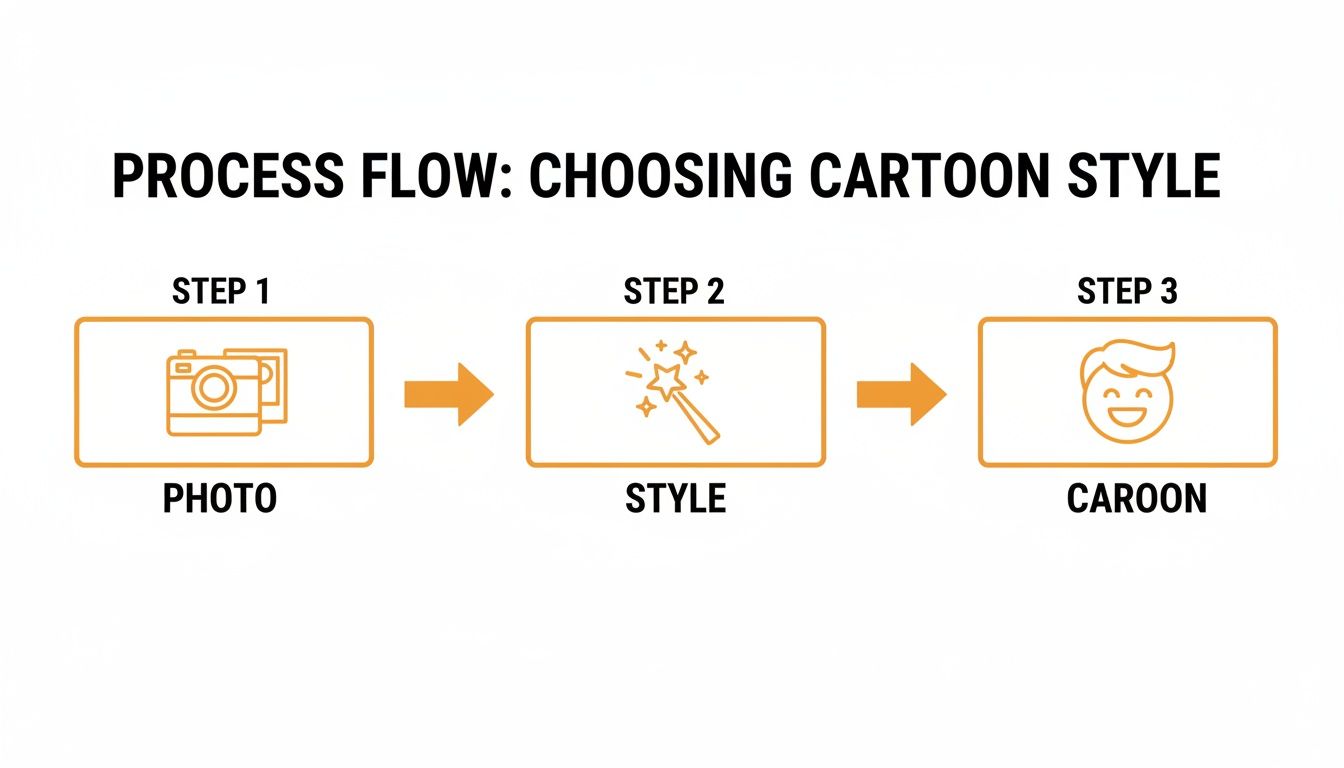
As you can see, the quality of your source image and the style you choose are the two biggest factors that will shape your final result.
Navigating the AI Platform
Once you've got the perfect picture, the rest is a piece of cake. Most modern tools, including Tooncraft, are built to be super intuitive. You'll just start by uploading your image right from your computer or phone.
Next comes the fun part: the style library. This is where you get to play art director. You can scroll through all the options—from Ghibli-inspired looks to The Simpsons—and pick the one that fits the vibe you're going for. This is really the main creative decision you’ll make.
After you've landed on a style, you just hit the generate button. The AI takes over, analyzing the structure of your photo and applying the artistic rules of your chosen style. In just a few moments, your new cartoon is ready to go.
The whole point is to get the technical stuff out of the way so you can just focus on being creative. The workflow is designed to be as simple as upload, select, and generate, letting you experiment with different looks without getting stuck in a bunch of complicated settings.
If you're curious about the tech behind it all, it's a really cool application of AI. You can dig deeper into the nuts and bolts in our guide on how AI style transfer works.
Unlocking Consistent and Faster Results
If you're planning on making a bunch of images, maybe for a personal brand or social media profile, consistency is everything. You want your cartoon self to look like you every single time. That’s where building a pose library comes in clutch.
By uploading a handful of photos with different expressions and poses, you give the AI a personal reference gallery to learn from. This helps it keep your character's likeness—things like hairstyle, facial structure, and key features—consistent, even when the pose or emotion changes. It’s the secret to creating a cohesive set of images that all look like they belong together.
Another feature worth looking for is priority rendering. Sometimes, especially during busy times, generating images can land you in a queue. Opting for a plan with priority rendering bumps your job to the front of the line, so you get your results almost instantly. For content creators on a deadline or businesses that need quick marketing assets, this is a massive time-saver. It's all about creating an efficient workflow to get professional-looking cartoons, every single time.
Ready to Go Pro? Let’s Elevate Your Cartoon Creations
So, you’ve mastered the basics of turning a photo into a cartoon. That's awesome! But now the real fun begins. Let's move beyond one-off images and talk about how to create a whole series of polished, dynamic content that truly stands out.
These are the techniques I use to take my own projects from "cool" to "captivating." We’ll dig into keeping your character looking consistent, animating your creations, and even how to handle big projects without pulling your hair out.
Mastering Character Consistency
If you're building a personal brand as a streamer, designing a company mascot, or just want a cool set of avatars, character consistency is everything. The goal is for your cartoon self to look like the same person across different images, even when you're making different faces or striking a new pose.
The secret? It’s all about feeding the AI a solid set of reference photos. Don't just give it one picture; give it a curated collection.
Here’s how I build a reference set that works:
- The Core Photos: I always start with 3-5 clear headshots. Think of it like a mini-photoshoot: one neutral expression, one big smile, a laugh, and maybe a more thoughtful or surprised look. Good, even lighting is non-negotiable here.
- Change Your Angles: Next, add a few shots from different angles. A three-quarter view is often the magic ingredient. This gives the AI a much better sense of your facial structure than just a straight-on passport photo.
- Lock in Your Style: Try to keep your hair and any key accessories (like glasses or a signature hat) the same across all reference pics. The AI learns to see these as defining features.
When you give the AI this much good information, you're essentially training it on you. The result is a far more reliable character you can confidently drop into any scene, knowing your audience will recognize you in a heartbeat.
Speed Things Up with Batch Processing
Picture this: you've just wrapped up a photoshoot and have dozens of amazing shots you want to cartoonize. The thought of converting them one by one is exhausting. This is exactly why batch processing (sometimes called parallel processing) is such a lifesaver.
This feature lets you upload an entire folder of photos and apply the same cartoon style to all of them at once. You just kick off the process and let the AI do the heavy lifting while you grab a coffee.
For content creators pumping out visuals for Instagram or TikTok, this isn't just a nice-to-have; it's a total game-changer. You can turn a whole day's worth of photos into a cohesive cartoon series in a tiny fraction of the time.
This kind of power is a direct result of how fast AI technology is moving. The market for AI-powered animation is absolutely exploding—it's projected to grow with a 32.8% CAGR, jumping from USD 110.65 billion in 2025 to an incredible USD 1,887.70 billion by 2035. This boom is what’s making powerful features like batch processing possible for everyday creators. If you're curious, you can learn more about the future of AI animation technology on market.us.
Bring Your Cartoons to Life with Video
Static images are great, but what if your cartoon could move? The next big thing is taking a single photo to cartoon conversion and animating it into a short, eye-catching video clip.
This tech can take a still portrait and add subtle, lifelike movements—a blink, a small smile, a slow head turn. It instantly breathes life into your image, making it feel more like a living character.
Just think of the possibilities:
- An animated avatar for your Twitch stream that engages with your audience.
- A charming, looping video for a digital wedding invitation.
- A fun, animated mascot for your business's social media ads.
Getting this done is often as simple as generating your cartoon and then hitting an "animate" button. The AI intelligently applies motion that feels natural and expressive. It's a fantastic way to make your content pop in a noisy feed.
Troubleshooting Common AI Quirks
Let's be real—even the smartest AI can get things wrong sometimes. We've all seen the results with distorted hands, weird eyes, or strange artifacts in the background. Don't let it discourage you! Most of these issues are easily fixed by tweaking your input.
If you get a result you're not happy with, run down this checklist:
- Check Your Source Image: More often than not, the problem starts with the original photo. A blurry shot, bad lighting, or something blocking part of your face can easily confuse the AI. Try again with a clearer, better-lit photo.
- Adjust the Style Strength: Many tools let you control how intense the cartoon effect is. If details are getting smudged or lost, try dialing back the strength a little bit.
- Just Try Again: Honestly, sometimes the easiest fix is to just hit "generate" again. Running the exact same photo a second time can produce a completely different—and much better—result. Think of it as the AI taking a second shot at the sketch.
By pulling these pro-level techniques into your workflow, you’ll quickly move beyond simple conversions and start producing truly polished and engaging cartoon content for any project you can dream up.
Real-World Inspiration for Your Cartoon Art
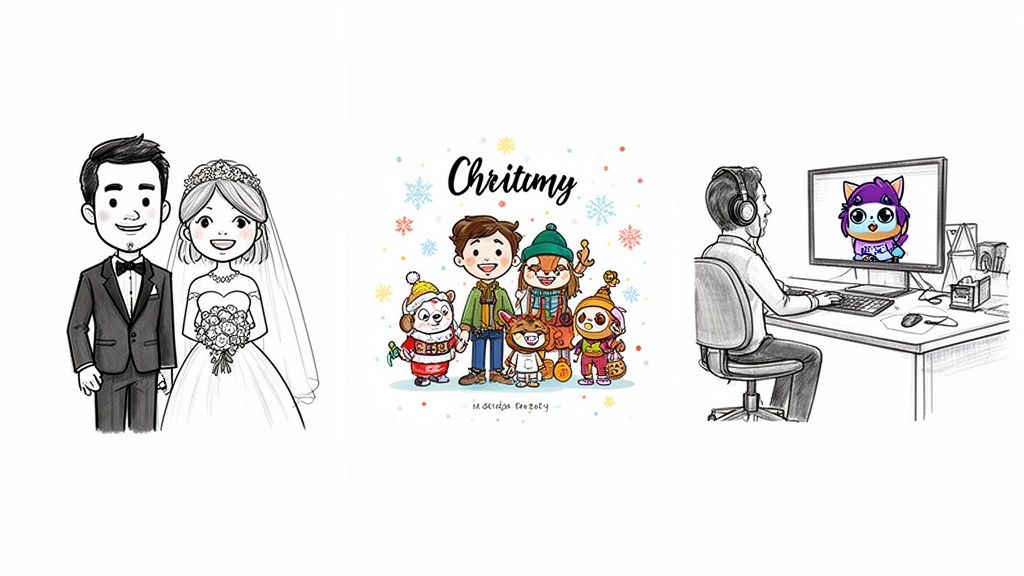
Sometimes, the best way to get the creative juices flowing is to see what other people are making. The whole idea of turning a photo to cartoon has evolved way beyond a simple party trick; it's now a seriously practical tool for all sorts of personal and professional projects. Let's dig into some real-world examples that I've seen, which should give you a good sense of just how versatile this technology can be.
These stories come from regular people—from couples planning their big day to creators trying to build an audience. They all started with a simple idea and, with just a few clicks, turned it into something special.
Crafting Unforgettable Personal Moments
One of the most touching ways people are using this is for huge life events. A couple recently told me they turned their favorite engagement photo into a cartoon for their wedding invitations. They went with a soft, romantic style that just clicked with their wedding's theme, giving their guests a really personal and creative first impression.
Families are also having a ton of fun with this, especially during the holidays. Instead of the same old family photo for a Christmas card, imagine turning a group shot into a playful, Pixar-style scene. The results are incredibly charming and capture that holiday spirit in a way a standard photo often struggles to.
It’s about more than just a cool image; it's about creating a keepsake. These cartoon portraits become cherished memories, turning a simple photo into a piece of art that tells a story about a specific moment in time.
This is especially popular for photos with kids. It makes sense, given that the animation production market for children's content holds a whopping 42.2% share. That number alone shows you how much we all love family-friendly visuals. It’s no wonder parents are so excited about tools that can turn a family picture into an adorable cartoon for a gift or a birthday invitation. You can find more details on animation market trends and insights on coherentmarketinsights.com.
Building a Recognizable Brand and Online Presence
Beyond personal keepsakes, turning a photo to cartoon has become a secret weapon for content creators and small businesses. Having a consistent, eye-catching look is everything when you're trying to stand out online, and a cartoon avatar is a fantastic way to do that.
I've watched Twitch streamers and YouTubers build their entire brand around a single, well-designed cartoon version of themselves. It becomes their signature. They use it everywhere:
- Profile Pictures: An avatar that’s instantly recognizable across every social media platform.
- Channel Banners: Creating a cohesive look for their YouTube or Twitch homepage.
- Merchandise: Printing their cartoon self on t-shirts, mugs, and stickers for their community.
That kind of consistency makes their brand sticky and helps build a real connection with their audience. It's like having a personal logo that’s both professional and packed with personality. If you're curious, we have a great guide showing you how to create your own Simpsons-style character, which is a hugely popular choice.
Designing Mascots Without the High Cost
For a small business, hiring a graphic designer to create a mascot can be a pretty big investment. AI tools offer a brilliant workaround, letting entrepreneurs design their own lovable characters.
I know a local bakery owner, for example, who wanted a friendly face for her website. She just took a photo of herself in her baker's hat, ran it through a warm and inviting cartoon filter, and boom—she had a character that perfectly represented her brand. That little mascot is now on her packaging, menus, and promo flyers, giving her business a professional yet approachable vibe without the designer price tag.
These examples are just the tip of the iceberg. Whether you're celebrating a personal milestone, building an online brand, or just adding a creative flair to your business, turning a photo into a cartoon is a powerful and accessible way to make it happen. The only real limit is your own imagination.
Got Questions About Turning Photos into Cartoons? Let's Talk.
Jumping into the world of AI art is a blast, but it’s totally normal to have a few questions before you start. From wondering about quality to worrying about privacy, let's clear up some of the most common things people ask when they decide to turn a photo to cartoon. Think of this as a quick, no-nonsense chat to help you get amazing results right from the get-go.
Most people's first thought is, "Will this look good?" We've all seen those cheap, blurry app filters. The good news is that modern, dedicated AI platforms are in a completely different league, creating high-resolution, detailed images that look like an artist actually drew them.
Will My Cartoon Actually Look Like Me?
This is the big one, right? It's one thing to get a cool cartoon; it's another to get your cartoon. The best tools are built to capture your unique likeness, not just spit out a generic character. They're smart enough to analyze your key facial features—the shape of your eyes, your nose, your specific smile—and translate all of that into the artistic style you've chosen.
So, short answer: yes, it will look like you! The real trick to getting a spot-on result is giving the AI a good photo to work with. A clear, well-lit picture where your face is easily seen gives it the best possible information to nail all those little details that make you, you.
Are My Photos and Data Safe?
In this day and age, worrying about privacy is smart. Any reputable platform takes this incredibly seriously. When you upload a photo, it should only be used for one thing: generating your cartoon. On secure platforms, the images are processed and aren't stored long-term or used for anything else without you saying it's okay.
A good rule of thumb is to always glance at the privacy policy of any tool you use. You want to see clear, simple language about how your data is handled. A trustworthy service will always be upfront about its practices.
Your privacy should always be the priority. A platform like Tooncraft exists to offer a creative service, not to mine your personal photos. Your images are yours, and they deserve to be treated with respect.
How Long Does This Actually Take?
Thankfully, the days of waiting ages for a single image to process are long gone. Thanks to some serious computing power and smart algorithms, the whole process is incredibly quick. Most of the time, you'll have your finished cartoon back in just a few seconds, or maybe a minute at most.
And for those who need things done even faster, especially for big projects, some services offer priority rendering. This basically lets you jump to the front of the line, giving you near-instant results even when things are busy.
What if I Need to Make a Whole Bunch of Cartoons?
If you're a content creator or just want to toonify an entire photo album, doing it one by one would be a nightmare. This is where a more professional workflow comes in handy.
- Batch Processing: This is a lifesaver. You can upload an entire folder of photos and have the AI apply the same style to all of them at once. It saves a massive amount of time when you're creating a cohesive set of images.
- Character Consistency: By giving the AI several reference photos of yourself, you can essentially "train" it on your likeness. This helps ensure it creates a consistent-looking character across different poses and expressions.
These features are what separate a fun novelty from a powerful creative tool, letting you produce a lot of high-quality content without all the repetitive clicking.
Can I Use These Cartoons for My Business or on Merch?
Absolutely! This is one of the most practical uses for turning a photo to cartoon. Once the image is generated, you typically own the rights to use it however you want.
This opens up a ton of possibilities:
- Designing a memorable brand mascot for your business.
- Creating one-of-a-kind merchandise to sell to your followers.
- Developing custom graphics for your marketing materials and social media ads.
It's a fantastic, budget-friendly way to get original, professional-looking artwork without the high cost of hiring a designer. Just make sure you double-check the terms of service on whatever platform you use to confirm their commercial use policy.
Ready to stop wondering and start creating? With Tooncraft, you can transform your photos into stunning cartoons in over 50 unique styles. It’s fast, easy, and the perfect way to bring your creative vision to life. Create your first cartoon with Tooncraft today!