
Make Photo into Caricature with AI: A Quick Guide to Transform Images
Want to make photo into caricature? Learn AI tips, choose the right photos, and apply creative edits to turn ordinary shots into striking caricatures.
Ever wondered how to make a photo into a caricature without needing any artistic talent? The secret is using a smart AI tool, and something like Tooncraft gets the job done in literally seconds. It’s a fantastic way to quickly whip up unique avatars, create hilarious gifts, or just add some flair to your content.
So, Why Turn Your Photos Into Caricatures Anyway?
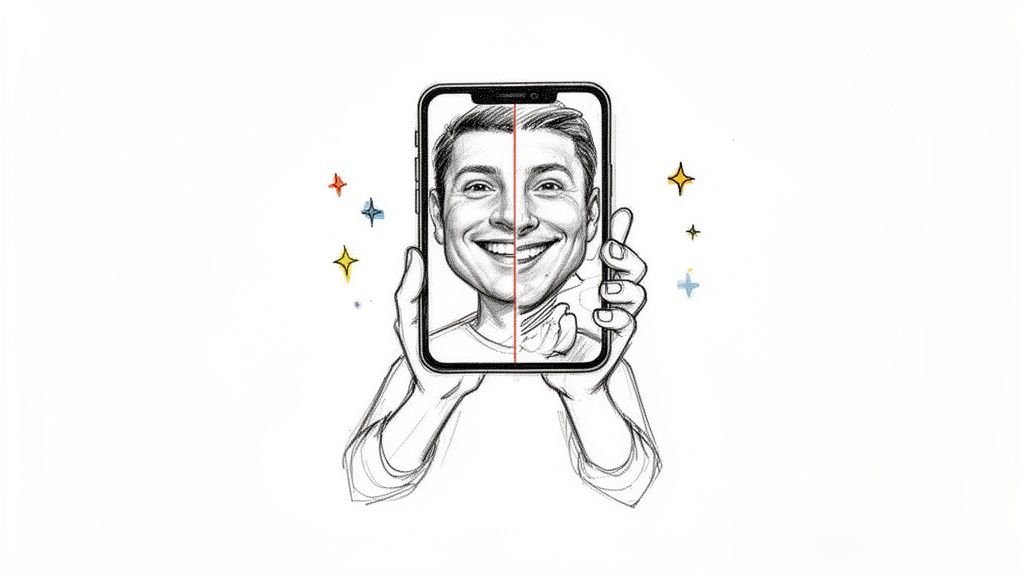
Turning a regular photo into a caricature is more than just a silly filter; it’s about injecting personality and humor into an image. Not too long ago, you had to find and pay a skilled artist to do this, which took time and wasn’t exactly cheap. Now, AI has completely opened up this creative process to everyone.
This isn’t just for a quick laugh, either. People, families, and even businesses are finding all sorts of practical uses for AI caricatures. It’s a super simple way to add that creative touch to your online presence, all without getting bogged down in complicated design software.
The AI Art Boom Is Here
Let's be honest, we all want our online profiles and content to stand out. This growing desire for unique visuals, especially from influencers and small businesses, has fueled a massive demand for tools that can create stylized art.
In fact, the market for photo-to-cartoon apps was projected to hit around USD 3.2 billion in 2025, and it’s growing at a staggering annual rate of nearly 28.9%. That huge number shows just how many people are jumping on board with AI to create one-of-a-kind portraits and avatars.
With AI, you can play around with tons of different visual styles. Want a classic cartoon vibe? You got it. How about a bold, colorful pop art or comic book style? No problem. Whether you're making a funny version of a selfie or a charming family portrait, the creative options are wide open.
Here are just a few ideas for how you can use them:
- Create a Social Media Avatar That Pops: Move on from that standard headshot. A custom caricature is a surefire way to grab attention and show off a bit of your personality.
- Design Unforgettable Personalized Gifts: Imagine a favorite photo turned into art on a mug, t-shirt, or framed print. It’s the perfect unique gift for birthdays, holidays, or anniversaries.
- Build a Fun Brand Identity: Businesses can create friendly and memorable mascots by turning photos of the team into caricatures. It's a great way to seem more approachable.
- Just Have Fun Exploring Art Styles: You can experiment with all kinds of aesthetics, from comic book looks to styles that mimic your favorite animated shows.
This guide will walk you through exactly how to make a photo into a caricature, step-by-step, so you get amazing results every single time.
Let's Make Your First AI Caricature
Alright, ready to dive in and turn a regular photo into something special? This is where the fun really starts. We're going to walk through the process together, and you'll see just how quick and easy it is to get a fantastic result. Don't worry about any technical stuff; this is all about creativity.
Most modern AI tools have made this incredibly straightforward. An app like Tooncraft, for example, has refined the whole thing down to just a few clicks. So, let’s get started and transform that first photo.
Getting Your Photo into the System
First things first, you need to give the AI a photo to work with. This is probably the most important step, since the quality of your caricature really depends on the quality of the starting image (we'll dig into picking the perfect photo a bit later). Look for a big, obvious button that says something like "Upload Image" or "Get Started."
Just click that button and grab a photo from your computer or phone. The AI will immediately get to work, scanning the image to identify the face and all the important features it needs to exaggerate.
Here’s a peek at what that initial step looks like on Tooncraft. Notice how clean and simple it is—no guesswork involved.
They keep it focused, getting you right to the main event without any clutter.
Picking a Vibe: Exploring the Different Styles
Once your photo is loaded, you’ll land on the creative dashboard. This is where you get to play art director. Instead of a single, generic "cartoon" filter, you’ll find a whole gallery of different artistic styles to choose from.
Honestly, this library of styles is what makes these new AI tools so powerful. You aren't just slapping a filter on your picture; you're telling the AI to completely reimagine it in a new artistic language.
You’ll typically see a few common categories:
- 3D Animation: This is your classic Pixar or DreamWorks look. It’s perfect for creating a warm, friendly portrait with a lot of depth and personality.
- Famous TV Shows: Ever wondered what you'd look like as a character from The Simpsons or Dragon Ball Z? These styles nail the specific look and feel of those iconic shows.
- Comic Book Art: If you want something bold and graphic, this is the way to go. Think heavy outlines, vibrant colors, and a pop-art feel that really stands out.
My Two Cents: Don't just pick the first one you see. Play around! The best way to find a style that fits is to try a few. Since it only takes a moment to generate each one, you can easily compare how you look in a '3D Cartoon' style versus a 'Japanese Anime' style and see which one really captures you.
Hitting the 'Go' Button
After you’ve found a style you love, all that’s left is to tell the AI to work its magic. Just hit the "Generate" or "Create" button, and you can sit back for a second.
This is where the real high-tech stuff happens behind the scenes. The AI isn't just tracing your photo. It’s analyzing your facial structure, your expression, and even the lighting to build a brand-new piece of art that still feels like you.
In just a few moments, your caricature will pop up on the screen, ready for you to download, share with friends, or use in a project. And just like that, you know how to make a photo into a caricature that’s 100% unique.
How to Choose the Perfect Photo for Your Caricature
Let’s get one thing straight: the secret to a fantastic AI caricature has less to do with the AI itself and more to do with the photo you feed it. Garbage in, garbage out, as they say. Giving the AI a high-quality, expressive image is like handing an artist a perfectly prepped canvas and a set of professional paints. You're setting the entire project up for success.
A great source photo makes the AI's job a whole lot easier, ensuring it can actually see and interpret the unique features and personality you want it to capture. This is how you get a caricature that doesn't just look like a funhouse mirror version of a person, but genuinely feels like them.
Nail the Facial Features and Expression
The soul of any caricature is the face. That's what it's all about. You'll want to pick a photo where the subject’s face is front and center, well-lit, and totally clear. Steer clear of pictures where a hat is casting weird shadows, sunglasses are hiding the eyes, or hair is draped across their face. The AI needs to see everything.
But a clear face is only half the battle; the expression is where the magic happens. A big, toothy grin, a goofy smirk, or even a pensive stare gives the AI so much more to work with. These are the details that inject personality into the final piece. A stiff, passport-style photo might produce a technically accurate caricature, but an expressive one will bring it to life.
Pro Tip: I've found that candid shots almost always beat posed ones. A photo snapped mid-laugh or during a genuinely happy moment captures a natural vibe that looks far more engaging once it's been transformed into art.
The entire process really is that simple: upload, style, and generate.
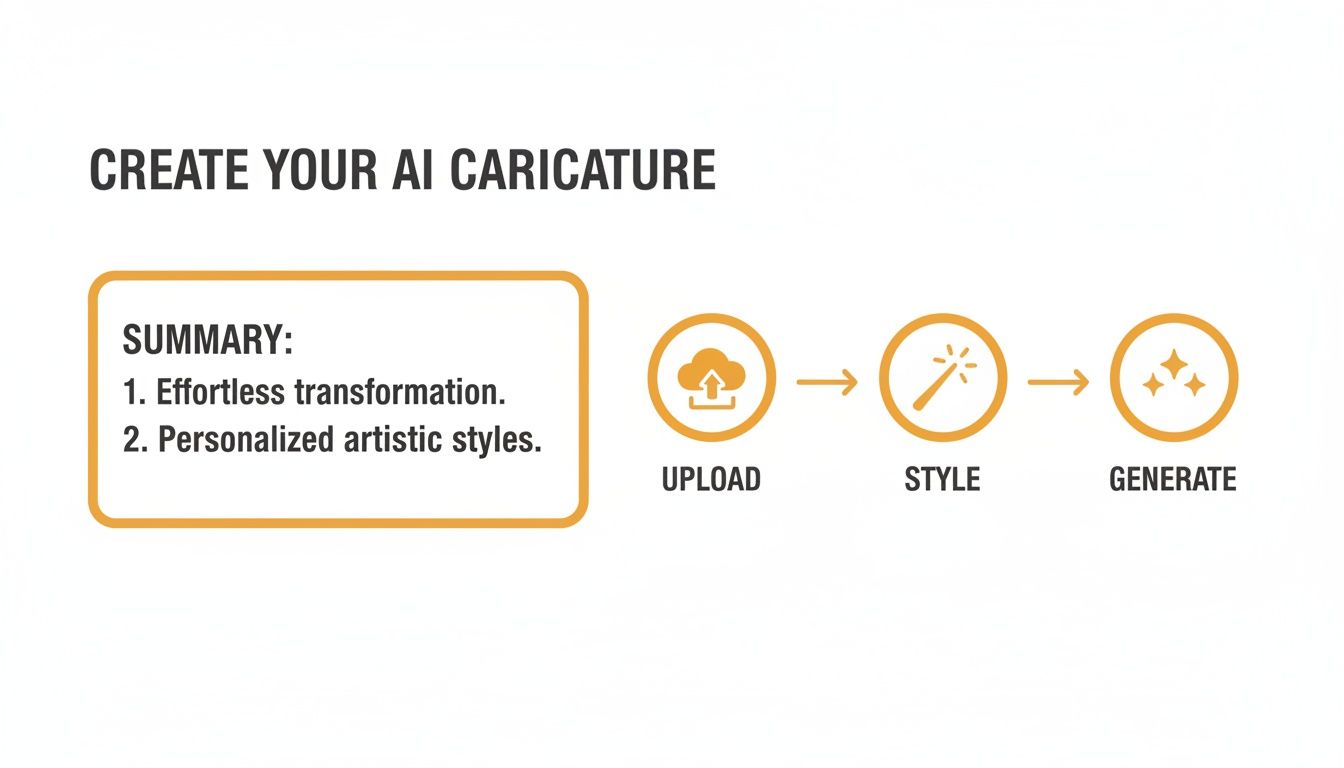
As you can see, that first step is the foundation for everything that follows. It's worth spending an extra minute to get it right.
Prioritize Lighting and Resolution
Okay, let's talk tech specs. The technical quality of your photo is hugely important. A blurry, low-resolution picture is a one-way ticket to a muddy, disappointing caricature. The AI needs clean data to do its job, so always dig up the sharpest, highest-resolution photo you can find. Honestly, most modern smartphone cameras are more than good enough.
Good lighting is the other absolute deal-breaker.
- Look for soft, even light: Photos taken outside on a slightly overcast day or indoors near a window work wonders. This kind of light illuminates the face without creating harsh, distracting shadows.
- Watch out for backlighting: If the main light source is behind the person, their face will be cast in shadow. The AI won't be able to see the details it needs.
- Dodge the direct flash: That built-in camera flash is rarely your friend. It tends to flatten facial features and create a washed-out, unnatural look that just doesn't translate well into a caricature.
To make this even clearer, here’s a quick checklist to help you pick the perfect shot.
Photo Selection Checklist for Best Caricature Results
| Characteristic | What to Aim For (Good) | What to Avoid (Bad) |
|---|---|---|
| Focus & Clarity | Sharp, in-focus, high-resolution | Blurry, pixelated, low-quality |
| Lighting | Soft, even, natural light (e.g., overcast day) | Harsh shadows, backlighting, direct flash |
| Facial View | Face is clear, front-facing, unobstructed | Sunglasses, hats, hands, or hair covering face |
| Expression | Natural smile, laugh, or expressive look | Neutral, "passport photo" expression |
| Composition | Subject's head and shoulders are prominent | Subject is far away or in a busy group shot |
| Color | Natural skin tones and balanced colors | Over-saturated or heavily filtered images |
By keeping these points in mind, you're not just uploading a random picture from your camera roll. You're providing the perfect raw material for the AI to create something truly special.
Finding a Caricature Style That Fits Your Personality
Alright, now for the really fun part—where your creative vision comes to life. Once you’ve picked out the perfect photo, it’s time to choose an artistic style that actually matches the personality you want to show off. This is way more than just slapping on a filter; you're completely reimagining your photo with a whole new aesthetic.
The style you land on sets the entire mood. Are you going for something fun and bubbly for a new social media profile picture? Or maybe something a little more dramatic and artistic for a one-of-a-kind gift? The possibilities are endless.
Matching the Style to the Occasion
Before you dive in, think about what you're actually going to do with this caricature. A bold, graphic novel style might be perfect for a gaming profile, but a softer, more whimsical look could be amazing for a family portrait or even a custom wedding invitation. Context is everything here.
To get the ideas flowing, think about these popular categories:
- Classic Animation: Styles inspired by studios like Pixar or Ghibli give you that warm, charming look that almost everyone loves. These are fantastic for heartfelt gifts.
- Iconic TV Shows: Ever wondered what you’d look like as a character from The Simpsons or Attack on Titan? These styles are instantly recognizable and a super fun way to show off your fandom.
- Artistic & Graphic: If you want something that really pops, options like comic book art or pop art deliver a high-impact, stylized result that’s perfect for making a statement.
Taking a scroll through the full cartoon style collection is a great way to see just how much variety is out there. It'll definitely help you find that perfect match for your photo.
A great caricature isn't just a funny drawing; it's a reflection of personality. A playful smirk might look hilarious in a Simpsons style but could feel more endearing in a Pixar-inspired one. Experimentation is your best friend here.
Beyond Personal Use: The Rise of Stylized Avatars
The decision to make a photo into a caricature isn't just for fun anymore; for a lot of professionals, it's a strategic move. For creators, streamers, and marketers, this kind of visual content is directly tied to how well their brand performs. You see stylized avatars everywhere now, from game streaming overlays and VTuber identities to unique brand mascots that feel more personal and approachable.
This trend is exploding at the consumer level, too. With 20% of Americans already generating AI images or video by 2024 and AI image categories growing by triple-digits every year, the demand is obvious. Services that can turn a simple selfie into a consistent, stylized character are a practical, data-backed upgrade to how people and businesses show up online. You can find more insights on these AI photo editing statistics over at autophoto.ai.
Tips for Finding Your Perfect Style
When you first start browsing a massive style library, it can feel a little overwhelming. I get it. But there’s a simple trick I use to get started.
Just generate your caricature in three completely different styles. For example, pick one 3D animation style, one anime style, and one classic American cartoon look.
This quick side-by-side comparison immediately shows you which artistic direction really captures the essence of the person in the photo. You’ll see right away what works with their specific expression and the lighting, helping you narrow down your choices and land on a look that feels uniquely them.
Fun and Creative Ways to Use Your New Caricature
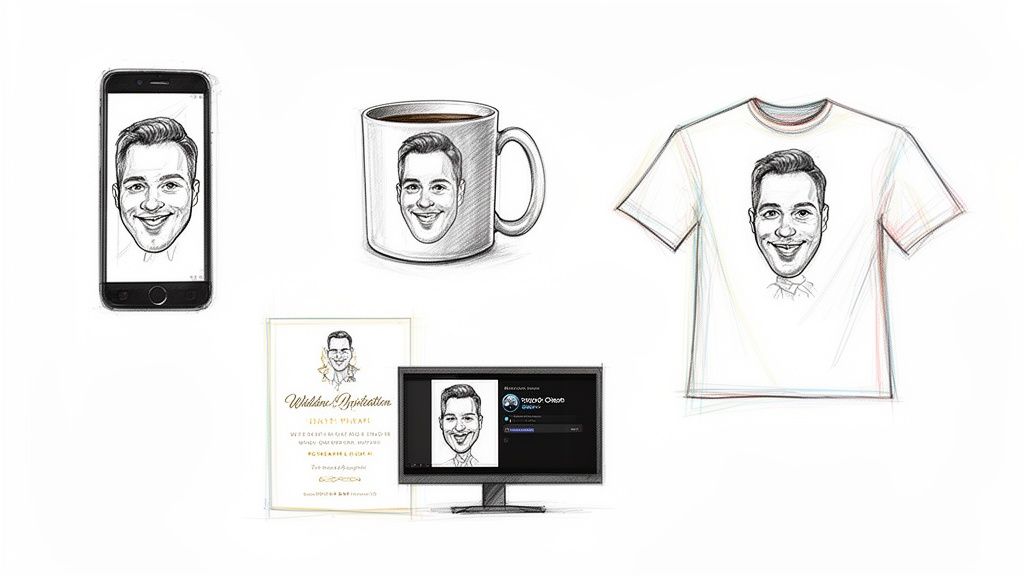
Alright, so you've navigated the AI tools, picked the perfect style, and now you’re the proud owner of an awesome new caricature. Now what? Sure, it makes a killer social media profile picture, but that's just scratching the surface.
Let's look beyond the digital world and explore some genuinely fun and practical ways to put that new artwork to good use. Think of it as your own personal piece of art—it’s a stylized, fun version of you (or a loved one) that can add a splash of personality to just about anything.
Create Unforgettable Personalized Gifts
This is where caricatures truly shine. You can create one-of-a-kind gifts that are leagues better than anything you'd grab off a store shelf. It’s your chance to give something with real thought and a creative twist.
Imagine the look on a friend's face when they unwrap a gift that features a hilarious, artistic version of themselves, their kids, or even their beloved pet. That's a gift they'll actually remember.
Here are a few ideas that are always a hit:
- Custom Mugs and Tumblers: A classic for a reason! Who wouldn't love sipping their morning coffee from a mug featuring their own cartoon face? It's simple, practical, and guaranteed to start their day with a smile.
- T-Shirts and Hoodies: Wear your personality loud and proud. Printing a caricature on a t-shirt is a fantastic idea for family reunions, bachelor parties, or just creating a unique fashion statement that’s all your own.
- Framed Prints and Canvases: Why not turn your caricature into a genuine piece of home decor? A high-quality print looks fantastic on a gallery wall or sitting on a desk, adding a playful vibe to any room.
Supercharge Your Digital Presence
Your caricature can be so much more than just an avatar; it can become the cornerstone of your entire online identity. In a sea of generic headshots, a custom caricature helps you stand out and be instantly recognizable.
Whether you're a streamer, a freelancer, or just want to spice up your emails, using it consistently helps people connect your name with a memorable visual. It makes your online presence feel more cohesive and professional, but in a way that’s still fun and approachable.
My Take: A caricature isn't just a static image. It’s a versatile asset that can become your personal brand mascot. Using it across different channels builds recognition and adds a layer of creative flair that stock photos simply can't match.
For example, a YouTuber could use their caricature for channel art, video thumbnails, and merch. A real estate agent might pop it into their email signature or on a business card to seem more friendly and relatable. You can even take it a step further. If you're curious about animation, our guide on how to create AI videos shows you how to bring characters just like this one to life.
Design Unique Event Stationery
Got a special event coming up? A caricature can add that wonderfully personal touch that sets the tone from the moment guests get their invitation. It's an unexpected and delightful detail that makes your event feel truly unique.
Think about it for...
- Wedding Invitations: Perfect for couples who don't take themselves too seriously. A caricature is a charming way to announce your big day.
- Birthday Party Invites: Create some seriously fun invitations for a kid's—or an adult's!—birthday bash.
- Holiday Cards: Ditch the standard family photo this year. A festive caricature of the whole family (pets included, of course) is a guaranteed way to make your card stand out on the mantelpiece.
Got Questions About Making AI Caricatures? We’ve Got Answers.
Jumping into AI art for the first time usually sparks a few questions. If you’re wondering about the little details of turning a photo into a caricature, you're in good company. Let's walk through some of the things people often ask when they're getting started.
First off, it’s good to know this isn't some tiny, niche hobby anymore. Creating art with AI is a booming part of the global animation and digital art scene, which is already worth hundreds of billions. The animation market alone was valued at around USD 462–446 billion back in 2025 and is projected to skyrocket to roughly USD 768–953 billion by 2035. AI-powered art is a fast-growing piece of that, with its own market expected to hit USD 1.8 billion by 2033. You can dig into more of these stats by checking out the latest animation market report on globalgrowthinsights.com.
Can I Make a Caricature of My Pet? What About a Group of People?
You bet! Modern AI tools are surprisingly great with more than just single human faces. You can absolutely upload a photo of your dog, cat, or any pet and get an amazing cartoon version that somehow still captures their personality. It’s one of the most popular things people do with these tools.
And for group shots? The AI is built to handle that, too. It processes each face in the photo, creating a caricature for everyone in the picture. The trick is to use a photo where every person is clearly visible and the lighting is good. This makes it a fantastic way to create a one-of-a-kind family portrait or a fun keepsake with friends.
Will the Caricature Actually Look Like Me?
Yes, and that’s the magic of today’s AI—it’s smart enough to keep a strong likeness. Even though the result is stylized and artistic, the technology behind it identifies and holds onto your key facial features, bone structure, and even your expression.
It's not just slapping a filter on your picture. The AI genuinely re-imagines your photo in the new style, making sure the final caricature still feels like you. For the best results, always start with a high-quality photo where your face is sharp and your expression is clear.
This is exactly why picking the right source photo is so critical. A crisp, expressive image gives the AI the best possible information to work with, leading to a caricature that’s both artistically cool and recognizably you.
What’s the Best Way to Save and Share My Caricature?
The best file format really just depends on what you want to do with your new creation. For pretty much anything online, PNG is your best friend.
Here’s a quick guide:
- For Digital Use (PNG): PNG files are awesome because they can have a transparent background. This is a game-changer if you want to use your caricature as a logo, a profile picture, or drop it on top of another image without a distracting white box around it.
- For Social Media (JPG): If you're just planning to post on Instagram, Facebook, or X, a high-quality JPG works perfectly. It strikes a nice balance between image quality and a smaller file size, which makes uploading a breeze.
- For Printing (Highest Resolution): Thinking bigger? If you want to print your art on a mug, a t-shirt, or a poster, always download the highest resolution file the tool offers. This is crucial for making sure your caricature looks sharp and professional, with no blurriness or pixelation.
Ready to see what you can create? With Tooncraft, you can make incredible, high-quality caricatures in just a few seconds. Upload a photo and give it a try at Tooncraft!