
Make Cartoon From Photo Free: Quick Guide to make cartoon from photo free
Learn how to make cartoon from photo free with simple steps and top AI tools. Create awesome avatars in minutes—clear, friendly guidance.
Ever seen those awesome cartoon versions of people online and wondered how they did it? You don't need to be a professional artist or have expensive software. The secret is out, and it's surprisingly simple: you can make a cartoon from a photo for free using a bunch of really cool AI-powered tools available right in your browser.
Your Quick Guide to Turning Photos Into Cartoons
The whole process is a breeze. You just find a tool you like, upload a photo, pick a style—like anime, 3D animation, or a classic comic book look—and the AI does the heavy lifting for you. In a matter of seconds, you get a brand-new cartoon image, often without even needing to sign up.
This isn't some niche hobby anymore. The market for these AI photo-to-cartoon generators has absolutely exploded. Big names like Fotor and Canva have jumped in, offering powerful and easy-to-use tools. This boom is largely thanks to content creators and social media lovers who are always looking for fresh ways to stand out. Now, there are well over 50+ distinct cartoon styles to choose from, with some filters even mimicking the look of famous animation studios. If you want to dive deeper into the trend, Filmora published a great industry analysis that breaks down the leading software.
The Magic Behind the Screen
So, what’s really going on when you click that "generate" button? It's all powered by some pretty smart AI. These tools are built on algorithms that have been trained on millions of images, learning to recognize everything from facial features and hairstyles to clothing and backgrounds.
When you upload your photo, the AI scans it, identifies those key elements, and then essentially "re-draws" them in whatever artistic style you selected. It could be a sharp-edged anime character or a soft, painterly portrait—the AI knows how to adapt.
Think of it as having a super-fast, incredibly talented digital artist on standby. You give them a reference photo, and they can perfectly mimic any style you ask for, instantly. You get a high-quality, personalized piece of art without ever touching a digital paintbrush yourself.
The best part? You're in the driver's seat. You can try out dozens of different styles on the same photo until you find the one that just clicks. There’s no cost and no commitment, just pure creative fun.
This guide will walk you through everything you need to know, from picking the right tool and prepping your photos for the best results to all the cool ways you can use your new cartoon creations.
Picking the Right Free AI Cartoon Generator
With so many free AI tools promising to turn your photos into cartoons, it’s easy to feel a bit lost. They all flash similar features on their homepages, but I've found that the actual results and user experience can be worlds apart. The trick is to look past the marketing fluff and figure out what really matters for what you're trying to do.
You're not just looking for a generic "cartoon filter." You want the right one. Some generators are brilliant at creating those vibrant, 3D-style characters that pop as a social media avatar. Others are much better at nailing a classic anime look or a gritty comic book aesthetic. Your creative vision should be the deciding factor.
What to Look for in a Free Tool
When I'm testing out new generators, I've learned to ignore the long list of features I'll never touch. Instead, I zero in on a few things that truly make or break the experience.
Here’s my personal checklist:
- Style Variety and Quality: A library with 100 styles is pointless if they all look like cheap filters. I look for tools that offer genuinely distinct, high-quality art styles. Can it capture that soft, Ghibli-inspired feel for a landscape shot? Or a sharp, dynamic look for an action photo? That’s the real test.
- Is It Actually Easy to Use?: The whole point is to get this done quickly, right? The process should be dead simple: upload your photo, pick a style you like, and hit download. If I have to spend more than a few minutes figuring out the interface, I’m out.
- The Dreaded Watermark: This is a huge deal-breaker. A lot of "free" services will slap a massive, ugly watermark right across your finished image, making it basically useless. Always, always check for a tool that gives you a clean, watermark-free download.
Thinking about how you’ll use the final image is a great way to narrow things down. This little decision tree gives you a good idea of how to match a style to your photo's purpose.
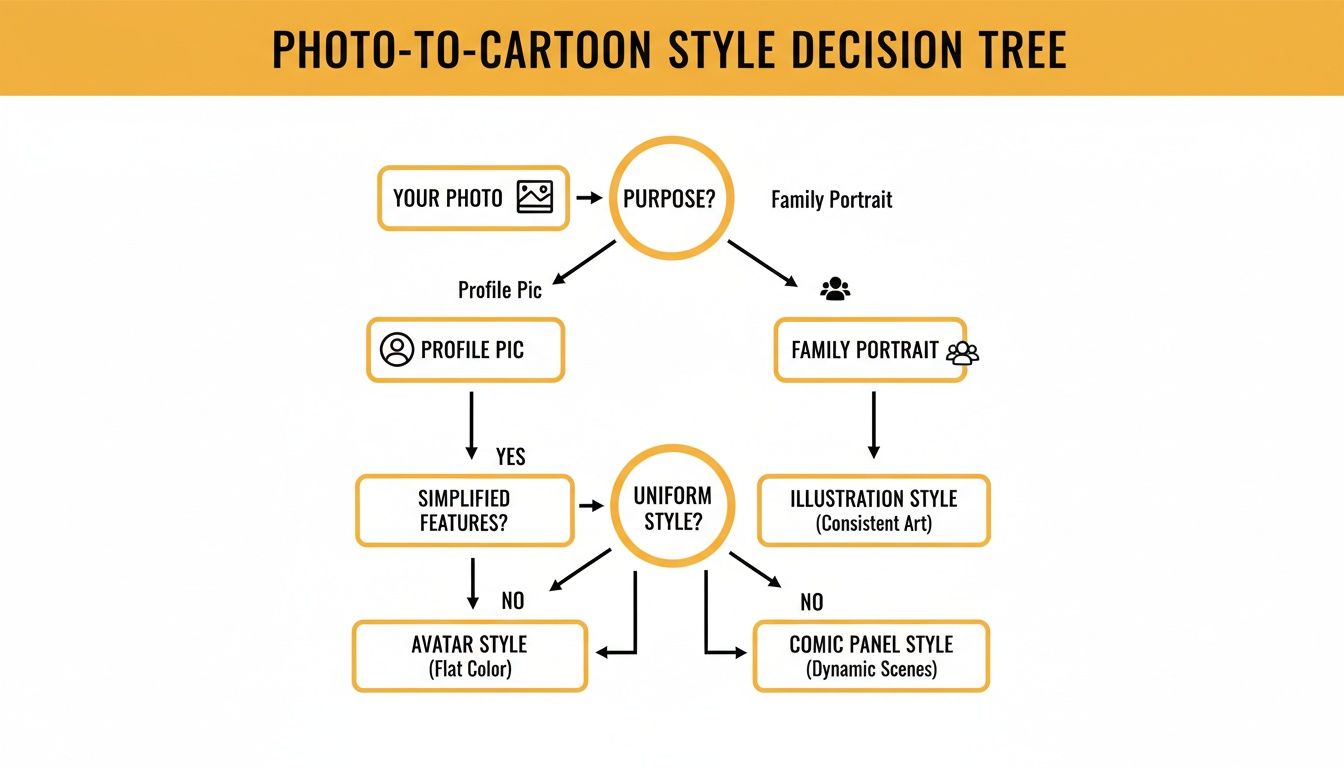
As you can see, what works perfectly for a solo profile pic might not be the best fit for a big family photo or a scenic landscape shot.
Don't Skip the Fine Print: Privacy and Usage Rights
Two things people almost always forget to check are privacy and usage rights. Before you upload a personal photo of yourself or your family, take 30 seconds to glance at the privacy policy. Good services are upfront about how they handle your images—they don't store them forever. This gives you peace of mind that your personal photos aren't just sitting on a server somewhere.
Then, think about what you'll do with your new cartoon.
Are you allowed to use it for your small business's Instagram? Or on a monetized blog? The answer is always buried in the terms of service. Many free tools are fine with commercial use, but some lock that feature behind a paid plan. Checking first can save you a lot of trouble down the road.
Your goal is to find that sweet spot: a tool that gives you awesome creative options without hidden strings attached. A good starting point is to browse a collection of cartoon styles to get a feel for what’s out there. Ultimately, the best free AI cartoon generator is the one that gives you a look you absolutely love, with no nasty surprises.
Time to Turn Your First Photo Into a Cartoon
Alright, let's get our hands dirty and actually make a cartoon from a photo for free. The fastest way to get the hang of this is to just do it, so I'll walk you through the entire process. We’re going to take a regular selfie and transform it into something that looks like it belongs in an animated movie.
But remember, the final cartoon is only as good as the picture you start with. A few tiny adjustments beforehand can make a massive difference in the end result.
Prepping Your Photo for Perfect Results
Before you even think about uploading your image, take a good, hard look at it. The AI these tools use is incredibly powerful, but it can’t read your mind. Giving it a clean, high-quality photo is the single best thing you can do to get a fantastic cartoon.
I have a quick three-point checklist I run through every time:
- Lighting is Everything: Find a photo where your face is lit evenly. If you have harsh shadows or a bright light behind you, the AI can get confused and create weird, dark splotches on your cartoon. My go-to is always natural light from a window. It’s a game-changer.
- Resolution Matters: A blurry, low-res photo will give you a muddy, pixelated cartoon. It’s almost a guarantee. You need to start with the sharpest image you have so the AI can pick up on important details like your eyes and hair.
- Keep the Subject Clear: A simple, uncluttered background is your best friend. It helps the AI focus entirely on you. If there’s too much going on in the background, it can sometimes bleed into your hair or clothes, making for a messy final image.
The goal isn't about finding a "perfect" photo. It's about giving the AI a clear roadmap to follow. Think of it like handing an artist a great reference photo—the better the reference, the better the final portrait.
Once you’ve got a winner picked out, you’re ready for the fun part.
Your First Cartoon Conversion
Now, let's make some magic happen. We'll use a simple, browser-based tool to show you just how easy this is. The basic steps are pretty much the same across any good platform you'll find.
First things first, you'll see a big "upload" button. This is where you'll grab that photo you just prepped.
Most interfaces are designed to be super intuitive, with a clean and simple layout that gets you started in seconds.
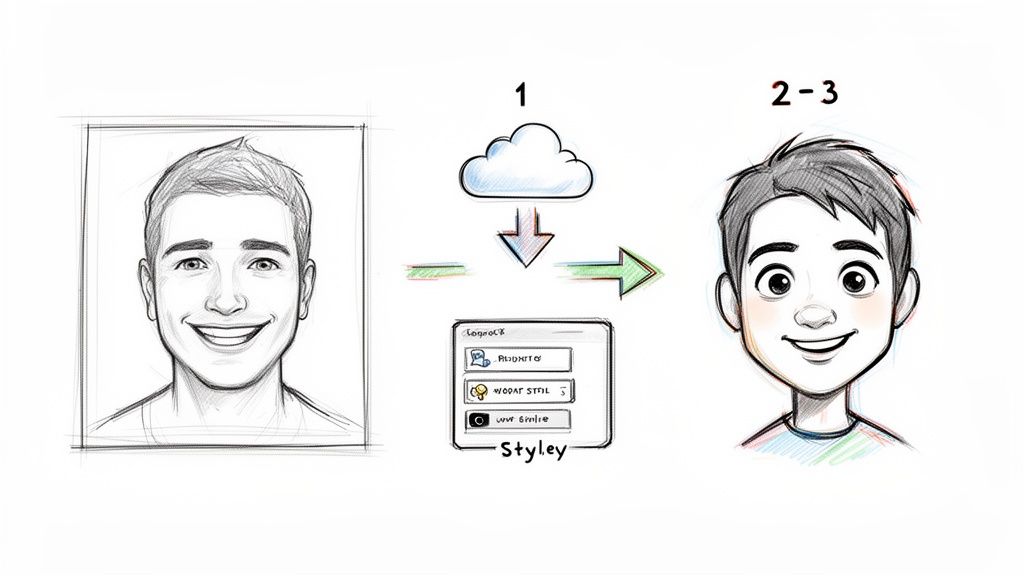
As you can see, the workflow is usually a simple three-step process: upload, pick a style, and generate. It’s built for anyone to use, no experience required.
After your photo is uploaded, you’ll be shown a library of different art styles. This is your creative playground. Feel like a Pixar-style 3D character? A classic anime hero? Or maybe something gritty from a comic book? Take a minute to browse the options.
Once you’ve picked a style, the AI takes over. The technology has gotten seriously impressive lately. Modern algorithms use facial structure detection and AI-powered rendering to create polished, studio-quality results, avoiding that weird "greasy" look that older AI filters had. They’re amazing at keeping your key features while adding that expressive cartoon flair—all in just a couple of clicks. If you're curious about the tech behind it, you can explore more about AI cartoonizer advancements.
The tool will process your image, which usually takes anywhere from a few seconds to a minute. And then... poof! Your cartoon is ready to see.
Most free generators will let you try out multiple styles on the same photo, so don't be shy. Go ahead and experiment! You might be surprised when an unexpected style ends up being your favorite. When you've found "the one," just hit the download button and save your new creation.
Pro Tips for Getting Incredible Results
After you've played around and converted a few photos, you start to get a feel for what works. You’ll notice the little things that take a cartoon from "pretty good" to "wow, that looks amazing." Getting those truly impressive results isn't about magic; it’s about a few insider tricks that go way beyond just hitting the "generate" button.
Believe it or not, the real work starts before you even upload your picture. We've already talked about using a high-quality photo, and I can't stress that enough. But let's get more specific—let's talk about lighting. You want to find soft, diffused light, like the kind you get on a slightly overcast day. This is the secret sauce because it smooths out the harsh shadows that can trip up an AI and make your final cartoon look a bit wonky.
Fine-Tuning Your Source Image
Beyond just good light, the background of your photo has a massive impact on the final result, especially when you want to make a cartoon from a photo for free and you're aiming for a specific look. A busy, cluttered background can sometimes bleed into your subject, creating weird digital artifacts around the edges of your cartoon character. Nobody wants that.
If you're going for an anime or a clean, minimalist style, a simple background is your best friend. A plain wall, a clear sky—anything that doesn't distract. This gives the AI a clean slate to work from, making sure your cartoon is sharp and the focus is right where it should be: on the person.
Think of it this way: The AI is like an artist you've commissioned. Giving it a clean, simple photo is like handing that artist a perfectly prepped canvas. You're removing all the visual noise so it can focus on what really matters.
Taking a minute to choose a photo with a simple background can make a night-and-day difference in quality and helps you avoid those strange, distorted edges you sometimes see.
Maintaining a Consistent Style
But what if you're making a whole set of cartoons? Maybe for your company's "About Us" page or a fun family portrait series. In that case, consistency is everything. The real challenge is making sure every photo has the same artistic vibe, even if the original pictures were taken at different times or in different places.
To get that uniform look across all your images, here are a few things I've found work wonders:
- Pre-Edit Your Photos: Before you upload anything, pop the photos into a simple editor. Tweak the brightness, contrast, and colors so they all have a similar feel. This gives the AI a consistent starting point every single time.
- Stick to One Style Prompt: It’s tempting to try all the different styles, but if you want a matching set, resist! Pick one style—whether it's "3D Fun" or "Anime Vibe"—and use it for every single photo. No exceptions.
- Use Photos from the Same Shoot: This is the easiest trick in the book. If you can, use photos all taken in the same session. The lighting and camera settings will naturally be the same, which is the fast track to a perfectly consistent set of cartoons.
Troubleshooting Common Glitches
Even with the best prep, sometimes things go a little sideways. One of the most common issues I see is distorted facial features—eyes that are slightly off-center or a mouth that just doesn't look right. This usually happens when the face in the original photo is at a weird angle or partially covered by hair or a shadow. For best results, stick to clear, front-facing or three-quarter view portraits.
If your cartoon comes out with a strange color tint, like a blue or yellow wash over everything, the culprit is almost always the white balance in the original photo. That’s an easy fix. Just use any photo editing app to correct the white balance before you run it through the cartoon generator.
And if you're looking to create something with a bit more punch, you can always explore a gallery of pop art and comic styles to see how bold colors and sharp lines can really make your image pop.
Creative Ways to Use Your New Cartoon Photos
Alright, you've figured out how to make a cartoon from a photo for free—now the real fun starts. You're not just holding a cool digital image; you have a totally unique piece of art that’s bursting with personality. Let's dig into some creative and genuinely useful ways to put your new creation to work, moving it way beyond your camera roll.
Level Up Your Online Presence
The first and most obvious place to use your cartoon is online. A custom cartoon avatar instantly sets your social media profiles apart on Instagram, TikTok, or X (formerly Twitter). It's such a simple way to inject some personality and build a memorable personal brand that a standard, stuffy headshot just can't match.
If you're a gamer or streamer, a cartoon version of yourself is practically essential. It's perfect for your Twitch profile, YouTube channel art, or Discord server icon. It looks professional yet approachable.
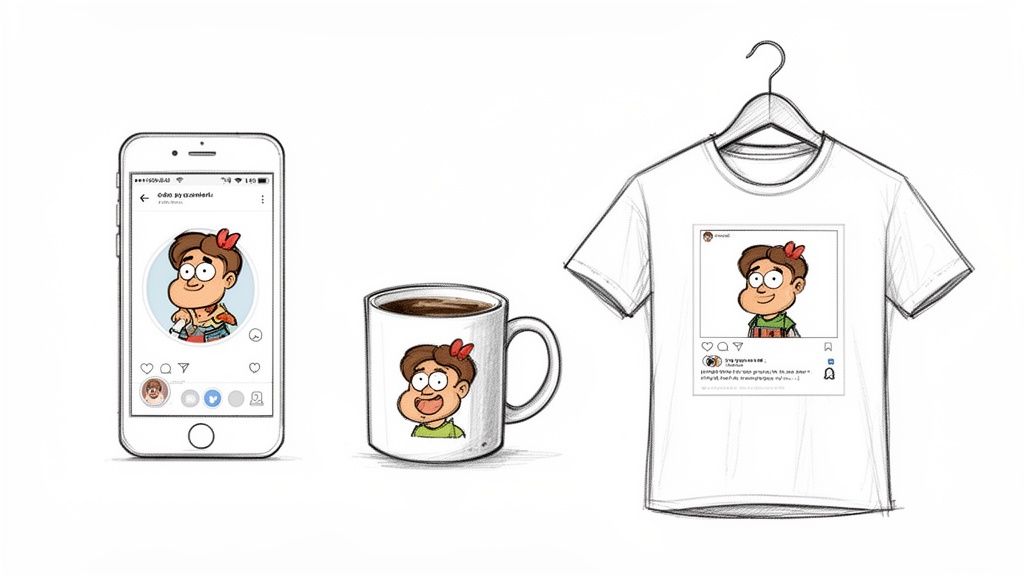
This isn’t just for personal accounts, either. Businesses are catching on fast. Brands are creating friendly cartoon mascots to seem more relatable, and small businesses are jazzing up their marketing materials without shelling out cash for stock photos or custom illustrations. The world of AI-generated cartoons has exploded, and you can learn more about its impact on content creation in this complete guide from AI Journ.
Turn Your Art Into Unforgettable Gifts
Why keep all this creativity digital? Your cartoon photos can be turned into incredible, one-of-a-kind personalized gifts. Honestly, imagine the look on someone's face when they unwrap a gift that’s this thoughtful and unique.
Here are a few ideas to get you started:
- Custom Mugs & T-Shirts: Print a cartoon family portrait on a mug for Mom or Dad, or create a hilarious t-shirt for a friend’s birthday.
- Unique Phone Cases: A cartoon of your partner, kid, or pet on a phone case is a great way to carry a happy memory with you.
- Framed Prints & Posters: A stylized cartoon portrait can be a surprisingly modern and beautiful piece of art for your wall.
- Stickers & Magnets: Print sheets of custom stickers for the kids or turn a cute couple's cartoon into a magnet for the fridge.
Don't Forget Your Furry Friends
This isn't just for humans! Turning pictures of your pets into cartoons is a massive trend for a reason—it's a fantastic way to celebrate your furry (or scaly) family members. A cartoon can highlight their quirky personality in a way a regular photo just can't.
I’ve seen these pet portraits used for everything from custom food bowls and bandanas to running a dedicated Instagram account for a four-legged friend. They add a level of charm and whimsy that perfectly captures the joy our pets bring us.
The possibilities are truly endless, whether you have a dog, cat, rabbit, or even a reptile. If you want to see just how creative people get, check out this gallery of adorable cartoon pets. It’s a wonderful way to honor your animal companions, either for yourself or as a heartfelt gift for another pet lover.
Got Questions? Let's Clear Things Up
Diving into a new creative tool always brings up a few questions. It's totally normal. When you first start to make a cartoon from a photo for free, you might wonder about safety, how you can use your creations, and why they sometimes don't look as sharp as you'd hoped. Let's tackle those common head-scratchers so you can create with confidence.
Most of the big-name, free photo-to-cartoon tools are perfectly safe, but it never hurts to be a little savvy. Your photos are personal, after all. Before you upload that favorite selfie, just take a quick peek at the platform's privacy policy.
A good service will be upfront about how they handle your data. You're looking for clear language saying they won't store your photos forever or use them for other purposes without your say-so. If a tool's policy is confusing or it asks for weird permissions, just skip it and find a better one.
A quick check of user reviews and clear terms of service is all it takes to give you peace of mind.
Can I Use These Free Cartoons for My Business?
This is a great question, and a super important one. The short answer is: it depends entirely on the tool's specific rules. Many free generators are totally fine with commercial use—it's good exposure for them!
However, some reserve commercial rights for their paying customers. To stay on the right side of the rules, always double-check the fine print before using a cartoon you've made for things like:
- Your company's website or blog posts
- Branded social media profiles or content
- Any project you're making money from
A few minutes spent reading their terms now can save you a world of trouble down the road.
Why Does My Cartoon Look Blurry?
If your final cartoon looks a bit fuzzy or pixelated, the culprit is almost always the original photo you started with. Think of it this way: garbage in, garbage out. A crisp, high-quality cartoon needs a sharp, high-resolution photo to start.
For the best results, make sure your subject is well-lit and in sharp focus. A photo that's dark, grainy, or out of focus is just going to produce a muddy-looking cartoon. It's also worth noting that some free tools limit the export quality for non-paying users, so always look for an "HD" or "high-definition" download option if it’s available.
Ready to create amazing cartoon art without the guesswork? Tooncraft, Inc. gives you access to over 50 beloved animation styles, from classic anime to modern 3D looks, all with watermark-free downloads. Start transforming your photos today!