
Ai Cartoon Generator: Turn Photos Into Cartoons (ai cartoon generator)
Discover how an ai cartoon generator can transform your photos into unique cartoon and anime-style art with simple tips and tricks.
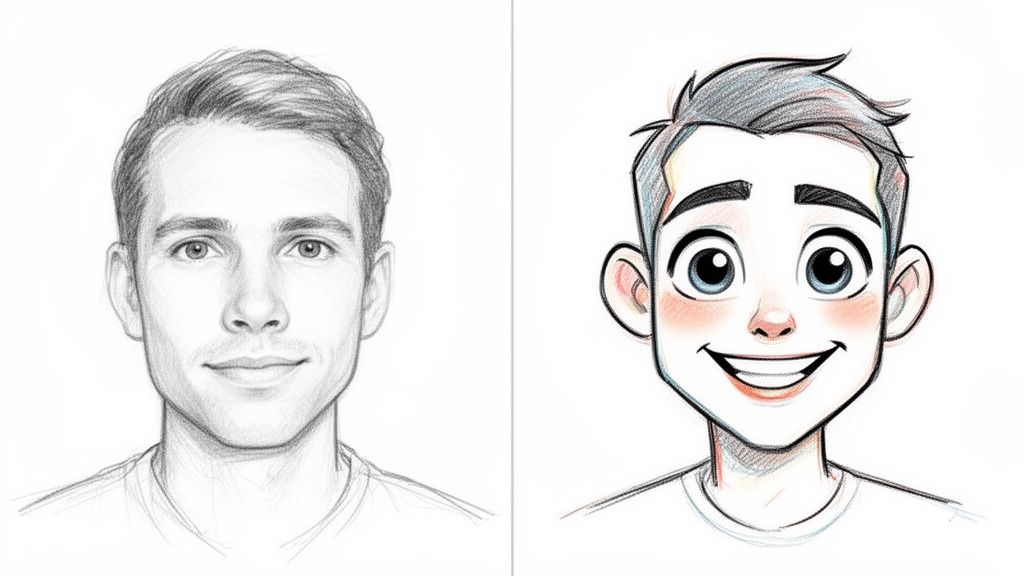
So, what exactly is an AI cartoon generator? It’s a bit like having a professional animation studio on your computer, ready to instantly transform your everyday photos into incredible cartoon and anime-style art. Using some seriously smart technology, these tools analyze your images and reimagine them in tons of different iconic styles. Best of all, you don't need a single artistic bone in your body to get amazing results.
Bring Your Photos to Life with an AI Cartoon Generator
Ever seen those amazing animated profile pictures and wondered how they were made? Or thought about creating a one-of-a-kind family portrait that looks like it jumped right out of a movie? That’s where AI art comes in, and this guide is here to show you just how easy it is to get started.
We're going to walk through turning any photo into a piece of art. Imagine turning a quick selfie into a character from The Simpsons, your dog into a magical Ghibli-inspired creature, or your whole crew into a cast of Pixar characters. It's all possible, and it’s a lot of fun.
Why Is Everyone Talking About Cartoon Generators?
Forget clunky, complicated software. We're diving into a super intuitive process that gives you access to over 50 famous art styles. The whole AI art scene, especially for cartoons and comics, has blown up recently. Platforms like Tooncraft are right at the heart of it.
Believe it or not, the global AI Comic Generator Market was recently valued at a massive USD 2.5 billion and is expected to skyrocket to USD 20.5 billion by 2034. A huge part of that growth comes from people just like us—content creators, gamers, and social media influencers—who made up 42.6% of the market. Everyone is looking for fast, affordable ways to create visuals that really pop. You can read more about these AI Comic Generator Market trends to see just how big this is getting.
This technology is all about reimagining your world. Think about turning your latest cosplay photos into authentic Attack on Titan scenes or capturing a favorite family memory as a timeless Looney Tunes moment.
This guide will show you exactly how to do it all. Whether you’re creating personalized gifts or building a brand online, an AI cartoon generator is a powerful and surprisingly simple way to let your creativity run wild.
Start With a Great Photo for Amazing Results
The secret to a killer AI-generated cartoon isn't just about picking a cool style. It actually starts with the photo you feed the machine. Think of it like cooking: the better your ingredients, the better the final dish. A little prep work here makes a massive difference.
A clear, well-lit headshot is your golden ticket. The AI needs to see your face—your eyes, nose, mouth—to really nail your likeness. Photos with heavy shadows, big sunglasses, or even a hand covering part of your face can throw the AI for a loop, giving you a muddy or generic-looking result. My go-to is always natural, even lighting.
Keep It Clean and Simple
For those crisp, clean art styles we all love—like the intricate details in a Demon Slayer theme or the bold lines of Attack on Titan—you absolutely need a high-resolution image. It’s a simple rule: garbage in, garbage out. A blurry photo will only ever produce a blurry cartoon.
The same goes for your background. A simple, uncluttered backdrop helps the AI cartoon generator focus on the main event: you. A crazy, busy background with tons of people or patterns can confuse the algorithm, and you might end up with a tree branch looking like it's part of your hair. A plain wall or a simple outdoor scene is perfect.
Pro Tip: A quick 5-second check for good lighting and a clear view of the face is the single most important thing you can do. It's what separates a blurry mess from a masterpiece you can't wait to show off.
A Quick Checklist for Your Source Photo
To get fantastic results every single time, I stick to a few simple rules.
- Get Up Close and Personal: Selfies and portraits where your face fills most of the frame are ideal. It gives the AI more detail to work with.
- One Person at a Time: Unless you're specifically creating a group shot, stick to a single person per photo. It keeps the AI from getting confused.
- Sharpness is Key: Make sure the photo is in focus, especially the eyes. This is non-negotiable for capturing expressive, lively cartoon features.
- Go for Natural Expressions: A genuine smile or even a neutral look often translates better than something over-the-top. It creates a perfect canvas for any style.
Following these tips helps the AI create something that not only looks great but actually feels like you. If you're into styles with bright colors and punchy lines, check out these awesome pop art and comic book styles and see for yourself how a good photo becomes incredible art.
Creating Your First AI Cartoon Masterpiece
Ready to turn your favorite photo into something truly special? With your picture prepped and ready to go, we can dive into the fun part. Using an AI cartoon generator is surprisingly simple, taking you from a quick upload to a personalized work of art in just a few moments.
The real magic, I've found, is in exploring the huge variety of art styles. It’s like being a kid in a candy store—so many amazing options to choose from! The style you pick really sets the mood, so think about the vibe you're going for.
Finding Your Perfect Animated Style
So, where do you start? If you're looking to get a good laugh, you can't go wrong with classic comedy styles. Transforming your selfie into a character from Rick and Morty or Family Guy is a surefire way to create a hilarious new profile picture.
Maybe you're craving something more epic? In that case, legendary anime styles are the way to go. You can see yourself as a powerful hero from Dragon Ball or a fierce warrior from Jujutsu Kaisen. These are perfect for gamers, cosplayers, or anyone wanting an avatar that packs a punch. To get the creative juices flowing, check out the full collection of popular cartoon styles available.
Here’s a quick guide to help you select the perfect cartoon style based on your desired outcome.
Choosing the Right Cartoon Style for Your Photo
| If You Want... | Try These Styles | Best For |
|---|---|---|
| A good laugh | Rick and Morty, Family Guy, The Simpsons | Funny profile pictures, memes, and sharing with friends. |
| Action and adventure | Dragon Ball, Jujutsu Kaisen, Attack on Titan | Dynamic avatars, gamer profiles, and cosplay showcases. |
| Nostalgic charm | Scooby-Doo, 90s Anime, Classic Disney | Unique gifts, retro-themed posts, and heartfelt projects. |
| Modern and trendy | Arcane, Spider-Verse, Studio Ghibli | Artistic social media content, wallpapers, and creative branding. |
Picking the right style is all about matching the art to your personality and purpose. Don't be afraid to experiment!
This whole process starts with a good photo, of course. This simple flowchart breaks down what I always look for before uploading an image to the AI.
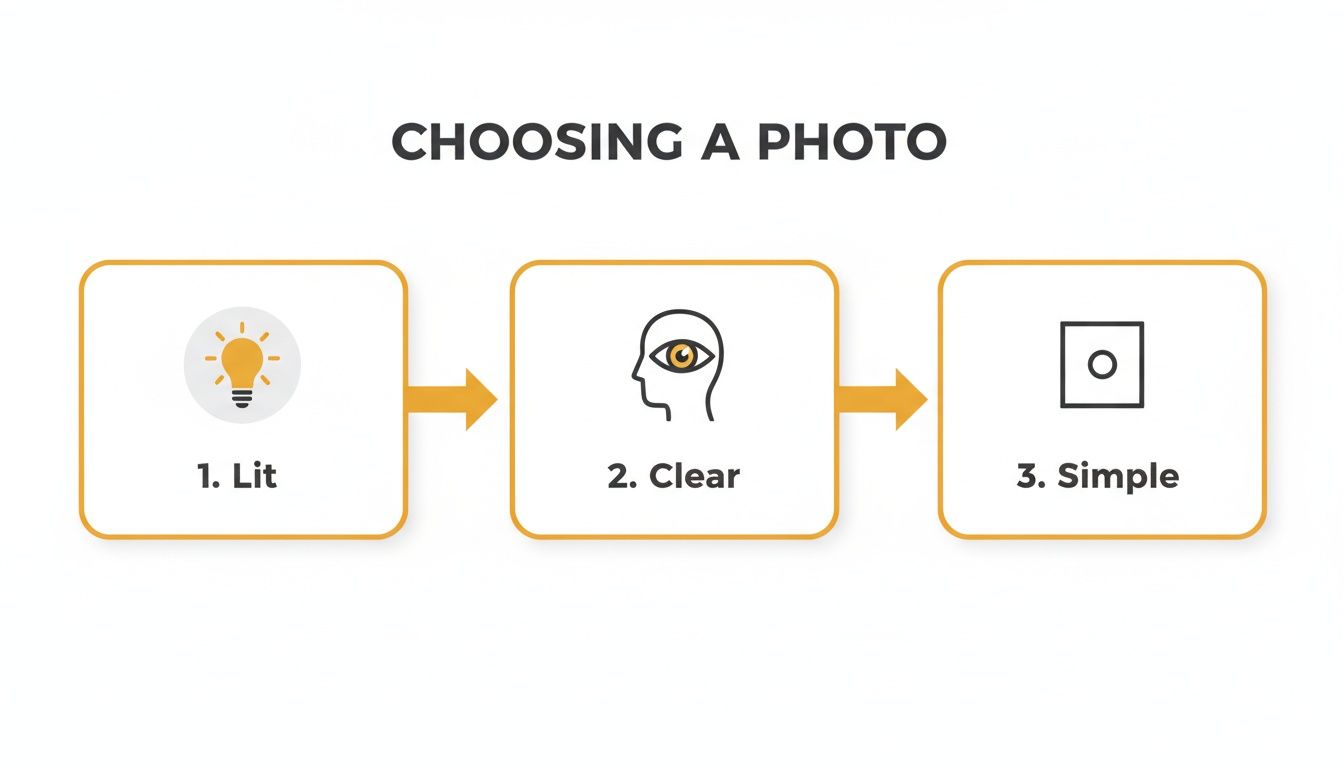
As you can see, good lighting, a clear view of the face, and a simple background give the AI the best possible canvas to work with.
The excitement around these tools isn't just a niche hobby; it's a massive market. The AI Anime Generator Market hit an astonishing USD 91.56 billion and is forecast to grow to USD 667.68 billion by 2032. The Asia-Pacific region is leading the way with around 40% of the revenue, thanks to anime hubs where digital art is a way of life. This trend is what allows fans to turn their cosplay photos into authentic-looking Attack on Titan characters right from their phones.
Tweaking Your Creation with Text Prompts
After you’ve picked a style, you're pretty much ready to go. But what if the result is almost perfect? This is where simple text prompts come in handy to fine-tune your image.
You don't need to be a prompt engineer to get great results. Simple phrases can make a big difference. Think of it as giving the AI a little nudge in the right direction.
For example, you can add a few descriptive words to guide the AI. I often use simple tweaks like these:
- To change the mood: "smiling," "laughing," or "determined expression."
- To adjust the scene: "in a forest," "city at night," or "on a sunny beach."
- To add small details: "wearing glasses," "blue shirt," or "windy hair."
And just like that, you've created your very first personalized AI cartoon. Now you’re ready to start experimenting with all the other styles and turn your favorite photos into one-of-a-kind art.
Keeping Your Character Consistent Across Images
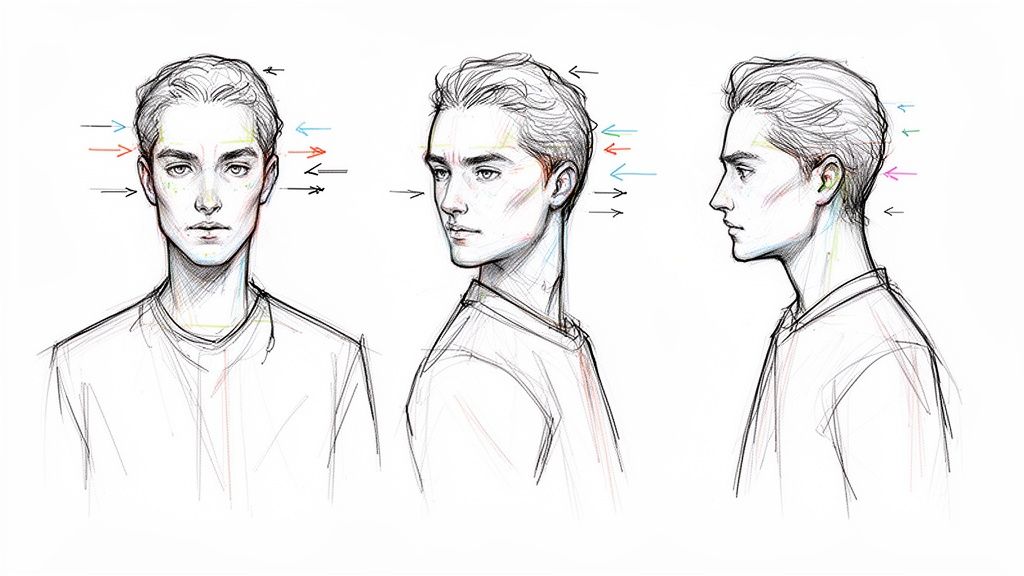
Let’s be honest, this is the biggest hurdle for anyone serious about AI art. You finally nail the perfect look for your character, but when you try to put them in a new scene, you get their weird-looking cousin instead. We're going to fix that.
Getting this right is a total game-changer, especially if you're a content creator. Think about it: a consistent cartoon version of yourself for your Twitch or YouTube channel that your audience recognizes instantly. No more one-off random generations. It’s time to build a repeatable process for creating thumbnails, memes, or even short animations with a character that’s recognizably you.
Build Your Character Library
First things first, you need to create a small "character library." This is just a fancy way of saying you should save a collection of your best, most on-point generations to use as a visual anchor.
Start by generating a handful of different headshots of your character in your chosen style. Say you're going for that classic My Hero Academia vibe; try prompting for a few different expressions—happy, surprised, determined. Once you have 3-5 strong images where the character looks spot-on, you've got your foundation.
This library becomes your go-to reference. Whenever you want to create a new scene, you can look back at these core images to help you write prompts that preserve key features like hair color, eye shape, and that specific jacket they always wear.
Use Simple, Direct Prompts
When it comes to keeping a character consistent, less is more. I've seen so many people write novel-length prompts, but all that complexity just introduces more variables and confuses the AI. Keep your prompts simple and direct.
Your goal is to nail down the core attributes of your character and repeat them every single time. If your avatar has spiky black hair and a red jacket in the Chainsaw Man style, those details need to be in every prompt you write from here on out.
Here are a few tips that have worked wonders for me:
- Be Specific About Core Features: Always lead with the most important visual traits. For example, "A boy with spiky blond hair and a determined expression, Dragon Ball style."
- Keep the Style Constant: Always call out the exact same style. Don't jump between Spy x Family and Jojo's Bizarre Adventure if you want the same character. That's a surefire way to get a completely different person.
- Change Only One Thing at a Time: Want a new pose? Great. Focus the new part of your prompt on only that change, keeping the rest of the character description identical to what worked before.
By reusing the same core description and only tweaking the action or emotion, you’re essentially telling the AI cartoon generator to keep the character the same while changing their circumstances. It's the most reliable way to get a character to show a range of emotions and poses without losing their identity.
Feed the AI Similar Photos
Don't forget that your source photos are just as important as your prompts. To give the AI the best possible chance of capturing your likeness, try using photos of yourself that were all taken around the same time or in similar lighting.
When the lighting, camera angle, and your expression are consistent across your input photos, the AI has a much easier time locking onto your core facial structure. This makes a huge difference in maintaining consistency, whether you're aiming for the soft aesthetic of Ghibli or the bold lines of Invincible. Trust me, this simple trick really ups your odds of creating a recognizable cartoon you across tons of different images.
Animating Your Cartoon with AI Video Tools
<iframe width="100%" style="aspect-ratio: 16 / 9;" src="https://www.youtube.com/embed/BnquzIGVuKc" frameborder="0" allow="autoplay; encrypted-media" allowfullscreen></iframe>So you've created an awesome cartoon character. That's fantastic! But why stop there? Let's make it move. This is where the real fun begins, taking your static creation and bringing it to life with the magic of AI video.
Imagine taking a short video of yourself and transforming it into a full-on animated sequence. You could perfectly capture the vibe of iconic shows like Naruto or even nail that classic Pixar look. It’s a game-changer for creating eye-catching social media clips, unique ads for your business, or just a cool animation to show your friends.
AI isn't just for still images anymore; the world of motion is exploding. The AI Animation Generator Market, which was already at USD 1.2 billion, is expected to skyrocket to USD 5.6 billion by 2033. This massive growth is happening because creators are cutting their production time and costs by a staggering 70-90%.
Whether you're designing a The Simpsons-style mascot or generating poses for your YouTube channel, this means professional-grade tools are finally within reach. You can see the full scale of this trend for yourself—it's pretty incredible.
Nailing Your Source Video
Just like with photos, your starting video makes all the difference. A little bit of prep work can be the deciding factor between a jerky, weird-looking animation and a smooth, professional clip.
For the cleanest results, always start with a high-quality video. Good lighting and a steady camera aren't just nice to have; they're essential.
- Steady Your Shot: Please, use a tripod or at least prop your phone on a stack of books. Shaky footage completely confuses the AI, leading to that weird flickering or "melting" effect in the final animation.
- Light It Up: Film in a bright, well-lit space. Even lighting helps the AI track your facial expressions and movements accurately, which is crucial for getting a believable performance.
- Keep it Simple: Find a plain, uncluttered background. This helps the AI focus on you and prevents it from accidentally animating the bookshelf behind you.
Think of your video as the blueprint for the AI. The clearer that blueprint is, the more accurately it can translate your movements into any style you want, from the fluid action of Avatar The Last Airbender to the zany energy of SpongeBob SquarePants.
This process completely opens up a new dimension of creativity. Instead of just showing people your character, you can now show them in action. For a deeper dive, check out our guide on how to create AI videos and start bringing your images to life today. It's time to go from a cool picture to a dynamic, attention-grabbing video.
Got Questions About AI Cartoon Generators? Let's Clear Things Up.
Thinking about diving in but have a few questions first? Totally understandable. Let's walk through some of the most common things people wonder about before they start turning their photos into art.
Can I Actually Use These Cartoons for My Business or on Social Media?
Yes, you absolutely can! The watermark-free images you get from a good AI cartoon generator are typically fair game for commercial use. This is a game-changer for building a cool brand identity without the time and expense of hiring a designer.
Think about it: you could cook up a quirky mascot in a fun style like South Park for your startup, or maybe a sleek, professional avatar inspired by Cowboy Bebop for your YouTube channel. The art is yours to use for memorable marketing, social media profiles, and whatever else you can dream up. Just do a quick check of the specific terms of service for the tool you're using to be safe.
How Do I Make Sure My Cartoon Actually Looks Like Me?
This is the big one, right? It all boils down to the photo you give the AI to work with. The secret is using a clear, well-lit picture where your face is front and center.
For the best shot at a true-to-you cartoon, keep these tips in mind:
- Lose the Obstructions: Ditch the sunglasses, big hats, or anything else that covers up your face. The AI needs a clear line of sight to work its magic.
- Good Lighting is Your Best Friend: Harsh shadows can completely change the shape of your features in the AI's eyes. Natural, even lighting is always the way to go.
- Keep it Consistent: If you're creating a whole set of images, using photos with similar lighting and angles helps the AI lock onto your likeness. That way, you'll still look like you, whether you're a Naruto ninja or a character from Adventure Time.
The AI is trained to recognize your unique facial structure. Honestly, giving it a great starting photo is the single most important thing you can do to guarantee you’ll recognize yourself in the final picture.
What's the Best Type of Photo to Use?
Hands down, portraits and selfies where your face is the star of the show work best for avatars and character art. These photos give the AI a ton of detail to analyze, which leads to a much more accurate and high-quality transformation.
But it's not just for solo shots! Family photos, pictures with your partner, and even snaps of your pets can turn out amazing. You could transform a family portrait into something out of Bluey or see what your dog looks like as a friendly Ghibli creature.
My pro-tip? For the cleanest results, pick photos with a simple, uncluttered background. This helps the AI focus on what really matters—the subject. And remember, a higher-resolution photo will always give you a more polished, professional-looking cartoon.
Is This Going to Be Complicated to Use?
Not at all! These tools are built for everyone, not just tech wizards or artists. You don't need any special skills to get a fantastic result.
The whole process is usually just a few clicks:
- Upload your picture.
- Browse the style gallery and pick one you love.
- Click the button and watch it happen.
The AI does all the heavy lifting in the background, serving up a high-quality cartoon in seconds. It's so simple, anyone can have fun with it—from a parent making a Peppa Pig version of their kid to a gamer creating a One Piece avatar for their Twitch stream.
Ready to see yourself in a whole new light? With dozens of styles and a ridiculously easy process, Tooncraft makes it fun to create incredible, personalized art in just a few clicks. Unleash your creativity and generate your first cartoon today
Article created using Outrank