
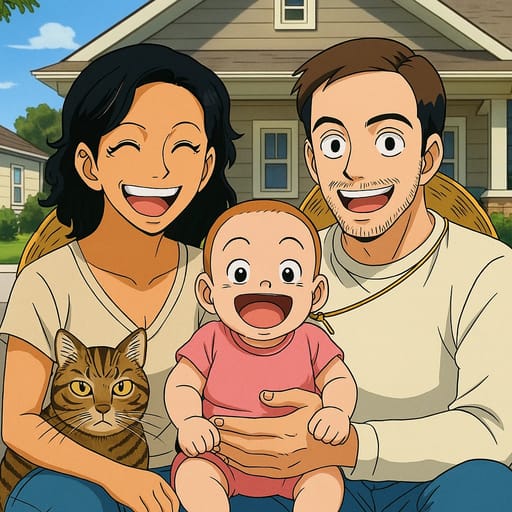
Tooncraft.ai vs Fotor: Which Cartoon Converter Is Better?
Tooncraft.ai vs Fotor comparison for photo to cartoon conversion. Honest review of features, styles, pricing, and quality. Find the right tool for you.
Tooncraft.ai vs Fotor: Which Cartoon Converter Is Better?
Choosing between Tooncraft vs Fotor for cartoon conversion? Both tools convert photos into cartoon and anime art, but they take very different approaches. Tooncraft specializes in character-specific styles with 50+ options. Fotor is a general photo editor with cartoon conversion as one of many features.
Which one is right for you? This Tooncraft vs Fotor comparison covers everything: features, quality, pricing, and the specific situations where each tool shines.
Quick Comparison
| Feature | Tooncraft.ai | Fotor |
|---|---|---|
| Primary focus | Photo-to-cartoon/anime conversion | All-in-one photo editor |
| Cartoon/anime styles | 50+ | 10-15 |
| Character-specific styles | Yes (Family Guy, Dragon Ball, Ghibli, etc.) | No |
| Video conversion | Yes | No |
| Photo editing tools | No (dedicated to conversion) | Yes (full editor) |
| Free trial | Yes (no credit card) | Yes (limited features) |
| Pricing model | Pay per use (credits from $3.99) | Monthly subscription (~$8.99/mo) |
| Credits expire? | Never | N/A (subscription-based) |
| Processing speed | 10-15 seconds | 15-30 seconds |
| Mobile app | Web-based | Yes (iOS and Android) |
| Batch processing | Yes | Yes |
| AI text-to-image | No | Yes |
Style Variety: Tooncraft Wins
This is where the biggest difference lies.
Tooncraft.ai: 50+ Character-Specific Styles
Tooncraft offers over 50 styles organized into collections:
- Anime styles: Classic anime, Studio Ghibli, manga, chibi, modern anime, plus series-specific styles like Dragon Ball, Naruto, One Piece, My Hero Academia, Demon Slayer, and Jujutsu Kaisen
- Western cartoon styles: Family Guy, Simpsons, South Park, Adventure Time, Gravity Falls, Futurama, and more
- Kids' animation: Bluey, Peppa Pig, Disney Junior
- Romantic styles: Dreamy anime couple styles
- Fun styles: Pop art, caricature, chibi
Each style is crafted to match the specific show's aesthetic. A Family Guy conversion actually looks like Family Guy. A Dragon Ball conversion captures that series' distinctive look.
Fotor: Generic Filters
Fotor offers 10-15 cartoon and anime filter options:
- Several anime styles (generic, not series-specific)
- Cartoon effects with varying levels of detail
- Sketch and painting effects
- AI-powered artistic filters
Fotor's styles are decent but generic. You get "anime" but not "Studio Ghibli" or "Dragon Ball." You get "cartoon" but not "Family Guy" or "Simpsons."
Verdict: If you want character-specific styles, Tooncraft is the only option. If generic anime/cartoon filters are fine, Fotor works.
Output Quality: Close, Edge to Tooncraft
Both tools produce good quality results, but differences emerge in the details.
Tooncraft Quality
- Strong likeness preservation across all styles
- Clean lines and consistent style application
- Accurate color reproduction
- High-resolution output
- Character-specific details are well-executed (Family Guy's flat style, Ghibli's painterly warmth, Dragon Ball's sharp angles)
Fotor Quality
- Good general quality for its generic filters
- Decent likeness preservation
- Clean output with popular styles
- Sometimes inconsistent detail across different filters
- Quality can vary between free and paid tiers
Verdict: Both produce good quality. Tooncraft has an edge in consistency and character-specific accuracy.
Pricing: Different Models
This is where your usage pattern matters.
Tooncraft.ai Pricing
- Free trial: Try before buying, no credit card needed
- Credit packs: Starting at $3.99
- Credits never expire
- Pay per use: Only spend when you convert
Tooncraft's credit model works well for occasional users. Buy credits when you need them, use them whenever you want. No recurring charge.
Fotor Pricing
- Free tier: Limited features, some restrictions
- Fotor Pro: ~$8.99/month
- Fotor Pro+: ~$19.99/month
- Annual plans at discount
Fotor's subscription model includes all editing features, not just cartoon conversion. You pay monthly whether you use cartoon conversion or not.
Which Is Better Value?
For cartoon conversion only: Tooncraft is significantly cheaper. $3.99 for a credit pack vs $8.99/month for Fotor Pro.
For photo editing + occasional cartoon conversion: Fotor might make sense if you already use it for other editing tasks.
For frequent users: Tooncraft's per-use model stays affordable. Even heavy users spend less than a monthly Fotor subscription.
Verdict: Tooncraft offers better value for cartoon conversion. Fotor's subscription includes a full photo editor, which justifies the cost if you use those features.
Features Beyond Conversion
Tooncraft Extras
- Video-to-cartoon conversion: Transform short videos into cartoon animations. This is unique in the market.
- 50+ specific styles: Browse by show, character type, or collection
- Simple, focused interface: No clutter from unrelated features
Fotor Extras
- Full photo editor: Crop, adjust, filter, retouch, and enhance photos
- AI text-to-image: Generate images from text descriptions
- Background remover: Remove and replace photo backgrounds
- Collage maker: Create photo collages with templates
- Batch editing: Edit multiple photos with the same settings
- Design templates: Social media, marketing, and print templates
Verdict: Fotor is a Swiss Army knife. Tooncraft is a precision tool. If you need photo editing features, Fotor has them. If you want the best cartoon/anime conversion, Tooncraft delivers.
Ease of Use: Both Good, Different Approaches
Tooncraft Experience
- Visit the website
- Upload a photo
- Browse and select a style
- Click convert
- Download
Simple, focused, no distractions. You can go from landing page to cartoon in under a minute.
Fotor Experience
- Visit the website or open the app
- Navigate to the AI tools section
- Upload a photo
- Select a cartoon effect
- Adjust settings if desired
- Download
Slightly more steps due to the broader feature set. The interface is clean but has more options to navigate.
Verdict: Both are easy to use. Tooncraft is more streamlined because it's focused on one thing. Fotor has more features to navigate.
Mobile Experience
Tooncraft
Web-based and responsive. Works in any mobile browser. No app download required. The experience is smooth on phones and tablets.
Fotor
Dedicated iOS and Android apps. Full-featured mobile editing suite. App is well-designed and regularly updated.
Verdict: Fotor wins on mobile with native apps. Tooncraft's mobile web experience is solid but not app-level.
Character-Specific Styles: Tooncraft's Biggest Advantage
The single biggest differentiator between Tooncraft and Fotor is character-specific styles.
Tooncraft lets you convert photos into the exact art style of specific shows and series:
- Anime series: Dragon Ball, Naruto, One Piece, My Hero Academia, Demon Slayer, Jujutsu Kaisen
- Western cartoons: Family Guy, Simpsons, South Park, Adventure Time, Futurama
- Kids' shows: Bluey, Peppa Pig, Disney Junior
- Artistic styles: Studio Ghibli, classic anime, manga, chibi
Fotor offers generic "anime" and "cartoon" filters. The output looks like anime, but not like any specific anime. For fans who want to see themselves in their favorite show's art style, Tooncraft is the only option.
Video Conversion: Tooncraft Exclusive
Tooncraft supports video-to-cartoon conversion. Upload a short video clip and transform it into a cartoon animation that preserves movement and expressions.
Fotor doesn't support video at all. If you want animated cartoon content from your videos, Tooncraft is one of the few tools in the market that offers this feature.
Video conversion is particularly popular for:
- Social media content (short cartoon clips for TikTok and Reels)
- Gift videos (turn a special moment into a cartoon animation)
- Content creation (animated versions for YouTube and streaming)
Best for Specific Use Cases
Want to look like a specific cartoon character?
Winner: Tooncraft.ai. The only tool offering character-specific styles. Fotor can make you look "cartoonish" but not like a Family Guy or Dragon Ball character.
Need a quick anime profile picture?
Winner: Tie. Both produce good anime results for profile pictures. Tooncraft offers more anime style variety.
Converting kids' photos?
Winner: Tooncraft.ai. Kids' animation styles like Bluey and Peppa Pig are exclusive to Tooncraft. Fotor has no kids' show-specific options.
Photo editing and occasional cartoon conversion?
Winner: Fotor. If you need a full photo editor and want cartoon conversion as a bonus, Fotor's subscription bundles everything.
Couple or family anime art?
Winner: Tooncraft.ai. The romantic anime collections and family-friendly cartoon styles are specifically designed for these use cases.
Creating cartoon video content?
Winner: Tooncraft.ai. Video-to-cartoon conversion is exclusive to Tooncraft. Fotor doesn't support video.
Budget-conscious, one-time use?
Winner: Tooncraft.ai. A $3.99 credit pack costs less than one month of Fotor Pro. No subscription commitment.
Pricing Deep Dive
Let's break down the actual cost for different usage patterns:
Light User (1-3 conversions per month)
- Tooncraft: $3.99 one-time credit pack covers multiple conversions. No recurring cost. Total: $3.99 and done.
- Fotor: $8.99/month for Pro access. Even if you only convert 2 photos, you pay the full monthly fee. Annual cost: $107.88.
Moderate User (5-10 conversions per month)
- Tooncraft: One or two credit packs per month. Credits stack and never expire. Estimated monthly cost: $3.99-$7.98.
- Fotor: Same $8.99/month regardless of usage. Annual cost: $107.88.
Heavy User (20+ conversions per month)
- Tooncraft: Larger credit packs offer better per-conversion rates. Estimated monthly cost: $10-15.
- Fotor: Still $8.99/month, but you get access to all editing features beyond cartoon conversion. Annual cost: $107.88.
For pure cartoon conversion at any usage level, Tooncraft's pay-per-use model costs less. Fotor's subscription only makes sense if you use the photo editor, background remover, and design templates regularly.
What Real Users Say
Common Tooncraft Praise
- "The character-specific styles are incredible. I actually look like a Family Guy character."
- "Love that credits never expire. I buy them when I need them."
- "50+ styles means I always find something new to try."
Common Tooncraft Criticism
- "Wish there was a mobile app."
- "Would like more editing tools built in."
Common Fotor Praise
- "Great all-in-one editor. I use it for everything."
- "The mobile app is excellent."
- "Good quality anime filters."
Common Fotor Criticism
- "Cartoon styles are generic. Can't look like a specific character."
- "Monthly subscription adds up if I only use cartoon features."
- "Free tier is too limited."
The Bottom Line
Choose Tooncraft.ai if:
- You want character-specific cartoon styles (Family Guy, Dragon Ball, Ghibli, Bluey, etc.)
- You prefer pay-per-use over monthly subscriptions
- You want the widest variety of anime and cartoon styles
- You need video-to-cartoon conversion
- You're creating cartoon art for kids, couples, or family
Choose Fotor if:
- You need a full photo editor with cartoon conversion as a bonus
- You prefer a dedicated mobile app
- You want AI text-to-image generation alongside photo conversion
- You already use Fotor for other photo editing tasks
- You need background removal, collage maker, or design templates
For pure cartoon and anime conversion, Tooncraft.ai is the better tool. For a general-purpose photo editor with some cartoon features, Fotor has more breadth.
Platform and Integration Comparison
Tooncraft Platform
Tooncraft.ai is a web-based platform that works in any browser on desktop, tablet, and mobile. No app download required. The interface is clean and focused, with the entire workflow happening on one page: upload, browse styles, convert, download.
Integration with other platforms is straightforward. Download your result and upload it anywhere you want to use it. The high-resolution output works for social media, printing, and professional use.
Fotor Platform
Fotor offers both a web platform and dedicated iOS and Android apps. The mobile apps provide the full editing suite, which is convenient for on-the-go editing. Fotor also integrates with cloud storage services.
As a full photo editor, Fotor lets you make adjustments before and after cartoon conversion. Crop, filter, retouch, then convert to cartoon — all within the same tool.
Verdict: Fotor wins on platform availability with native mobile apps. Tooncraft wins on simplicity and focus. If you need a full editor, Fotor's integration is stronger. If you want dedicated cartoon conversion, Tooncraft's streamlined approach is faster.
Try Both for Free
The best way to decide is to try them yourself with the same photo.
Try Tooncraft.ai free to see character-specific styles and 50+ conversion options.
Compare the results side by side. The right choice will be obvious once you see your photo in both tools.