
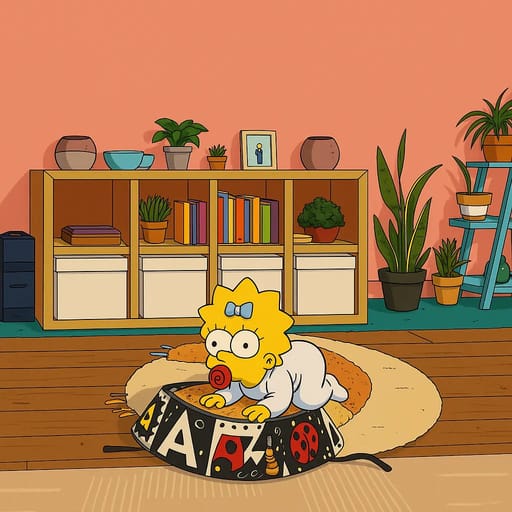
Photo to Cartoon Converter: Complete Beginner's Guide
Turn any photo into cartoon art with AI. Beginner-friendly guide covering the best converters, tips for great results, and creative uses. Try free today.
Photo to Cartoon Converter: Complete Beginner's Guide
Turning a photo into a cartoon used to require hiring an artist or spending hours in Photoshop. Not anymore. AI-powered photo to cartoon converters can transform any picture into cartoon art in seconds.
This guide walks you through everything a beginner needs to know: how these converters work, which ones deliver the best results, and exactly how to get cartoon art you'll love.
What Is a Photo to Cartoon Converter?
A photo to cartoon converter is an online tool that uses AI to transform regular photographs into cartoon-style illustrations. You upload a photo, the AI analyzes it, and you get a cartoon version back.
These tools handle everything automatically. They detect faces, map features, apply artistic styles, and render the final cartoon image. The whole process takes 10-30 seconds.
The quality has improved dramatically. Modern converters create detailed, vibrant cartoon art that captures your likeness while adding the artistic flair of your chosen style.
Who Uses Photo to Cartoon Converters?
You might be surprised by how many people use these tools:
Parents and families turn family photos into fun cartoon art for holiday cards, wall art, and keepsakes. Seeing your kids as cartoon characters makes for memorable gifts grandparents love.
Couples create anime-style couple portraits for matching profile pictures, anniversary gifts, or Valentine's Day surprises.
Social media users want unique profile pictures that stand out. Cartoon avatars are popular on Discord, Twitch, Instagram, and Twitter.
Content creators use cartoon versions for YouTube thumbnails, podcast art, and blog illustrations. A cartoon headshot is more eye-catching than a standard photo.
Gift givers create personalized cartoon portraits as unique birthday, wedding, or holiday gifts.
Fan communities transform photos into the art style of their favorite shows like Family Guy, Dragon Ball, or Studio Ghibli.
How to Convert a Photo to Cartoon: Step by Step
Here's how to turn your first photo into a cartoon using Tooncraft.ai:
Step 1: Pick Your Photo
The photo you start with determines the quality of your result. Here's what works best:
Do use:
- Well-lit photos with even lighting across the face
- Clear, high-resolution images (at least 512x512 pixels)
- Photos where faces are clearly visible and unobstructed
- Natural expressions and poses
Avoid:
- Blurry or pixelated images
- Heavy filters or extreme editing already applied
- Dark or poorly lit photos
- Photos where faces are partially hidden
Step 2: Upload to Your Converter
Visit Tooncraft.ai and click "Try Your Photo." Drag and drop your image or browse your files. The platform accepts JPG, PNG, and WebP formats.
Step 3: Browse and Select a Style
Tooncraft offers 50+ styles organized into easy-to-browse collections:
- Anime styles including classic anime, Studio Ghibli, manga, and modern anime
- Western cartoons like Family Guy, Simpsons, Adventure Time, and South Park
- Kids' animation featuring Bluey, Peppa Pig, and Disney Junior looks
- Romantic styles for couple photos and sentimental art
- Fun and playful options like chibi, pop art, and caricature
Each style shows a preview so you know what to expect.
Step 4: Convert and Download
Hit "Convert" and wait a few seconds. Your cartoon version appears on screen. Download it in high resolution, or try a different style for comparison.
Step 5: Experiment with More Styles
The same photo can look completely different in various styles. A family photo might look hilarious in Simpsons style, heartwarming in Ghibli style, and action-packed in Dragon Ball style. Try several options.
Best Photo to Cartoon Converters in 2026
Here are the top options for converting photos to cartoon art:
Tooncraft.ai
Best for: Character-specific cartoon styles
Tooncraft.ai stands out with its collection of 50+ styles, including styles based on specific shows and characters. You can convert your photo to look like a Family Guy character, a Dragon Ball hero, or a Studio Ghibli character. No other converter offers this level of specificity.
- 50+ unique cartoon and anime styles
- Character-specific conversions (Family Guy, Dragon Ball, Bluey, etc.)
- Video conversion support
- Free trial with no credit card
- Credits starting at $3.99 (credits never expire)
Fotor
Best for: Simple, quick conversions
Fotor integrates cartoon conversion into its broader photo editing platform. Good for users who want basic cartoon filters without many options.
- Several generic anime and cartoon filters
- Built-in photo editor for adjustments
- Free tier available
PicsArt
Best for: Mobile users
PicsArt offers cartoon effects within its mobile-first editing app. Popular with social media users who edit on their phones.
- Mobile app with cartoon effects
- Community features and templates
- Free with ads, premium subscription available
Cartoonize.net
Best for: Basic, no-frills conversion
A straightforward web tool with a handful of cartoon filters. Simple but limited.
- Web-based, no download needed
- Basic cartoon and sketch effects
- Free to use with limited options
Photo to Cartoon: Tips for Every Situation
Converting Selfies
Selfies are the most popular type of photo to convert. For the best cartoon selfie:
- Hold the camera at eye level or slightly above
- Use natural light from a window
- Keep the background simple
- Show a genuine expression (smiles convert well)
Best styles for selfies: Classic anime, modern anime, and Disney styles.
Converting Family Photos
Family photos make wonderful cartoon art:
- Keep the group to 4-5 people for the best quality
- Make sure everyone's face is visible
- Choose fun, lighthearted styles
- Well-lit group photos work much better than dark indoor shots
Best styles for families: Bluey (perfect for young kids), Family Guy, Simpsons, and Disney.
Converting Couple Photos
Couple photos transformed into cartoon art make memorable gifts:
- Stand close together with both faces clearly visible
- Choose a photo with genuine emotion (laughing, hugging, candid moments)
- Romantic lighting adds to the mood
Best styles for couples: Studio Ghibli, classic anime, and romantic anime collections.
Converting Pet Photos
Yes, you can cartoon your pets:
- Use a clear, well-lit photo of your pet's face
- Front-facing shots work best
- Solo pet photos produce better results than pets with people
Best styles for pets: Disney, chibi, and fun cartoon styles.
Converting Kids' Photos
Kids' photos make adorable cartoon art:
- Capture natural moments rather than forced poses
- Bright, well-lit photos work best
- Choose age-appropriate, fun styles
Best styles for kids: Bluey, Peppa Pig, chibi, and Disney Junior.
Photo to Cartoon vs. Photo to Anime: What's the Difference?
People often use "cartoon" and "anime" interchangeably, but they're different art styles:
Cartoon refers to Western animation styles like Family Guy, Simpsons, Disney, or Pixar. Characters have exaggerated features, bold outlines, and often simplified designs.
Anime specifically refers to Japanese animation styles. Anime features large, detailed eyes, elaborate hair, slender proportions, and vibrant coloring.
Many tools, including Tooncraft.ai, offer both. You can convert the same photo to a Western cartoon style and then try an anime style to see which you prefer.
Understanding Cartoon Art Quality
Not all cartoon conversions are equal. Here's what separates good results from great ones:
Likeness Preservation
The best converters capture recognizable features. After conversion, the cartoon should still look like you. Your face shape, hair style, and expression should be identifiable.
Style Consistency
A Family Guy conversion should look like it belongs in the show. A Ghibli conversion should have that distinctive watercolor warmth. Quality tools maintain style integrity.
Detail Level
Look for clean lines, proper shading, and consistent proportions. Cheap converters produce blurry, distorted results. Quality converters create sharp, detailed art.
Color Accuracy
The cartoon should maintain appropriate colors. Your hair color, skin tone, and clothing should be represented accurately within the style's color palette.
Creative Ideas for Your Cartoon Art
Once you have your cartoon conversion, the possibilities expand:
Profile Picture Makeover
Update your avatar across every platform. Cartoon profile pictures stand out in feeds and make your accounts instantly recognizable. Matching cartoon avatars with your partner or friend group creates a coordinated look on Discord and gaming platforms.
Custom Prints and Merchandise
Print your cartoon art on:
- Canvas prints for wall art (Studio Ghibli style looks stunning on canvas)
- Mugs and coasters for personalized kitchen items
- Phone cases to carry your cartoon self everywhere
- T-shirts and tote bags for wearable art
- Stickers for laptops, water bottles, and notebooks
Greeting Cards and Invitations
Birthday invitations featuring the birthday child as a cartoon character are a hit with kids. Holiday cards with your whole family in cartoon style create keepsakes recipients actually keep. Wedding save-the-dates in anime style stand out from the standard photo card.
Digital Content
Content creators use cartoon versions for YouTube thumbnails, podcast art, Twitch overlays, and blog illustrations. A cartoon avatar is more eye-catching than a standard headshot and builds memorable brand identity.
Classroom and Educational Use
Teachers use cartoon conversions to create engaging classroom materials. A cartoon version of the teacher on worksheets and presentations adds personality. Students enjoy seeing themselves as cartoon characters in class projects.
Free vs. Paid Cartoon Converters
Should you pay for a cartoon converter? Here's a comparison:
Free converters typically offer:
- 1-5 basic styles
- Lower resolution outputs
- Watermarks on results
- Limited daily conversions
- Basic quality
Paid converters (like Tooncraft.ai credits) offer:
- 50+ styles including character-specific options
- High-resolution downloads
- No watermarks
- Faster processing
- Better quality and detail
Free options work for casual experimentation. For profile pictures, gifts, or prints, paid tools deliver noticeably better results.
Tooncraft.ai bridges both worlds: try your first conversion free, then use affordable credit packs ($3.99+) for more styles and higher quality.
Frequently Asked Questions
How much does a photo to cartoon converter cost?
Many converters offer free trials. Tooncraft.ai starts at $3.99 for a credit pack. Premium converters range from $5-15 per month for unlimited conversions.
Can I convert old or vintage photos?
Yes. As long as the photo is clear enough to identify facial features, AI can convert it. Scan old printed photos at high resolution for the best results.
Do photo to cartoon converters work with pets?
Many converters support pet photos, especially for front-facing shots with clear features. Results vary by tool and style.
Can I print my cartoon photo?
Absolutely. Download the highest resolution version available and use any photo printing service. Cartoon art looks great on canvas, mugs, phone cases, and posters.
Is my uploaded photo safe?
Reputable converters prioritize privacy. Tooncraft.ai processes photos securely and takes privacy seriously. Always check a tool's privacy policy before uploading.
What's the maximum photo size?
Most converters accept images up to 10-20MB. For the best balance of quality and upload speed, use photos between 1-5MB.
Can I convert screenshots or digital art?
Yes, converters work with any image file. Screenshots, digital art, and even AI-generated images can be converted to cartoon styles.
Start Converting Photos to Cartoons
Photo to cartoon conversion opens up a world of creative possibilities. Whether you want a fun profile picture, a unique gift, or a memorable family keepsake, AI makes it accessible to everyone.
The best part? You can try it right now for free. Visit Tooncraft.ai, upload your favorite photo, and see yourself as a cartoon character. With 50+ styles to explore, you're bound to find a look you love.