
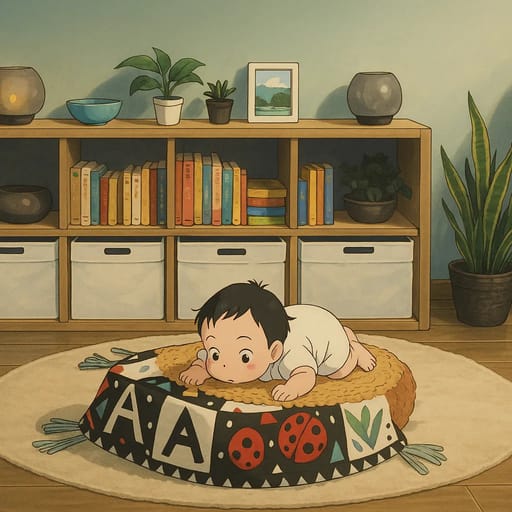
How to Turn Photo into Anime: Ultimate 2026 Guide
Learn how to turn any photo into anime art with AI. Step-by-step guide with tips for stunning results. Try Tooncraft free — 50+ anime styles available.
How to Turn Photo into Anime: Ultimate 2026 Guide
Want to see yourself as an anime character? You're not alone. Millions of people are using AI to turn photos into anime art, and the results have never looked better.
Whether you want a new profile picture for Discord, a unique gift for a friend, or you're curious about what you'd look like in your favorite anime style, this guide covers everything. You'll learn how to turn any photo into anime, which tools give the best results, and tips that make your conversions look amazing.
What Is Photo-to-Anime Conversion?
Photo-to-anime conversion uses AI to transform a regular photograph into anime-style artwork. The AI analyzes your photo's facial features, colors, lighting, and composition, then recreates the image in an anime art style.
Modern AI tools handle this in seconds. Upload a photo, pick a style, and the AI does the rest. No drawing skills required.
The technology has improved dramatically. Early AI anime tools produced blurry, distorted results. Today's tools preserve your likeness while applying beautiful anime aesthetics — sharp lines, vibrant colors, and the expressive eyes that define the anime look.
Why Turn Photos into Anime?
Before we dive into the how-to, here's why people love anime photo conversion:
- Unique profile pictures for social media, gaming platforms, and messaging apps
- Personalized gifts like custom anime portraits for birthdays, anniversaries, or holidays
- Fan art creation to see yourself in your favorite anime universe
- Family fun by turning family photos into cartoon and anime characters kids love
- Content creation for YouTube thumbnails, blog headers, and marketing materials
- Couple photos transformed into romantic anime art for Valentine's Day or date nights
- Kids' photos converted into adorable anime characters for keepsakes and wall art
- Professional use for streaming overlays, brand avatars, and creative portfolios
How AI Anime Conversion Works
You don't need to understand the technology to use it, but a quick overview helps you get better results.
When you upload a photo, the AI goes through several stages. It detects faces and maps key landmarks — eye positions, nose shape, jawline, mouth placement. Then it applies the chosen anime style, adjusting proportions, colors, and line work to match the aesthetic. Finally, it renders the completed anime version.
Different styles transform your features differently. Anime styles enlarge eyes and add detailed hair. Western cartoon styles like Family Guy flatten and exaggerate. Studio Ghibli softens everything with a watercolor warmth.
The entire process takes 10-30 seconds depending on the tool.
How to Turn a Photo into Anime: Step-by-Step
Here's the process using Tooncraft.ai, which offers 50+ anime and cartoon styles:
Step 1: Choose the Right Photo
Your source photo matters more than the tool you use. Follow these guidelines:
- Good lighting is essential. Natural daylight or soft indoor lighting works best. Avoid harsh shadows across the face.
- Face the camera directly or at a slight angle. Extreme side profiles can confuse the AI.
- Clear resolution of at least 512x512 pixels. Higher resolution gives better results.
- Simple backgrounds help the AI focus on you. A plain wall beats a busy street scene.
- One or two people max per photo for the best quality.
- Natural expression beats a forced pose. Smiles, laughter, and genuine emotion translate beautifully into anime art.
Step 2: Upload Your Photo
Head to Tooncraft.ai and click "Try Your Photo." Upload your image directly from your device. The platform accepts JPG, PNG, and WebP formats.
No account is needed to try your first conversion.
Step 3: Pick Your Anime Style
This is the fun part. Browse through 50+ styles organized into collections:
- Classic Anime for a traditional Japanese animation look with big eyes, detailed hair, and vibrant colors
- Studio Ghibli for that warm, hand-painted aesthetic inspired by Hayao Miyazaki's films
- Manga for black-and-white comic book style with dramatic shading
- Chibi for adorable, super-deformed characters with oversized heads
- Modern Anime for a sleek, contemporary look similar to recent popular series
- Dragon Ball for powerful, dynamic character designs with spiky hair
- Naruto for the iconic ninja anime aesthetic
- My Hero Academia for superhero-themed anime art
- One Piece for adventurous, bold character styles
Each style previews how your photo will look before you commit.
Step 4: Generate and Download
Click "Convert" and wait a few seconds. The AI processes your photo and produces your anime version. You can:
- Download the result in high resolution
- Try different styles with the same photo
- Fine-tune by uploading a different photo angle
Photo Types That Convert Best
Not every photo converts equally well. Here's a quick reference:
| Photo Type | Best Styles | Tips |
|---|---|---|
| Solo selfie | Classic anime, modern anime, manga | Face the camera, even lighting |
| Couple photo | Studio Ghibli, romantic anime | Stand close, show genuine emotion |
| Family group | Bluey, Family Guy, Simpsons | Keep to 2-4 people, all faces visible |
| Kids' portrait | Chibi, Bluey, Peppa Pig | Capture natural play moments |
| Pet photo | Disney, chibi, cartoon | Front-facing, clear features |
| Professional headshot | Classic anime, modern anime | Great for LinkedIn or brand avatars |
The rule of thumb: clear face, good lighting, and simple background. Everything else is style choice.
Tips for the Best Anime Photo Conversions
After thousands of conversions, here are the tips that make the biggest difference:
Choose Photos with Clear Facial Features
The AI needs to see your eyes, nose, and mouth clearly. Sunglasses, masks, and heavy makeup can interfere with the conversion. If you want to include accessories, make sure your face is still visible underneath.
Lighting Makes or Breaks the Result
Even lighting across your face produces the cleanest anime conversion. Photos taken near a window during the day are ideal. Avoid:
- Direct flash (creates flat, washed-out results)
- Overhead lighting (casts shadows under eyes and nose)
- Backlighting (makes your face too dark for the AI)
- Mixed color temperature lighting (confuses the AI's color processing)
Match the Style to Your Photo
Not every photo works perfectly with every style. Group photos pair well with fun cartoon styles like Family Guy or Simpsons. Solo portraits shine with detailed anime styles like Studio Ghibli or classic anime.
Action shots or outdoor photos pair well with dynamic anime styles. Formal portraits look great in elegant, painterly styles.
Try Multiple Styles
Don't settle for the first result. Try 3-5 different styles with the same photo. You might be surprised which one captures your likeness best. A photo that looks good in classic anime might look amazing in Studio Ghibli.
Hair and Clothing Matter
Anime characters are known for their dramatic hair. If your hair is down, flowing, or has visible texture, the AI has more to work with. Bright, colorful clothing translates into vibrant anime outfits that make your character pop.
Popular Anime Styles to Try
Understanding anime styles helps you pick the right one:
Classic Anime
Large, expressive eyes. Detailed, colorful hair. Clean lines and smooth shading. This style works for most photos and appeals to anime fans everywhere. It's the safest choice if you're unsure which style to pick.
Studio Ghibli
Soft, watercolor-like textures. Warm lighting. Rounded features with a hand-drawn feel. Perfect for family photos, couple shots, and creating a warm, nostalgic mood.
Manga (Black and White)
Dramatic shading with screentone effects. Bold lines. High contrast. Great for dramatic portraits or creating a comic book panel look. Makes for striking wall art when printed.
Chibi
Exaggerated proportions with large heads and small bodies. Extremely cute and playful. Perfect for kids' photos, fun profile pictures, or custom stickers.
Character-Specific Styles
Tools like Tooncraft let you convert photos into specific character styles from popular shows — Dragon Ball, Naruto, One Piece, My Hero Academia, and many more.
AI vs. Manual Anime Conversion
How does AI compare to hiring a human artist?
| Factor | AI Conversion | Human Artist |
|---|---|---|
| Speed | 10-30 seconds | Days to weeks |
| Cost | Free to ~$5 | $50-500+ |
| Style variety | 50+ styles instantly | One style per artist |
| Revisions | Unlimited (try different styles) | Limited by scope |
| Uniqueness | Shared AI model | Fully custom art |
| Personal touch | Algorithmic | Creative interpretation |
AI is perfect for quick, affordable results with lots of style options. Commission a human artist when you need a truly one-of-a-kind piece with deep personal interpretation.
Best Tools for Turning Photos into Anime
Several tools can turn photos into anime. Here's how the top options compare:
Tooncraft.ai — Best for character-specific styles. 50+ options including Family Guy, Dragon Ball, Studio Ghibli. Free trial available, credits from $3.99. Credits never expire. Also supports video conversion.
Fotor — Best for quick, simple conversions. Integrated photo editor. Free tier with limitations, Pro subscription ~$8.99/month.
PicsArt — Best for mobile-first users. Large community and templates. Free with ads, Gold ~$11.99/month.
AniFun AI — Best free option. No login required. One-click conversion with decent quality.
DomoAI — Best for video-to-anime. Motion transfer and animation capabilities. Free tier available.
Tooncraft stands out for character-specific styles and video support. If you want to look like a specific cartoon or anime character (not just a generic anime filter), it offers the most options.
Use Cases: Profile Pictures, Gifts, Family Fun
For Social Media Profiles
Anime avatars are wildly popular on Discord, Twitch, Twitter, TikTok, and Reddit. They stand out in feeds and show personality. Matching anime profile pictures with your partner or friend group creates a fun coordinated look.
For Personalized Gifts
- Canvas prints for wall art (Studio Ghibli style looks stunning on canvas)
- Custom mugs with family anime portraits
- Phone cases featuring your anime character
- Holiday cards with your family in anime style
- Custom stickers for laptops and water bottles
For Families and Kids
Turning your kids' photos into anime characters creates magical moments. Kids love seeing themselves as cartoon characters. Try kids-specific styles like Bluey or chibi for the most age-appropriate results.
For Couples
Anime couple art makes meaningful gifts. Studio Ghibli and romantic anime portrait styles capture the warmth of your relationship in a unique way.
For Content Creators
Anime avatars add personality to streams, videos, and social content. Many successful streamers and YouTubers use cartoon or anime avatars as their brand identity.
What to Expect: Before and After
When you turn a photo into anime, the AI makes specific transformations:
- Eyes become larger and more expressive, with light reflections and color depth
- Hair gets more volume, defined strands, and often brighter color
- Skin smooths into clean, even tones matching the anime aesthetic
- Clothing simplifies into bold, flat colors with clean outlines
- Background transforms to match the anime world's visual style
- Proportions shift slightly to match the chosen style (chibi shrinks the body, Dragon Ball adds muscle definition)
The result is unmistakably you, but rendered as if you stepped into an anime world. Your face shape, expression, and distinguishing features carry through every style.
Common Mistakes to Avoid
Using group photos with too many people. AI works best with 1-2 faces. Large group photos produce lower quality because the AI divides its attention.
Choosing low-resolution images. Screenshots from video calls or heavily compressed social media images lack the detail AI needs. Use original photos from your camera roll.
Ignoring the background. Busy backgrounds can distract the AI and create artifacts. Crop your photo to focus on the subject.
Expecting exact likeness. Anime art is stylized by nature. The result captures your essence, not a perfect copy. That's what makes it art.
Only trying one style. Different styles highlight different features. Try several before deciding.
Using heavily filtered photos. Instagram filters and beauty mode can confuse the AI. Use unfiltered, natural photos for the best results.
Frequently Asked Questions
How long does it take to turn a photo into anime?
Most AI tools process your photo in 10-30 seconds. Tooncraft.ai typically generates results in under 15 seconds.
Is it free to turn photos into anime?
Many tools offer free trials or limited free conversions. Tooncraft.ai lets you try your first conversion free with no credit card required. Paid plans start at $3.99 for additional credits that never expire.
Will the anime version look like me?
AI preserves your key features — face shape, hair color, eye color, and expression. The result is a stylized version of you that's recognizable but artistic.
Can I turn a group photo into anime?
Yes, but results are best with 1-2 people. For group photos, consider converting individual photos and combining them afterward for the highest quality.
What's the difference between anime and cartoon conversion?
Anime refers specifically to Japanese animation styles (large eyes, detailed hair, vibrant colors). Cartoon is broader, including Western styles like Family Guy, Simpsons, and Disney. Tools like Tooncraft offer both.
Can I use AI anime photos commercially?
This depends on the tool's terms of service. Tooncraft.ai allows personal and commercial use of generated images.
Printing and Displaying Your Anime Art
Your anime conversion isn't just for screens. Here's how to turn it into physical art:
Canvas prints look stunning with Studio Ghibli and classic anime styles. The painterly quality translates beautifully to canvas. Order 16x20 or larger for wall art that starts conversations.
Photo prints on glossy or matte paper work for any anime style. Frame them for bedrooms, offices, or gaming rooms.
Custom merchandise like mugs, phone cases, and tote bags are easy to order through services like Printful, Redbubble, or your local print shop. Anime art on merchandise makes personalized gifts nobody else has.
Stickers and decals for laptops, water bottles, and notebooks let you carry your anime self everywhere.
For best printing results, always download the highest resolution version available and use PNG format when possible to avoid compression artifacts.
Transform Your Photos Today
Turning photos into anime has never been easier or more accessible. With tools like Tooncraft.ai, anyone can create stunning anime art from everyday photos in seconds.
The key is starting with a good photo, choosing the right style, and experimenting with different options until you find the look you love.
Ready to see yourself as an anime character? Try Tooncraft.ai free and transform your first photo in seconds. With 50+ styles to choose from, your perfect anime look is waiting.