
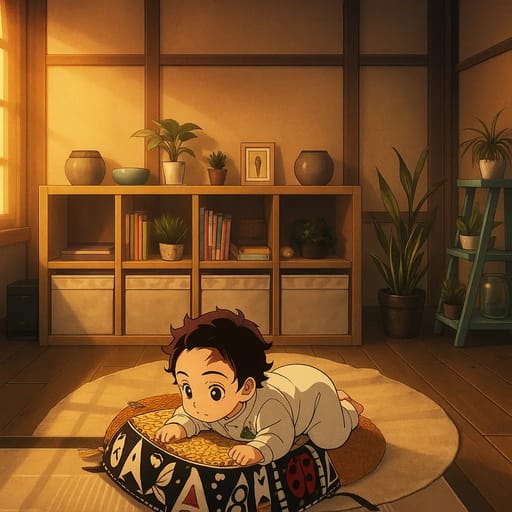
How to Create Anime Art from Photos: Step-by-Step Tutorial
Create stunning anime art from your photos with AI. Step-by-step tutorial covering styles, techniques, and pro tips. Transform any photo in seconds.
How to Create Anime Art from Photos: Step-by-Step Tutorial
Anime art has a magic that regular photos can't capture. The expressive eyes, vibrant colors, and distinctive style turn ordinary moments into something special. And creating anime art from your photos is easier than you think.
This tutorial walks you through the entire process, from choosing the right photo to generating anime art you'll want to frame. Whether you're creating a new profile picture or a gift for someone special, you'll have everything you need.
What You'll Need
Getting started is simple:
- A photo you want to convert (phone photo works great)
- An AI anime art tool like Tooncraft.ai
- About 5 minutes of your time
That's it. No drawing tablet, no Photoshop skills, no artistic experience required.
Step 1: Choose Your Source Photo
Your photo is the foundation of your anime art. The AI will transform it, but it can only work with what you give it. Here's how to pick the best photo:
Best Photo Types for Anime Art
Portraits and selfies produce the most detailed anime conversions. The AI can focus entirely on facial features, resulting in expressive, accurate anime art.
Couple photos work beautifully with romantic anime styles. Photos showing genuine emotion (laughing together, a hug, a candid moment) translate to more dynamic anime art.
Family photos with 2-4 people create charming group anime art. Keep the group small for the best detail on each person.
Pet photos with clear, front-facing shots make adorable anime-style pet portraits.
Photo Quality Checklist
Before uploading, check these boxes:
- Lighting: Even and natural. Window light is perfect.
- Resolution: At least 512x512 pixels. Smartphone photos easily exceed this.
- Focus: Sharp and clear, especially on faces.
- Expression: Natural and genuine. Forced smiles look forced in anime too.
- Background: Simple is better. The AI should focus on you, not the clutter behind you.
Photos to Avoid
- Heavily filtered Instagram photos (the AI interprets filters as your actual features)
- Group photos with more than 5 people
- Photos with faces partially hidden by hands, hair, or objects
- Very dark or overexposed images
- Low-resolution screenshots
Step 2: Select Your Anime Style
This is where creativity begins. Different anime styles create completely different moods and aesthetics.
Classic Anime
The timeless Japanese animation look. Large, detailed eyes with light reflections. Colorful, flowing hair. Clean linework with smooth color transitions. This style works with almost any photo and appeals to anime fans of all ages.
Perfect for: Profile pictures, general anime art, gifts for anime fans.
Studio Ghibli
Soft, warm, and painterly. Inspired by the films of Hayao Miyazaki, this style has a watercolor quality with gentle lighting and rounded features. It creates an emotional, nostalgic feel.
Perfect for: Family portraits, couple photos, sentimental gifts, wall art.
Modern Anime
Sleek and contemporary, reflecting the aesthetics of popular current series. Sharp details, dynamic shading, and bold color palettes.
Perfect for: Social media avatars, fan art, younger audiences.
Manga (Black and White)
Dramatic black and white with screentone shading effects. Bold lines and high contrast create a striking comic book panel aesthetic.
Perfect for: Artistic prints, dramatic portraits, comic-style fan art.
Chibi
Adorable miniature characters with oversized heads and tiny bodies. Maximum cuteness with a playful, lighthearted feel.
Perfect for: Kids' photos, fun profile pictures, stickers, and cute gifts.
Character-Specific Styles
Some tools like Tooncraft.ai let you convert photos into the specific art style of popular anime series from their style library:
- Dragon Ball for bold, powerful character aesthetics
- Naruto for the iconic ninja anime look
- One Piece for adventurous, expressive character designs
- My Hero Academia for superhero anime style
- Demon Slayer for dramatic, atmospheric art
- Jujutsu Kaisen for dark, stylish modern anime
Step 3: Upload and Convert
With your photo ready and style chosen, it's time to create your anime art.
- Visit Tooncraft.ai
- Click "Try Your Photo" to upload your image
- Browse the style collections and pick your anime style
- Click "Convert" and wait 10-15 seconds
- Review your result and download in high resolution
The process is straightforward. Upload, choose, convert, download.
Step 4: Review and Refine
Your first conversion might be perfect. But don't stop there. Here's how to get the best possible result:
Try Multiple Styles
Convert the same photo in 3-5 different anime styles. You might expect to love Studio Ghibli but discover that classic anime captures your look better. Experimentation is free and quick.
Try Different Photos
If one photo doesn't convert well, try another. A different angle, expression, or lighting can produce dramatically better results. Photos with even, front-facing lighting consistently produce the best anime art.
Compare Side by Side
Download your favorites and compare them on a larger screen. The details that make one conversion better than another are often subtle.
Customizing Your Anime Style
With 50+ styles available on Tooncraft.ai, choosing the right one makes all the difference. Here's how to match styles to your vision:
Match the Style to the Mood
Think about the feeling you want to create:
- Warm and nostalgic: Studio Ghibli, with its soft watercolor textures and golden lighting
- Bold and powerful: Dragon Ball, with spiky hair and intense expressions
- Cute and playful: Chibi, with oversized heads and tiny bodies
- Dark and dramatic: Manga, with black-and-white contrast and bold linework
- Sleek and modern: Demon Slayer or Jujutsu Kaisen-inspired styles
Match the Style to the Use Case
- Profile picture: Classic anime or modern anime — they read well at small sizes
- Wall art: Studio Ghibli or manga — they have the artistic depth that looks stunning printed large
- Gift for a fan: Match the recipient's favorite series — Naruto, One Piece, or My Hero Academia
- Kids: Bluey or chibi — age-appropriate and adorable
- Couples: Romantic anime collections — designed specifically for couple portraits
Browse Before You Choose
Take time to explore the style collections. Each collection groups related styles together, making it easy to compare options within a category. You might discover a style you never considered that turns out to be perfect.
Pro Tips for Stunning Anime Art
These tips come from creating thousands of anime conversions:
Lighting Is Everything
The single biggest factor in conversion quality is lighting. Natural light from a window creates soft, even illumination that the AI converts beautifully. Avoid:
- Overhead fluorescent lights (creates harsh under-eye shadows)
- Direct flash (flattens features and washes out color)
- Mixed lighting (confuses the AI's color interpretation)
Eyes Drive the Result
Anime is defined by expressive eyes. Photos where your eyes are clearly visible, well-lit, and looking at the camera produce the most striking anime art. Closed eyes or sunglasses significantly limit what the AI can create.
Color in Your Photo Becomes Color in Your Anime
Wearing a bright red shirt? Your anime character will have a bright red outfit. The AI translates colors directly. If you want your anime art to have a specific color palette, consider what you wear in the photo.
Simple Backgrounds Produce Cleaner Art
A plain wall or solid color background lets the AI focus its detail on you. Busy backgrounds with lots of objects can create noise in the anime conversion.
Hair Matters More Than You Think
Anime is famous for dramatic, detailed hair. Photos where your hair is down, flowing, or has visible texture give the AI more to work with. Hair pulled tightly back or hidden under a hat limits the anime hair detail.
Creative Projects with Anime Art
Once you have your anime art, here are popular ways to use it:
Social Media Makeover
Update your profile picture across platforms. Anime avatars are especially popular on Discord, Twitch, Twitter, and Reddit. Matching anime profile pictures with your partner or friends creates a fun coordinated look.
Custom Prints and Wall Art
Print your anime art on canvas, poster, or photo paper for wall art. A family photo converted to Studio Ghibli style makes a stunning conversation piece.
Personalized Gifts
Anime portraits make unique gifts:
- Canvas print for a birthday or anniversary
- Phone case with a couple's anime portrait
- Mug featuring the whole family in anime style
- Custom stickers for a friend who loves anime
Content and Branding
Creators use anime art for:
- YouTube thumbnails and channel art
- Podcast cover images
- Blog headers and featured images
- Twitch and streaming overlays
- Business avatars for a creative personal brand
Frequently Asked Questions
Can I create anime art without drawing skills?
Absolutely. AI anime generators handle all the artistic work. You upload a photo, pick a style, and the AI creates the anime art. No drawing required.
How long does it take to create anime art from a photo?
Most AI tools generate results in 10-30 seconds. The entire process (uploading, selecting a style, downloading) takes under a minute.
What file format should I use?
JPG and PNG work with all tools. Use PNG for the highest quality, as JPG compression can slightly reduce detail.
Can I create anime art of someone as a gift?
Yes. Use a good quality photo of the person and convert it in a style they'd appreciate. Anime fan? Try classic anime. Studio Ghibli lover? Go for that warm, painterly style.
What resolution will my anime art be?
Most tools output at the same resolution as your input photo or higher. For printing, use the highest quality photo you have.
Can I adjust the anime conversion after it's done?
Most tools don't offer post-conversion editing. Instead, try different styles or upload a different photo for a new result. Some tools like Fotor offer basic editing tools for minor adjustments.
Advanced Tips for Professional-Looking Results
Ready to level up your anime art? These techniques separate casual conversions from art you'll want to frame.
Coordinate Your Color Palette
Before converting, think about colors. A red shirt creates an anime character with a bold red outfit. A white background produces clean, poster-ready art. If you want your anime art to match a specific aesthetic, plan your photo's colors accordingly.
Create a Series
Convert multiple photos of yourself in different expressions and poses, all in the same anime style. This creates a "character sheet" effect used in professional anime production. It's perfect for content creators who want consistent branding across platforms.
Optimize for Printing
If you plan to print your anime art, start with the highest resolution photo you have. Download the result in PNG format (not JPG) to avoid compression artifacts. For canvas prints, classic anime and Studio Ghibli styles produce the most print-worthy results due to their rich color depth and artistic detail.
Pair with a Background
Some anime styles include background elements, others focus on the character. For profile pictures, a clean character-focused result works best. For wall art or gifts, styles that include atmospheric backgrounds (like Studio Ghibli) create more complete artwork.
Start Creating Anime Art
Creating anime art from photos has never been more accessible. In the time it takes to read this sentence, AI can transform your favorite photo into stunning anime artwork.
The key ingredients: a well-lit photo, a style that matches your vision, and willingness to experiment.
Ready to create your first anime art? Try Tooncraft.ai free and explore 50+ anime styles. Upload a photo, pick a style, and see yourself as anime art in seconds.