
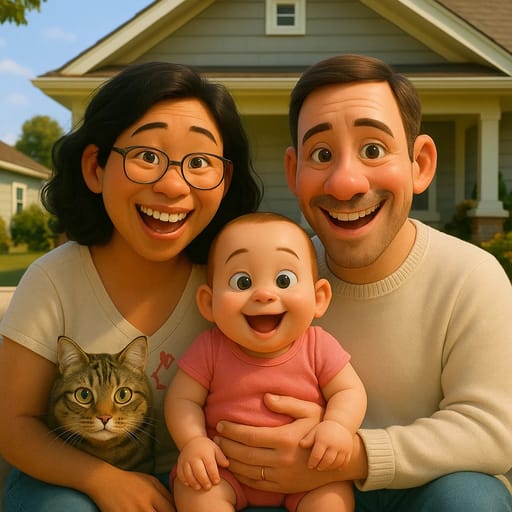
AI Cartoon Generator: Everything You Need to Know in 2026
Discover how AI cartoon generators work, which ones produce the best results, and how to create cartoon art from any photo. Complete 2026 guide with expert tips.
AI Cartoon Generator: Everything You Need to Know in 2026
Ever looked at a cartoon and wondered what you'd look like drawn in that style? AI cartoon generators make it possible. Upload a photo, pick a style, and get your cartoon version in seconds.
But with dozens of tools available, how do you know which one to use? And how do you get results that actually look good?
This guide covers everything about AI cartoon generators: how they work, which tools deliver the best results, and how to create cartoon art that you'll want to share everywhere.
What Is an AI Cartoon Generator?
An AI cartoon generator is a tool that uses artificial intelligence to convert regular photos into cartoon-style artwork. Instead of hiring an artist or learning to draw, you let the AI handle the creative work.
The AI analyzes your photo, identifies faces, features, and composition, then redraws everything in a cartoon art style. The process takes seconds, not hours.
Modern AI cartoon generators support dozens of styles. You can look like a Family Guy character, a Disney princess, a Studio Ghibli hero, or a classic comic book character. The variety has exploded over the past year.
How AI Cartoon Generators Work
Understanding the basics helps you get better results. Here's what happens when you upload a photo:
Face Detection and Analysis
The AI first identifies faces in your photo. It maps facial landmarks like eye position, nose shape, jawline, and mouth placement. This map ensures your cartoon version captures your actual features.
Style Application
Once the AI understands your face, it applies the chosen cartoon style. Each style has its own rules:
- Anime styles enlarge eyes, simplify noses, and add detailed hair
- Western cartoon styles (like Family Guy or Simpsons) exaggerate proportions and flatten features
- Realistic cartoon styles keep proportions closer to real life while adding artistic flair
- Chibi styles shrink bodies and enlarge heads for maximum cuteness
Color and Lighting Adjustment
The AI adjusts colors to match the target style. Anime typically uses vibrant, saturated colors. Disney styles favor warm, golden tones. Comic book styles use bold primary colors with strong outlines.
Final Rendering
Everything comes together in the final image. The AI adds style-specific details like line weight, shading patterns, and background elements to complete the cartoon look.
Types of Cartoon Styles Available
AI cartoon generators offer more variety than ever. Here are the main categories:
Anime and Manga
The most popular category. Anime styles feature large expressive eyes, colorful hair, and clean linework. Sub-styles include:
- Classic anime with traditional Japanese animation aesthetics
- Studio Ghibli with soft, watercolor-like warmth
- Manga in black and white with dramatic shading
- Chibi with adorable, super-deformed proportions
- Modern anime reflecting current series like Demon Slayer or Jujutsu Kaisen
Western Cartoon
Recreate yourself in the style of popular Western animated shows:
- Family Guy with its distinctive flat, outlined look
- The Simpsons with yellow skin and overbites
- South Park with simple, paper-cutout aesthetics
- Adventure Time with rounded shapes and pastel colors
- Pixar/Disney with 3D-rendered, family-friendly charm
Comic Book
Bold lines, dramatic poses, and superhero aesthetics:
- Marvel/DC style with muscular proportions and dynamic shading
- Manga panel for a Japanese comic book feel
- Indie comic with unique artistic interpretations
Caricature and Fun
Playful exaggeration for humor and entertainment:
- Classic caricature with exaggerated facial features
- Bobblehead with oversized heads
- Pop art in the style of Andy Warhol or Roy Lichtenstein
How to Use an AI Cartoon Generator
Here's a step-by-step guide using Tooncraft.ai, which offers 50+ cartoon and anime styles:
Step 1: Prepare Your Photo
Start with the right photo for the best results:
- Lighting: Even, natural light is ideal. Avoid harsh shadows.
- Resolution: At least 512x512 pixels. Higher is better.
- Angle: Face forward or at a slight angle. Direct eye contact with the camera works well.
- Expression: Smile, laugh, or show emotion. The AI captures your expression in the cartoon.
- Background: Simple backgrounds let the AI focus on you.
Step 2: Upload and Select a Style
Visit Tooncraft.ai, upload your photo, and browse the style collections. Styles are organized by category:
- Anime Collection (classic anime, Ghibli, manga, and more)
- Cartoon Collection (Family Guy, Simpsons, Adventure Time, and more)
- Kids Animation (Bluey, Peppa Pig, Disney Junior styles)
- Romantic Collection (dreamy couple styles for anime portraits)
Step 3: Generate Your Cartoon
Click "Convert" and wait 10-30 seconds. Download your cartoon in high resolution.
Step 4: Try Multiple Styles
Don't stop at one. The same photo can look completely different across styles. Try at least 3-5 options to find your favorite.
Best AI Cartoon Generators Compared
Here's how the top tools stack up:
| Feature | Tooncraft.ai | Fotor | PicsArt | Cartoonize.net |
|---|---|---|---|---|
| Cartoon styles | 50+ | 10-15 | 20-30 | 5-10 |
| Character-specific (Family Guy, Dragon Ball, etc.) | Yes | No | Limited | No |
| Free trial | Yes | Yes | Yes (with ads) | Yes |
| Processing speed | 10-15 seconds | 15-30 seconds | 10-20 seconds | 20-40 seconds |
| Batch conversion | Yes | Yes | Yes | No |
| Video conversion | Yes | No | No | No |
| Mobile app | Web-based | Yes | Yes | Web-based |
Why Tooncraft Stands Out
Most AI cartoon generators offer generic "anime" or "cartoon" filters. Tooncraft goes further with character-specific styles. Want to look like a Family Guy character? A Dragon Ball hero? A Bluey character for your kids? Each style is crafted to match the specific show's aesthetic.
Tooncraft also supports video conversion, turning short clips into cartoon animations. This feature is unique in the market.
Tips for Better Cartoon Results
For Portraits
- Use a photo where your face takes up at least 40% of the frame
- Natural smile or genuine expression beats a forced pose
- Remove glasses if they cast reflections
- Pull hair away from face for cleaner feature detection
For Couple Photos
- Stand close together so both faces are in frame
- Match your lighting (both people should be lit similarly)
- Choose romantic anime or Disney styles for the best couple results
For Family Photos
- Keep the group to 4-5 people maximum for best quality
- Make sure all faces are clearly visible and unobstructed
- Fun cartoon styles (Simpsons, Family Guy, Bluey) work great for families
For Kids' Photos
- Chibi and kids' animation styles (Bluey, Peppa Pig) capture children beautifully
- Capture natural moments rather than stiff posed shots
- Bright, well-lit photos produce the most vibrant cartoon results
- Choose age-appropriate styles that match the shows your kids actually watch
For Pet Photos
- Use a clear, front-facing photo of your pet in good lighting
- Close-up face shots produce the best results
- Disney and chibi styles create the most adorable pet cartoons
- Avoid photos where the pet is in motion or partially obscured
Creative Uses for AI Cartoon Art
Once you've generated your cartoon, put it to work:
Social Media Profiles: Stand out with a cartoon profile picture on Instagram, Twitter, Discord, or LinkedIn. Anime avatars are especially popular on Discord and gaming platforms.
Custom Gifts: Print your cartoon art on mugs, canvas, phone cases, or t-shirts. A cartoon family portrait makes a unique holiday gift.
Content Creation: Use cartoon versions for YouTube thumbnails, podcast art, blog headers, or Twitch overlays.
Invitations and Cards: Create cartoon versions of the guest of honor for birthday invitations, holiday cards, or save-the-dates.
Matching Couple Art: Transform a couple's photo into anime art for matching phone wallpapers, framed prints, or anniversary gifts.
Pet Portraits: Many AI cartoon generators can transform pet photos into adorable cartoon versions.
Safety and Privacy Considerations
When you upload personal photos to any AI cartoon generator, you're sharing sensitive data. Here's what to look for and how to stay safe.
What to Check Before Uploading
- Privacy policy: Read how the tool handles your photos. Reputable platforms like Tooncraft.ai process photos securely and don't share them with third parties.
- Data retention: Does the tool keep your photos after processing? Some tools delete uploads immediately, others store them indefinitely.
- HTTPS connection: Make sure the URL shows a lock icon. Never upload photos to unsecured sites.
- Account requirements: Tools that work without an account minimize data collection. Tooncraft doesn't require a social media login.
Protecting Children's Photos
If you're converting kids' photos, take extra precautions:
- Avoid photos with identifiable information (school logos, street signs)
- Share only the cartoon result on social media, not the original photo
- Stick with established tools that have clear privacy policies
- Save results locally and remove uploads when possible
Red Flags to Watch For
Avoid any AI cartoon generator that:
- Requires access to your photo gallery or camera roll beyond the single upload
- Doesn't have a visible privacy policy
- Shares your photos in a public gallery without consent
- Asks for unnecessary personal information beyond an email address
AI Cartoon Generator vs. Hiring an Artist
Both options have their place:
| Factor | AI Cartoon Generator | Human Artist |
|---|---|---|
| Speed | Seconds | Days to weeks |
| Cost | Free to $5-10 | $50-500+ |
| Style variety | 50+ styles instantly | One style per artist |
| Revisions | Unlimited (try different styles) | Limited by project scope |
| Uniqueness | Shared AI model | Fully custom art |
| Personal touch | Algorithmic | Creative interpretation |
AI cartoon generators are perfect for quick, affordable results with lots of style options. Commission a human artist when you need a truly one-of-a-kind piece with deep personal interpretation.
The Future of AI Cartoon Generation
AI cartoon generators are evolving fast. Here's what's coming:
Better Quality and Realism
AI models are getting more sophisticated. Expect even more detailed conversions with better likeness preservation, more nuanced shading, and greater style accuracy. The gap between AI-generated cartoon art and human-drawn art continues to narrow.
More Interactive Styles
Future tools will likely let you customize specific elements of your cartoon. Imagine choosing your anime eye shape, hair style, and clothing independently while the AI maintains style consistency. Some of this customization already exists in tools like Tooncraft.ai's style collections.
Real-Time Video Conversion
Video conversion is still early. Currently, tools like Tooncraft support short video clips. In the near future, expect longer videos and possibly real-time webcam-to-cartoon filters for streaming and video calls.
Integration with Social Platforms
Social platforms are beginning to integrate AI art generation directly. Expect to see cartoon avatar options built into Discord, Instagram, and gaming platforms, though dedicated tools will continue offering superior quality and variety.
Expanding Style Libraries
As more shows and anime series gain popularity, AI cartoon generators will add their styles. The trend is toward more specificity, not less. Instead of "generic anime," you'll have hundreds of character-specific options.
Frequently Asked Questions
Are AI cartoon generators free?
Many offer free trials or limited free conversions. Tooncraft.ai lets you try your first conversion free. Paid plans start at $3.99 for credit packs that let you generate multiple images.
Which AI cartoon generator has the most styles?
Tooncraft.ai leads with 50+ styles including character-specific options (Family Guy, Dragon Ball, Studio Ghibli, Bluey, and many more). Most competitors offer 10-30 generic styles.
Can AI turn videos into cartoons?
Yes, some tools support video conversion. Tooncraft.ai can transform short video clips into cartoon animations, keeping the movement and expressions intact.
Do I need artistic skills?
Not at all. AI cartoon generators are designed for everyone. Upload a photo, pick a style, and the AI handles the creative work.
How accurate are the results?
Modern AI preserves your key features (face shape, hair color, expression) while applying artistic style. Results are recognizably you, in cartoon form.
Can I use cartoon results for commercial purposes?
Check each tool's terms of service. Tooncraft.ai allows both personal and commercial use of generated images.
What's the difference between anime and cartoon generators?
Anime generators specifically replicate Japanese animation styles (large eyes, detailed hair, vibrant colors). Cartoon generators cover a broader range including Western styles (Simpsons, Family Guy), 3D styles (Pixar), and caricatures. Many tools, including Tooncraft, offer both.
Which style is best for kids?
Kids' animation styles like Bluey, Peppa Pig, and Disney Junior create the most age-appropriate results. Chibi anime styles are also popular for children's photos.
Getting the Most from Your AI Cartoon Generator
Here are advanced strategies for power users:
Build a Style Library
Convert the same photo across multiple styles to build a personal collection. Many users create a "style library" of their favorite looks, then use different versions for different platforms. Your Dragon Ball version for gaming profiles, Studio Ghibli for Instagram, and professional anime for LinkedIn.
Seasonal Updates
Update your cartoon avatar for seasons and holidays. Many tools let you convert new photos quickly. A Halloween-themed photo, holiday sweater shot, or summer vacation selfie each produce fresh cartoon results that keep your profiles current.
Batch Converting for Groups
Planning a team event, family reunion, or friend group activity? Convert everyone's photos in the same style. Matching cartoon avatars create a sense of belonging and make great conversation starters. This works especially well for Discord servers, gaming clans, and wedding parties.
Creating Content Series
Content creators use AI cartoon generators to build recurring visual themes. A weekly "Cartoon of the Week" social post, cartoon versions of podcast guests, or animated thumbnail series all leverage cartoon art for consistent branding.
Start Creating Cartoon Art Today
AI cartoon generators have transformed what used to be an expensive, time-consuming process into something anyone can do in seconds. With 50+ styles available, there's a cartoon look for every photo, occasion, and personality.
The best way to find your style is to experiment. Try Tooncraft.ai free and discover what you look like as a cartoon character. Upload a photo, browse the styles, and find your new favorite look.