
A Friendly Guide to Using an AI Anime Picture Generator
Discover how to use an AI anime picture generator to create amazing art. This friendly guide offers practical tips for perfect results.
Ever wondered what you'd look like as a character in your favorite anime? For a long time, the only way to find out was to commission an artist or spend years learning to draw. Thankfully, those days are over.
An AI anime picture generator is a tool that uses artificial intelligence to magically transform your photos into high-quality anime-style art in just a few seconds. Tools like Tooncraft make it incredibly simple for anyone—and I mean anyone—to create beautiful, personalized anime pictures without needing a single ounce of drawing skill.
Your New Favorite Creative Tool
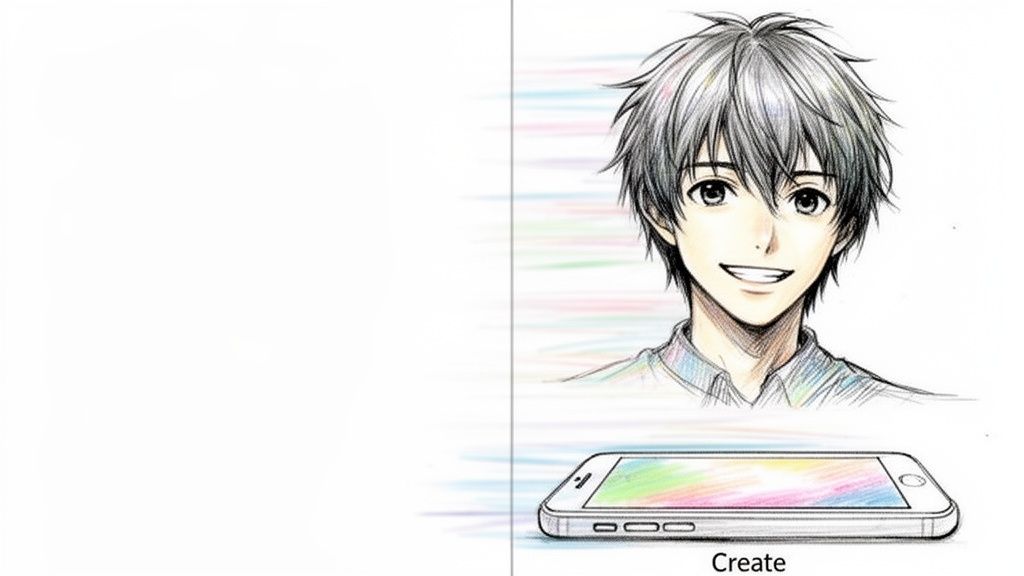
The real magic of an AI anime picture generator is how accessible it is. These tools put some serious creative power right into your hands, letting you turn a quick selfie, a cherished family photo, or even a picture of your pet into a stunning piece of art. Forget about spending hours wrestling with complex software; this is all about instant transformation.
The Creative Freedom at Your Fingertips
This kind of technology really opens up a world of possibilities that used to be out of reach for most of us. The demand for quick, personalized art has exploded among creators, gamers, and social media users. Just look at the numbers: the market was valued at USD 91.56 billion in 2024 and is projected to hit an incredible USD 667.68 billion by 2032.
This boom is driven by AI models that can churn out expressive images with vibrant colors and amazing detail, no advanced artistic talent required.
So, what does this actually mean for you? It means you can finally:
- Design a unique avatar for your Twitch stream or YouTube channel that actually looks like you.
- Craft a one-of-a-kind gift, like a family portrait in that charming Ghibli style.
- Create memorable invitations for a wedding or birthday that tell your personal story.
- See yourself as the hero from a shonen series or the main character in a romantic comedy.
The real beauty of an AI anime picture generator is that it removes the technical hurdles. Your imagination becomes the only limit, letting you focus on the story you want to tell rather than the tools you need to tell it.
This guide is your launchpad for turning everyday photos into personalized anime masterpieces. You'll find everything you need to get started, from picking the perfect source photo to exploring the incredible variety in our Tooncraft anime styles collection.
Get ready to see yourself in a whole new way—creativity has never been this accessible or this much fun.
Picking the Perfect Photo for Your AI Anime Portrait
The magic of a great AI-generated anime picture doesn't start with the AI—it starts with the photo you feed it. I've learned this the hard way. Think of it as cooking: the better your ingredients, the tastier the meal. A great source photo is the single most important thing you can provide to get a result you’ll actually want to use.
When you give the AI a clear, well-composed image, you're setting it up for success. I’ve seen it time and time again; a blurry, dark, or weirdly angled photo almost always spits out a muddy, distorted, or just plain bizarre anime character. The AI needs good, clean data to work its magic, and that begins with your picture.
What Makes a Photo "AI-Ready"?
Let's get into what makes a photo perfect for this process. These aren't complicated rules, but sticking to them will make a night-and-day difference in your final images.
First up, lighting. Your face needs to be lit evenly and brightly. Honestly, standing in front of a window is usually your best bet. Try to avoid harsh overhead lights that cast deep shadows under your eyes or nose—the AI can get confused and bake those shadows right into your facial structure.
Next is clarity. The photo has to be in focus. If it's blurry or pixelated, the AI will struggle to see the distinct lines of your eyes, nose, and mouth. A crisp selfie from any modern smartphone is more than good enough.
A Quick Guide to Photo Do's and Don'ts
To make things super simple, here’s a little checklist I run through before uploading a picture. Getting this stuff right from the start will save you a ton of frustration (and credits).
What to Do (The "Yes" List):
- Use a high-resolution image. More detail for the AI means a more accurate and polished portrait.
- Look straight at the camera (or just a little off-center). A simple pose makes it much easier for the AI to map your features.
- Find a simple background. A busy, cluttered background can confuse the AI, sometimes causing it to merge background objects with your character. A plain wall is perfect.
- Make sure your whole face is visible. No sunglasses, no hats obscuring your forehead, and try to keep your hair from covering your eyes.
What to Avoid (The "Nope" List):
- Don't use photos with extreme angles. A shot looking way up or way down at the camera will distort your proportions, and the AI will only exaggerate them.
- Don't upload a group photo if you only want one person converted. Just crop it down to focus on the person you want to transform.
- Don't use images with heavy filters. Snapchat or Instagram filters that change your face shape or skin tone will just throw the AI off. It needs to see the real you.
My Go-To Trick: Before I upload anything, I crop the photo into a classic headshot (shoulders up). This forces the AI to focus only on your face and gets rid of any distracting background junk. It consistently produces the most detailed and accurate results for me.
Match Your Photo to the Anime Vibe
Last but not least, think about the mood you're going for. The expression and pose in your original photo can seriously influence the final piece of art.
For instance, if you're aiming for a powerful, action-hero avatar in a style like Naruto or Dragon Ball Z, you should probably pick a photo where you look determined or confident. A dynamic selfie with a little attitude is perfect for this.
But if you’re trying to create a sweet, Ghibli-inspired family portrait, you’ll want a photo where everyone has soft, genuine smiles. A candid, relaxed shot often works best for capturing that heartwarming feel. Aligning the mood of your photo with the style you choose is a pro-level move that makes a huge difference.
Finding Your Style and Crafting the Perfect Look
Alright, you've got your perfect photo ready to go. Now comes the really fun part—playing director. This is where you get to decide the entire vibe of your anime picture. It’s more than just a filter; you’re setting the creative tone for the final image.
Are you picturing something dark and dramatic, with those sharp, intense lines you’d see in Attack on Titan? Or are you leaning towards the soft, whimsical, and heartwarming world of a Studio Ghibli film? Each style tells a completely different story, so the right choice really comes down to the feeling you want to capture.
Exploring the Universe of Anime Styles
The sheer number of styles you can choose from is incredible. We're not just talking about a generic "cartoon" look. You get to tap into specific aesthetics that resonate with different moods, from the color palette down to how emotions are drawn.
To give you a better idea, I've put together a quick-reference table. Think of it as a cheat sheet for matching a style to what you’re trying to create.
| Anime Style | Key Characteristics | Best For |
|---|---|---|
| Shonen | Dynamic action lines, intense expressions, vibrant colors (think Naruto or Dragon Ball Z). | Creating a powerful, high-energy avatar for gaming or social media. |
| Ghibli-Inspired | Soft, painterly backgrounds, gentle character designs, and a feeling of wonder. | Charming family portraits, heartfelt gifts, or even unique wedding invitations. |
| Shojo | Large, expressive eyes, elegant features, and often a romantic or dreamy atmosphere (like Sailor Moon). | A graceful and emotional avatar or a stylized portrait for couples. |
| Dark Fantasy | Dramatic shading, sharp, angular lines, and a more serious, gritty tone (think Attack on Titan). | A striking and intense profile picture that grabs attention. |
This range of choice is no accident. The global anime market is massive—it’s projected to hit USD 60,272.2 million by 2030—and a big part of that growth comes from digital tools like these. As more people get into streaming and gaming, having a way to create personalized art becomes a huge deal.
Guiding the AI with Simple Text Prompts
Once you've locked in a style, you can start fine-tuning with simple text prompts. This isn't about complex coding; it’s more like giving the AI little nudges with clear, descriptive keywords.
For instance, just adding the word "smiling" can completely shift a character's expression from serious to joyful. You can get more specific, too.
Try adding simple phrases like:
- "wearing a blue jacket"
- "with glasses and a book"
- "standing in a cherry blossom forest"
- "with wind-blown hair"
These small commands give you a surprising amount of control over the scene and your character's look, all without needing any drawing skills. The trick is to be descriptive but keep it concise.
This little flowchart is a great visual guide for making sure you’re starting with a photo that will give the AI everything it needs.
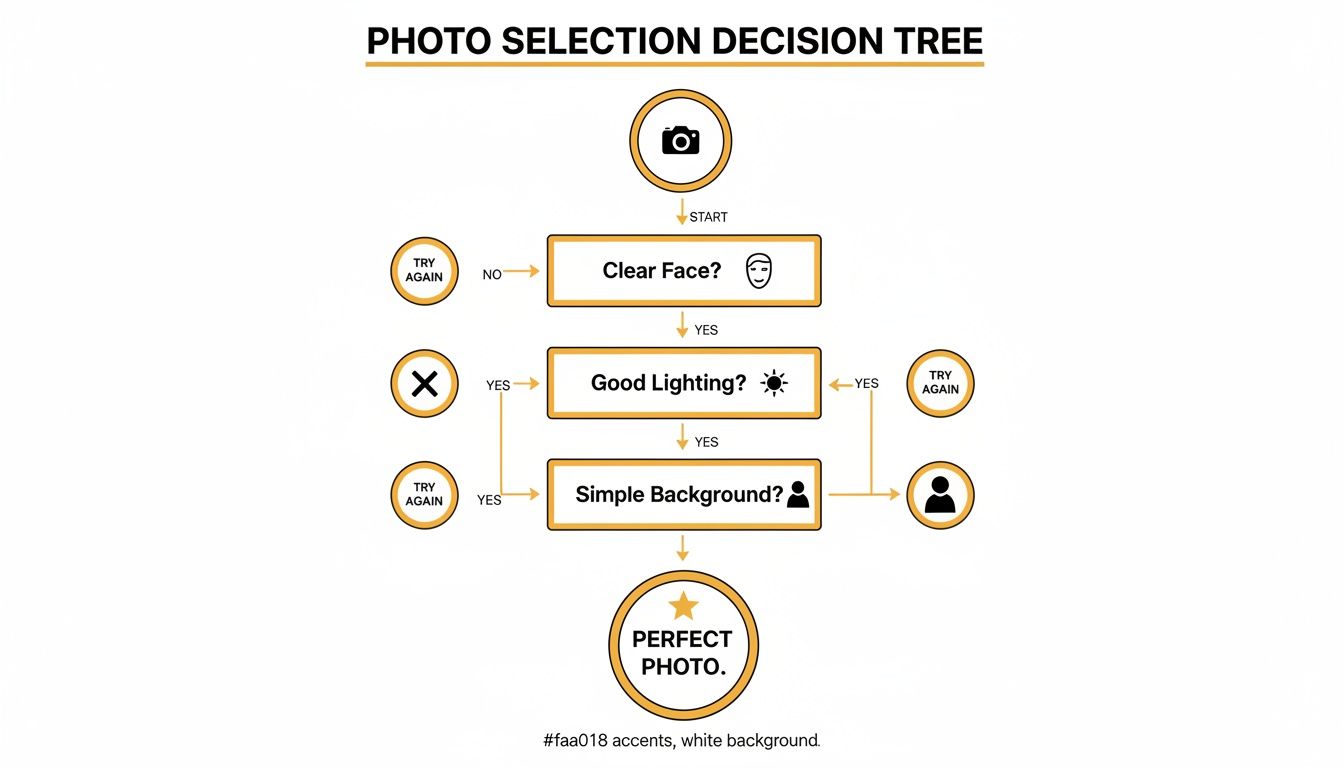
As you can see, it all boils down to three essentials for a top-tier result: a clear face, good lighting, and a simple background.
Achieving Character Consistency for Projects
For streamers, content creators, or anyone building a personal brand, keeping your avatar's look consistent is a common headache. You want your character to be instantly recognizable, whether they're looking happy, surprised, or ready for action. This is where an AI anime generator becomes a seriously powerful tool.
The secret? Use the exact same source photo for every single generation.
That photo becomes the "seed" that anchors the character's core features—the facial structure, eye shape, and even their hair. When you change your prompts to get different expressions or outfits, the AI still knows who it's drawing because it's always referring back to that original image.
My personal tip for creators is to build a "character sheet" for yourself. Generate a set of standard expressions (neutral, happy, sad, angry) using the same high-quality headshot. This gives you a library of consistent assets you can use for thumbnails, emotes, and social media posts.
By reusing that one perfect photo, you can build out a whole collection of poses and reactions for the same character. If you're looking to craft a unique online identity, checking out a dedicated anime portrait and avatar collection can give you some great ideas and style options designed specifically for this. It’s how you go from just making one-off pictures to building a cohesive visual brand.
So, What Can You Do With Your New Anime Art?
Okay, you've gone through the steps and now you've got a folder full of incredible, AI-generated anime pictures. Awesome! But now what? Sure, you can slap one on your social media profile and call it a day, but you'd be missing out on a ton of fun.
This is where you get to be really creative. Think of these images less as simple novelties and more as raw material for personal expression, branding, or even some incredibly thoughtful gifts you just can't buy in a store.
Let’s go beyond the digital frame and look at some genuinely cool ways to put that new art to work. You'll be surprised how many doors this opens up.
Personalize Your World with Custom Creations
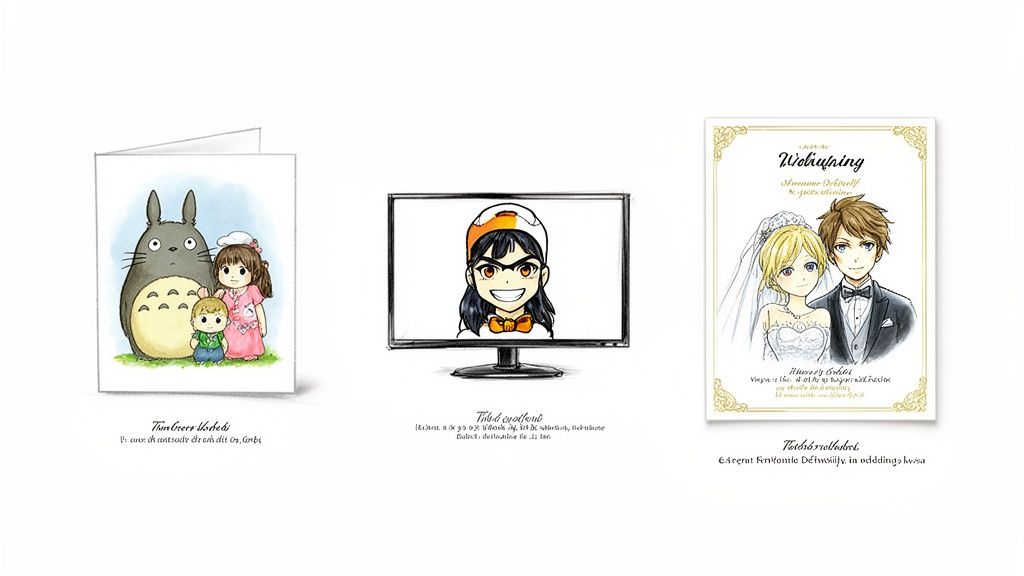
Honestly, one of the most satisfying things you can do is bring these images into the real world. Imagine turning a favorite family photo into a set of custom holiday cards with that cozy, Ghibli-esque vibe. It’s a small touch that makes your season's greetings feel incredibly special and stand out from the pile.
Special occasions are another perfect opportunity. What about designing wedding invitations that show you and your partner as anime characters? It's a beautiful way to tell your story and create a keepsake your guests will actually want to hold onto.
Here are a few more ideas to get you started:
- A Family Portrait Wall (With a Twist): Forget the standard studio photos. Create a gallery wall where each family member is drawn in an anime style that perfectly captures their personality.
- Immortalize Your Pet: Your furry sidekick absolutely deserves an anime glow-up. Turn their best photo into an adorable cartoon character for a custom mug, t-shirt, or just a framed picture for your desk.
- Personalized Storybooks: If you have little ones, you could write a short bedtime story starring them as the anime hero. It's a magical way to make reading time even more special.
The real secret sauce here is the personal connection. You're not just grabbing something off a shelf; you're creating something with a piece of yourself in it. A custom anime portrait of a loved one can be one of the most unique and heartfelt gifts you'll ever give.
Build a Solid Brand for Streaming and Content Creation
If you're a streamer or content creator, you know that a strong visual identity is non-negotiable. Your audience needs to recognize your stuff instantly. An AI anime generator is a total game-changer for building a pro-level brand without having to commission an artist for every little thing.
Your main avatar is just the starting point. The real key is consistency across all your channels, from your YouTube thumbnails to your Twitch emotes. As we touched on earlier, using the same source photo as a base lets you generate an entire library of poses and expressions for your character.
With a consistent anime persona, you can easily create:
- Custom Emotes and Stickers: Design a whole set of reactions—happy, sad, shocked, laughing—for your community to use in chat. This is how you build an inside culture and make your stream more interactive.
- Thumbnails That Get Clicks: Pop your anime avatar into different scenes to create dynamic, eye-catching thumbnails that demand to be clicked.
- Branded Overlays and Banners: Use your character on your stream overlays, channel banners, and social media headers for a look that's polished and instantly recognizable.
The goal is to make your anime self an extension of your brand. When fans see that character, they should immediately think of you. The cute, super-expressive nature of chibi art can be especially great for emotes. You can check out a bunch of different chibi art styles to find one that perfectly matches your community's vibe.
Engage Your Audience with a Brand Mascot
You don’t have to be Coca-Cola to have a mascot. Small businesses and even solo entrepreneurs can use an AI-generated character to make their social media presence feel more friendly and engaging. A fun mascot can put a face to your brand, making it feel more human and approachable.
Start by creating a character that embodies your brand's personality. Are you all about high energy and fun? A vibrant, shonen-style hero might be perfect. Is your brand more about calm and mindfulness? A serene, Ghibli-inspired character could be a better fit.
Once your mascot is born, you can use them everywhere:
- On Social Media: Have your mascot announce new products, share helpful tips, or just wish everyone a happy holiday. It’s so much more engaging than a plain text post.
- On Your Website: Use the character to guide new visitors through your site or to explain how your services work in a simple, visual way.
- In Your Email Newsletters: A mascot can add a dash of personality that makes people actually want to open and read your emails.
This approach helps you build a brand that people remember and connect with on an emotional level, turning casual followers into a true community.
Pro Tips for Fixing Those Pesky AI Art Problems
Even with a top-notch AI anime picture generator, you're going to get some weird results now and then. It's just part of the process. A character with six fingers, a background that seems to melt into their hair, or an accessory that plays hide-and-seek between generations—these are common hurdles. But don't sweat it; they're almost always fixable.
Think of this as your personal troubleshooting guide. I'll walk you through the practical solutions I've picked up from countless hours of trial and error, so you can turn those "almost perfect" pictures into flawless creations you're excited to show off.
Tackling the Dreaded "AI Hands" Problem
Let's start with the most infamous issue in all of AI art: the hands. It's a running joke for a reason. AI models often stumble over the complex anatomy of fingers, spitting out results that are misshapen or just have the wrong number of digits.
When this happens to you, here are a few solid options to try:
- Rethink Your Source Photo: Often, the simplest fix is the best one. If your original photo has your hands in a tricky or partially hidden pose, try a new one. A shot where your hands are either clearly visible or completely out of the frame works wonders.
- Use a Negative Prompt: Some of the more powerful generators let you use "negative prompts," which are basically instructions telling the AI what to avoid. You can add terms like
six fingers,extra limbs, ordeformed handsto steer the model away from making those common mistakes. - Generate a Few Variations: Don't settle for the very first result. I almost always generate a batch of four or five images from the same photo and prompt. The odds are pretty good that at least one of them will get the hands right.
Honestly, this problem is so widespread because hands are incredibly expressive and have a massive number of possible positions. That makes them tough for an AI to learn. But with a little patience and these tricks, you can usually nail it.
Fixing Backgrounds That Get a Little Weird
Another common hiccup is when the background just gets... funky. You might see strange patterns, blurry shapes, or parts of the scenery blending into your character's clothing or hair. This usually happens when the original photo has a busy or cluttered background.
The AI is trying its best to interpret everything in the frame, and sometimes it gets confused about where you end and the background begins.
To solve this, my go-to strategy is to focus on the input. A photo taken against a plain wall or a simple, out-of-focus backdrop gives the AI clean data to work with. If you can't retake the photo, try cropping it tightly around yourself to cut out as much of the distracting background as you can before uploading. This one simple step can dramatically clean up the final image.
The cleaner your input, the cleaner your output. From my experience, I'd say about 80% of weird results can be traced back to a less-than-ideal source photo. Taking a moment to choose a better picture will save you far more time than trying to fix a flawed generation later on.
How to Get the Most from a Credit-Based System
Many platforms, including Tooncraft, run on a credit system. This is great because your credits often never expire, but you still want to make sure every single one counts. It's always frustrating to waste them on failed generations.
Here’s how I maximize my credits and make sure I get a great return on every generation:
- Do a Test Run First: Before you go all-in on a huge batch of images, generate just one or two as a test. This lets you quickly see if your photo and prompt are a good match.
- Save Your Winning Formulas: When you find a combination of style and keywords that creates an amazing result, save it! I keep a note on my phone with my favorite prompts so I can easily pop them in again later.
- Use Batch Processing Wisely: Once you're confident in your setup, then it's time to use batch generation. This lets you create multiple options at once, which is often more credit-efficient and gives you a variety to choose from.
Thinking strategically about how you use your credits turns the AI anime picture generator from a fun toy into a truly reliable creative tool.
Creating Expressive and Consistent Characters
For streamers and content creators, character consistency is everything. You need your anime avatar to look like the same person across different expressions and scenes. The secret, as we've already touched on, is to use the exact same source photo as the foundation for all your variations.
Think of your source photo as your character's DNA. By keeping that constant, you can prompt for different emotions—smiling, surprised, determined—while making sure the core facial structure, hair, and key features stay the same. This technique is perfect for creating a whole character sheet with a range of expressions, which is super useful for YouTube thumbnails, Twitch emotes, or social media posts. It’s the key to building a visual brand people will recognize.
Got Questions About AI Anime Art? I've Got Answers.
As you start playing around with AI art, you're bound to have some questions. That's a good thing! It means you're thinking about the details, from the legal side of things to how to really nail your creative vision. Let's clear up some of the most common questions so you can feel totally confident using an AI anime picture generator.
Is This Stuff Legal and Ethical to Use?
This is a big one, and for good reason. For personal projects—like a new profile pic, a cool gift for a friend, or even a fun family portrait—you're generally in the clear. You own your original photo, so you’re just transforming it into something new.
When you're talking about using the art for your business, like in marketing or on products you sell, the rules change a bit. You absolutely need to use a service that explicitly gives you the commercial rights to do that.
The ethical question often boils down to the AI model itself. I always recommend using platforms that are transparent about training their models on ethically sourced or properly licensed images. This shows respect for artists and makes sure the whole process is built on a solid, fair foundation. Always give the terms of service a quick read to know exactly what you can and can't do with your creations.
How Can I Create a Consistent-Looking Character?
This is the holy grail for streamers, marketers, or anyone building a brand or a story. You need your anime character to look like the same character every single time, no matter the pose or background.
The trick is to use one high-quality, clear headshot as your "base" image for every single generation. Think of it as the AI's anchor.
By feeding it the same source photo every time, you’re giving the AI a solid reference point. You can then use your text prompts to change the outfit, the background, or the character's expression, but the face will stay consistent. It's a surprisingly simple but incredibly effective way to build a recognizable visual identity.
What's the Real Difference Between Free and Paid Tools?
When you're choosing between a free or paid AI generator, it really comes down to quality, features, your rights to the image, and overall speed.
Free tools are awesome for just messing around and seeing what's possible. But they usually have a few catches:
- Lower-resolution images that can look fuzzy if you try to print them or use them on a big screen.
- Big, obvious watermarks that get in the way of the art.
- Slower generation times because everyone is using them at once.
- A much smaller menu of styles and creative options to choose from.
Paid services like Tooncraft are built on much more powerful AI models, and you can really see the difference in the final product—the results are cleaner, more detailed, and more accurate. They also pack in features that serious creators need, like watermark-free downloads, faster "priority" processing, and a massive library of premium styles. Plus, and this is crucial for businesses, they give you clear commercial usage rights.
How Do These "Credit" Systems Actually Work?
A lot of AI art platforms use a credit system instead of a standard subscription. I personally love this model because it means you only pay for what you create. You buy a bundle of credits, and each picture you generate uses up a few of them.
This setup is perfect if your creative output isn't consistent. You might be a content machine one month and barely create anything the next. The best part? The credits usually never expire. You can grab a larger pack to get a better deal and then just dip into them whenever inspiration hits—whether that's tomorrow or six months from now.
Ready to put all this knowledge into action? Tooncraft makes it super simple to get started. Upload a photo and see what you can create!