
Turn turn photo into cartoon free: Quick Guide to Cartoonizing Your Photos
Discover how to turn photo into cartoon free with top AI tools and apps, plus tips for creating vibrant cartoon versions of your photos.
Turning your photos into cartoons for free has never been easier, thanks to a ton of great AI tools out there. You can get instant results using a web-based generator right from your browser, or you can grab a free mobile app if you want more creative options while you're on the move.
Either way, you'll have a fun, stylized image ready for your social media profiles, personal projects, or just for a laugh.
So, Why Go Cartoon?
It’s about more than just slapping on a cool filter. Transforming a photo into a cartoon is a fantastic way to inject some personality and make your images pop. Imagine creating a custom gaming avatar that actually looks like you (but way cooler), a social media profile pic that stops the scroll, or even a one-of-a-kind gift for a friend. It adds a creative flair that a regular old photo just can't compete with.
This trend has absolutely taken off because it's so accessible and the results are so darn eye-catching. You can instantly see yourself in a classic comic book style, a dreamy Ghibli-esque world, or as a modern 3D character. Best of all, you no longer need to be a professional artist with expensive software to do it.
AI Is the Magic Behind the Curtain
This whole cartoon photo craze really exploded in mid-2024. It all kicked off when major AI updates suddenly allowed anyone to turn their selfies into stunning, Ghibli-style art with just a click. And it wasn't just a flash in the pan.
By early 2025, apps like ToonMe and ToonApp saw their downloads skyrocket by 221% and 59%, respectively. Why? TikTok creators started flooding the platform with these incredibly vibrant, retro-styled cartoon selfies, and everyone wanted in. If you're curious, you can learn more about the cartoon photo trend and how it drove millions of app downloads.
Picking the Right Free Tool for the Job
So, which tool should you use? It really just boils down to what you need. Are you looking for a super-fast, one-and-done conversion, or do you want to play around with different styles and effects on your phone?
-
Web-Based Apps: These are your go-to for speed and simplicity. You just upload your picture to a website, pick a style, and download the finished cartoon. They’re perfect if you’re on a desktop and don’t want to bother with installing anything.
-
Mobile Apps: If you want more creative freedom, a mobile app is the way to go. You can edit directly on your phone, cycle through tons of different filters, and share your masterpiece straight to Instagram or TikTok.
This little flowchart can help you figure out the best route for your project.
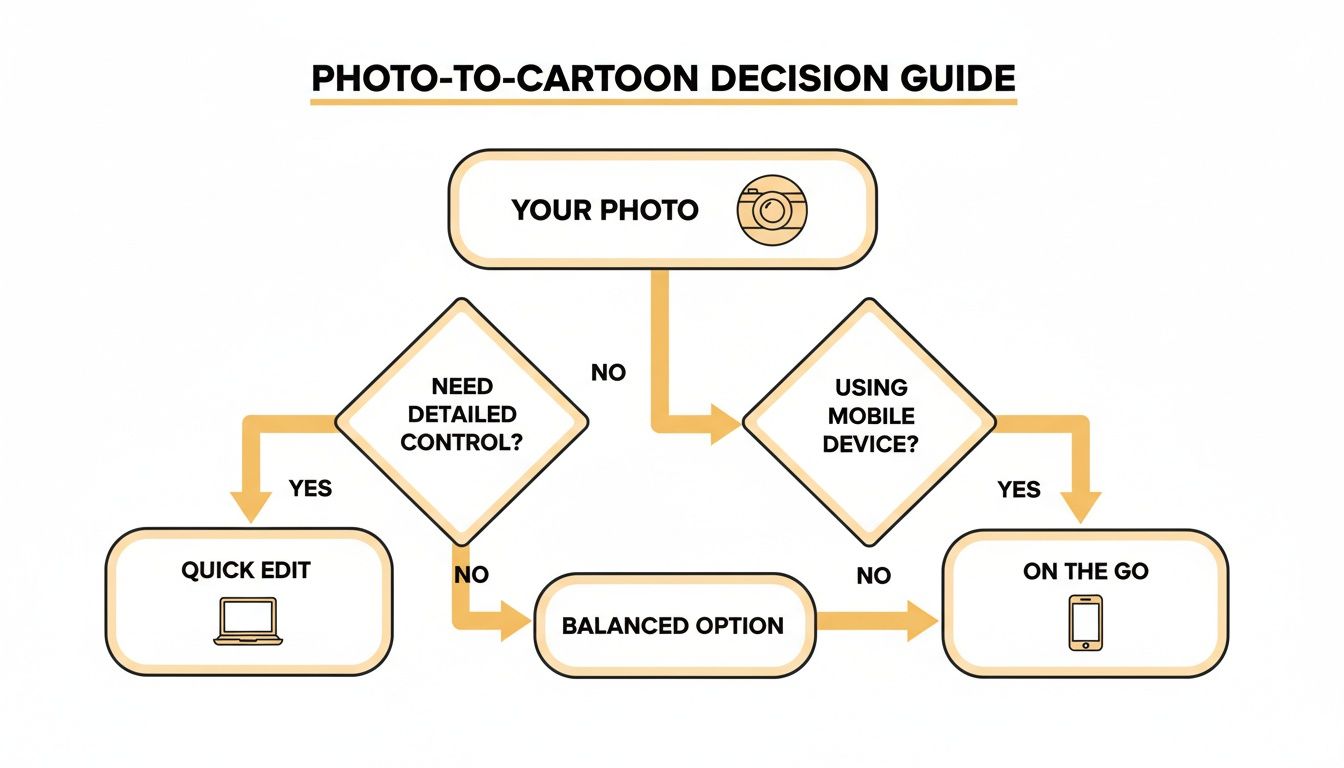
As you can see, you have two main paths: quick and easy on a computer, or more creative and flexible on your phone. It’s all about trading a bit of convenience for control, or vice versa.
Choosing Your Free Photo-to-Cartoon Method
To make it even clearer, here’s a quick rundown of the most common free methods. This table should help you zero in on the perfect tool for what you're trying to accomplish.
| Method | Best For | Pros | Cons |
|---|---|---|---|
| Web-Based AI Generators | Quick, one-off conversions on a desktop without any software installation. | Extremely fast and easy to use; no downloads required; great for simple tasks. | Fewer customization options; often includes watermarks; may have file size limits. |
| Free Mobile Apps | On-the-go editing with more features and direct social sharing. | Lots of styles and filters; more editing control; convenient for phone photos. | Can be cluttered with ads; best features are sometimes behind a paywall; takes up space. |
| Free Tiers of Pro Tools | Testing out powerful software like Tooncraft before committing to a paid plan. | High-quality results; access to advanced features on a trial basis. | Free usage is often very limited (e.g., credits, watermarks, lower resolution). |
| Photo Editors with Filters | Simple, stylized effects that are "cartoon-like" but not full AI conversions. | Already installed on many devices; very fast; good for a subtle look. | Lacks true AI conversion; results are more "artistic filter" than "cartoon." |
Ultimately, the "best" method is the one that fits your specific goal. For a quick profile picture, a web tool is perfect. For a more involved creative project, a mobile app or the free tier of a pro service is probably a better bet.
Prepping Your Photo for the Best Cartoon Results
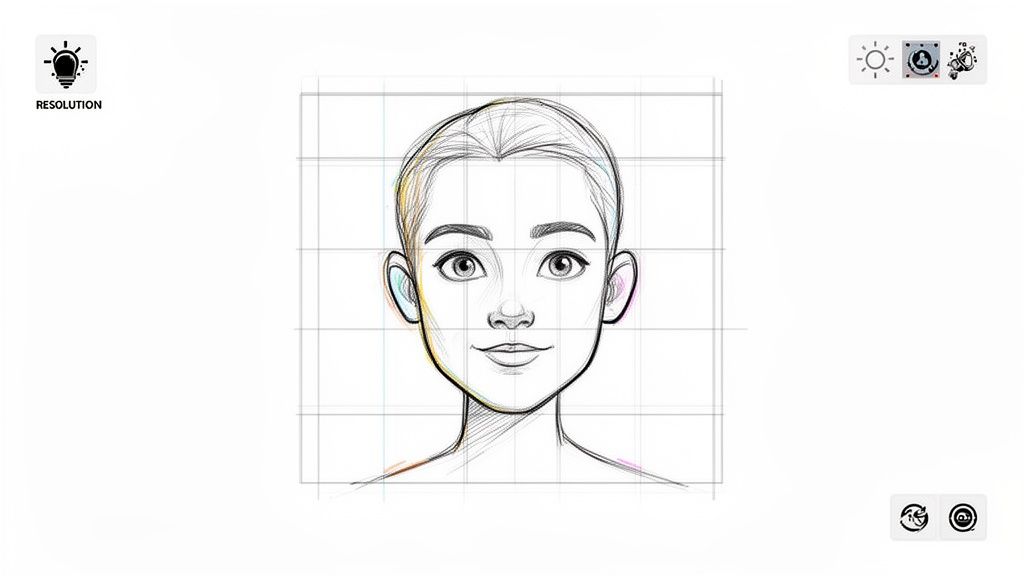
Before you jump into any app or website, let's talk about the single most important step: prepping your photo. Honestly, this is the secret sauce.
Think of it this way: you’re handing the AI a canvas to paint on. A blurry, dark, or cluttered photo is like giving an artist a dirty, crumpled-up piece of paper. The result is almost always going to be muddy and distorted.
Your goal is to make it dead simple for the AI to figure out what it’s looking at. Start with a clean, clear image, and you’ll get a sharp, vibrant cartoon that actually looks great.
Choose Your Subject and Setting Wisely
The best photos for this kind of thing always have a clear focal point. Pick a picture where the subject—whether it's you, a friend, or your dog—is sharp, in focus, and well-lit.
Natural, even lighting is your best friend. Harsh shadows or blown-out highlights can seriously confuse the AI, leading to some weird-looking spots and artifacts in the final image.
A simple, uncluttered background also works wonders. If the background is too busy, the AI might get distracted and blend your subject into the chaos. A plain wall or a soft-focus outdoor scene is perfect.
Pro Tip: Portrait mode on your smartphone is basically designed for this. It automatically blurs the background, which makes your subject pop and gives the AI a crystal-clear guide on what to focus on.
Quick Edits Make a Huge Difference
You don't need to be a Photoshop pro to make some game-changing tweaks. The basic editing tools on your phone or computer are more than enough.
- Resolution is Key: Always, always start with the highest resolution photo you have. A bigger, more detailed image gives the AI more information to work with, which translates to cleaner lines and better details in your cartoon.
- Crop for Focus: Is there a random chair or a photobomber in the corner? Crop them out. Framing your subject tightly helps the AI zero in on what matters, like facial features or the unique fur pattern on your pet. Speaking of which, if you want some inspiration, check out these examples of how to turn your pet photos into cartoons.
- Boost the Basics: A tiny bump in contrast or brightness can make a subject's defining features stand out. It’s a small tweak, but it really helps the AI capture expressions and details accurately.
These prep steps might seem small, but trust me, they're the most reliable way to turn a photo into a cartoon free of those common headaches like wonky faces or messy lines. A few extra minutes here will absolutely pay off in the end.
Choosing the Right Tool to Cartoon Your Photos
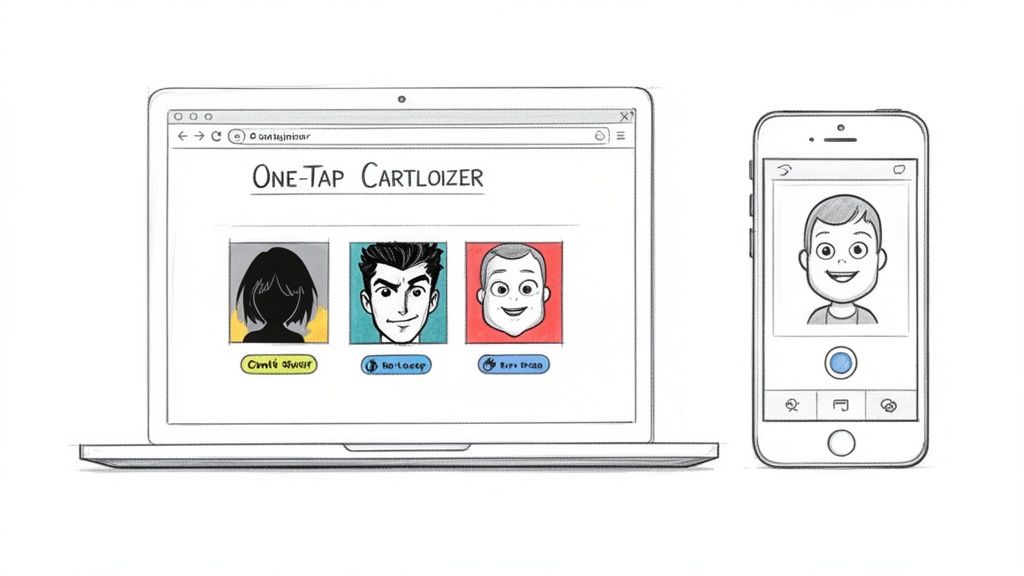
Alright, with your photo prepped and ready, it's time for the fun part: picking an app to bring your cartoon vision to life. Luckily, there are tons of fantastic free options out there. They mostly fall into two camps: simple web-based tools for quick conversions and mobile apps that pack a whole lot more creative punch.
Let's talk about the web options first. These are my go-to when I need something done fast, without the hassle of installing software. You just drag and drop your photo, click a style, and boom—you've got a cartoon. It's perfect for when you want to quickly whip up a new profile picture from your computer.
Then you have mobile apps, which are like having a mini art studio in your pocket. These apps usually give you way more styles, filters, and editing options to play with. They're ideal if you're on the move and want to create something unique to post straight to your Instagram or TikTok.
Quick and Easy: Browser-Based Cartoonizers
When you just need to get it done, nothing beats a browser-based tool. Their main selling point is pure, unadulterated speed.
Imagine you need a cool, Pixar-style avatar for your work's Slack channel. With a web tool, you can upload your headshot, apply the effect, and have it ready to go before your next meeting even starts. They're also brilliant for jazzing up images for a blog post or presentation, turning a basic photo into something way more eye-catching.
The trade-off for all that convenience is usually less control. Free versions might stick a watermark on your image or limit you to a lower-resolution download, but for a simple, one-off job, they're incredibly hard to beat.
For Deeper Creativity: Top Free Mobile Apps
If you're like me and love to tinker and experiment, you’ll want to dive into mobile apps. They offer a much richer creative playground.
Say you want to create a killer anime-style avatar for your gaming profile. An app like PhotoDirector or Lensa AI gives you tons of filters to nail that perfect shōnen hero look.
These apps are also fantastic for personal projects, like turning a cherished family photo into a beautiful illustrated portrait for a birthday card. You can fine-tune the effects, tweak the colors, and even add fun text or stickers to make it your own.
This kind of power in our pockets is fueled by some serious tech growth. The AI anime generator market was valued at USD 91.38 billion in 2024 and is expected to rocket to USD 384.40 billion by 2030. It’s all thanks to image-to-image AI that lets anyone create amazing art. You can see the full market analysis to get a sense of just how big this is getting.
So, what's the verdict? If you need a fast, no-frills conversion, stick with a browser tool. But if you want to explore your creative side and have more options, a mobile app is the best way to turn photo into cartoon free.
Fine-Tuning Your Cartoon Transformation
Hitting the "cartoonify" button is just the beginning. The real fun starts when you dive into the settings and start steering the AI toward the exact look you have in mind. This is how you go from a generic, one-click filter to something that feels intentional and uniquely yours.
Most free tools give you a handful of key controls that can completely change the vibe of your final image. Getting a feel for these is the first step to getting results you actually love. Think of them as your creative levers.
Getting to Know the Key AI Controls
At first glance, some of the settings can seem a bit technical, but they're pretty straightforward once you start playing around. Don't be afraid to just move the sliders and see what happens.
- Style Strength: This is the big one. Think of it as the "how much cartoon?" dial. A low setting keeps more of your original photo's details for a subtle, painterly effect. If you crank it all the way up to 100%, you’ll get a super stylized, bold cartoon that barely resembles the source photo.
- Detail Level: This setting tells the AI how much attention to pay to the small stuff. A higher detail level will preserve things like freckles, fabric textures, and stray hairs. A lower setting smooths everything over for that clean, classic animated look.
A Tip From Experience: I usually start with the style strength around 70%. That seems to be the sweet spot for getting a clear cartoon look without making the person unrecognizable. From there, I'll nudge it up or down until it feels just right.
Finding the Right Style for Your Photo
Beyond the basic sliders, the best part is experimenting with different artistic models. The same photo can look radically different depending on the style you apply, so it’s always worth trying a few to see what resonates.
For example, a casual photo of a friend at a coffee shop might look fantastic with a warm, Ghibli-inspired aesthetic. But if you have an action shot from a hike, a dynamic, American comic-book style with sharp lines and high contrast might be the perfect fit.
A lot of tools also let you use text prompts to get more specific. This is where you can really start art-directing the AI. Instead of just picking "anime," try typing in a prompt like, "anime style, vibrant colors, 90s retro aesthetic." These extra keywords give the AI much clearer instructions, often leading to more interesting results.
If you need some ideas, browsing a gallery of different AI-generated cartoon styles is a great way to get inspired and see what's possible. It can really open your eyes to new aesthetics and show you how to turn photo into cartoon free with more creative flair.
Putting the Final Touches on Your Cartoon
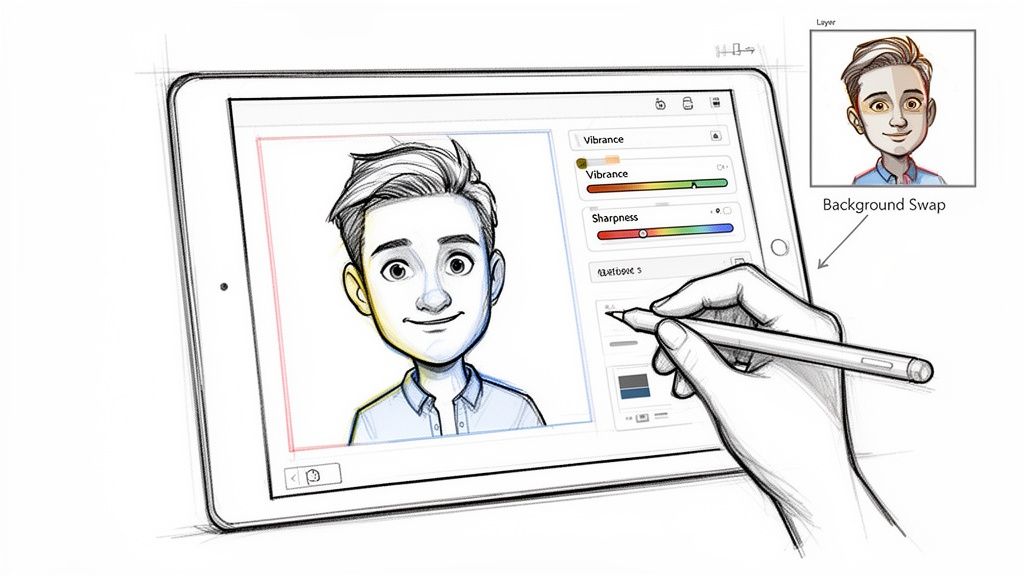
Okay, your AI-generated cartoon is looking pretty awesome, but hold off on hitting that "share" button for just a minute. With a few quick, simple tweaks, you can take your image from "cool filter" to a polished piece of art that really pops.
You don't need to be a Photoshop wizard for this. Most of the time, your phone's built-in photo editor or a free web tool like PhotoDirector has everything you need to add that final layer of shine.
Making Your Cartoon Pop
Often, the single most effective edit is playing with the color. I've found that many AI cartoon tools produce results that are a little on the muted or flat side. A tiny adjustment here can make a massive difference.
- Vibrance and Saturation: Try nudging the vibrance slider up first. It's great for making colors richer without making skin tones look weird or unnatural. Saturation boosts all the colors, so use it carefully—a little goes a long way before things start looking garish.
- Contrast and Sharpening: Bumping up the contrast just a touch will make the dark lines feel bolder and the bright colors jump off the screen. I also like to add a little bit of sharpening to help define the edges, giving the whole thing a crisp, clean finish that looks fantastic on a high-res display.
My Personal Trick: I always zoom right in on the eyes and hair before and after applying a sharpen filter. If those key features look crisp and defined without getting all grainy or pixelated, I know I've hit the sweet spot for the entire image.
Exporting and Saving for Success
How you save your file matters almost as much as the edits you make. Getting the format and resolution right means all your hard work won't get lost in a pixelated mess when you post it.
For most uses—like sharing on Instagram or updating a profile picture—exporting as a high-quality JPG is the way to go. It’s the perfect balance between keeping the file size reasonable and maintaining great visual quality.
However, if your cartoon has big blocks of solid color or you need a transparent background (maybe for a sticker?), PNG is the better format.
Creative Ways to Share Your Masterpiece
You've perfected your image, so now it's time for the fun part! Don't just drop the final cartoon into the void. Get your friends and followers involved with a more creative approach.
- Post a "before and after" reveal using a carousel on Instagram.
- Create a quick TikTok or Reel showing the photo-to-cartoon transformation.
- Turn it into a custom emoji or sticker for your Discord or Telegram chats.
And if you’re aiming for a very specific vibe, like the bold lines and dot patterns of old-school comics, you can find specialized collections of pop art and comic book styles to get an even more distinct look. The best way to finish the process to turn photo into cartoon free is by sharing your art in a way that’s just as creative as the piece itself.
So, When Is It Time to Ditch the Free Cartoon Makers?
Free tools are an absolute blast for experimenting and getting a feel for AI art. Let's be honest, who doesn't love turning a selfie into an anime character for a new profile pic? But if you've been at it for a while, trying to turn photo into cartoon free, you've probably run into some familiar frustrations.
Ever get that perfect image, only to find a huge watermark splashed right across the middle? Or maybe you finally downloaded your masterpiece and the resolution was so low it looked like a blurry mess on anything bigger than a watch face.
If that sounds familiar, it’s a classic sign you've pushed the free options to their limit. When you find your creativity being bottlenecked by inconsistent outputs or a lack of real control, it might be time to look at stepping up your game.
What You Get When You Go Pro
Jumping to a dedicated service like Tooncraft is about so much more than just getting rid of a watermark. You're unlocking a whole new level of quality, speed, and creative power.
There's a reason the generative AI animation market is projected to be worth a staggering USD 1.8 billion in 2024. Professionals and serious creators need tools that deliver, which is why industry giants like Adobe and Pixar are weaving AI into their workflows. You can dive deeper into the explosive growth of generative AI in animation to see just how big this is getting.
Upgrading gives you a handful of killer advantages that free tools just can't match:
- High-Resolution Exports: Finally get images that are sharp enough to print, use in professional designs, or show off on a high-res display.
- Watermark-Free Results: Your art is your art. No more logos or branding getting in the way.
- Exclusive Styles: Get access to a much wider, often more refined, library of unique artistic styles.
- Priority Processing: Tired of waiting in a digital line? Paid services usually push your requests to the front, getting your images back in a fraction of the time.
But for many, the real game-changer is character consistency. This is a huge deal. Premium tools can generate the same character in different poses, scenes, and expressions—something that’s absolutely essential if you're building a brand, creating a comic, or developing a mascot for your business.
Ultimately, if your projects need that professional polish and you can’t afford to waste time with unpredictable results, investing in a proper tool isn't just an expense—it's the next logical step in your creative journey.
Got Questions About Cartooning Your Photos?
Jumping into the world of AI cartoon generators, especially the free ones, usually sparks a few questions. It's totally normal. Getting some straight answers can help you dodge common headaches and just have fun with it.
Let's tackle some of the most frequent things people ask.
Are These Free Tools Safe to Use?
This is probably the most important question, and for good reason. You're uploading your personal photos, after all.
The good news is that most of the popular, well-known apps and websites that turn photos into cartoons for free are generally safe. The key is to be smart about it. Stick with services that have a clear, easy-to-find privacy policy. If a site asks for a weird amount of personal info or pushes you to download sketchy software, that's a major red flag.
My go-to tip: Before you download any app, spend two minutes scrolling through recent reviews on the App Store or Google Play. Real user feedback is one of the best ways to get a feel for a tool's reputation.
Can I Use These Cartoon Images for My Business?
Ah, the big one. And the answer is almost always hiding in the terms of service.
For the vast majority of free tools, the images you create are strictly for personal use only. That means they're perfect for a new profile picture or sharing with friends on Instagram. But using them for your company's ads, on products you sell, or in any commercial project is usually a big no-no.
If you need a cartoon for business, you'll want to look at a paid service that explicitly grants you a commercial license. It’s a small investment that saves you from potential legal trouble down the road.
Why Do My Results Look... Weird?
We've all been there. You upload a great photo and get back a blurry, distorted mess. This usually boils down to two culprits: the quality of your original photo or the limits of the free AI.
To give the AI the best chance of success, always start with a clear, well-lit, high-resolution picture. Busy backgrounds, weird shadows, and low-light photos are notorious for confusing the AI and creating strange, glitchy results.
Also, keep in mind that free services often limit the output resolution to keep their server costs down. Your cartoon might look decent on your phone, but it will probably look pixelated if you try to print it or view it on a large monitor. For crisp, high-res images every time, upgrading to a paid plan is your best bet.
Ready to leave the limitations of free tools behind? Tooncraft, Inc. delivers high-resolution, watermark-free cartoon transformations with exclusive styles and character consistency. Create your professional-grade cartoon today!