
Your Guide to Creating Studio Ghibli Style Anime AI Art
Discover how to create beautiful Studio Ghibli style anime AI art. This guide offers practical tips for prompt writing, character consistency, and more.
Lately, it seems like everyone is turning their photos into whimsical, nostalgic scenes that look straight out of a Studio Ghibli movie. It’s an amazing blend of real-world images and that iconic, hand-drawn aesthetic we all love—think soft watercolor backgrounds, expressive characters, and a gentle, storybook feel. This technology has truly taken off, and for good reason.
Why Ghibli's Style Resonates in the AI Era
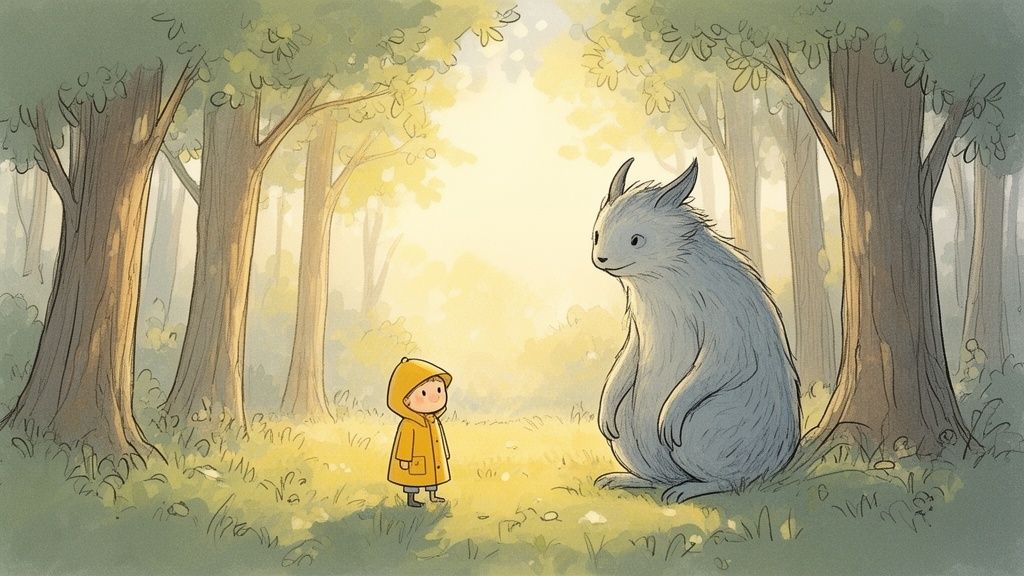
There’s just something about the Studio Ghibli art style that pulls you in. It’s not just about how it looks; it’s about the feeling it creates—a mix of warmth, wonder, and pure nostalgia. That's exactly why creating Ghibli-inspired art with AI has become so popular. You’re not just slapping a filter on a picture; you're trying to capture a whole atmosphere.
This guide is designed to be your practical companion on this creative journey. We'll skip the heavy technical jargon and get straight to the actionable steps you can use to produce beautiful, Ghibli-esque visuals.
The Magic Behind the Art
So, what’s the secret sauce that makes the Ghibli look so special? It's a mix of a few key artistic ingredients. Once you understand them, you can start guiding the AI much more effectively.
- Soft, Painterly Backgrounds: Ghibli films are famous for their lush, watercolor landscapes. You know the ones: sun-dappled forests, puffy white clouds drifting across a brilliant blue sky, and cozy, detailed interiors that feel lived-in.
- Expressive, Simple Characters: The character designs are intentionally clean. This simplicity is their strength, as it allows their emotions to shine through. They often have large, expressive eyes and a soft, rounded appearance that feels gentle and approachable.
- Natural Lighting and Color: The lighting always feels right. It's often soft and realistic, capturing the gentle glow of a sunrise or the warm light from a single lantern. The color palettes are rich but earthy, steering clear of anything too bright or artificial.
Practical Applications for Everyone
Creating studio ghibli style anime ai isn't just for a bit of fun; it has some really cool real-world uses for creators and even small businesses.
Imagine a streamer designing a unique, friendly avatar that instantly stands out. Or a small brand creating a charming mascot for their social media to build a more personal connection with their audience. You could even create magical family portraits or unique gifts that capture a moment in a truly special way.
By focusing on the feeling of the Ghibli universe—nostalgia, wonder, and tranquility—you can craft prompts that guide the AI beyond simple imitation toward creating something genuinely heartfelt and original.
This guide will give you the skills to start creating your own stunning masterpieces, transforming your ideas into art that really connects with people. If you're curious about other styles, you might want to check out our deep dive into the many different anime art styles and how to recreate them.
Picking the Right Photos for Your AI Masterpiece
Think of it like this: you wouldn't try to bake a gourmet cake with expired flour and expect it to win any awards. The same logic applies when you're creating studio ghibli style anime ai art. The quality of your source image is, without a doubt, the most important ingredient you'll use.
A classic rookie mistake is to toss a blurry, low-res, or poorly lit photo at the AI and hope for a miracle. AI is powerful, but it's not a mind reader. It relies entirely on the data you give it—the shapes, colors, light, and shadows in your photo—to build its anime interpretation.
When you feed it a grainy selfie from a dark room, the AI is forced to guess what it's looking at. That guesswork is why you end up with muddy colors, weirdly distorted faces, and none of those clean, intentional lines that give Ghibli films their charm. It’s like asking an artist to paint a detailed portrait in a pitch-black room.
What to Look for in a Source Photo
So, what makes a perfect "ingredient" for the AI? The best source images all have a few things in common that give the AI clear, solid information to build from. If you focus on these, your results will get better almost immediately.
- Sharp Focus & High Resolution: This one's a deal-breaker. Your subject must be in focus. Crisp details, especially around the eyes and face, are crucial for the AI to accurately map features onto an anime character.
- Good, Even Lighting: Natural light is your best friend here. Bright, even lighting gets rid of those harsh shadows that can confuse the AI or hide important details. Photos taken outside on an overcast day or near a big window work wonders.
- Simple, Uncluttered Backgrounds: A busy background is just noise. It can distract the AI from your main subject, leading to a messy final image. A simple background helps the AI lock onto the focal point.
My Two Cents: Don't just grab the first photo you see. Take 30 seconds to do a quick pre-edit. Simply cropping out a distracting person in the background or bumping up the brightness can completely change how the AI sees your image.
A Tale of Two Photos: A Quick Comparison
Let’s get practical. Imagine you're trying to decide between two photos.
Photo A is a selfie from a dimly lit concert. It’s a little blurry, and the background is a chaotic mess of stage lights and strangers. The AI will probably struggle with this one, giving you a final image where your face is smudged and the colors are all over the place. Not very charming.
Photo B, on the other hand, is a portrait taken in your backyard on a sunny afternoon. Your face is clear, well-lit, and in focus, with a simple green lawn behind you. This photo gives the AI a perfect blueprint to work from, resulting in a beautiful, expressive character against a soft, painterly backdrop—much closer to that Ghibli vibe you're after.
The difference is night and day, and it all comes down to a little prep work. Before you even think about writing a prompt, picking the right photo sets the stage for success. To see this in action, check out our guide on how to convert a photo to anime style for more examples. The foundation you lay with your source material directly impacts the magic the AI can create.
Crafting Prompts to Capture the Ghibli Aesthetic
Once you’ve got your source image prepped, your prompt is where the real artistry begins. Think of it as a direct conversation with the AI—your chance to steer it toward that specific Ghibli mood you’re after. Just typing "Ghibli style" will get you a generic, cookie-cutter result. The real magic happens when you use evocative, descriptive language to paint a vivid picture for the model.
You need to put on your art director hat. Instead of just barking commands, you’re whispering instructions. You’re not just naming a style; you’re describing the feeling of a Ghibli scene—the lighting, the texture, the colors, and the overall atmosphere.
Going Beyond Basic Keywords
Generic prompts lead to generic images. It’s as simple as that. To truly nail that studio ghibli style anime ai look, you have to break down the aesthetic into its core ingredients and describe them with artistic flair.
Let's look at how to level up your prompts:
- Instead of: "Ghibli style" Try: "Nostalgic 1990s anime aesthetic, soft watercolor backgrounds, gentle afternoon light."
- Instead of: "in a forest" Try: "In a sun-dappled forest clearing, with tall cedar trees and overgrown mossy stones."
- Instead of: "happy" Try: "A character with a gentle, heartwarming smile, eyes filled with quiet joy."
See the difference? This level of detail gives the AI so much more to work with, resulting in a far more nuanced and authentic image. It’s like asking for "a vintage red convertible driving along a coastal highway at sunset" instead of just "a car."
The infographic below really drives home how crucial clear inputs are—both with your images and your words—for getting high-quality AI art.
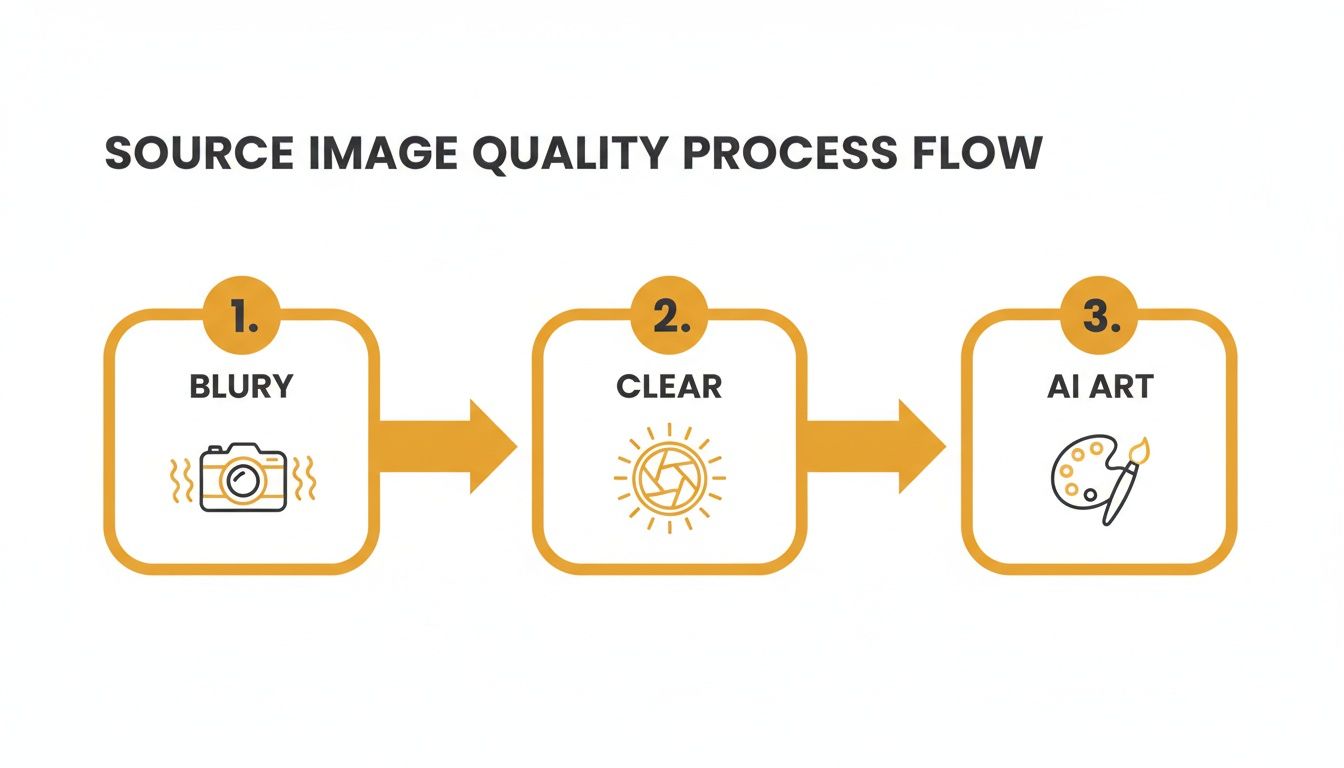
This workflow shows that garbage in really is garbage out. Starting with quality material is your first step toward a polished, professional-looking final piece.
Building a Prompt from the Ground Up
A truly great prompt isn't just a single phrase; it's a careful layering of different elements that come together to create a cohesive scene. As you craft your prompt, think about including details from several categories. This is how the pros get those stunning, highly specific results.
It's no surprise that this kind of creative tooling is booming. The anime creation software market has become a major player, projected to command a 22.3% market share in 2025. This reflects a huge shift in the industry, where both big studios and indie creators are using digital tools—now including AI—to boost creativity and efficiency. If you want to dive deeper into the numbers, you can explore detailed anime market insights on FutureMarketInsights.com.
The best prompts don't just describe what's in the picture; they describe the invisible elements—the time of day, the temperature, the mood, and the story behind the moment.
To get you started, I've put together a handy reference table with keywords I use all the time. Think of these as ingredients you can mix and match to get just the right flavor for your scene.
Effective Prompt Keywords for Ghibli Style AI Art
Here's a breakdown of specific keywords and phrases to use in your prompts to achieve different elements of the iconic Studio Ghibli aesthetic.
| Element to Influence | Effective Keywords | Example Usage in Prompt |
|---|---|---|
| Overall Style | Hayao Miyazaki aesthetic, 1990s anime film, nostalgic watercolor | "...a young girl, Hayao Miyazaki aesthetic, simple character design..." |
| Lighting & Atmosphere | Sun-dappled, golden hour, gentle afternoon light, soft shadows, warm glow | "...sitting in a meadow during golden hour, surrounded by fireflies..." |
| Background & Setting | Lush green landscape, overgrown ruins, quaint European village, puffy clouds | "...overlooking a quaint European village with cobblestone streets..." |
| Color Palette | Muted earth tones, pastel colors, vibrant blues and greens, soft cel-shading | "...wearing a simple dress with a muted earth tones color palette..." |
| Character Emotion | A quiet moment of reflection, a look of wonder, a heartwarming smile | "...her expression is a look of wonder as she watches the stars..." |
| Texture & Detail | Hand-drawn line art, visible brush strokes, subtle film grain, painterly | "...the background is painterly, with visible brush strokes in the sky..." |
By weaving these elements together, your prompts become incredibly powerful. For example, you could combine a few into a single, detailed instruction like this:
"A girl with short brown hair and a red ribbon, standing in a lush green landscape with a painterly sky full of puffy clouds. The scene is lit by gentle afternoon light, creating soft shadows. Her expression is a quiet moment of reflection. Nostalgic 1990s anime film aesthetic, muted earth tones."
This kind of comprehensive prompt gives the AI a detailed blueprint. You’re no longer asking for a generic imitation; you’re guiding it toward a true piece of Ghibli-inspired art that feels like it has a story to tell.
Keeping Your Character Consistent Scene After Scene
You’ve done it. You’ve created a single, stunning image that perfectly captures that Ghibli-inspired magic. But now what? How do you create a second image with that exact same character? This is where a lot of people get stuck. Suddenly, the AI spits out someone who looks more like a distant cousin than the hero of your story.
This is a huge deal. If you're creating a brand mascot, a streaming avatar, or telling a visual story, your audience needs to recognize your character instantly. Without that consistency, it's impossible to build a connection.
Luckily, you can teach the AI to remember your character. It just takes the right approach.
Start With a Solid "Seed Image"
The secret to consistency often boils down to a single, powerful reference point: your seed image. Think of it as the character's definitive portrait—the master copy that all future generations will build upon.
Your seed image should be a crystal-clear, front-facing shot where every key feature is perfectly defined. This becomes the primary data you feed the AI, giving it a solid foundation to work from. Some platforms are even built with this in mind; at Tooncraft, for example, our tools help you build an entire character library right from that initial image.
Pro Tip: Don't let the image do all the heavy lifting. Your prompt is just as crucial. Lock in those non-negotiable details like "girl with short brown hair and a red ribbon" or "boy with a distinct scar over his left eye" to back up the visual data.
This combo of a strong seed image and a detailed prompt acts as a powerful anchor. The image shows the AI what the character looks like, while the prompt tells it which features are most important to carry over into every new scene.
Build a Simple Character Sheet
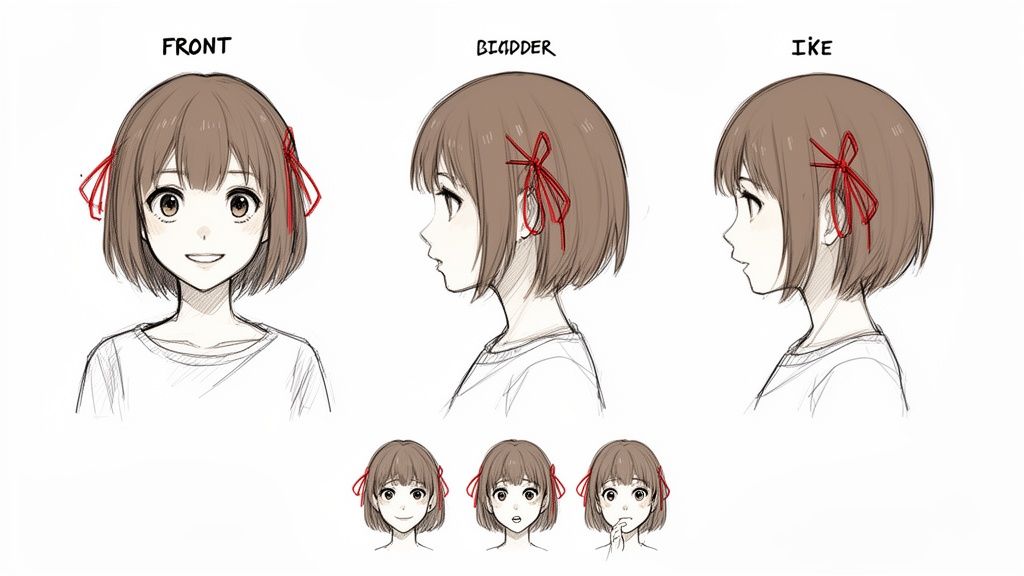
Ready to really level up your character design? A character sheet is an absolute game-changer. And it’s not as intimidating as it sounds. It's just a collage of images showing your character from different angles and with a range of expressions.
Here’s a quick way to put one together:
- Generate Key Poses: Start with your seed image and generate a few core angles. A front view, a side profile, and a three-quarters view are the perfect foundation.
- Capture a Range of Emotions: Next, prompt for basic expressions: happy, sad, surprised, angry. This teaches the AI how your character's face moves and changes with their mood.
- Combine and Conquer: Pull these images together into a single reference sheet. Now, when you generate a new scene, you can feed this entire sheet to the AI, giving it a much richer dataset to pull from.
This method works wonders because it gives the AI a more complete, almost three-dimensional understanding of your character. It isn't just looking at one flat picture anymore. So, when you ask for your character "walking through a rainy city," referencing the character sheet ensures the AI already knows what their hair looks like from the side or how their smile appears in profile.
By using a strong seed image and a simple character sheet, you can overcome one of the biggest hurdles in AI art. You’ll be well on your way to creating a believable, consistent character who feels alive across countless scenes, truly building an identity for your Ghibli-inspired world.
Adding the Final Touches in Post-Processing
Your AI has done the heavy lifting and churned out a beautiful image that’s about 90% there. But that last 10%? That's where you come in. This is your chance to add your personal touch and transform a great AI image into a true piece of art. Post-processing is the secret sauce that takes your studio ghibli style anime ai art from a clever generation to a polished masterpiece.
Don't worry, this doesn't mean you need to be a Photoshop wizard. We’re talking about simple, quick tweaks using free and easy-to-use tools like Canva, Photopea, or even the editor built right into your phone. These small adjustments can make a world of difference in capturing that authentic, hand-drawn Ghibli feel.
Correcting Common AI Quirks
Let's be real—even the most advanced AI models have their off days. They especially struggle with notoriously tricky details like hands and eyes. Before you do anything else, give your image a quick once-over to spot any minor flaws that might break the illusion.
- Weird Hands: AI is famous for getting hands wrong, often messing up the number of fingers or creating unnatural poses. A quick fix can be a subtle blur effect or a strategic crop to hide the awkwardness.
- Mismatched Eyes: You might notice one eye is slightly larger or looking in a different direction. A liquefy tool can gently nudge it into place, or you can even copy-paste the "good" eye for perfect symmetry.
Taking a minute to fix these small errors is the first step toward a much more professional and believable final image. It’s a tiny time investment that pays off big.
The global anime market is exploding, projected to grow from USD 32.15 billion in 2025 to an incredible USD 72.35 billion by 2035. Studio Ghibli's brand power is a huge driver of this growth, and your polished art taps right into this massive cultural moment. You can check out more stats on Studio Ghibli's market impact on Accio.com.
Enhancing the Ghibli Atmosphere
Okay, with the technical fixes out of the way, we can get to the fun part: dialing in the mood and texture that makes Ghibli films so magical. This is where you get to infuse the image with that signature warmth and nostalgia.
Start with the colors. Try lowering the contrast just a little to soften any harsh digital lines, giving the image a gentler, dreamier quality. Then, boost the warmth a tiny bit to create that iconic golden-hour glow you see in so many Ghibli outdoor scenes. This simple color correction instantly makes the whole scene feel more inviting and emotional.
Next up, let's add a touch of texture. Ghibli films feel tangible, like they were drawn on paper, and you can mimic this by overlaying a very subtle film grain or paper texture. Most free editing apps have these filters ready to go. Just be sure to use a low intensity. The goal is a hint of texture to break up the perfectly clean digital look, not a heavy, grainy filter. This adds a layer of authenticity that makes the art feel more organic.
If you're curious about how AI handles different artistic textures, our guide on AI style transfer techniques is a great next read. These final refinements are your artistic signature, bridging the gap between an AI generation and a heartfelt creation.
Answering Your Top Ghibli AI Art Questions
Jumping into the world of studio ghibli style anime ai is a blast, but it's natural for a few questions to pop up along the way. You might be wondering about the legal stuff, why your images don't feel quite right, or how to get that signature Ghibli emotion into your characters.
Let's break down some of the most common questions I hear.
Is It Legal to Create and Use Ghibli Style AI Art?
This is the big one, and thankfully, the answer is pretty straightforward once you understand the nuances. In general, an artistic style isn't protected by copyright. Think of it like a musical genre. Anyone can play the blues; no one owns the concept of a 12-bar progression. The Ghibli aesthetic is similar—it's a method and an idea, which copyright law doesn't cover.
That said, specific characters, logos, and recognizable scenes from the films are absolutely protected.
So, creating a Ghibli-inspired scene with your own original character for personal use? You're likely in the clear. Making a new social media avatar or a birthday gift for a friend is usually safe territory. You're just playing in the same artistic sandbox.
The line gets much harder when money gets involved. If you're creating art for a business or selling prints, your work needs to be clearly "Ghibli-inspired," not a "Ghibli copy."
- Don't replicate copyrighted characters. Forget about asking the AI to draw Totoro, Kiki, or Chihiro. Just don't.
- Stick to original characters. The safest path for any commercial project is to develop your own unique characters that simply live in that Ghibli-esque world.
- Never, ever claim it's official. Don't even hint that your work is affiliated with or endorsed by Studio Ghibli.
Quick Pro-Tip: Always read the terms of service for whatever AI tool you're using. The commercial rights you get for the images you generate can vary wildly from one platform to the next.
Why Doesn't My AI Art Look Exactly Like a Ghibli Film?
I get it. Your AI-generated image looks great, but it's missing that final 10%... that magic. It feels a little hollow.
This happens because Ghibli's art isn't just a collection of visual rules; it's the result of decades of human soul poured onto the page by masters like Hayao Miyazaki. AI models are incredible mimics, but they can't replicate the heart and intentional imperfections that come from a human hand.
If your results are feeling a bit sterile, the problem is almost always in your prompt or your source image.
First, your prompt might be too simple. Instead of just "Ghibli style," get more poetic. Try feeding the AI phrases like "Hayao Miyazaki style watercolor background," "nostalgic 1990s anime aesthetic," or "hand-drawn look with soft cel-shading." The more specific you are, the less the AI has to guess.
Next, take a hard look at your source image. A blurry, poorly lit photo is like giving the AI a smudged blueprint. It has to fill in the gaps, and its guesses might not align with your vision. A sharp, well-lit photo gives it clean, clear data to work with, which almost always leads to a better result.
Honestly, the best advice here is to just experiment. Play around. Try dozens of different prompts and photos. Every attempt teaches you a little more about how the AI "thinks," getting you one step closer to that perfect, soulful image.
What Are the Best AI Tools for the Ghibli Style?
The AI art world is getting crowded, but a few platforms really shine when it comes to nailing that Ghibli feel. Your choice really comes down to a classic trade-off: do you want total control or fast, reliable results?
For the tinkerer who loves crafting the perfect, elaborate prompt, a powerhouse like Midjourney is tough to beat. You can layer complex instructions to dial in everything from the lighting to the line weight. It's incredibly powerful, but be prepared for a bit of a learning curve.
On the other hand, if you want a more direct path to great results, specialized tools are the way to go. Platforms like Tooncraft are often pre-trained on anime aesthetics, meaning they're already optimized to give you that look with way less effort. Tooncraft is particularly good at keeping a character looking consistent across multiple images, which is a lifesaver for creating avatars or brand mascots.
How Can I Make My AI Characters More Expressive?
Emotion is everything in Ghibli's storytelling. It’s what connects us to the characters. To get that same feeling with AI, you need to give it emotional information from two key places: your photo and your prompt.
It starts with your source photo. A candid shot of you genuinely laughing will give the AI so much more to work with than a stiff, passport-style photo. The AI is looking for visual cues, so give it strong ones.
Then, inject that same emotion into your text prompt. Don't just describe what's happening; describe the feeling.
- Instead of "smiling," try "a joyful, wide-eyed smile."
- Describe the mood of the scene, like "a moment of quiet reflection."
- Frame the action with an emotional tone: "two friends laughing on a sunny day."
When you combine an expressive photo with an emotionally rich prompt, you're giving the AI the full picture. It's this one-two punch that creates characters who don't just look the part, but feel truly alive.
Ready to bring your own whimsical world to life? Tooncraft makes it incredibly simple to turn your photos into beautiful Ghibli-inspired art. With tools built for character consistency and that perfect, nostalgic style, you can create an amazing avatar, mascot, or magical portrait in just a few clicks. Start creating with Tooncraft today!