
Your Guide to the Ultimate One Piece Character Creator
Ready to join the Straw Hats? Our guide shows you how to use an AI one piece character creator to turn your photos into legendary pirates with ease.
Have you ever imagined yourself hoisting a Jolly Roger and sailing the Grand Line alongside Luffy and the Straw Hat crew? The quickest way to make that a reality is with a dedicated one piece character creator—an AI tool that can turn a simple photo into your very own pirate persona. Think of this guide as your personal treasure map to nailing that iconic art style.
Let’s set sail.
Your Voyage into AI Character Creation
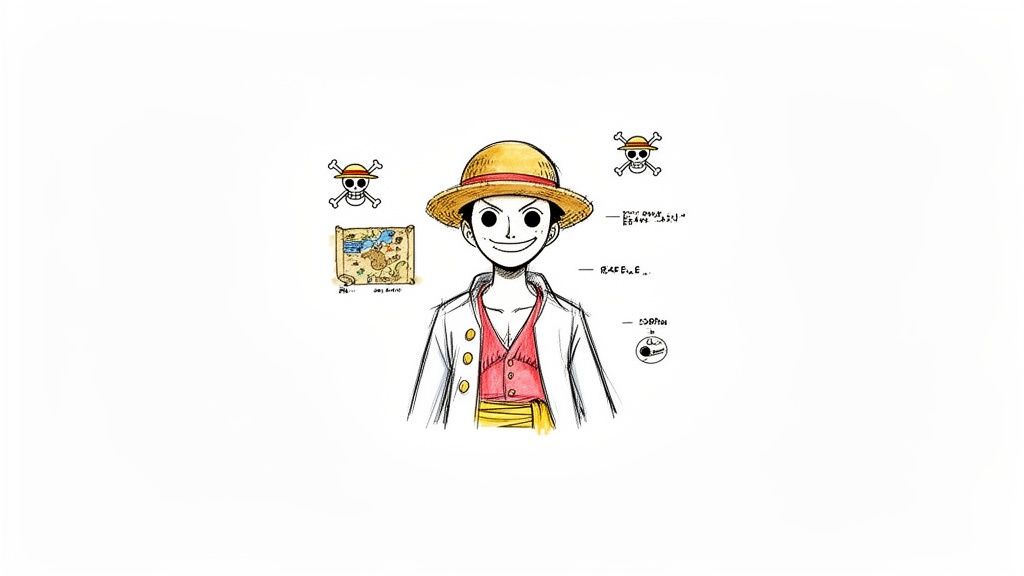
Picture yourself drawn in Eiichiro Oda’s legendary style, maybe with your own version of the straw hat or a classic swordsman's scar. That's exactly what AI tools like Tooncraft can do. The best part? You don't need to know the first thing about drawing. All it takes is a few of your photos and a spark of imagination.
This isn’t just slapping a filter on a selfie. We're talking about generating a brand-new piece of art that fuses your features with the unmistakable, adventurous vibe of the series.
This guide goes beyond the basics. I'm going to walk you through the real, hands-on strategies that get fantastic results. Whether you're a streamer designing a new avatar, a fan who wants an epic new profile picture, or you're just here to have some fun, you've come to the right place.
What to Expect in This Guide
We’re covering the whole nine yards, from start to finish. You'll learn how to choose the right photos, craft prompts that bring your creative ideas to life, and keep your character looking consistent from one image to the next. I've filled this tutorial with my best tips to help you sidestep the common mistakes.
For instance, we'll get into the nitty-gritty of how to:
- Pick the perfect photos so the AI has the best chance of capturing your likeness.
- Write powerful prompts to add specific details like Devil Fruit powers or pirate gear.
- Use more advanced features to generate images of your character in different scenes and poses.
- Export your final creation for social media, prints, or even a custom wanted poster.
The real goal here is to put you in the captain's chair. By the time we're done, you won't just have a cool image—you'll have the skills to build a complete pirate persona ready for any adventure on the high seas.
I want to make this process genuinely fun and easy to follow. By blending your photos with the right AI styles, you can create something that feels truly you. If you want to get a feel for the possibilities, check out Tooncraft's wide variety of anime presets—they’re a great starting point.
Alright, let's begin your journey.
Choosing the Right Photo for Your Pirate Persona
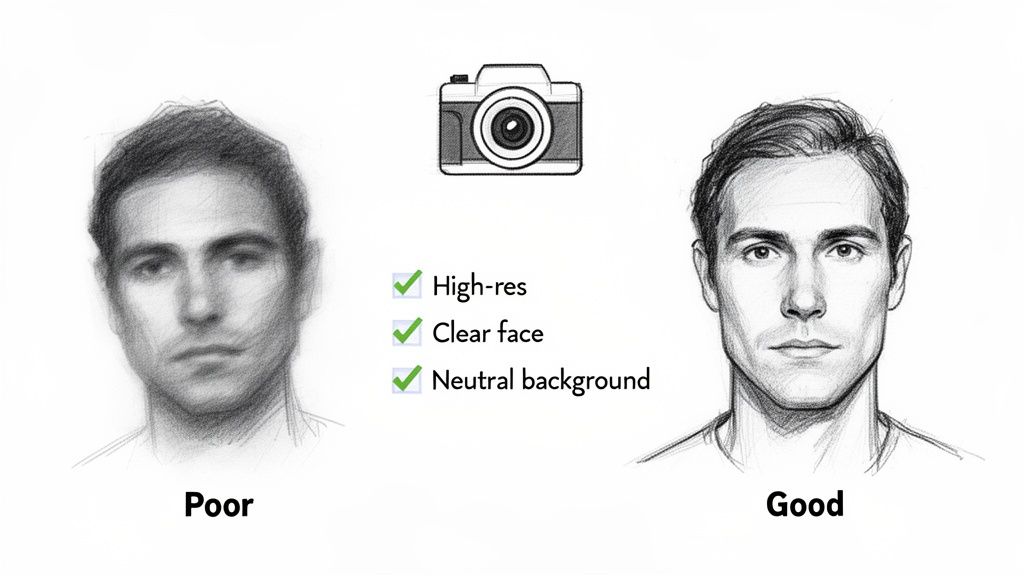
Your journey to the Grand Line starts with a single, crucial element: your photo. Think of it as the raw material for your future wanted poster. A blurry, dark selfie snapped in your car at night just won't cut it—the AI needs good data to work its magic and capture your unique look.
The goal here is to give the AI a clean, clear canvas to paint on. That means a high-resolution image isn't just a suggestion; it's essential. The more detail the AI has to analyze, the better it can interpret everything from the shape of your eyes to that little scar you want to turn into an epic battle wound.
Lighting and Angles Matter More Than You Think
Don't worry, you don't need a professional studio setup. Just a little attention to lighting and how you hold the camera can make a massive difference. Honestly, the best results I've seen come from simple techniques that highlight your face without adding any distracting drama.
Good lighting is your secret weapon. Try standing and facing a window for some soft, natural daylight. This kind of light is super flattering, smoothing out your features and getting rid of harsh shadows that can totally confuse the AI. Dramatic lighting from one side or, worse, from below, can make your final character look like a stranger.
As for the camera angle, keep it simple. A straightforward, eye-level shot is perfect. Just look straight ahead with a neutral expression. This gives the AI the most balanced and accurate information about your face. Tilting your head way up or down can distort your proportions, leading to a character that just doesn't quite look like you.
A Practical Checklist for Your Source Photo
Before you hit that upload button, run through this quick mental checklist. It’s what separates a generic anime face from a character that genuinely feels like you, just ready to set sail.
- Clarity is King: Is the photo sharp? Zoom in on your eyes. If they’re crisp and in focus, you’re good to go.
- Even Lighting: Can you see deep shadows anywhere on your face? If so, find a spot with better, more even light.
- Neutral Background: A plain wall or an uncluttered space is your best bet. A busy background can distract the AI from the main subject: you.
- No Obstructions: Make sure your hair, hands, or sunglasses aren't covering your face (unless, of course, you want those sunglasses to be part of your pirate look).
Think of it this way: the AI is an artist, and you're giving it the reference photo. The better the reference, the more amazing the final portrait will be. A great source photo is easily 80% of the work toward a fantastic result.
Taking five extra minutes to get a good shot will save you a ton of frustration and regeneration attempts down the line. This first step really is the foundation for everything else. Get it right, and you'll have a pirate persona you can instantly recognize.
4. Give the AI Some Direction with a Great Prompt
Uploading your photo is a fantastic start, but the real magic happens when you start writing prompts. This is where you get to play director and tell the AI exactly what you want, transforming a simple photo into a character that feels like they belong on the Thousand Sunny.
Think of it as giving your character their backstory and unique flair. Want to add Luffy's iconic straw hat? A Zoro-esque scar? Or maybe hint at some wild Devil Fruit powers? The prompt is how you make it happen. A simple "pirate" prompt is fine, but something like "a weathered pirate captain with a long coat, standing on the deck of a ship during a storm" gives the AI a whole scene to work with.
How to Write a Killer Prompt
Your words are the paintbrush. The AI is your artist. To get the best results, you need to be clear and descriptive without writing a novel.
Here’s what I’ve learned works best:
- Lean on Specifics: Don't just say "girl with orange hair." Instead, try "a cheerful navigator with bright orange hair and a confident smile." See the difference? Strong nouns and adjectives are your best friends.
- Place Your Character in the World: Give the AI some context. Adding phrases like "in the Wano Arc art style" or "sailing through the New World" can completely change the vibe and aesthetic.
- Give Them Something to Do: A static portrait is good, but an action shot is even better. Try prompts like "drawing a katana from its sheath," "laughing with the crew," or "studying a treasure map."
Pro Tip: Your prompt is a direct line to the AI's imagination. The more vivid and detailed your description, the more personalized your character will be. This is how you go from a generic anime avatar to a true One Piece character creator masterpiece.
Example Prompts for Your One Piece Character
Getting started can feel a bit daunting, so I've put together a few examples to get your creative juices flowing. Think of these as a jumping-off point—you can mix and match them to create something truly unique.
| Goal | Starter Prompt Example | Advanced Prompt Example |
|---|---|---|
| Basic Pirate | man in pirate clothes, One Piece style | A stoic male swordsman with a single scar over his left eye, wearing a dark green bandana and a white shirt, Wano Arc art style, dramatic lighting. |
| Devil Fruit User | girl with fire powers, anime style | A young woman with Logia-type fire abilities, flames swirling around her hands, determined expression, vibrant colors, dynamic pose, Egghead Arc style. |
| Crew Member | character on a pirate ship | A cheerful ship's cook with a blue apron, holding a giant piece of meat, standing in the galley of a pirate ship, warm and friendly atmosphere. |
Feel free to copy these and tweak them! The best way to learn is by experimenting and seeing what the AI comes up with.
Don't Forget Negative Prompts
Sometimes, telling the AI what not to do is just as important as telling it what to do. That's where a negative prompt comes in. Think of it as your quality control checklist.
For example, if the AI keeps generating hands with six fingers (a classic AI quirk), you can add extra fingers, deformed hands, poorly drawn hands to your negative prompt. This simple step helps clean up common mistakes and pushes the AI toward a much better result.
I almost always include blurry, low quality, watermark, text, signature in my negative prompts to make sure the final image is clean and crisp.
The appetite for this kind of fan creation is absolutely massive. The global anime market is on track to jump from $29.97 billion in 2026 to a staggering $49.6 billion by 2031, with online distribution growing at a 21.2% CAGR.
When the Netflix One Piece adaptation dropped, it racked up 40 million views in just two weeks and gave merchandise sales a 25% bump. With 85% of anime fans actively sharing custom art and fan creations online, learning these skills puts you right in the middle of a huge cultural moment.
Keeping Your Character Consistent
It’s an amazing feeling when you generate that one perfect, jaw-dropping image. You’ve done it! But what’s next? If you want to use your new pirate persona for a YouTube series, a Twitch overlay, or even just for fun across social media, you’ll quickly realize that a single image isn't enough. Consistency is the name of the game.
Without it, your character can look like a totally different person from one shot to the next, which really shatters the illusion for your audience. The real goal is to create someone who’s instantly recognizable, whether they’re laughing, fighting, or staring down a new bounty poster. This is where a good one piece character creator shines, turning from a fun toy into a serious storytelling tool. You need a reliable way to lock in those key features—the hairstyle, the scar, the facial structure—across countless scenes and emotions.
Ultimately, this visual consistency is what builds a strong personal brand. It's the difference between a random avatar and your character.
Building Your Character's Core Identity
To get that consistency, you need to give the AI a rock-solid foundation to work from. Think of it like handing an artist a detailed character sheet before they start sketching. The clearer your initial instructions, the less the final art will wander off-model.
One of the best ways to do this is by using a "seed" image. Once you've generated an initial portrait that you absolutely love, you can often re-upload it as a reference for everything that comes after. This basically tells the AI, "See this person? This is who we're making. Keep everything looking as close to this as possible."
Tools like Tooncraft actually build features around this very idea, making it easy to lock in a character’s appearance. You can create a whole library of poses and expressions that all stem from that same core design, making sure your character always looks like themselves.
Here’s a quick visual of how a solid photo and a great prompt come together to bring your character to life.
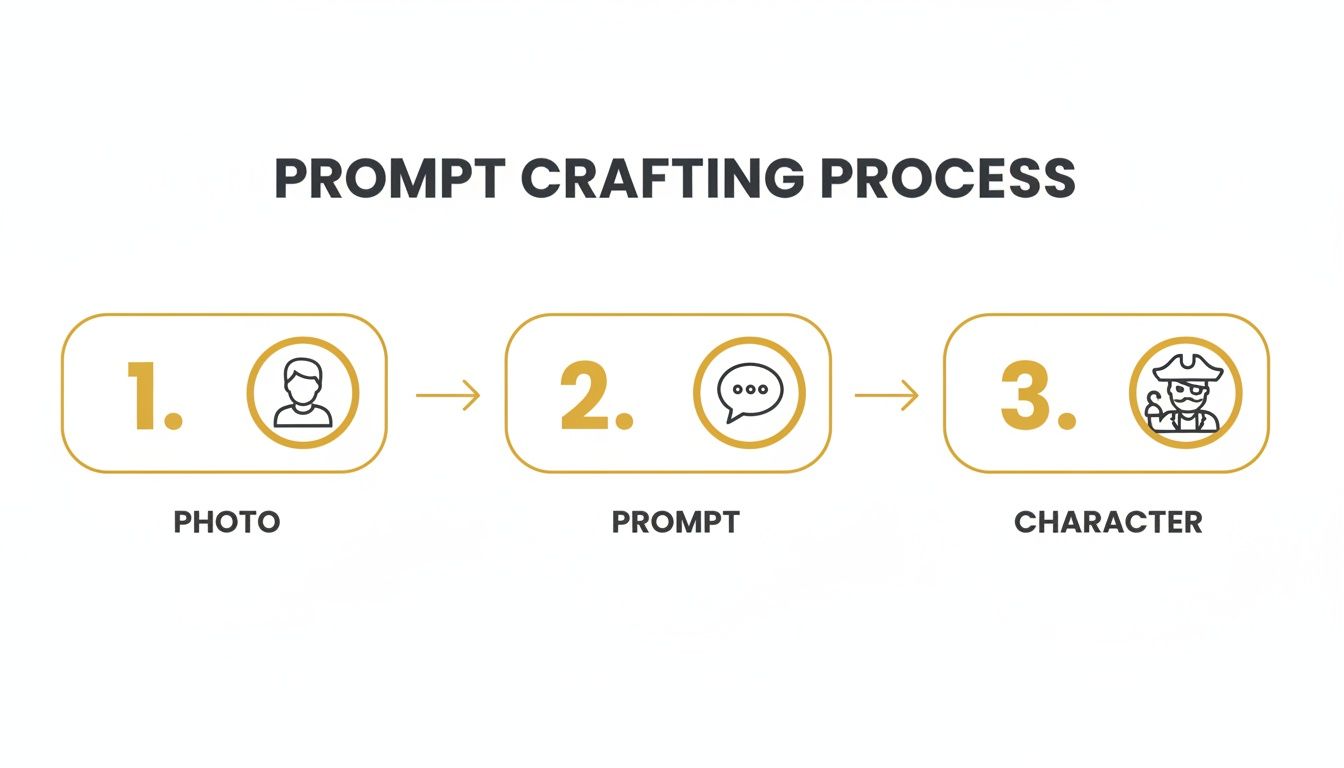
This workflow shows just how much your inputs shape the final result, making it possible to achieve consistency right from the get-go.
Advanced Tricks for Different Scenes and Scenarios
Okay, so you've nailed down your character's core look. Now for the fun part: putting them into new situations! The trick here is to keep your main prompt almost identical every time, only changing the specific action or setting.
Let’s say this is your base prompt:
A cheerful pirate navigator with bright orange hair tied in a ponytail, wearing a blue and white striped shirt, detailed One Piece art style.
To create new scenes, you just tack on a different ending. For example:
- "...studying a treasure map intently."
- "...laughing with the crew on the deck of a ship."
- "...looking surprised at a giant sea king."
This simple method keeps the character's description locked in while giving you endless creative freedom for expressions and actions. It’s a complete game-changer for content creators. Think about it: 72% of anime fans customize characters for their social profiles, and for influencers, a consistent character can boost engagement by a whopping 40%. Businesses are also catching on, especially when traditional animation can cost over $100,000 per minute. AI is proving to be a seriously powerful and affordable alternative. You can dig into more data on the booming animation market to see the bigger picture.
By building up a library of these variations, you’ll have a versatile and consistent character ready for any adventure you can dream up.
Polishing and Exporting Your Masterpiece
Alright, you've sailed the creative seas and your perfect AI-generated pirate is staring back at you. So, what's next? This is where we add the final polish and get your character ready to show off, whether it’s for a new Twitch profile or a custom wanted poster.
Even the most amazing AI generations can have tiny quirks—a slightly off color, a weird line in the background, or a little artifact that slipped through the cracks. Don’t sweat it; these are usually easy fixes. You don't need fancy, expensive software—a free tool like Canva or even your phone's built-in photo editor can handle these touch-ups in minutes.
A quick color correction can make the tones really pop, while a spot-healing tool can erase any minor blemishes. This little extra step is what takes your image from 95% perfect to 100% ready for its grand debut.
Dialing in Your Export Settings
Once you’re happy with the final look, it’s time to save your work. The settings you pick here really depend on where your character is going to live. There's no one-size-fits-all solution.
- Social Media Avatars (Twitch, Discord, X): Go with a PNG file. This format supports a transparent background, which is perfect for profile pictures and custom emotes that need to sit cleanly on top of other content. A resolution around 500x500 pixels is a good sweet spot for a crisp look without a massive file size.
- High-Quality Prints (Posters, T-shirts): For anything physical, you'll want a JPEG or a high-resolution PNG. Aim for the highest resolution you can get, and make sure it's at least 300 DPI (dots per inch). This is the key to making sure your print is sharp and not a pixelated mess.
- General Web Use (Blog posts, Websites): A standard JPEG is your best friend here. It gives you a great balance between image quality and a smaller file size, which is super important for keeping your page load times fast.
This is also the perfect time to create a whole set of custom avatars. For a little inspiration, take a look at our gallery of anime portrait avatars to see what's possible and spark some new ideas.
Remember, the file format you choose directly impacts the quality and usability of your image. A crisp PNG for your stream and a high-DPI JPEG for a poster will make your creation look professional in every context.
A Quick Word on Watermarks and Image Rights
Now, let's talk about the practical stuff. A lot of AI tools, especially the free versions, will slap a watermark on your image. Platforms like Tooncraft usually give you watermark-free downloads when you use their credit packs, which means you get a clean image you can use anywhere.
The hunger for personalized One Piece content is absolutely massive. Since its debut in 1997, the series has raked in a mind-boggling $20.59 billion USD in franchise revenue, with merchandise sales hitting $6.8 billion in 2022 alone. This just shows how many fans around the world are eager for tools like a one piece character creator. You can read more about the growth of the anime market to really grasp the scale.
Legally speaking, using your character for personal, non-commercial fun—like a profile picture—is totally fine. But if you start thinking about selling T-shirts or stickers featuring your character, you're wading into a legal gray area. Always check the terms of service of the AI tool you're using and be careful about profiting from creations that look a little too close to copyrighted material.
Got Questions About Making Your One Piece Character?
Jumping into any new creative tool can feel a bit like setting sail into uncharted waters. You're probably wondering how to nail a consistent look for your character or add those iconic details that just scream Grand Line. Let's clear up some of the usual questions and get you back to crafting your perfect pirate persona.
Think of this as your personal cheat sheet for navigating the AI creative process. We'll tackle the common hiccups people run into, from getting the AI's output just right to figuring out the dos and don'ts of sharing your awesome new character.
How Many Photos Do I Really Need to Upload?
This is probably the number one question I get, and for good reason. You can definitely get a decent result with just one great photo, but if you want real consistency across different scenes and poses, a small album is your secret weapon.
Think about it like this: you're giving an artist references. A single photo only shows one angle, one expression. But when you upload 5-10 different photos—maybe one smiling, one neutral, another looking slightly to the side—you're giving the AI a much deeper understanding of your facial structure. That extra data is what lets tools like Tooncraft build a more robust and flexible model of you, making sure your character looks like you every single time.
Can I Add Specific Items Like a Straw Hat or Sword?
Absolutely! This is where you get to play director and flex your prompting muscles. The AI doesn’t just see your photo; it hangs on your every word. You can add those signature items by getting descriptive in your text prompt.
A few examples to get you started:
- For that classic hero look, try adding
"wearing a straw hat with a red ribbon." - Want to create a master swordsman? Go with something like
"holding a katana with a white hilt and a square guard." - Need a signature battle scar? Try
"with a prominent scar running vertically over the left eye."
The more detail you feed the AI, the better it can bring your vision to life. Pair a specific prompt like this with a good source photo and the right art style, and you're golden.
What if My Character Doesn't Look Like Me?
It can be a bit deflating when the first attempt doesn't quite capture your likeness. Don't sweat it—this is a super common hurdle, and the fix is usually pretty simple. The problem almost always boils down to one of two things: your source photo or your prompt.
First, just try a different photo. I'm serious! Find one with clear, even lighting and a simple background. This one change solves the issue more than 80% of the time. If that doesn't work, take a look at your prompt. If it's too long or has contradictory details, the AI can get confused. Try stripping it back to just the most important features.
Sometimes, less is more. If an overly complex prompt is muddying the waters, simplify it down to the essentials. Focusing on the core character description often lets more of your own features shine through.
What's the Deal with Copyright and Using My Character?
This is a big one, especially if you're a fellow creator. For the most part, using your AI-generated character for personal, non-commercial stuff—like a new profile pic or a fun print for a friend—is totally fine. You made it for you, and that’s what these tools are all about.
Things get a little more complicated the moment you want to use that character commercially (like on merchandise you plan to sell). That's a bit of a legal gray area. Your best bet is to always check the terms of service of whatever AI tool you're using. To be safe, focus on making your own unique character inspired by the style, rather than trying to sell art that's a direct copy of a copyrighted character.
Ready to bring your own pirate legend to life without all the guesswork? Tooncraft gives you everything you need to turn your photos into incredible, consistent anime-style characters in just a few clicks. Start creating your One Piece persona today!