
How to Change Facial Expressions for Viral AI Photos
Discover how to change facial expressions in your photos with AI. This guide covers practical posing, lighting, and AI prompting tips for stunning results.
Have you ever tried to get an AI cartoon or even just a photo to show a specific emotion and had it fall completely flat? It’s a common frustration. The real magic isn't just in the AI tool itself, but in knowing how to guide it, starting with a genuine feeling and translating that into a powerful image. Whether you're creating a fun social media avatar or a mascot for your brand, getting the expression right can make all the difference.
Why Your Character's Expression Matters
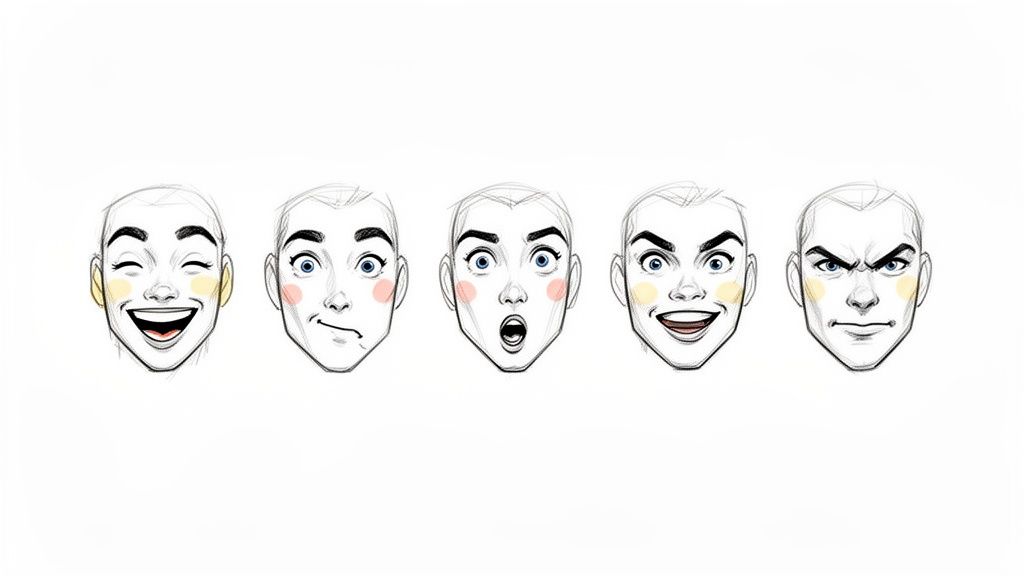
Being able to swap out facial expressions is more than a party trick—it's how you tell a story visually. That subtle shift from a blank stare to a wide-eyed grin or a furrowed brow? That’s what grabs people. It sets a mood and builds an instant connection. Without that emotional spark, even the most polished character design can feel hollow and forgettable.
Think about it. In our everyday lives, our faces do most of the talking. We show happiness, worry, or surprise long before we say a word. The same exact principle applies to your digital characters. When you give them a full range of emotions, you make them feel real, relatable, and so much more interesting.
The Power of a Single Look
A thoughtfully chosen expression can seriously boost how people react to your content. It’s what separates a generic profile picture from a personality that people actually connect with.
For creators and businesses, this is huge. It means you can build:
- A Stronger Brand Identity: A character that can smile, laugh, and look concerned becomes a friendly, recognizable face for your brand.
- More Social Engagement: Let's be honest, expressive and emotional content gets way more likes, shares, and comments. It just stops the scroll.
- Clearer Storytelling: You can walk your audience through an entire story just by changing your character's expression from one frame to the next.
People have been fascinated by this for over 50 years, with the tech evolving from simple detection to the complex deep learning we have now. This isn't just theory; expressive cartoons can increase user engagement by 30-50%. You're essentially turning a static image into a dynamic story, minus the crazy costs of traditional animation. Explore the research behind facial expression technology.
At the end of the day, learning how to nail these visual cues gives you an incredible amount of creative freedom. You can dive into a huge collection of cartoon styles and bring any emotion you can think of to life, often with just a few prompts and clicks.
How to Pose for Authentic Facial Expressions
Here's a secret that many people miss: the magic behind incredible AI-generated expressions doesn't come from a fancy prompt. It starts with you—and the photo you give the AI to work with. A genuinely captured emotion in your source image is the bedrock for any tool to do its job well.
So, forget that stiff, say-cheese grin you plaster on for a quick selfie. We're going for something deeper here, the kind of expressions that actually tell a story. To truly change facial expressions in a way that feels real, you have to give the AI an authentic, nuanced starting point.
Think Like a Character
Before you even think about your camera, ask yourself a simple question: who am I in this photo? Are you the confident expert about to nail a presentation? The mischievous friend sharing a juicy secret? Maybe you're a thoughtful artist lost in a creative daydream.
Giving yourself a role to play is a game-changer. It helps you channel a real feeling instead of just faking one.
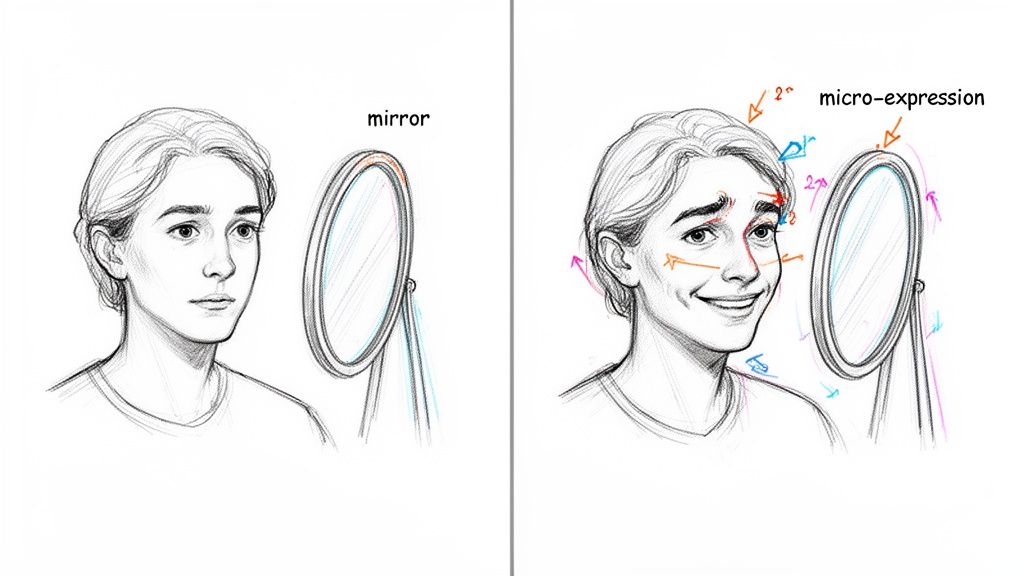
Once you have your character, find a mirror. Seriously, practice is your best friend here. Try to feel the emotion you want to show. For "determination," maybe you clench your jaw just a little and narrow your eyes. For "curiosity," you might raise an eyebrow and let your lips part slightly. Get into it!
The most believable expressions often hinge on tiny, almost involuntary muscle movements called micro-expressions. A genuine smile, for example, isn't just about your mouth. It crinkles the muscles around your eyes—the orbicularis oculi—creating those classic "crow's feet." These are the subtle details AI algorithms can latch onto to make the final result look truly alive.
Building Your Essential Expression Set
If you want a versatile library of AI cartoons and avatars, you’ll need a solid collection of source photos. Don't just settle for one good shot. Capture a whole range of looks so you're ready for any scenario. Think of it as building your personal expression toolkit.
Here’s a checklist of expressions to get you started, moving way beyond the basic "happy" or "sad":
- Joyful Laughter: Not just a smile, but a wide, open-mouthed laugh that lights up your whole face.
- Thoughtful Contemplation: A neutral mouth, with your eyes looking slightly up or to the side. Maybe furrow your brow just a bit.
- Intense Focus: Squint your eyes and set your jaw, like you're cracking a tough code.
- Playful Smirk: Just one side of your mouth turned up, paired with a knowing, confident look in your eyes.
- Genuine Surprise: Go for wide eyes, raised eyebrows, and a slightly open mouth.
- Skeptical Scowl: Raise one eyebrow higher than the other and add a slight frown.
When you shoot these core emotions, you're creating a powerful foundation. Upload a photo showing genuine surprise, and the AI has a much clearer roadmap to follow. The result? A cartoon that looks authentically shocked, not like a generic sticker. This prep work is the absolute key to mastering how you change facial expressions for any project you have in mind.
Getting the Perfect Shot: Lighting and Camera Angles
Before you can work any AI magic on your facial expressions, you need a solid starting photo. Think of it like this: the better the ingredients, the better the final dish. You don't need a fancy studio setup; your smartphone and a bit of practical knowledge will do the trick.
Good lighting is everything. Seriously. You're aiming for soft, even light that hits your whole face without creating any harsh shadows. Why? Because deep shadows under your eyes or nose can trip up the AI, making it hard for the software to "see" your features clearly. The easiest way to get this perfect light is to simply face a window during the day.
Finding the Best Light
Stay away from direct, overhead sunlight—it’s the enemy of good portraits and creates some seriously unflattering shadows. Instead, if you're indoors, just stand a few feet back from a large window. You’ll immediately see how it gently and evenly illuminates your face. This one move can boost your photo quality by 50% or more. If you have to use artificial light, a lamp with a lampshade is a great option to soften the light and place it in front of you.
Pro Tip: If you can, shoot during the "Golden Hour." That's the first hour after sunrise or the last hour before sunset. The light is naturally soft, warm, and beautiful, giving your photos a professional vibe without any extra gear.
Camera Angles and Backgrounds
Okay, let's talk about how you're holding the camera. For the most believable expression changes later on, you'll want to take the photo straight-on and at eye level. This gives the AI a clear, undistorted map of your face to work with. Tilting the camera up or down can warp your features, which can lead to some... interesting, but not very natural-looking, results.
Just hold your phone straight out, making sure the lens is level with your eyes. Easy.
One last thing: check what’s going on behind you. A cluttered background is distracting, not just for the viewer, but for the AI too. It can sometimes confuse background patterns with parts of your face. Your best bet is to find a simple, plain background, like a solid-colored wall. This keeps the focus right where it needs to be—on you.
Nailing these basics is key for still images, but it's also the foundation for more ambitious projects. For example, if you're thinking about animating your characters, learning how to create AI videos is a great next step, and it all starts with a clean, well-lit shot.
Using AI Prompts to Change Facial Expressions
Alright, you've got a collection of great, well-lit photos. Now for the fun part. This is where we’ll take those authentic shots and use an AI tool like Tooncraft to spin them into perfectly styled, expressive characters. The real secret to making this work is learning how to "talk" to the AI with the right text prompts.
Think of a prompt as your direct line to the AI's brain. A lazy command like "make it happy" is going to get you a generic, cookie-cutter smile. But get specific with something like "ecstatic grin," "skeptical eyebrow raise," or "adventurous smirk," and you're giving the AI clear, actionable directions. The more detail you feed it, the closer you'll get to what you're picturing in your head.
Below, you can see just how much potential lies in a simple, descriptive prompt.
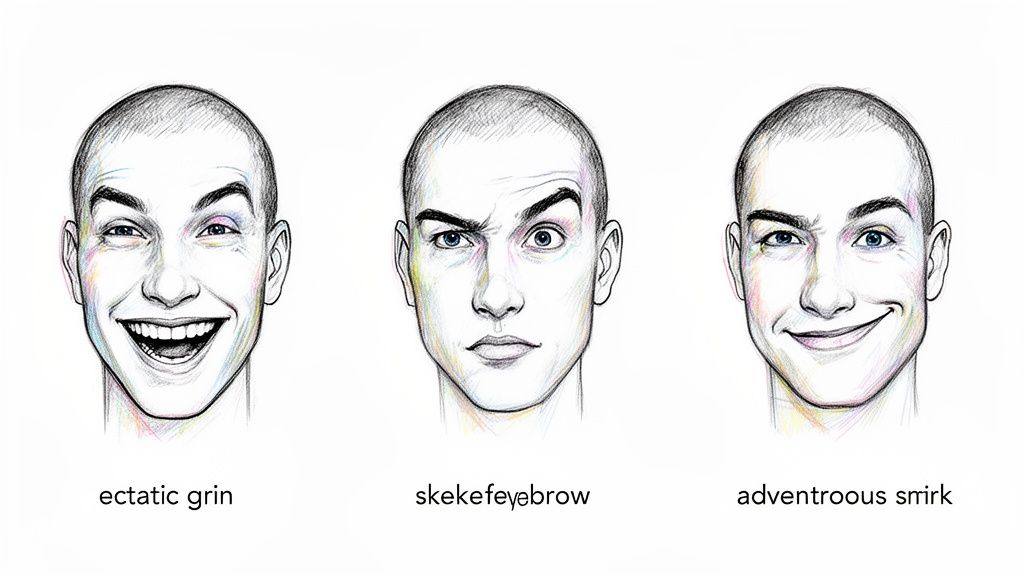
This kind of nuance is exactly what we're aiming for. It’s all about finding the right words to bring your character to life.
Mastering Prompt Modifiers for Emotional Control
The real magic to change facial expressions lies in using modifiers—those handy adjectives and adverbs that add flavor and intensity to your main prompt. These words are your fine-tuning dials. Instead of just "surprised," you could try "mildly surprised" or go all out with "utterly astonished." See the difference?
This incredible precision is possible because modern AI has been trained on a staggering amount of data. The number of images used in facial recognition benchmarks shot up from around half a million to over 42 million faces by 2021. What this means for you is that the AI has a deeply ingrained understanding of human emotion, allowing it to transfer feelings to your cartoon with uncanny accuracy. If you're curious, you can learn more about the evolution of facial recognition systems and how we got here.
This accuracy allows you to build a powerful toolkit of prompts. Let’s dive into how different modifiers can totally transform the final output.
Key Takeaway: Specificity is your best friend. The difference between a good and a great AI-generated expression often comes down to one or two well-chosen descriptive words in your prompt. Don't be afraid to get poetic!
Effective Prompt Modifiers for Tooncraft Expressions
To get you started, I've put together a little cheat sheet. This table shows how you can mix and match base prompts with specific modifiers to get a whole range of emotions. You'll see how small tweaks in your language can lead to dramatically different results.
| Desired Emotion | Base Prompt Example | Recommended Modifiers | Potential Outcome |
|---|---|---|---|
| Pure Joy | A joyful smile | ecstatic, radiant, beaming, gleeful | A wide, open-mouthed smile that crinkles the eyes, conveying pure happiness. |
| Subtle Suspicion | A skeptical look | quizzical, inquisitive, wary, distrustful | A slightly narrowed eye, a raised eyebrow, and a tight, unimpressed mouth. |
| Confident Charm | A confident expression | smirking, roguish, charming, assured | A one-sided smile or smirk, conveying a sense of self-assurance and charisma. |
| Deep Sadness | A sad face | heartbroken, mournful, somber, melancholy | Downturned lips, slightly furrowed brows, and a distant, sorrowful gaze. |
| Playful Mischief | A playful expression | mischievous, winking, cheeky, impish | A winking eye paired with a sly grin, suggesting a fun or teasing personality. |
The best way to get a feel for this is just to jump in and experiment. Start with a base emotion and start layering on different modifiers to see how the AI responds. Before you know it, you'll be able to change facial expressions with precision, crafting the perfect look for any character or story you have in mind.
Building a Reusable Expression Library for Your Brand
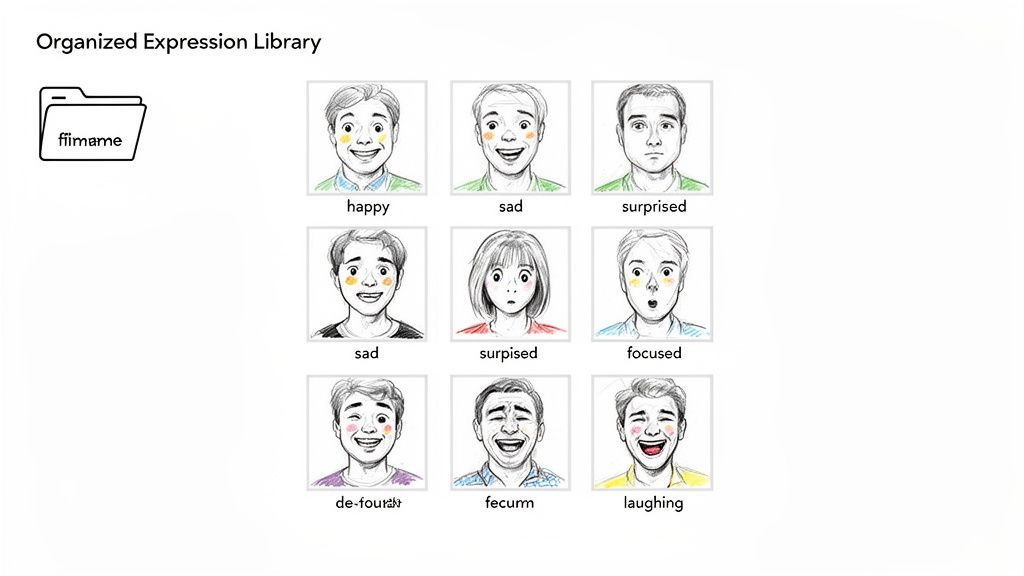
If you're constantly trying to change facial expressions from scratch for every new post, you’ll quickly notice your character starts looking a little… different each time. This is where a reusable expression library becomes your secret weapon for brand consistency.
Think of it as creating a personal "emote pack" for your avatar. By generating a core set of expressions from the same high-quality source photo, you lock in the facial structure, lighting, and overall style. Not only does this save a ton of time down the road, but it’s how you build that instant recognition with your audience. They’ll always know it’s you.
Establishing Your Core Emotions
Every great library starts with the basics. These are the workhorse expressions you’ll probably use 80% of the time for everything from social media replies to YouTube thumbnails. The goal isn't to cover every emotion under the sun, but to build a versatile set that works for most situations.
I always recommend starting with these five fundamentals for your main character:
- Happy: A genuine, warm smile. Perfect for greetings and positive news.
- Sad: Downturned mouth, maybe slightly softer eyes. Great for more serious or empathetic topics.
- Surprised: You know the one—wide eyes, mouth slightly agape. A must-have for reaction content.
- Angry: Think furrowed brows and a firm jawline to show frustration or a strong opinion.
- Thoughtful: A more neutral, focused look. This one is golden for how-to guides or educational posts.
Once you have these down, you can even play with different art styles for each one. For instance, generating a unique anime portrait avatar for your "happy" and "surprised" poses gives you even more creative flexibility.
By standardizing these key expressions, you're essentially creating a visual shorthand. When your followers see that specific "surprised" face, they instantly get the vibe of your content before they've even read a word.
Expanding into Niche Expressions
Okay, you've got the essentials covered. Now it's time to inject some real personality. Niche expressions are what make your character feel less like a stock photo and more like, well, a character. These are the looks that are tailored specifically to your content and brand voice.
Just think about the situations you find yourself in most often. A gaming streamer absolutely needs a “laser-focused” face and probably a “rage quit” one, too. A chef on a cooking channel? They’d get tons of use out of a “this is delicious!” expression.
Here are a few ideas to get you started on expanding your library:
- A Winking or Playful Smirk: Fantastic for sharing a clever tip or an inside joke.
- A Confused or Questioning Look: Perfect for posing questions to your audience and sparking engagement.
- An Over-the-Top Laughing Face: A go-to for comedy skits or reacting to something hilarious.
- A Crying or Sobbing Expression: For those moments of high drama or just plain funny, exaggerated sadness.
Do yourself a favor and get organized from the start. A simple naming convention like Avatar_Happy_Anime.png or Mascot_Focused_Cartoon.png will make your life so much easier. This little bit of prep work makes grabbing the perfect expression a breeze and keeps your character’s identity solid across every platform you're on.
Fixing Those Weird AI Expressions
Even the best AI tools can get a little confused, turning your intended expression into something that lands deep in the "uncanny valley." You know the look—a thoughtful pose becomes a strange grimace, or the eyes just seem vacant and off.
Don't sweat it. When this happens, it's almost always an easy fix.
Usually, when you try to change facial expressions and get a bizarre result, the problem is one of two things: your original photo or your prompt. A blurry, low-resolution image or one with harsh, deep shadows can throw the AI off before it even starts. Likewise, a lazy, one-word prompt leaves too much to the AI's imagination, which is how you end up with distorted mouths and creepy eyes.
Your Go-To Diagnostic Checklist
Before you hit that "generate" button again, run through this quick checklist. A tiny adjustment here can make all the difference.
- Check Your Source Photo: Is the image actually sharp and well-lit? Blurriness is the number one cause of weird AI artifacts and distorted features.
- Get More Specific: Is your prompt too basic? Instead of just "smiling," describe the kind of smile you're after. Think about it—"a gentle, heartwarming smile" gives the AI much clearer instructions than a single word.
- Refine the Emotion: Is the AI just not getting the vibe right? If you ask for "determination" but keep getting "anger," add a little more detail. Try something like "focused determination" or "a look of intense concentration" to guide it in the right direction.
Honestly, the most common fix is just being more descriptive. Changing a prompt from 'happy' to 'beaming with genuine joy' tells the AI to activate the muscles around the eyes—that's the secret to a believable expression versus a generic, plastic-looking smile.
If you're still stuck with a weird result, just try a different source photo from your library. Sometimes, a slightly different angle or a subtle change in lighting is all it takes to get things back on track. This whole process is really about experimenting and refining your inputs. Once you get the hang of it, you'll be cranking out polished, professional-quality images every single time.
Got Questions About Nailing the Perfect Expression?
Diving into AI art is a blast, but it's natural to have a few questions pop up, especially when you're trying to nail a specific look. If you want to change facial expressions and get them just right, it really boils down to a handful of techniques. Let's tackle some of the most common questions I hear and get you on your way to creating characters that truly connect.
A big one is, "Can I change the expression on a cartoon character I didn't make?" You absolutely can. The trick is to start with a high-quality image of the character, preferably with a fairly neutral face.
From there, you can upload it to your favorite AI tool and guide it with specific text prompts. Think "make them look surprised" or "add a joyful, confident smile." The AI will use your image as a reference, adapting the features to the new emotion while doing its best to stick to the original art style.
How Do I Make AI Expressions Look... Well, Human?
This is probably the most important question of all. Getting AI expressions to look natural instead of stiff or robotic is where the real magic happens. It’s a two-part puzzle: your source photo and your prompt.
First, you have to feed the AI a photo of a genuine human emotion. A real, full-belly laugh will always give you a better result than a polite, forced smile. The AI learns from what you give it, so give it something real.
Then, you need to get descriptive with your prompts. Don't just settle for "happy." Try "a gentle, heartwarming smile" or "a look of pure delight." When you combine an authentic source photo with a more nuanced, emotional prompt, you give the AI everything it needs to create something believable.
Here's my single most important tip for keeping your character consistent: always, always start from the same high-quality base photo. Snap one fantastic 'neutral' shot of your face. Use that exact same image as your starting point every single time you generate a new emotion. This locks in the core facial structure, lighting, and key features, ensuring only the expression changes.
Following this workflow is how you build a reliable expression library that keeps your character instantly recognizable across all your content.
Ready to bring your own characters to life? Give Tooncraft a try and see how quickly you can turn your photos into expressive cartoons. You can get started right now at https://tooncraft.ai.