
The 12 Best Photo to Anime Converter Tools for 2026 (Creator's Guide)
Discover the best photo to anime converter tools for creators. This guide reviews 12 top options to turn your pictures into perfect anime art effortlessly.
Ever wondered how you'd look as a character from your favorite anime series? You no longer need expert artistic skills to find out, just the right AI tool. The demand for unique digital avatars, engaging social media content, and personalized gifts has exploded, and AI-powered converters have risen to meet the challenge. But with so many options available, finding the best photo to anime converter can feel overwhelming.
Some tools offer specific, iconic styles mimicking famous anime, while others provide a broad creative suite with multiple artistic filters. Which one delivers the crisp, high-quality output you need? Is there a difference between a tool for a quick social media profile picture versus one for a detailed family portrait you plan to print? This guide is designed to cut through the noise and give you clear answers. We did the hands-on testing so you don't have to.
We will explore 12 of the top converters available today. For each platform, we'll break down its unique strengths, practical use cases, and honest limitations to help you find the perfect match for your creative projects. You'll find direct links and screenshot examples for every tool, allowing you to see the results for yourself. Whether you're a streamer designing a new avatar, a parent creating a fun family photo, or a marketer crafting a brand mascot, this comprehensive list will help you select the ideal converter for your specific goals. Let's dive in and transform your photos into anime art.
1. Tooncraft, Inc.
Tooncraft, Inc. stands out as an exceptional and versatile contender for the best photo to anime converter, earning its top spot through a powerful combination of style variety, consistent output, and creator-focused features. The platform is engineered to deliver high-quality, stylized images and videos with remarkable speed, making it a reliable tool for everyone from social media influencers to families wanting unique portraits. Its core strength lies in its expansive library of over 50 distinct visual styles, allowing you to instantly transform your photos into art inspired by beloved universes like Naruto, Studio Ghibli, or even The Simpsons.
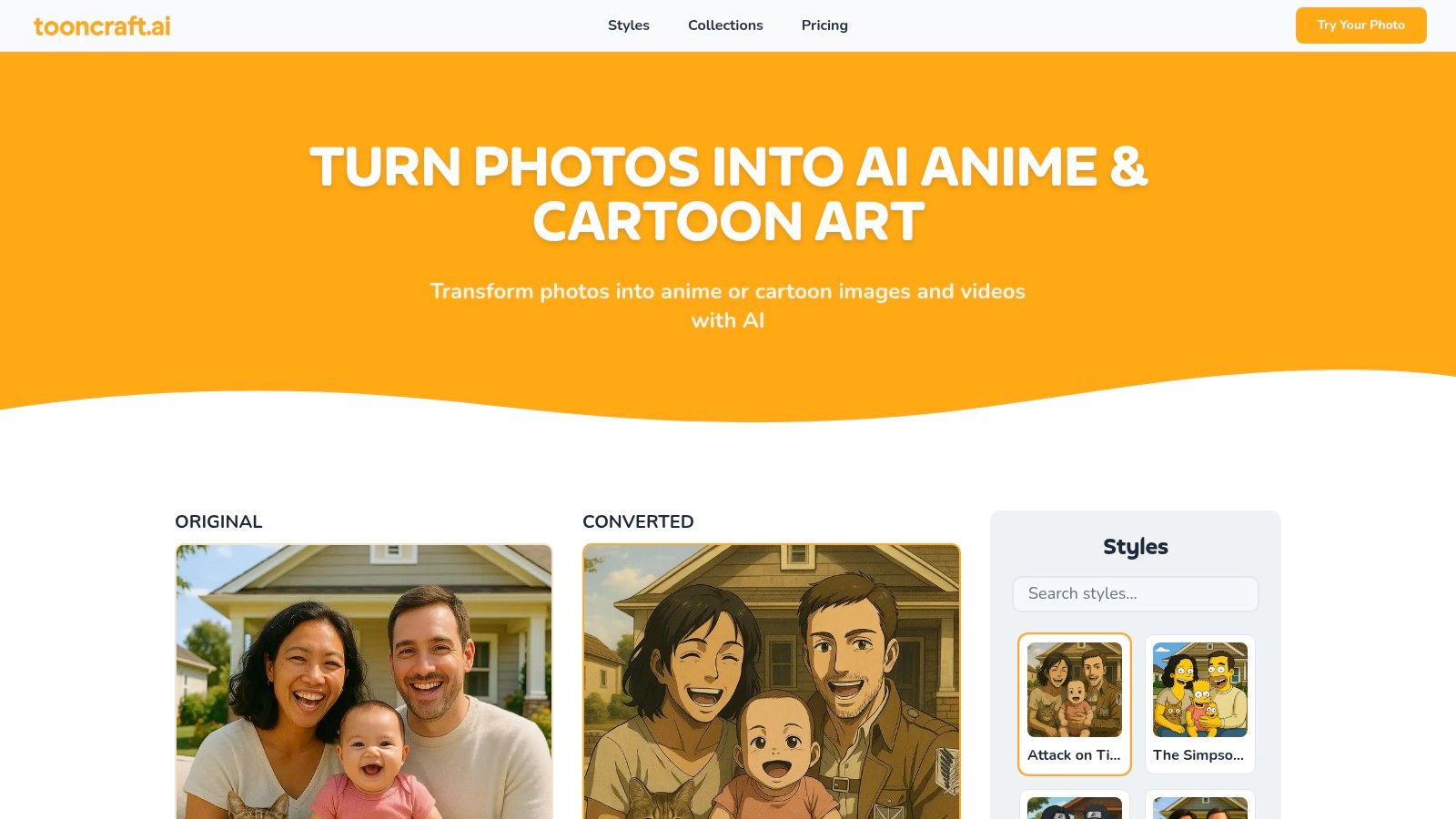
What truly sets Tooncraft apart is its commitment to both quality and utility. The AI maintains excellent character consistency, so if you convert multiple photos of the same person, the resulting avatar remains recognizable across different poses and expressions. This is a game-changer for streamers building a brand identity or businesses creating a consistent mascot for marketing campaigns.
Key Features & Benefits
Beyond its impressive style library, Tooncraft is built for efficient and practical use. The workflow is refreshingly simple: upload a photo, select your desired style, and let the AI handle the rest. Higher-tier plans introduce professional-grade features like parallel conversions, which process multiple images simultaneously, and priority rendering to jump to the front of the queue.
Tooncraft’s most innovative feature is its AI video conversion, which allows users to animate their newly created avatars. This capability opens up a world of creative possibilities without needing complex animation software. For a deeper dive, their team explains how to create AI videos in a helpful guide.
Pricing Structure
Tooncraft uses a flexible, credit-based system where credits never expire. This one-time purchase model is great for users who need conversions periodically without committing to a monthly subscription. All outputs are watermark-free.
- Starter Pack: $3.99 for 125 credits.
- Value Pack: $9.99 for 400 credits (includes 4 parallel conversions).
- Power Pack: $24.99 for 1200 credits (includes 4 parallel conversions, priority rendering, AI video conversion, and priority support).
Pros & Cons
| Pros | Cons |
|---|---|
| Massive style variety (50+) including recognizable anime and cartoon aesthetics. | Advanced features like AI video and priority rendering are gated behind the most expensive pack. |
| Excellent character consistency across multiple images and scenes. | The commercial use and licensing implications for franchise-inspired styles require careful review of the site's terms and FAQs. |
| Supports both image and AI video conversion, ideal for creators and businesses. | |
| Flexible, one-time credit packs that never expire and offer watermark-free results. | |
| Trusted by over 10,000 creators with strong social proof for various use cases. |
Website: https://tooncraft.ai
2. Fotor
Fotor is a powerhouse in the online photo editing world, and its AI-driven toolset makes it one of the best photo to anime converter options available. It’s not just a single-function app; Fotor is a complete creative suite. This makes it an ideal choice for content creators, marketers, or anyone who wants to turn a photo into an anime-style image and then immediately use it in a larger design project like a social media post or YouTube thumbnail.
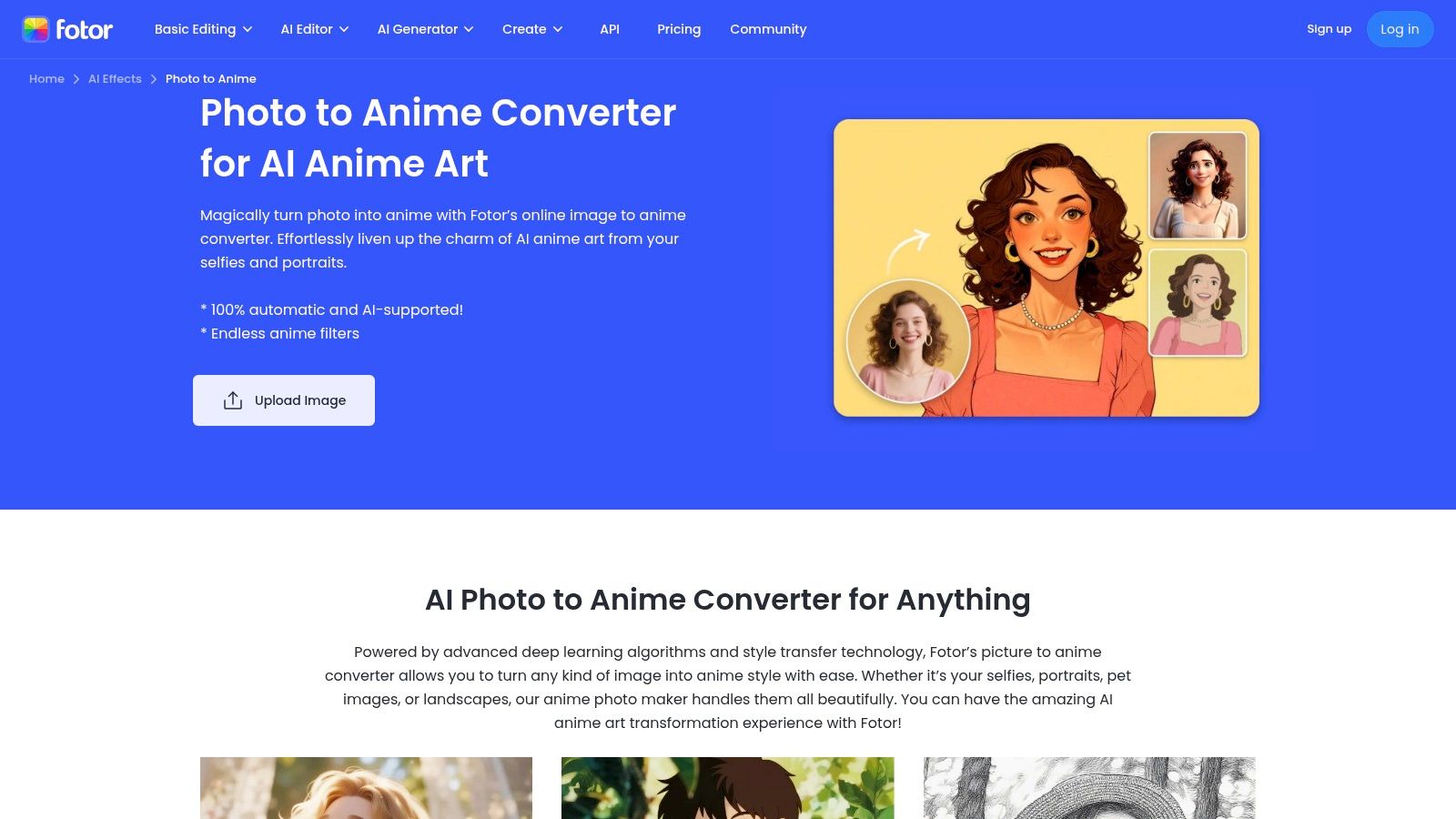
The platform stands out with its speed and variety. You can get a high-quality conversion in seconds with styles ranging from classic Japanese anime to modern 3D and cyberpunk aesthetics. Beyond a simple one-click conversion, Fotor allows for more creative control, letting you blend multiple images or use a reference picture to guide the AI. Exploring a wide range of anime art styles can help you decide which look best fits your vision before you start.
Platform and Pricing
- Availability: Web, iOS, Android
- Pricing: Free plan available with limited features. Fotor Pro starts at $8.99/month for more advanced tools and credits.
Pros and Cons
- Pros:
- All-in-One Editor: More than just an anime converter, it's a full editing suite.
- Speed and Variety: Fast conversions with multiple distinct anime styles.
- Video-to-Anime: A unique feature that lets you convert video clips.
- Cons:
- Credit System: Advanced AI features consume credits, which can be limiting on the free plan.
- Inconsistent Results: Quality can sometimes vary based on the complexity and clarity of your original photo.
3. Canva (Animeify)
Canva is the go-to design platform for millions, and its "Animeify" app, found within the Canva editor, seamlessly integrates AI conversion into a powerful creative workflow. This makes it a fantastic choice for social media managers, content creators, and anyone who needs to quickly turn a photo into an anime character and immediately drop it into a larger design. The process is a simple one-click conversion that happens right inside your project, eliminating the need to jump between different tools.
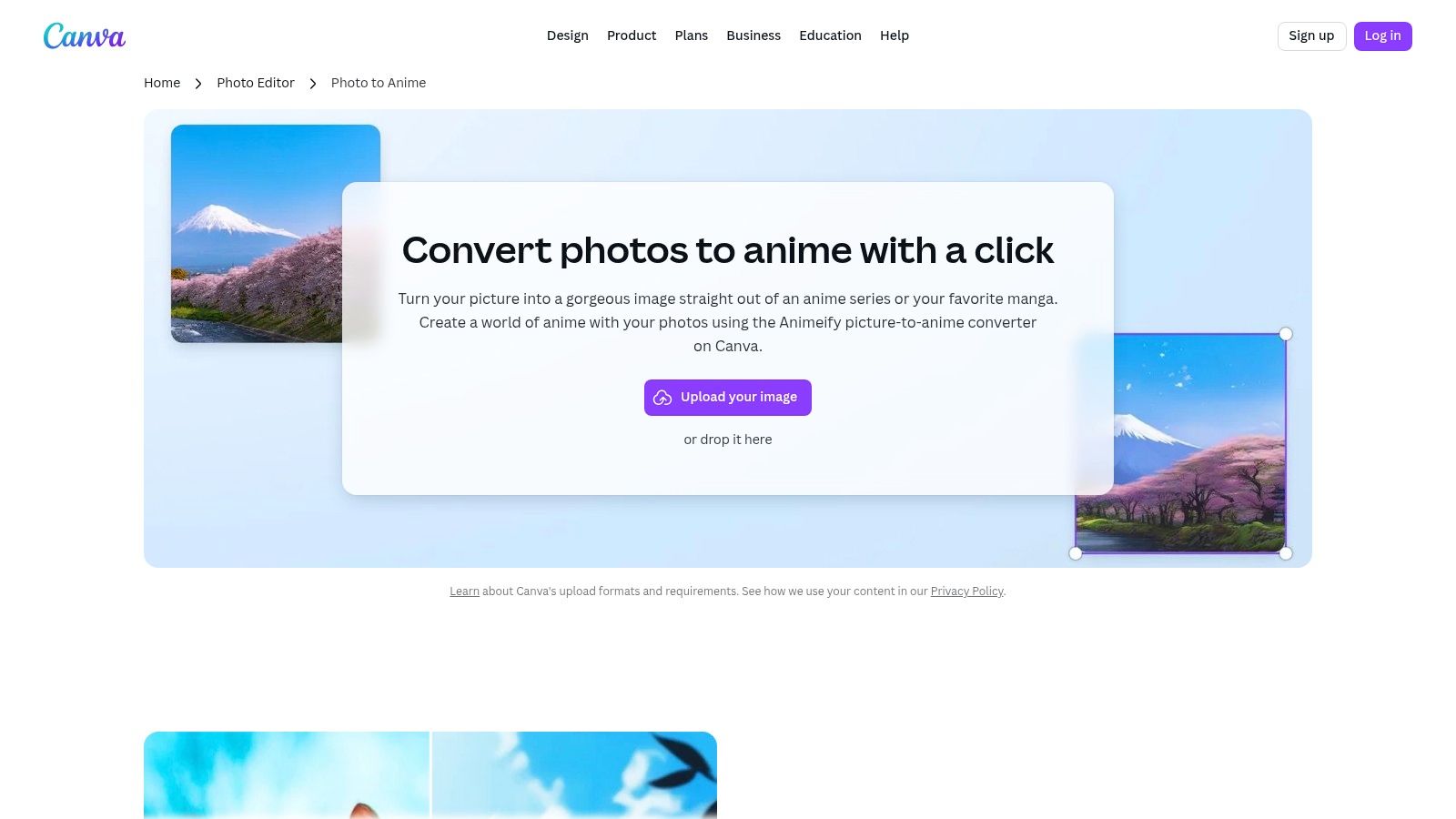
The primary advantage of Animeify is its context. After converting your image, you can instantly use Canva’s full suite of tools to remove the background, add animated text, apply filters, or build a complete graphic around it. This integrated approach is perfect for creating polished social media posts, stories, or YouTube thumbnails without ever leaving the platform. It's a great tool for making a standout anime portrait avatar and then immediately putting it to use in a professional-looking design.
Platform and Pricing
- Availability: Web, iOS, Android (within the Canva app)
- Pricing: Free to use. New users get eight free credits, with additional credits available for purchase. Wait times apply for credit refreshes on the free plan.
Pros and Cons
- Pros:
- Integrated Workflow: The biggest strength is its seamless integration into the Canva design ecosystem.
- Ease of Use: A true one-click solution that’s perfect for beginners and quick edits.
- Cross-Device Support: Start a project on your desktop and finish it on your phone with full access to the tool.
- Cons:
- Limited Customization: The style range is curated and doesn't offer the deep customization of dedicated AI tools.
- Credit Limitations: The free credits can be used up quickly, requiring a purchase or a waiting period to continue.
4. VanceAI (Toongineer Cartoonizer)
VanceAI’s Toongineer Cartoonizer is a dedicated and straightforward tool that excels at transforming photos into various cartoon and anime styles. Unlike larger editing suites, its focus is purely on high-quality stylization, making it an excellent choice for users who want a quick, no-fuss conversion. The platform is especially good at handling a variety of subjects, effortlessly turning portraits, pet photos, and even landscape shots into charming, anime-inspired artwork.
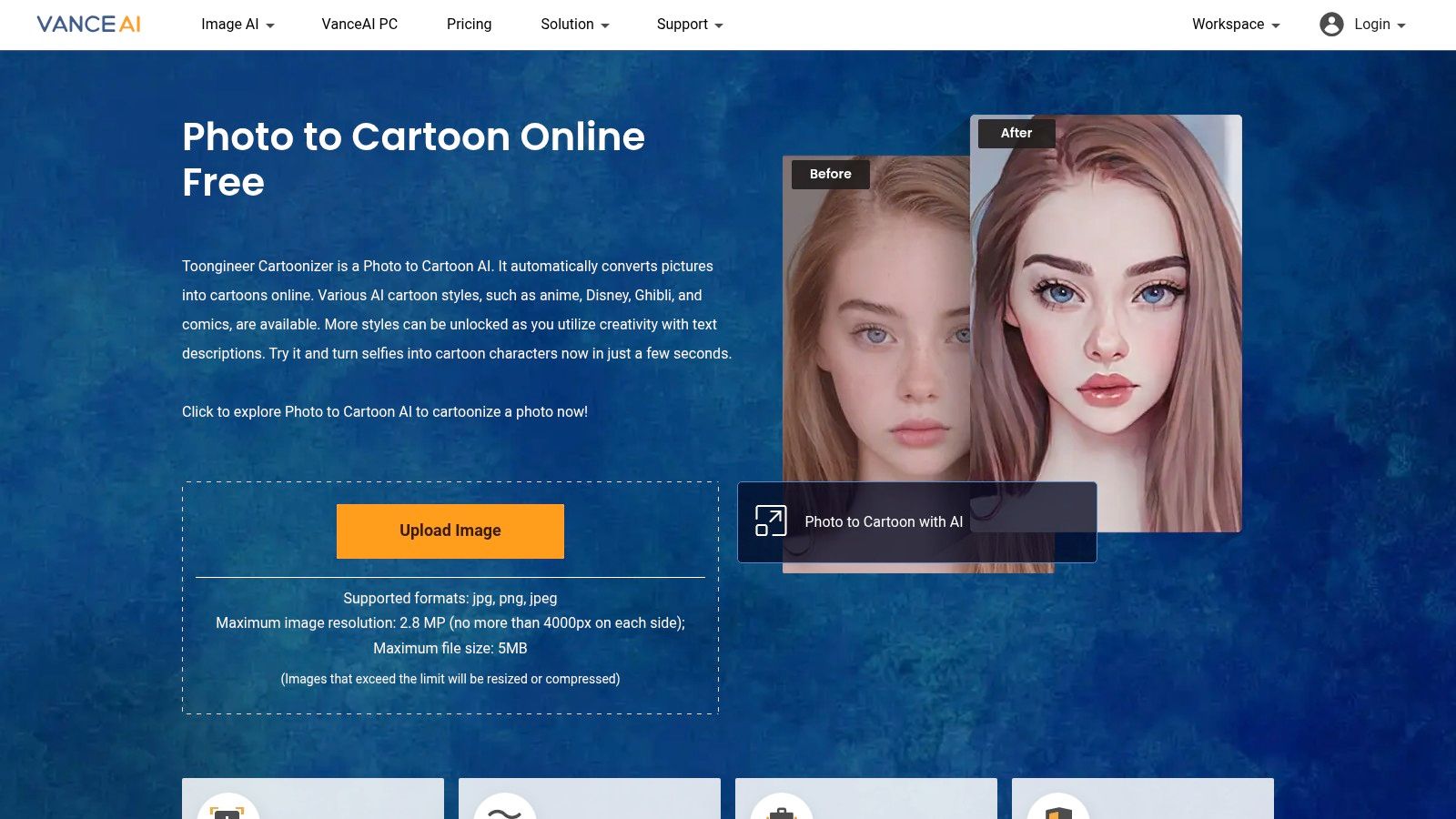
The service stands out with its simplicity and commitment to privacy. The workflow is incredibly user-friendly: you upload an image, select from styles inspired by Ghibli, Disney, or classic comics, and get your result in seconds. A key feature is its privacy policy, which automatically deletes uploaded images after 24 hours, giving users peace of mind. While the tool is powerful, it does have limitations on image resolution, automatically resizing larger photos to about 2.8 megapixels. This makes it a great photo to anime converter for social media profiles and online sharing rather than for large-format printing.
Platform and Pricing
- Availability: Web
- Pricing: Free to start with limited credits. Paid plans begin at $4.99 for 100 credits, with monthly subscriptions also available.
Pros and Cons
- Pros:
- Simple Workflow: The interface is clean, intuitive, and easy for anyone to use.
- Versatile Subject Handling: Works effectively on portraits, pets, and landscapes.
- Strong Privacy Policy: Uploaded files are automatically deleted within 24 hours.
- Cons:
- Resolution Limits: Automatically resizes images, which may reduce quality for high-res photos.
- Credit-Based: More advanced styles and higher volume usage require purchasing credits or a subscription.
5. Cutout.pro
Cutout.pro is another visual content powerhouse that offers a dedicated tool to "turn selfie into cartoon/anime/comic." It stands out with a massive library of presets, ranging from 3D Disney-like styles to classic 2D anime looks. This makes it a fantastic choice for users who value speed and variety, wanting to quickly try out numerous aesthetics without diving deep into complex prompts or settings. The platform is designed as an all-in-one suite, integrating its anime converter with other useful tools like image and video enhancers.
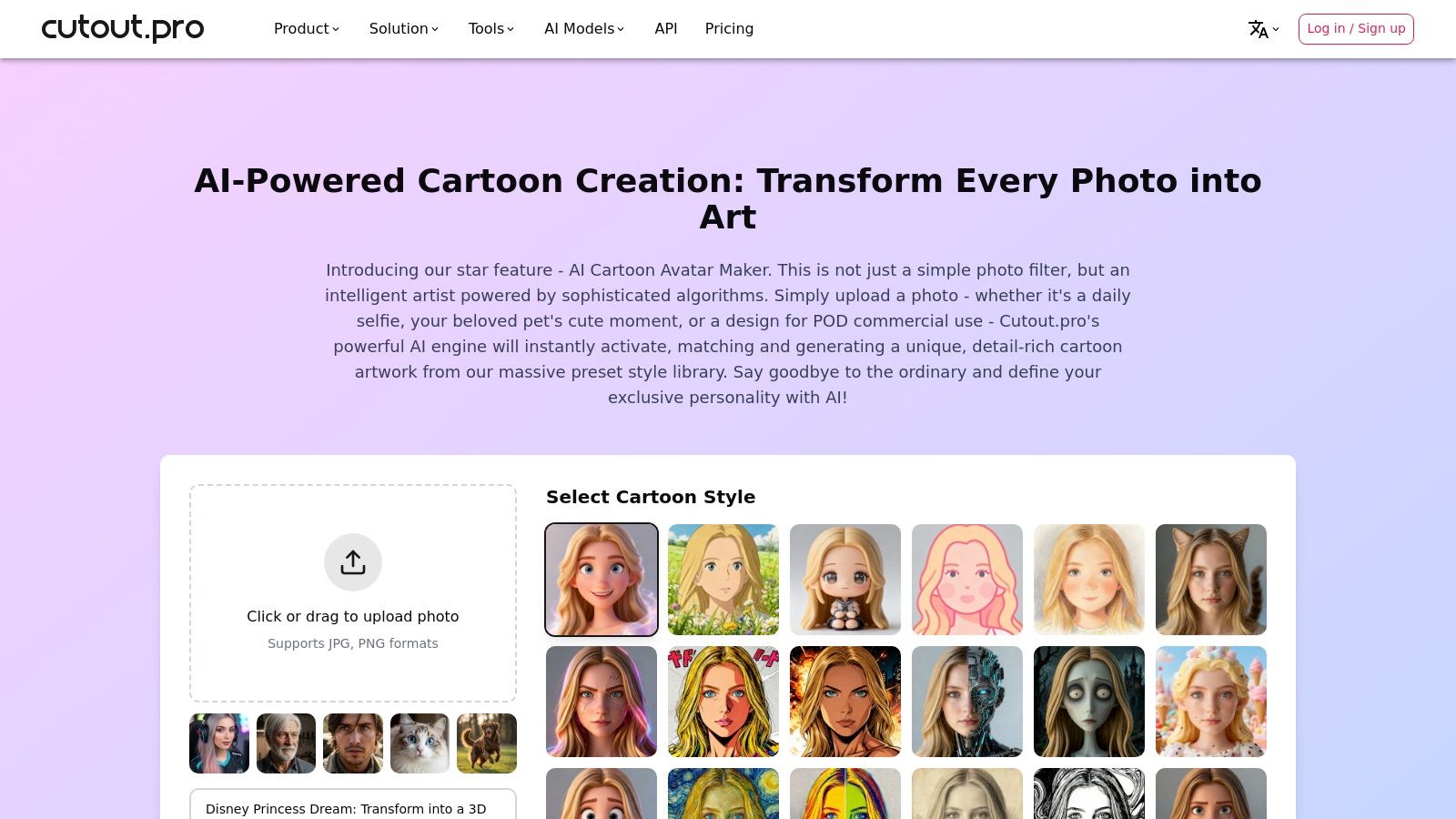
The preset-driven workflow is its biggest strength. You can upload a photo and get an instant result, making it one of the faster photo to anime converter options for users who need a quick avatar for social media or a fun family portrait. A notable feature is that it supports commercial use for generated images, such as print-on-demand products, which is a key consideration for creators looking to monetize their AI art. This positions Cutout.pro as a practical tool for both personal entertainment and small business ventures.
Platform and Pricing
- Availability: Web
- Pricing: Free plan with limited credits. Paid plans start from $5/month for 40 credits.
Pros and Cons
- Pros:
- Extensive Preset Library: Lots of diverse anime and cartoon styles for fast, one-click results.
- Integrated Suite: Comes with other useful image and video enhancement tools for post-processing.
- Commercial Use: Supports the use of generated images for commercial purposes like merchandise.
- Cons:
- Credit System: Each conversion costs credits, which can be used up quickly on the free plan.
- Busy Interface: The web UI can feel a bit cluttered due to the large number of available tools.
6. Media.io (Wondershare)
Media.io, developed by the well-known software company Wondershare, offers a straightforward and accessible browser-based anime converter. It's designed for users who want a quick, no-fuss transformation of their photos into various cartoon and anime styles without needing to download any software. This makes it an excellent choice for generating profile pictures or fun social media content on the fly, with the added trust that comes from a reputable brand.
The platform's strength lies in its simplicity and speed. You upload an image, select from a handful of appealing styles like Disney, 3D, or retro comics, and get your result in seconds. Media.io also includes a video-to-anime feature, expanding its utility for creators working with short clips. While it doesn't offer the deep customization of prompt-based tools, its template-driven approach provides consistent and reliable results, which is perfect for beginners or those with a clear stylistic goal in mind.
Platform and Pricing
- Availability: Web
- Pricing: Free to use with watermarked outputs. Paid plans for Wondershare products remove limitations.
Pros and Cons
- Pros:
- No Downloads: Entirely browser-based for quick and easy access.
- Trusted Brand: Backed by Wondershare, a known name in creative software.
- Simple Workflow: Very intuitive and user-friendly, great for fast edits.
- Cons:
- Limited Styles: The template-based filters offer less creative freedom than prompt-driven tools.
- Watermarks on Free Version: Free conversions come with a watermark, requiring a subscription for clean images.
7. BeautyPlus
Originally known for its powerful selfie-editing tools, BeautyPlus has expanded into the AI art space with a fantastic and accessible photo to anime converter. It’s designed for social media enthusiasts who want quick, stylish, and shareable results without a steep learning curve. Its web tool is incredibly straightforward, allowing you to upload a photo and get an anime version back in seconds, making it perfect for creating a new profile picture or a fun social media post.
The platform's main appeal is its variety of artistic styles that go beyond traditional anime. You can transform your images into looks inspired by Ghibli films, webtoons, pixel art, or even claymation. This makes BeautyPlus a creative playground for users who want to explore different aesthetics. While the web version is perfect for casual use, the mobile app unlocks more features and is promoted with a 7-day free trial, giving you a chance to explore its full capabilities.
Platform and Pricing
- Availability: Web, iOS, Android
- Pricing: Free no-signup web tool with a daily usage limit. The app offers a subscription for unlimited access and advanced features, starting with a 7-day free trial.
Pros and Cons
- Pros:
- Extremely User-Friendly: The one-click process is perfect for beginners with no editing experience.
- Variety of Styles: Offers multiple anime-adjacent styles like Ghibli, webtoon, and pixel art.
- Great for Social Media: Produces results with a modern aesthetic ideal for profile pictures and posts.
- Cons:
- Limited Free Use: The free web tool has a daily conversion limit.
- Less Creative Control: Lacks the advanced fine-tuning and prompt controls found in more dedicated AI art generators.
8. CapCut
Best known as the go-to video editor for TikTok and Reels, CapCut has expanded its toolkit with a surprisingly robust AI Anime Generator. This makes it an excellent choice for social media creators who want to seamlessly integrate animated assets into their short-form video content. Rather than just being a standalone tool, CapCut's converter is part of a massive ecosystem of templates, filters, and effects, making it one of the best photo to anime converter options for trend-focused content.
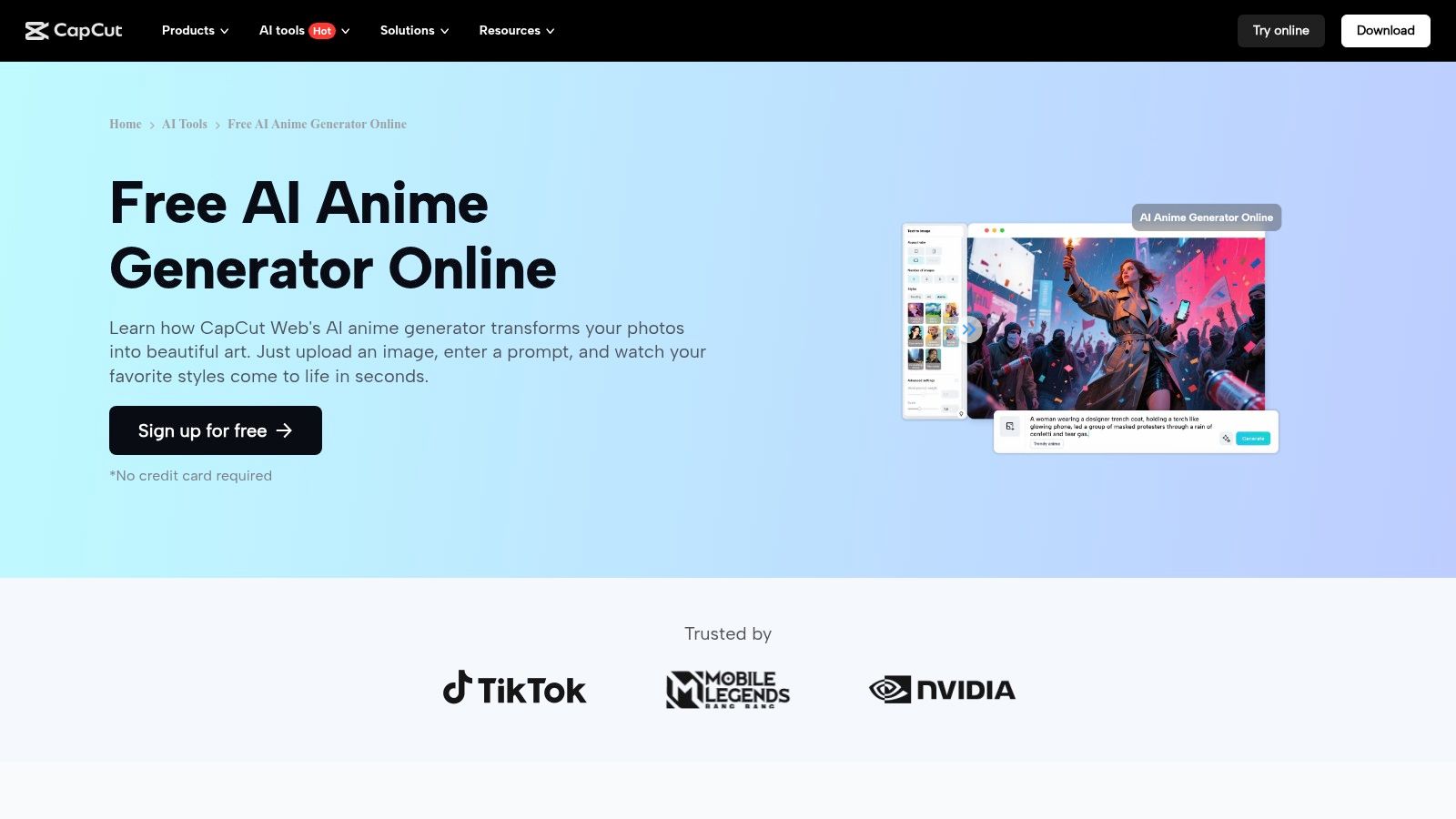
The platform’s strength lies in its integration and community. You can quickly turn a photo or video clip into an anime-style visual and then immediately drop it into a trending video template. The AI generator itself offers multiple styles and provides helpful prompt suggestions to guide your creation. This workflow is perfect for users who want to participate in viral challenges or quickly produce eye-catching content without leaving a single app. The easy export to social platforms is a key benefit for anyone on a tight production schedule.
Platform and Pricing
- Availability: Web, iOS, Android
- Pricing: Free to use. Some advanced features or higher-quality exports may require signing in or a Pro subscription ($7.99/month).
Pros and Cons
- Pros:
- Social Media Integration: Unmatched workflow for creating and publishing content to TikTok and Reels.
- Huge Template Library: Access to a vast, community-driven collection of trending anime filters and effects.
- Largely Free: The core anime generation features are available without a significant paywall.
- Cons:
- Inconsistent Templates: Popular effects and filters can change or be removed over time.
- Sign-In Required: The web tool may limit quality or prevent exports without a user account.
9. Picsart
Picsart is a household name in mobile and web photo editing, and its powerful suite of AI tools makes it a solid choice for turning your photos into anime-style art. It functions less as a dedicated converter and more as a comprehensive creative platform. This approach is perfect for social media users and content creators who want to apply an anime filter and then immediately dive into adding text, stickers, or other design elements without leaving the app.
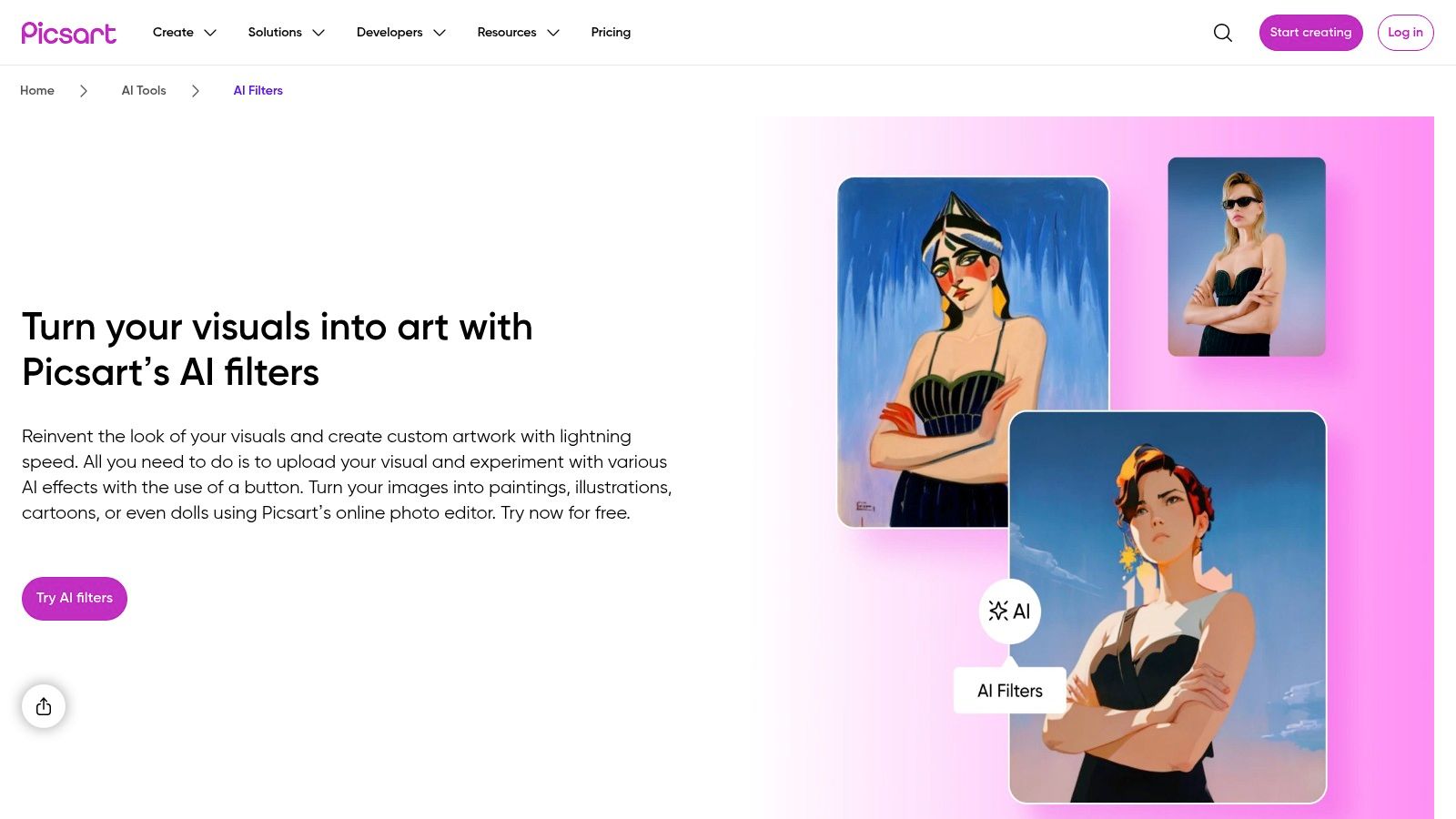
The platform's strength lies in its vast library of AI filters and its user-friendly interface, which is backed by a massive community and countless tutorials. You can easily find a cartoon or anime style that fits your photo, apply it with a single tap, and then use other AI tools like "AI Enhance" to sharpen the final image. This makes it a great all-in-one solution for anyone looking to quickly stylize a photo for a profile picture or Instagram story.
Platform and Pricing
- Availability: Web, iOS, Android
- Pricing: Free plan with ads and limited features. Picsart Gold starts at $5/month for access to all premium tools and filters.
Pros and Cons
- Pros:
- Massive Creative Suite: Integrates anime filters with a full-featured photo and video editor.
- User-Friendly: The interface is intuitive, making it great for beginners and casual users.
- Large Community: Abundant tutorials and inspiration are available from its huge user base.
- Cons:
- Paywalled Features: The most compelling filters and high-resolution exports are often locked behind a subscription.
- Generalist Approach: The anime filters are good but may lack the specialized quality of dedicated converters.
10. Pixelcut
Pixelcut offers a sleek and straightforward browser tool that excels at turning your photos into anime-style art. It’s designed for users who want a quick, clean conversion without navigating complex menus. The platform’s unique strength lies in its prompt-based system, allowing you to guide the AI's artistic direction by describing the exact anime aesthetic you're aiming for, whether it’s a specific character’s style or a general genre.
This makes Pixelcut one of the best photo to anime converter tools for those who have a clear vision and want to steer the creative process. The clean UI ensures a hassle-free experience, delivering high-resolution downloads that are ready for use as social media avatars, profile pictures, or posts. The lack of watermarks on the output is a significant plus, making your creations look polished and professional right away.
Platform and Pricing
- Availability: Web, iOS, Android
- Pricing: Free to use. A Pixelcut Pro subscription ($9.99/month) is available for unlimited access and more advanced editing features.
Pros and Cons
- Pros:
- Prompt-Based Control: Allows you to describe the anime style you want.
- Simple Interface: Very easy to upload a photo and get a quick result.
- High-Resolution & No Watermark: Outputs are clean and ready for immediate use.
- Cons:
- Prompt Dependant: The quality of the final image is highly dependent on your ability to write an effective prompt.
- Subscription for More Features: Some of the platform's more powerful tools are behind the Pro paywall.
11. Aragon.ai
Aragon.ai offers a refreshingly direct approach to AI image editing, making it a contender for the best photo to anime converter for those who prioritize speed and simplicity. The platform is built around a single-page flow: upload your photo, let the AI work its magic, and download your anime-style result. This no-fuss process is perfect for users who want to see themselves as an anime character without navigating complex menus or tweaking endless settings.
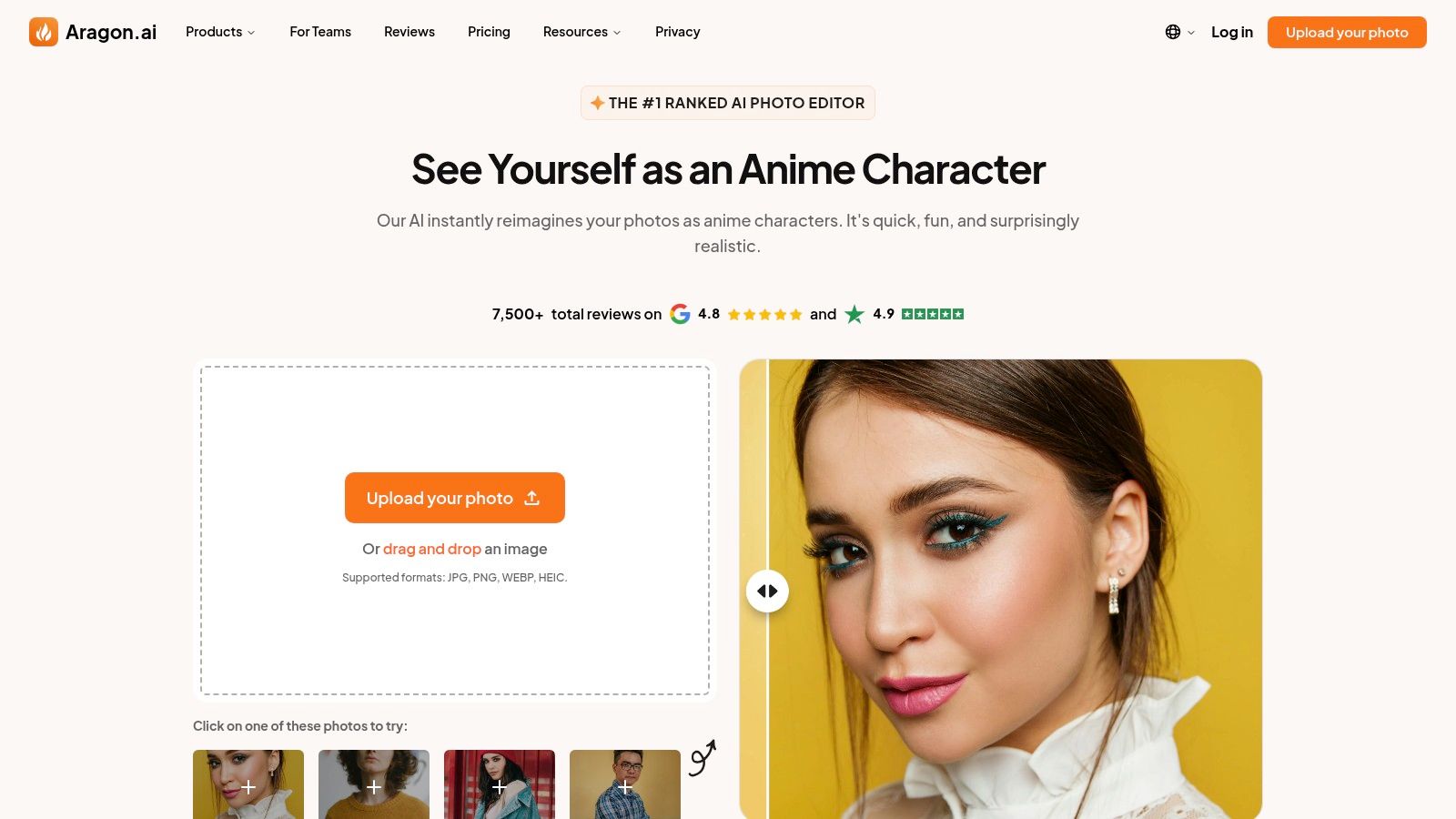
The standout feature of Aragon.ai is its emphasis on retaining realistic facial features while applying a distinct anime aesthetic. The AI is trained to recognize and preserve your unique likeness, resulting in a character that feels both stylized and personally recognizable. Supporting common formats like JPG, PNG, and HEIC, it ensures a smooth experience from start to finish, with fast turnaround times and even live agent support hours posted for user convenience.
Platform and Pricing
- Availability: Web
- Pricing: Pricing details are not immediately visible on the anime converter page and may require an account to view.
Pros and Cons
- Pros:
- Extremely Simple: The single-page, upload-and-download flow is incredibly user-friendly.
- Maintains Likeness: Does a great job of keeping your facial features recognizable in the final anime image.
- Fast Conversions: Delivers quick results, ideal for social media posts or new profile pictures.
- Cons:
- Limited Customization: Lacks the advanced controls and style options found in more comprehensive editors.
- Opaque Pricing: You may need to sign up to understand the full cost and download options.
12. NanoImg.io
NanoImg.io is a streamlined and lightweight tool designed for one purpose: turning your photos into anime-style images as quickly as possible. Its no-fuss interface makes it an excellent choice for users who want immediate results without navigating a complex editing suite. This platform is perfect for generating a batch of avatars for different social media profiles or experimenting with various looks in a short amount of time.
What makes NanoImg.io a standout photo to anime converter is its focus on efficiency and convenience. The platform allows you to upload and process up to four images simultaneously, a rare feature that power users will appreciate. It also provides multiple aspect ratio options (1:1, 3:2, 2:3) from the start, ensuring your final image is perfectly cropped for Instagram, Twitter, or any other platform. You can get started right away without registration and receive free credits to test the service.
Platform and Pricing
- Availability: Web
- Pricing: Free starter credits are provided. Additional credits can be purchased, with packages starting at $4.99 for 50 credits.
Pros and Cons
- Pros:
- Extremely Fast: Conversions are often completed in around 10 seconds.
- Batch Processing: The ability to upload and convert up to four photos at once is a huge time-saver.
- No Registration Needed: You can try the tool immediately without creating an account.
- Cons:
- Credit-Based System: Heavy usage will require purchasing more credits.
- Limited Creative Tools: It's a dedicated converter, not a full-featured photo editor.
- Newer Service: Lacks the brand recognition and extensive features of more established platforms.
Top 12 Photo-to-Anime Converter Comparison
| Product | Core features ✨ | Quality ★ | Price/value 💰 | Target audience 👥 | Unique selling points 🏆 |
|---|---|---|---|---|---|
| Tooncraft, Inc. 🏆 | 50+ franchise-inspired styles; image & AI video conversion; parallel processing; avatar & pose library | ★★★★★ Consistent, polished outputs | Starter $3.99 (125 cr) • Value $9.99 (400+cr) • Power $24.99 (1200+cr, priority + video) — credits never expire | 👥 Creators, streamers, SMBs, gift-makers | 🏆 50+ recognizable styles; character consistency across scenes; watermark-free; priority rendering on Power |
| Fotor | One-click photo→anime; image-to-image & refs; anime video; web & mobile | ★★★★☆ Fast (~5s); quality varies by input | Freemium; some generators use paid credits | 👥 Casual creators & editors | Broad editing suite + fast anime outputs ✨ |
| Canva (Animeify) | One-click Animeify inside Canva; 8 free credits; follow-on design & animation tools | ★★★★☆ Integrated, reliable edits | 8 free credits for new users; additional credits/Pro plans paid | 👥 Social designers, marketers, non-designers | Seamless post-editing, layouts & animation within Canva ✨ |
| VanceAI (Toongineer) | Multiple SD/AnimeGANv2 styles; quick processing; auto-resize | ★★★☆☆ Good portrait/pet stylization; res limits apply | Freemium/credits; some features paid | 👥 Users wanting quick stylization for photos | SD/AnimeGANv2 models; 24hr upload deletion privacy ✨ |
| Cutout.pro | Large preset library (3D/2D); image & video enhancers; preset-driven workflow | ★★★☆☆ Fast presets; UI can feel busy | Credit-based per image; paid packs | 👥 Users needing many presets + post-processing | Lots of presets + integrated enhancers; commercial-use language |
| Media.io (Wondershare) | Browser anime filters; photo & video-to-anime; templates | ★★★☆☆ Easy web access; template-based style | Freemium; best features paid | 👥 Quick social sharers, Wondershare users | No-download web tool backed by known software brand ✨ |
| BeautyPlus | One-click anime-ish filters; web & mobile; daily free limit | ★★★☆☆ Beginner-friendly, social-first looks | Free daily uses; app subscription for full features | 👥 Casual/social users seeking PFPs | Wide variety of anime-adjacent styles; mobile-first ease |
| CapCut | Image/video anime generator; huge template ecosystem; social export | ★★★★☆ Great for short-form trends & templates | Free account; some sign-in/limits may apply | 👥 TikTok/Reels creators, short-form editors | Massive template community & direct social exports ✨ |
| Picsart | AI filters (cartoon/anime), AI enhance & art gen; cross-platform | ★★★☆☆ Variable; best on Plus/Pro | Freemium; Picsart Plus/Pro for top filters | 👥 Creators who combine editing + stylization | Large user base, tutorials & hybrid workflows |
| Pixelcut | Upload + prompt to steer style; high-res, no-watermark claims; simple UI | ★★★★☆ Clean outputs; prompt-dependent | Some advanced features require Pro | 👥 Users wanting clean avatars & social posts | Promptable control + high-res/no-watermark focus ✨ |
| Aragon.ai | One-page upload → anime flow; wide format support; fast downloads | ★★★☆☆ Straightforward; retains facial realism | Pricing/account required for full-res downloads | 👥 No-fuss users wanting quick conversions | Emphasis on realistic facial retention; simple funnel |
| NanoImg.io | Batch up to 4 images; multiple aspect ratios; ~10s processing; free starter credits | ★★★☆☆ Very fast, minimal friction | Free starter credits; credit-based for heavy use | 👥 Users generating multiple avatars quickly | Batch + social aspect-ratio presets; no signup initial use ✨ |
Final Thoughts
We've journeyed through a vibrant world of pixels and creativity, exploring a dozen of the most powerful and popular tools designed to turn your everyday photos into stunning anime art. From professional headshots to playful family portraits, the ability to reimagine your images in this beloved style is more accessible than ever before.
The key takeaway is that there isn't one single "best" photo to anime converter for everyone. The right choice truly depends on your specific goals, your budget, and how much control you want over the final output. What works wonders for a streamer’s avatar might not be the ideal solution for a marketer creating a brand mascot.
Choosing Your Perfect Anime Conversion Partner
Let's quickly recap how to narrow down your options based on your unique needs. This isn't just about picking a tool; it's about choosing a creative partner that aligns with your vision.
-
For the Social Media Maven: If your goal is quick, trendy, and shareable content, tools like BeautyPlus, CapCut, and Picsart are your go-to options. Their mobile-first design, built-in editing suites, and direct sharing capabilities make them perfect for creating eye-catching posts and stories on the fly. They offer a great balance of ease of use and stylistic variety.
-
For the Dedicated Creator & Business: When quality, consistency, and customization are paramount, you need a more specialized tool. This is where a dedicated converter like Tooncraft shines, offering unparalleled model training for consistent characters and a focus on high-resolution output perfect for marketing materials, professional avatars, or unique digital products. Similarly, Aragon.ai offers a very specific, high-quality service for professional headshots, though with less stylistic variety.
-
For the All-in-One Designer: If you already live inside a design ecosystem, integrating anime conversion into your existing workflow is a huge plus. Canva's Animeify app and Fotor's AI tools are fantastic because they allow you to generate an image and immediately use it in a larger project, like a YouTube thumbnail or a promotional graphic, without ever leaving the platform.
-
For the Tech-Savvy Experimenter: If you love tinkering with settings and want a bit more technical control, web-based tools like VanceAI and Cutout.pro provide a great middle ground. They often offer batch processing and more granular adjustments, appealing to users who want to process multiple images or fine-tune the conversion process.
Your Next Creative Step
The journey from a simple photograph to a piece of anime-inspired art is an exciting one. It’s a way to see yourself, your family, or your brand in a completely new light. The most important thing to remember is to have fun with it!
Start by preparing your photo using the tips we discussed: choose a high-quality image with good lighting, a clear subject, and a simple background. Then, pick a tool from our list that best matches your project's needs. Don't be afraid to try a few different options. Many offer free trials or credits, giving you the perfect opportunity to see which one brings your creative vision to life most effectively.
Ultimately, the best photo to anime converter is the one that empowers you to create something you love. Whether you're making a cute new profile picture, a memorable family gift, or a standout marketing campaign, the technology is here to help you unlock a new dimension of creativity.
Ready to create consistently stunning, high-quality anime versions of yourself, your team, or your characters? For those who need professional-grade results and unparalleled brand consistency, Tooncraft, Inc. offers a unique solution by training a custom AI model on your images. Explore how to get your own personalized anime generator at Tooncraft, Inc. and elevate your creative projects today.