
How to Cartoonize a Picture A Fun Guide to AI Art
Discover how to cartoonize a picture with AI. This friendly guide shares tips on choosing photos, selecting styles, and getting amazing results you'll love.
Turning your favorite selfie into a slick piece of art is way easier than you might think. Honestly, the magic formula is pretty simple: start with a clear, well-lit photo, pick a style that feels like you (think Ghibli or classic comic book), and let a good AI tool do the heavy lifting. The whole thing is quick, painless, and opens up a ton of creative doors.
Your Quick Guide to Cartooning Any Photo
Have you ever scrolled past those awesome cartoon avatars and wondered how people make them? It’s not some exclusive club of digital artists—it’s powerful AI that anyone can get their hands on. This guide will walk you through the entire process, from choosing the right photo to showing off your final creation. We'll get into the simple but essential ingredients for getting it right.
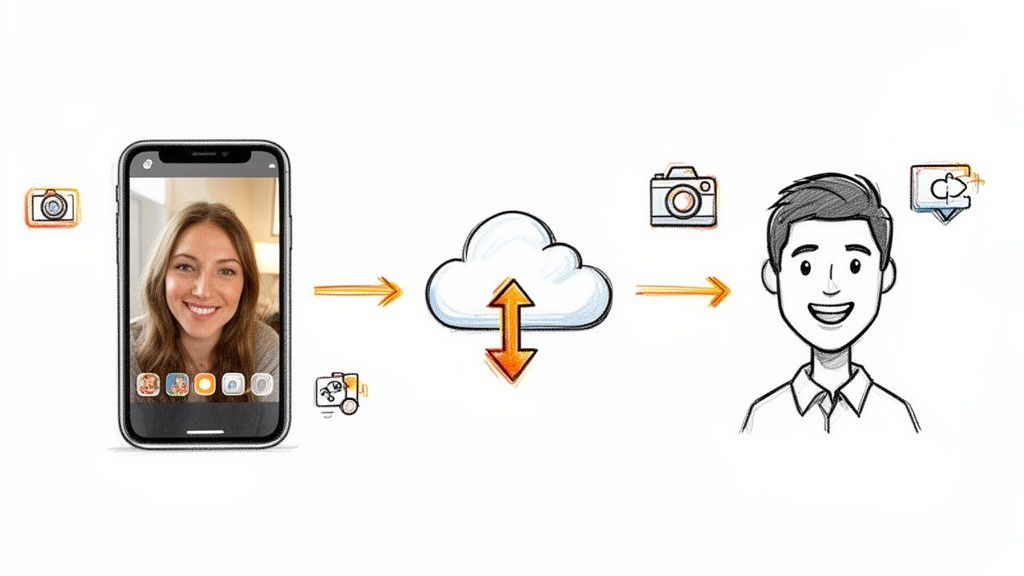
And this isn't just a passing trend; it's a massive industry. The AI image generator market was valued at a whopping USD 9.10 billion in 2024 and is expected to rocket to an incredible USD 63.29 billion by 2030. This explosion, fueled by tech giants and cloud computing, is precisely what makes tools like Tooncraft even possible. You can dig deeper into the future of AI image generation to see where things are headed.
The best part about cartooning a photo is seeing your own personality shine through in a totally new, artistic way. It’s a chance to get creative without needing to be an artist yourself.
To get us started, here’s a quick overview of the key stages we'll be covering.
Key Steps to Cartoonize Your Picture
A quick look at the essential stages in the photo-to-cartoon process.
| Stage | Key Action | Why It Matters |
|---|---|---|
| Preparation | Select a high-quality, well-lit photo. | The AI needs clear details (especially facial features) to create an accurate and expressive result. "Garbage in, garbage out" applies here! |
| Styling | Choose your desired cartoon aesthetic. | This is where you set the mood. Ghibli, anime, comic book—each style gives your image a completely different personality. |
| Generation | Upload and let the AI work its magic. | Modern tools make this the easiest part. Just a few clicks and the software handles the complex conversion in seconds. |
Think of this table as your roadmap. Each stage is crucial for getting a result you’ll be excited to share.
What Makes a Great Cartoon?
Before we jump into the step-by-step instructions in the next sections, let's set the stage. Getting fantastic results really comes down to just a few key things.
-
A Solid Starting Point: This is non-negotiable. A clear, high-quality source photo is your best friend. Good lighting and visible facial features give the AI the best possible information to work with, leading to a much more accurate and expressive cartoon.
-
The Right Vibe: Honestly, this is the most fun part. Picking a style is where your creativity comes in. Whether you're into the dreamy look of a Ghibli film or the bold, punchy lines of a superhero comic, the style you choose completely defines the final image.
-
A Simple and Fun Process: Modern AI tools are built for everyone, not just tech experts. The whole process is usually as straightforward as uploading your picture, picking a style, and letting the AI generate your new artwork in a matter of seconds.
Choosing the Right Photo for an Amazing Cartoon
The secret to a jaw-dropping cartoon transformation? It all starts with the photo you choose. Think of it like cooking: you can't expect a gourmet meal from subpar ingredients. The same logic applies here. The AI is only as good as the information you give it, so picking the right photo is easily the most important part of the whole process.
A truly great cartoon needs a clear, high-resolution image to work from. Imagine the AI as an artist sketching a portrait—the more detail it can see, the better it can capture a person's unique likeness. If you feed it a blurry, pixelated, or poorly lit photo, you're forcing it to guess, which usually results in generic or weirdly distorted features. You want those crisp details, especially around the eyes and mouth, because that's what gives the final cartoon character its personality and expression.
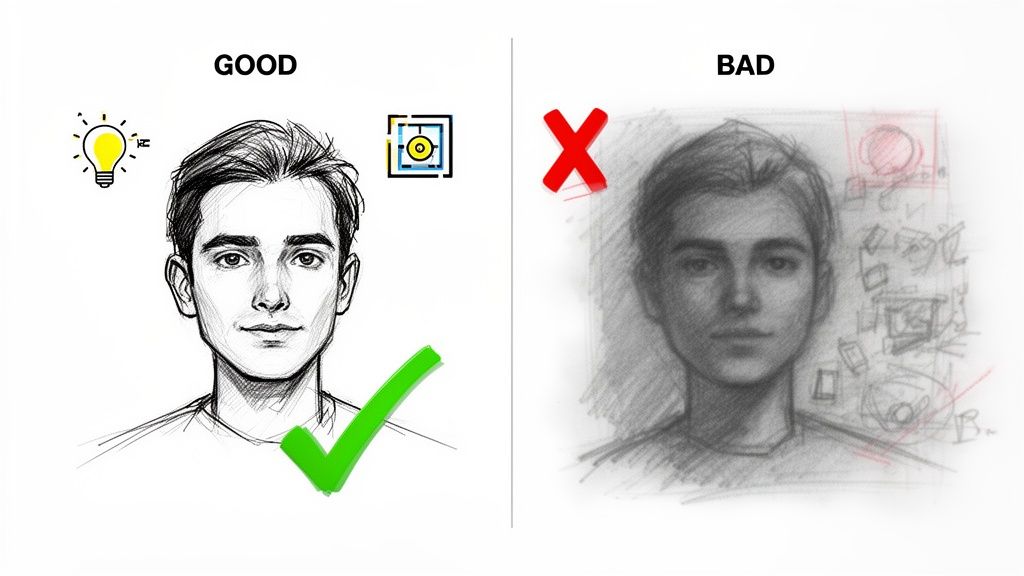
Key Elements of a Perfect Source Photo
To get that stellar transformation, your source image needs to tick a few boxes. I've found that paying close attention to lighting, the background, and the person's expression gives the AI the best possible canvas to work its magic.
-
Good Lighting is Non-Negotiable: Photos with soft, even lighting are your best bet. Try to avoid harsh shadows that hide parts of the face or bright, direct sunlight that blows out all the detail. A nicely lit face helps the AI perfectly trace the contours of the nose, cheeks, and jawline.
-
A Simple Background Wins: A busy, cluttered background can seriously confuse the AI. It might struggle to figure out where the person ends and the background begins. A plain wall, a simple outdoor backdrop, or even a portrait-mode photo with a blurred background makes your face the undeniable star of the show.
-
Clear Facial Features are Crucial: This one’s a biggie. Make sure the face is front and center, with nothing blocking it. Photos where hair is covering the eyes, a hand is over the mouth, or the head is turned too far away are just asking for trouble. The AI needs to see the whole face to get it right.
Here's a pro tip: Remember, the AI is just interpreting data. A photo with a big, genuine smile gives it clear data for a happy cartoon. A more neutral expression provides a versatile base. The mood you start with directly shapes the mood of your final character.
Handling Group Photos and Special Cases
Thinking of turning a picture of your family or friends into a cartoon crew? The same rules apply, but you have to be a little more careful. It's crucial that everyone in the photo is in focus and well-lit. If even one person is blurry or stuck in a shadow, the AI will have a tough time capturing their likeness.
What about accessories like glasses or hats? They can definitely work, but just double-check that they aren't hiding key features like the eyes or eyebrows. The more information the AI has to work with, the better the result will be.
This same logic applies when you're creating art of your furry friends, too! If you're interested, you can learn more in our guide to creating delightful cartoon pets.
Bottom line: when you start with a great source image, you're setting yourself up for an amazing result every single time.
Finding Your Perfect Art Style
Alright, this is where the real fun begins—you get to be the art director. Picking a style is way more than just clicking a button; it’s about finding the perfect aesthetic that matches the vibe of your original photo. The right choice can take a simple picture and transform it into something that screams you.
The creative runway here is massive. You could go for the bold action lines and intense shading of a classic anime, perfect for a high-energy gaming avatar. Or maybe the soft, dreamy look of a Ghibli-inspired scene is just the thing for that favorite photo with your partner. Every style tells a different story and brings its own emotional flavor.
This explosion of creative tools is no accident. The AI anime generator market was already valued at a whopping USD 91.38 billion in 2024 and is expected to rocket to USD 384.40 billion by 2030. Image-to-image models are leading the charge because they're fantastic at turning real photos into expressive cartoons while keeping your facial features recognizable. You can get the full scoop on this explosive market growth on Grandview Research.
Aligning Style with Your Goal
Before you jump in, take a second to think about what you’re making this for. Is it a slick new professional headshot? A hilarious social media post? Or a heartfelt gift for someone special? The final destination for your image should really steer your style choice.
For instance, a family photo for a holiday card would look incredible with the warm, rounded feel of a Pixar-style animation. It’s friendly, familiar, and just radiates joy. On the flip side, if you're a streamer building a brand with a bit of an edge, a darker, more intense style like 'Attack on Titan' might be the perfect fit.
Here are a few popular vibes I see people use all the time:
-
Classic American Cartoon: Think of that iconic yellow cartoon family. This style is brilliant for creating funny, lighthearted images that everyone recognizes. It’s perfect for memes or a casual profile pic that doesn’t take itself too seriously.
-
Modern Anime: Known for its sharp lines, popping colors, and super expressive eyes. This is my go-to for action shots or when I want to create a cool, stylish avatar that stands out.
-
Painterly & Whimsical: Styles inspired by studios like Ghibli give your photos a softer, more artistic touch. These are absolutely ideal for scenic shots, romantic couple pictures, or anything you want to have a calming, storybook feel.
The real secret? Just play around with it. Don't hesitate to run the same photo through a few different styles. You’ll often be surprised by which one manages to capture the soul of the original image in a way you never expected.
Once you get the hang of pairing the right aesthetic with your photo's mood, you'll master how to cartoonize a picture so it feels authentic and looks amazing. Take a minute to browse through different options, like these popular cartoon art styles, and get inspired. The perfect look is just a few clicks away.
Guiding the AI to Get the Look You Want
Just clicking "generate" is only half the fun. The real magic in turning a photo into a cartoon happens when you start telling the AI exactly what's in your head. Don't worry, you don't need to be a programmer—it's all about mastering a few simple commands to get the perfect result.
Think of the AI as a super talented artist who takes everything you say literally. Give it just a photo, and you'll get a cartoon. But give it a photo plus a few descriptive words, and you can build a whole new world.
Using Prompts to Add Creative Details
You don't need to write a novel to create a great prompt. Short, descriptive phrases work wonders. Want to see your cartoon alter-ego exploring a fantasy realm? Try adding a prompt like, “in a magical forest with glowing mushrooms.” Celebrating a big win? A simple phrase like “wearing a silly party hat” can completely transform the mood of the image.
The trick is to be specific without getting bogged down in too much detail. Start with your main idea and build from there. When you combine your photo with a text prompt, you give the AI a much clearer picture of what you’re aiming for. Before you even get to prompting, you'll want a core style in mind.
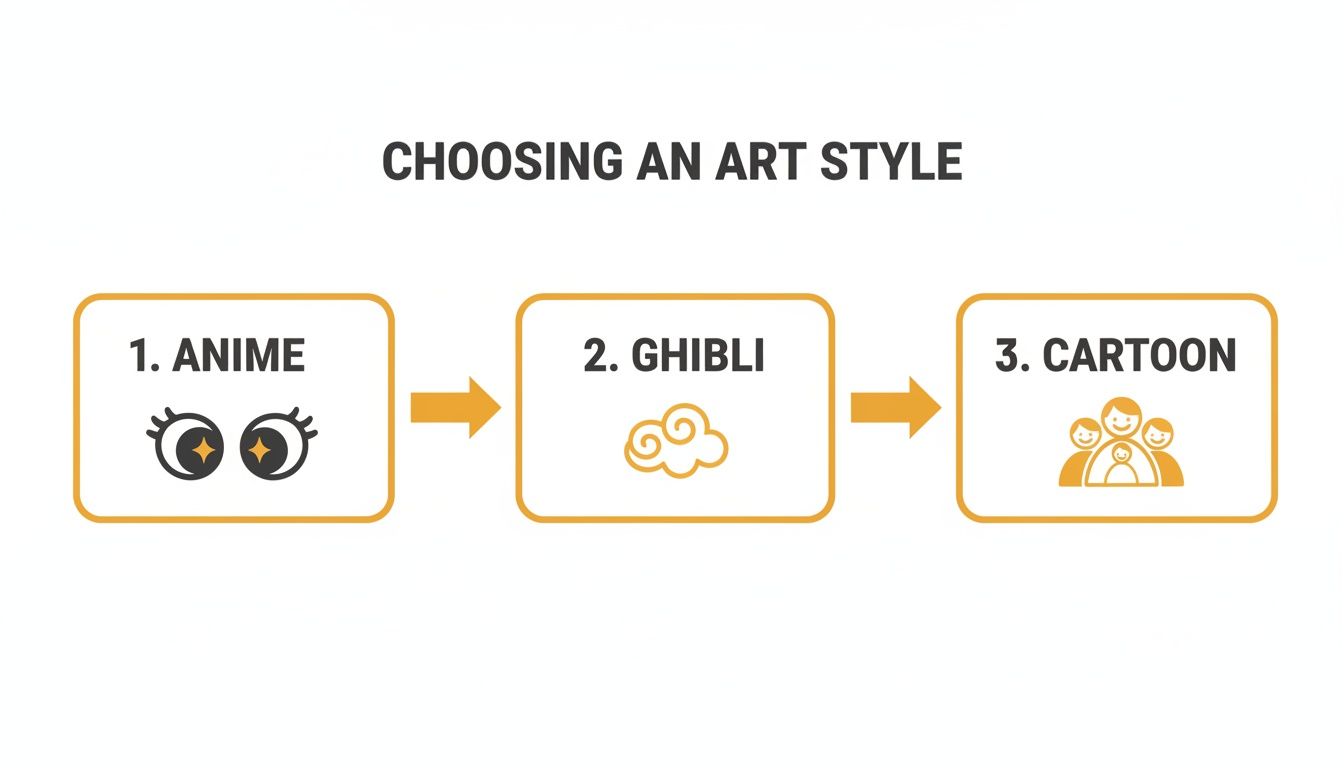
Whether you choose Anime, Ghibli, or a classic Cartoon look, this becomes the foundation you build on with your creative prompts.
A little detail in your text prompts can completely transform your cartoon image. Check out how a simple prompt can be beefed up to get a much richer, more specific result.
Effective Prompting Techniques
| Goal | Simple Prompt | Detailed Prompt | Expected Outcome |
|---|---|---|---|
| Create a professional headshot | "Wearing a suit" | "Smiling confidently, wearing a sharp navy blue suit, in a modern office with a blurred background" | A polished, corporate-style avatar perfect for LinkedIn. |
| Make a fun social media profile picture | "In a park" | "Laughing, sitting on a park bench in autumn, leaves falling, golden hour lighting" | A warm, vibrant image with a specific mood and setting. |
| Design a fantasy character | "As a wizard" | "As a wise old wizard with a long white beard, holding a glowing staff, ancient runes in the background" | A detailed fantasy portrait with character and story elements. |
As you can see, adding those extra adjectives and scene descriptions gives the AI the specific ingredients it needs to cook up something special.
The Power of Regeneration
Here’s a pro tip that so many people miss: don’t settle for the first image the AI gives you. It’s tempting to accept that first result as final, but that's rarely the best move. One of the smartest things you can do is generate a few different versions.
Each time you hit "generate," the AI goes down a slightly different creative path. One version might nail the facial expression, while another gets the background just right. By creating three or four options, you can pick the one where every little detail clicks into place.
I like to think of it like a photoshoot. A photographer takes hundreds of pictures just to find that one perfect shot. Treat your AI generations the same way—generate a small batch and pick the clear winner.
Maintaining Character Consistency
Want to know one of the coolest advanced tricks? It’s keeping your new cartoon character looking the same across multiple images. This is a total game-changer if you’re creating a social media avatar, a brand mascot, or even just a fun series of pictures for your family.
Once you have a cartoon image you absolutely love, you can use it as a reference. Many AI tools let you upload that first great cartoon and then generate new images based on it. This lets you create new poses, expressions, and outfits while keeping the core character design consistent.
For example, you could take your main avatar and easily create:
- A "surprised" version for reaction posts.
- A version holding a coffee mug for your morning updates.
- A festive version wearing a Santa hat for the holidays.
This is exactly how online creators build a recognizable identity. You start with one fantastic image and then iterate, building out an entire library of on-brand visuals without ever having to redraw your character from scratch. It's an incredibly efficient way to bring your cartoon persona to life.
So, What Can You Do With Your Cartoon Pictures?
Alright, you've done the fun part and now you've got a fantastic cartoon version of yourself, your family, or maybe even your dog. Now what? The real magic begins when you start finding all the cool places to use your new creation. Trust me, the possibilities are endless and go way beyond just letting it sit as a file on your computer.
This whole trend of turning photos into cartoons has absolutely exploded. The market for the AI that powers this magic is expected to skyrocket from USD 110.65 billion in 2025 to a mind-boggling USD 1,887.70 billion by 2035. Why the massive jump? It's all thanks to the endless hunger for fresh, unique content on social media. People love seeing something different, and a cool cartoon avatar is a perfect way to deliver. You can dig into the trends in AI-powered animation generators yourself to see just how fast this space is growing.
Level Up Your Social Media and Gaming Profiles
Probably the most popular use for a cartoon picture is giving your online presence a complete makeover. A custom cartoon avatar makes your profile instantly pop on Instagram, TikTok, or X (formerly Twitter), saving you from the sea of boring, standard headshots.
If you're a streamer or a gamer, a personalized cartoon is practically essential. Think about it—you could have your own set of custom Twitch emotes that perfectly capture your reactions, or a dynamic YouTube thumbnail that makes people want to click. It’s a simple way to build a brand that feels both professional and genuinely you.
A great cartoon avatar does more than just look cool—it communicates your personality and brand at a glance. It's the perfect way to make a memorable first impression in a crowded digital space.
Create Unforgettable, Personalized Gifts
Your cartoon creations can also jump from the screen into the real world as amazing, one-of-a-kind gifts. For birthdays, holidays, or anniversaries, a personalized cartoon shows a level of thought that you just can't get from something off the shelf.
Here are a few ideas to get you started:
- Custom Apparel: Get a cartoon family portrait printed on matching t-shirts for your next vacation. Instant conversation starter.
- Home Decor: A beautiful canvas print of a cartoonized couple photo can become a really cool, modern piece of wall art.
- Everyday Items: Who wouldn't want to see their pet's cute cartoon face on a coffee mug every morning? Or what about a custom phone case?
Give Your Business or Event a Creative Twist
Don't box these cartoons into just personal use—they have a solid place in the professional world, too. If you’re running a small business or building a personal brand, a friendly cartoon mascot can make your marketing feel so much more approachable and memorable.
They're also perfect for quirky event invitations, whether it's for a wedding announcement or a kid's birthday party. Playing around with different aesthetics, like these bold pop art and comic styles, can give your project a totally unique vibe. The whole point is to create something that feels special and captures the spirit of the occasion.
Got Questions About Cartooning Your Photos?
Jumping into AI art is a blast, but it’s totally normal to have a few questions pop up. When you're figuring out how to cartoonize a picture, getting a couple of expert tips can be the difference between a decent result and something you’re truly proud of. I’ve rounded up some of the most common things people ask to help you get started on the right foot.
Think of this as a little cheat sheet to help you navigate the AI's quirks and get the most out of your photos. Let's dig in.
Should I Use a Selfie or a Full Body Shot?
This one comes up a lot, and honestly, it all boils down to what you're trying to create.
If you’re aiming for a new profile picture for social media or a stylized headshot, a selfie or a close-up portrait is your best bet, hands down. Why? Because it gives the AI a ton of detail to work with. It can really lock onto your facial features, your expression, and nail your likeness.
Now, full-body shots can be amazing, too, especially if you want to show off a cool outfit or capture the vibe of an entire scene. Just keep in mind that the further away you are, the less data the AI has for your face. If your face is just a small part of the image, you might get a more generic-looking cartoon character that doesn't quite look like you.
My Two Cents: Want the best of both worlds? Try a high-resolution photo where you're not too far from the camera. A three-quarters shot often works wonders, giving the AI enough detail for your face while still capturing your style and a bit of the background.
What About Glasses, Hats, or Beards?
Absolutely! Modern AI is surprisingly smart about this stuff. It knows that accessories and unique features are what make you you.
Glasses, hats, beards, and even wild hairstyles are usually no problem. In fact, these details often add a ton of character and personality to the final cartoon. The AI is trained to recognize and replicate them.
The only real catch is when something completely hides your key facial features. Here's what I've learned from experience:
- Glasses: Clear glasses are perfect. Dark, reflective sunglasses that completely hide your eyes can throw the AI for a loop, sometimes resulting in weird-looking eyes underneath.
- Hats: A beanie or a baseball cap? No problem. A huge, wide-brimmed hat that casts your entire face in a deep shadow? That’s going to be a challenge for the AI.
- Beards: Go for it. The AI does a fantastic job with facial hair, from five o'clock shadow to a full-on wizard beard. It usually adds a really cool texture to the cartoon.
How Many People Can I Have in One Photo?
Most tools are great for group shots, so you can definitely make those fun cartoon family portraits or pictures with your friends. I’ve found the sweet spot is usually two to four people.
The main issue with bigger groups is the same one we talked about with full-body shots—the more people you cram in, the smaller and less detailed each person's face becomes.
If you’re working with a group photo, pick one where everyone is in focus and their faces are easy to see. If someone is way in the back or their face is blurry, the AI is going to struggle to render them accurately. A well-lit shot where everyone is relatively close to the camera will always give you the best results. Getting the hang of how to cartoonize a picture with a group is perfect for creating unique gifts and memories.
Ready to stop wondering and start creating? Tooncraft makes it easy to turn your favorite photos into incredible cartoon and anime art in just a few clicks. Transform your pictures today at https://tooncraft.ai