
Your Guide to the Perfect Ghibli AI Image Generator
Discover how to create beautiful, whimsical art with a Ghibli AI image generator. This guide covers the best tools, prompts, and techniques for perfect results.
Ever wondered how to create those enchanting images that look like they're straight out of a Studio Ghibli film? That's the work of a Ghibli AI image generator. Think of it as a digital artist that takes your everyday photos or simple text descriptions and transforms them into artworks with that signature, nostalgic, hand-drawn feel you see in classics like My Neighbor Totoro and Spirited Away.
The Magic of Ghibli AI and Why It Took Over the Internet
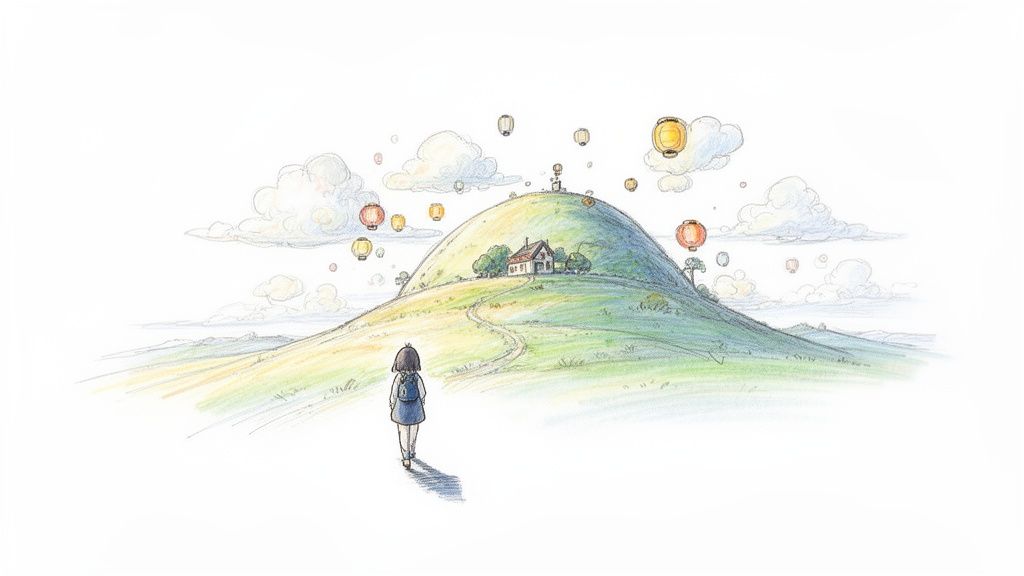
There’s something truly special about Studio Ghibli’s art style. The soft, watercolor skies, the impossibly green landscapes, and those characters with big, expressive eyes—it all feels so heartfelt. For decades, creating that look was something only master animators could do. Now, anyone can step into that world.
This whole trend of "Ghiblification" just blew up on social media, with people turning their selfies and pet photos into scenes from an animated movie. It was more than just a passing fad; it was a real shift in how we play with art, making a style that once felt out of reach totally accessible.
The Viral Tipping Point
Things really hit a fever pitch in 2025 when OpenAI built image generation right into GPT-4o. All of a sudden, millions of people could just upload a photo and ask, "turn this into a Studio Ghibli version." The creative floodgates opened, and it got so intense that OpenAI CEO Sam Altman quipped their "GPUs are melting" just trying to keep up.
To give you an idea of the scale, in March 2025 alone, X (formerly Twitter) saw over 500,000 posts tagged with Ghibli-style AI art. People were sharing everything. You can read more about this whole phenomenon in this detailed report on 2025's top AI trends.
This massive wave showed just how much we all crave that feeling of personalized nostalgia. We weren't just making pictures; we were putting ourselves inside the movies we grew up with. The real draw of a Ghibli AI image generator is its power to reimagine your world through a lens of pure wonder.
This trend has democratized a professional art form, turning personal memories into shareable masterpieces. It allows anyone to become the hero of their own whimsical adventure, blurring the line between viewer and creator.
More Than Just a Filter
So, what makes this different from slapping a filter on your photo? A lot, actually. A Ghibli AI tool isn't just tweaking colors or adding a texture. It rebuilds your image from scratch, understanding the core pieces—like a smile or a cloudy sky—and translating them into the Ghibli artistic language. This takes some pretty smart AI models that have been trained on tons of art to learn every little nuance of the style.
In this guide, we’ll pull back the curtain on how this technology works and show you how to create your own stunning Ghibli-inspired art for all sorts of things:
- Personal Projects: Make unforgettable family portraits, custom gifts, or a social media avatar that actually looks like you (but animated!).
- Creative Marketing: Design a charming mascot for your brand or create visual content that really grabs people's attention.
- Pure Fun: Turn your pets, favorite places, and best memories into scenes from a movie you'd actually want to watch.
We're going to cover everything from the best techniques to the ethical side of things, giving you all you need to get started. Tooncraft has a bunch of styles ready to go, and you can check out our collection of anime styles to get a feel for what’s possible.
How Ghibli AI Image Generators Bring Art to Life
So, how does a computer learn to paint a sky with that soft, dreamy feel of a Ghibli film? It's not magic, but it’s pretty close. The tech behind a Ghibli AI image generator works a bit like an art student who spends thousands of hours studying a master's work.
Imagine an AI model being shown countless images from Ghibli movies—the gentle hills from My Neighbor Totoro, the bustling bathhouse from Spirited Away, and the charming European towns from Kiki's Delivery Service. The AI isn't just memorizing these pictures; it's absorbing the very soul of the art style.
It learns to recognize the signature elements: the specific shades of green in the grass, the way clouds are puffy and backlit by the sun, and the simple, expressive lines used for characters' faces. This whole process is called training, and the quality of this "art school" education is everything. The better and more focused the training data, the more authentically the AI can echo the style.
The Core Technology: An AI Art Student
At its heart, this process relies on something called a generative model. Think of it as the AI’s imagination. After studying all that Ghibli art, it can dream up entirely new images that follow the same artistic rules. It's not just copying and pasting; it's generating something original, guided by everything it has learned.
When you give it a prompt—whether it's a photo of your cat or a text description like "a girl reading a book in a sunlit meadow"—you're giving the AI a creative assignment. The model then uses its learned Ghibli "language" to bring your request to life, translating your idea into a new piece of art that feels like it belongs in that whimsical universe.
This foundational ability opens the door to a few different ways of creating Ghibli-style art, each with its own quirks and strengths.
Three Paths to Ghibli-Style Art
Not all Ghibli AI image generators work the same way. They generally fall into one of three main camps, and knowing the difference helps you pick the right tool for what you want to do.
-
Text-to-Image Models: These are the ultimate creative sandboxes. You write a description (a "prompt"), and the AI builds an image from scratch. This is perfect for conjuring up completely original scenes, like "a cozy, cluttered magic shop on a rainy night, Ghibli style."
-
Photo-to-Anime Converters: This is the magic behind the viral "Ghiblification" trend. You upload a photo, and the AI redraws it in the Ghibli aesthetic. These tools are masters of style transfer, mapping the key features of your photo (like your smile or the shape of a building) onto a new artistic canvas.
-
Dedicated Style Transfer Apps: These are usually mobile apps designed for one thing: applying a pre-set artistic filter to your images. They offer less creative control but are often the quickest and easiest way to get a stylized result.
The secret to a convincing result isn't just the AI, but what you give it. A high-quality photo with clear lighting and distinct subjects gives the AI a much better canvas to work with, leading to more detailed and accurate transformations.
To help you decide which path to take, let's break down how they stack up against each other.
Comparing Ghibli AI Generation Methods
This table breaks down the three main approaches to creating Ghibli-style AI images, helping you choose the best method for your needs.
| Method | How It Works | Best For | Key Challenge |
|---|---|---|---|
| Text-to-Image | Generates an image from a written description. | Creating entirely new, imaginative scenes and concepts from scratch. | Can be difficult to get a specific person or pet to look consistent. |
| Photo-to-Anime | Transforms an existing photo into a new style. | Turning personal photos, portraits, and real-world scenes into Ghibli art. | The result is limited by the composition of the original photo. |
| Style Transfer Apps | Applies a pre-defined artistic filter to an image. | Quick, simple transformations with one-click results on the go. | Offers very little customization or control over the final look. |
Ultimately, each method taps into the same core idea: an AI model trained on a specific aesthetic. For anyone wanting to turn their personal moments into Ghibli masterpieces, photo-to-anime converters like Tooncraft offer the most direct and satisfying path. They preserve the soul of your original photo while dressing it in a beautiful, nostalgic new style.
Crafting Your Ghibli-Inspired Masterpiece
Alright, let's move from theory to practice and bring your own Ghibli-inspired world to life. This is where the real fun begins, and honestly, creating a beautiful, nostalgic image is much easier than you might think. With the right starting point, you can turn your favorite photos into art that truly captures that signature whimsical feeling.
The whole thing boils down to a pretty simple workflow: you give the AI a good photo to work with, it does its thing, and you get a stunning piece of art. Think of it like commissioning an artist—you'd give them a clear reference photo to work from, right? The better the reference, the better the final portrait.
Here’s a quick visual of how that works, from your photo to the final artwork.
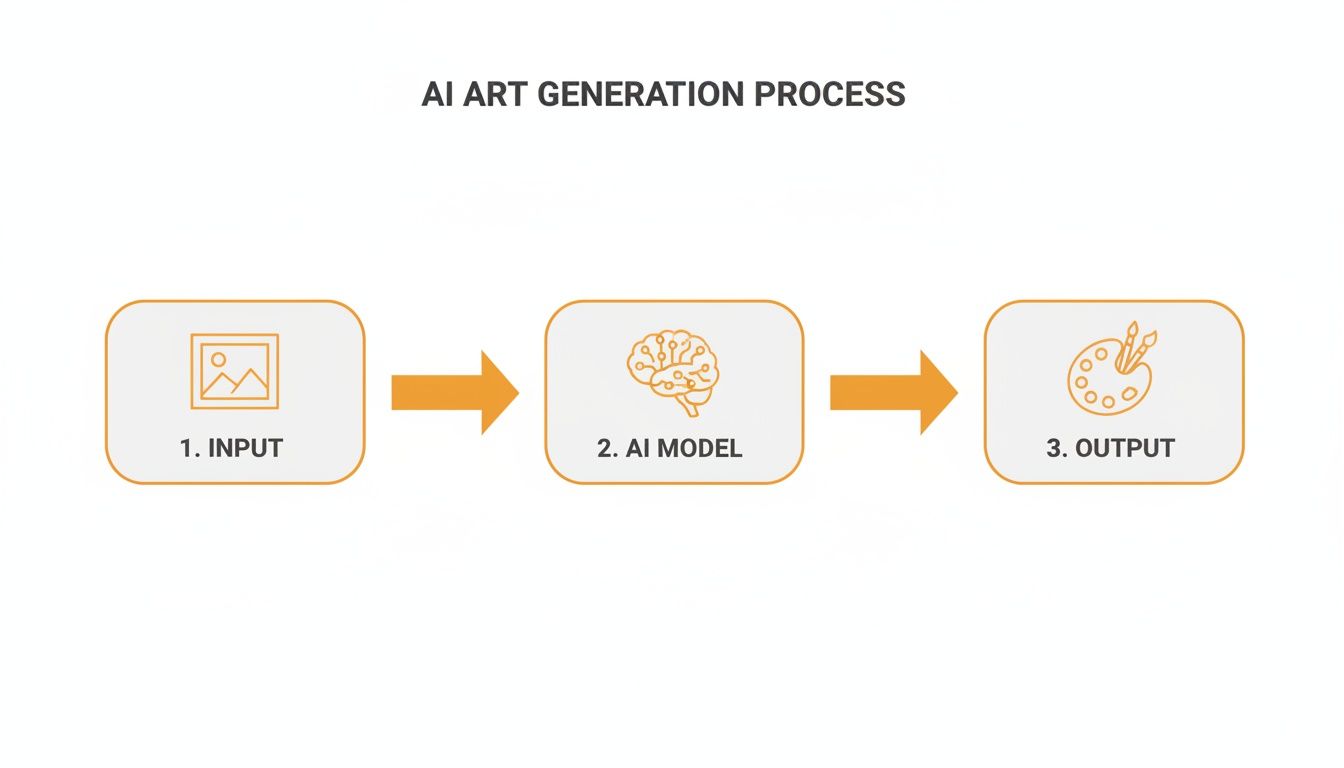
As you can see, the quality of your source image directly shapes how well the AI can create a detailed and expressive final piece.
Starting With the Perfect Source Photo
Your journey starts with one crucial thing: the source photo. The AI is incredibly powerful, but it's not a mind reader. Giving it a clear, high-quality image is the number one secret to getting a result you'll absolutely love. Distorted faces, awkward shadows, and messy backgrounds in your original picture can often lead to some… let's just say strange… AI results.
To set yourself up for success, look for photos with these traits:
- Good Lighting: A well-lit photo where faces are clear and not hidden by harsh shadows is key. This helps the AI accurately understand facial features. Natural, soft light is your best friend here.
- Clear Expressions: The AI is surprisingly good at translating emotion. A picture with a genuine smile, a thoughtful gaze, or a big laugh will produce a much more expressive and lively anime portrait.
- Simple Backgrounds: While not a deal-breaker, a less cluttered background lets the AI focus on the main event—you, your family, or your pet. This helps create that clean, classic portrait look.
These rules of thumb apply whether you're converting a portrait, a scenic landscape, or a picture of your furry sidekick. A crisp shot of your golden retriever sitting in a sunny field will give you a much better Ghibli-style companion than a blurry action shot from a dark room.
The Secret to Character Consistency
One of the trickiest parts of AI art is getting the same character to show up in different images. This is where a dedicated photo-to-anime tool really comes into its own. Instead of trying to describe a character from scratch with a text prompt every single time, you can use the same source photo as a consistent anchor.
By repeatedly using a clear, well-defined portrait as your base, you're essentially teaching the AI what "you" look like. This lets you generate a consistent avatar across different scenes, outfits, and expressions—perfect for a brand mascot or a cohesive social media profile.
This technique is a game-changer for creators. For instance, you could create a whole set of visuals for a project:
- A Profile Picture: Your main avatar, looking right at the camera.
- An Action Shot: Your character in a dynamic pose or interacting with an object.
- An Emotional Scene: Your character showing joy, surprise, or quiet thought.
Each image will unmistakably be the same person, which is fantastic for building a recognizable and personal brand. General text-to-image models often struggle with this, but it's a core strength of specialized avatar creators. If you're aiming for a consistent look, you should check out our guide on creating the perfect anime portrait avatar.
Creative and Commercial Uses for Ghibli AI Art
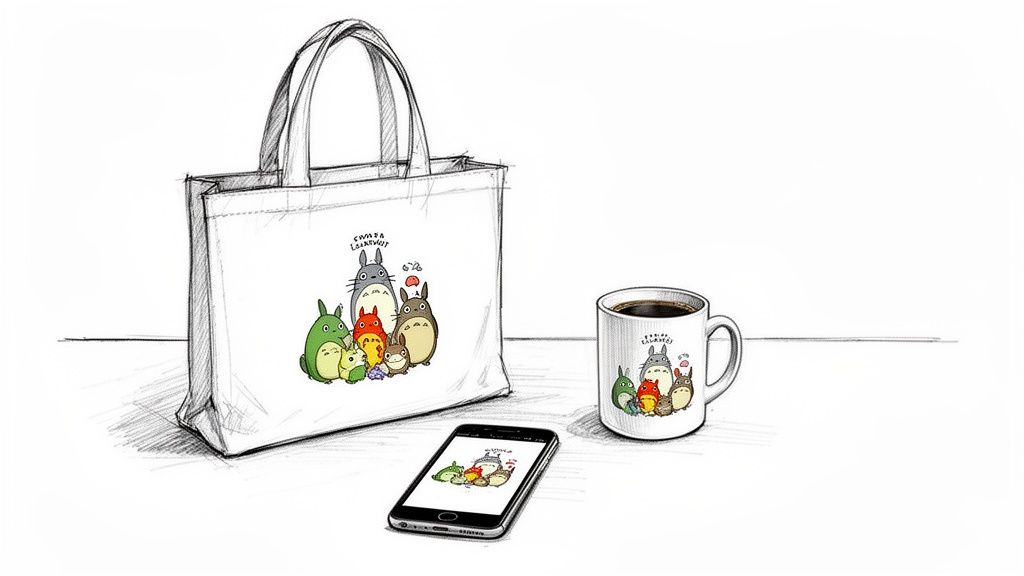
The magic of Ghibli-style AI art goes way beyond just crafting a new profile picture. It’s your ticket into a massive cultural and commercial movement, turning a beloved aesthetic into a fantastic tool for connection, branding, and even making a little money. This is more than a fun hobby; it’s a whole new way for people and businesses to tell their stories.
And the timing couldn't be more perfect. The global anime market is already huge, and it’s seeing some serious growth, thanks in part to easy-to-use AI tools. We’re talking about a market projected to jump from USD 32.15 billion in 2025 to a mind-boggling USD 77.27 billion by 2033. A big slice of that pie comes from merchandising—things like custom prints and clothing—which is growing like crazy. You can get a closer look at these market trends and their impact on the Ghibli aesthetic.
What this all boils down to is that people are genuinely hungry for this art style. A Ghibli AI image generator opens the door for anyone to meet that demand, no animation team required.
Building a Memorable Brand Identity
For businesses, creators, and streamers, the Ghibli look offers a golden opportunity to stand out. Its natural warmth and charm are perfect for building a brand that feels friendly and unforgettable. Imagine a custom mascot with those classic, expressive eyes—it creates an instant emotional bond with your audience.
Think about how you could use Ghibli-style art:
- Social Media Content: Make posts, stories, and banners that actually stop people from scrolling. They feel authentic and human, not like sterile corporate graphics.
- Marketing Assets: Design delightful illustrations for email newsletters, blog headers, or ads that grab attention and stick in people's minds.
- Product Packaging: A whimsical design on a box or label can make your product feel special and handcrafted.
The real power here is emotional resonance. Brands that adopt this style aren't just selling something; they're inviting customers into a story. They’re creating a feeling of comfort and nostalgia that builds real loyalty.
Monetizing Your Personal Creativity
This isn't just a game for businesses, though. For individuals, a Ghibli AI image generator unlocks a booming market for personalized gear. By turning your own photos into art or dreaming up original scenes, you can design unique products that people will absolutely love.
Just think of the possibilities for a personal side hustle:
- Custom Prints and Posters: Turn family portraits or pictures of your pets into beautiful art that’s perfect for hanging on the wall.
- Personalized Mugs and Phone Cases: Create one-of-a-kind gifts featuring custom Ghibli-style characters of friends and family.
- Greeting Cards and Invitations: Design charming, bespoke stationery for weddings, birthdays, or holidays that nobody else will have.
This approach lets you turn your creative spark into actual products you can sell, opening up all sorts of avenues for artists, hobbyists, and anyone with a cool idea.
Of course, it’s crucial to play by the rules when it comes to commercial use. Different platforms have different terms, and you always have to respect copyright by creating original work. To get the full picture, check out our guide on the legal considerations of using AI art. Once you're up to speed, you can confidently bring your imaginative ideas to life.
Navigating the Ethical Maze of AI Art
Jumping into Ghibli-style AI art is a blast, but it's worth taking a moment to talk about the conversations happening behind the scenes. When an AI generates an image that perfectly captures the Ghibli magic, it opens up some big questions about originality, copyright, and honoring the artists who created that magic in the first place.
At the core of this debate is how these AI models are trained. They learn by analyzing countless images scraped from the internet, many of which are copyrighted. This has prompted concern from artists everywhere, and Studio Ghibli is no exception. Studio co-founder Hayao Miyazaki has been famously critical of AI animation, calling it "an insult to life itself" because it lacks a human touch.
Copyright, Style, and How to Create with Respect
This is a big reason why tools like Tooncraft will offer "Ghibli-inspired" styles instead of a direct "Ghibli" option. It's a tricky area. While an artistic style isn't something you can typically copyright, specific characters and iconic scenes absolutely are. Trying to generate a picture of Totoro or Chihiro could get you into some murky legal waters.
The major AI platforms are starting to listen. Following feedback from artists and creators, many have put guardrails in place to block prompts that mention copyrighted names like "Studio Ghibli" or "Hayao Miyazaki." It’s a move designed to nudge users toward creating something new, not just copying something old.
The best way to use a Ghibli AI image generator is to create something genuinely new. Focus on transforming your own photos or bringing your unique ideas to life in that beautiful, inspired style—don't just try to replicate what already exists.
Best Practices for Ethical Creation
So, how do you play with this amazing tech and still be a good creative neighbor? It really comes down to your mindset. Think "transform," not "mimic."
Here are a few simple guidelines to keep in mind:
- Transform Your Own Stuff: The clearest and most creative path is to start with your own photos. Turning a snapshot of your dog, your family, or a favorite vacation spot into a Ghibli-esque scene is a fantastic way to make personal, meaningful art.
- Invent Original Characters: When writing prompts from scratch, let your imagination run wild. Instead of naming a specific film character, describe "a girl with a red bow and a friendly black cat."
- Check the Privacy Policy: When you upload personal images, you're placing trust in the platform. Stick with reputable tools that have a clear privacy policy explaining exactly how your photos are handled and stored.
By sticking to these ideas, you’re doing more than just making pretty pictures. You're taking part in this new creative movement in a way that respects the artists who paved the way. You get to celebrate the aesthetic you adore while making something that is entirely, wonderfully yours.
Your Ghibli AI Questions, Answered
Jumping into Ghibli-style AI art is a blast, but you're bound to have questions. We get it. To help you get the hang of things, we’ve rounded up some of the most common ones we hear and laid out the answers, plain and simple.
So, Can I Actually Use These Images for My Business?
Yes, you absolutely can, but there's a catch: you have to check the terms of service for the specific tool you're using. Many platforms, like Tooncraft, give you a full commercial license with their paid plans. That means you're free to use your creations for marketing, merch, or branding.
Here’s the golden rule: stick to transforming your own photos or generating totally new ideas. Don't try to copy characters or scenes straight from the movies—that's a quick way to get into legal hot water. The best (and safest) approach is to apply the "Ghibli-inspired" style to your own unique content.
Why Do the Hands and Faces Sometimes Look… Weird?
Ah, the classic AI art problem. This is a known quirk with a lot of image generators. AI models learn from huge piles of data, but they can still get tripped up by tricky details like fingers, hands, and subtle facial expressions.
For better results, start with a high-quality photo. Good lighting and clear features make a huge difference. You'll also find that specialized platforms are often trained to handle faces much better, giving you more polished outcomes. If a generation looks a little off, don't sweat it—just try again or swap in a different photo.
How Can I Create the Same Character in Different Poses?
This is a big one, especially if you're creating a brand mascot or a personal avatar you want to reuse. General text-to-image models usually can't pull this off; every new prompt is like rolling the dice on a brand-new character.
The real secret is using a tool built for consistency. By starting with a clear photo of a person, you can lock in their identity and then generate that same individual in all sorts of styles, scenes, and poses. Some tools even let you create a character library, so your avatar stays consistent everywhere. It's way more reliable than just tweaking text prompts and hoping for the best.
Is It Safe to Upload My Photos?
Your privacy all comes down to the platform you choose. A reputable AI tool will have a clear, easy-to-find privacy policy explaining exactly what they do with your data. The good ones will state that they won't use your images to train their AI models unless you specifically agree to it.
To play it safe, always stick with well-known services and give their privacy policy a quick read before you upload anything personal. Look for companies that take data security seriously and make it easy to delete your photos and account when you want to.
Ready to see your own photos get that beautiful, Ghibli-inspired magic? With Tooncraft, you can create amazing, consistent characters for your social media, personal projects, or business in just a few clicks. Start creating your own animated masterpieces today!