
Convert Photo to Cartoon Free The Ultimate Guide
Want to convert photo to cartoon free? This guide breaks down the best AI tools, mobile apps, and editing tricks to easily cartoonize your pictures.
Ready to turn your favorite photos into awesome, eye-catching cartoons? It's easier than you think, and you don't need to spend a dime. You can convert a photo to a cartoon for free using simple AI tools, handy mobile apps, or even free photo editors you might already have.
This guide will walk you through the best ways to get that perfect animated look, whether it's for a new profile picture, a unique gift, or just for the fun of it.
Your Quick Guide to Cartooning Any Photo
Turning a regular photo into a cartoon is more than just a cool trick; it's a fantastic way to inject some personality and creativity into your images. Think about it: a Twitch streamer could create a killer avatar to build their brand, or a family could make a one-of-a-kind portrait that really pops. Cartooning adds a layer of fun and style that a standard photo just can't match.
And these days, it’s incredibly easy to do. We've moved way beyond needing complex, expensive software. Now, you can get it done in seconds right from your browser.
This trend has absolutely exploded, especially with social media influencers and content creators always looking for new ways to stand out. It's estimated that free online converters now handle over 50 million conversions per month across the globe! That’s a lot of cartoon selfies. It makes sense, though, as stylized visuals are known to seriously boost engagement on platforms like Instagram. If you're curious about the impact, Filmora's blog has some great insights.
Finding Your Perfect Cartooning Method
So, which tool should you use? The right answer really depends on what you're trying to do. Are you after a super-fast, one-click result, or do you want to roll up your sleeves and have total control over the final look? Each method strikes a different balance between speed, simplicity, and creative freedom.
This little decision tree can help you figure out which path is best for your project, whether you need something "Quick & Easy" or prefer more "Creative Control."
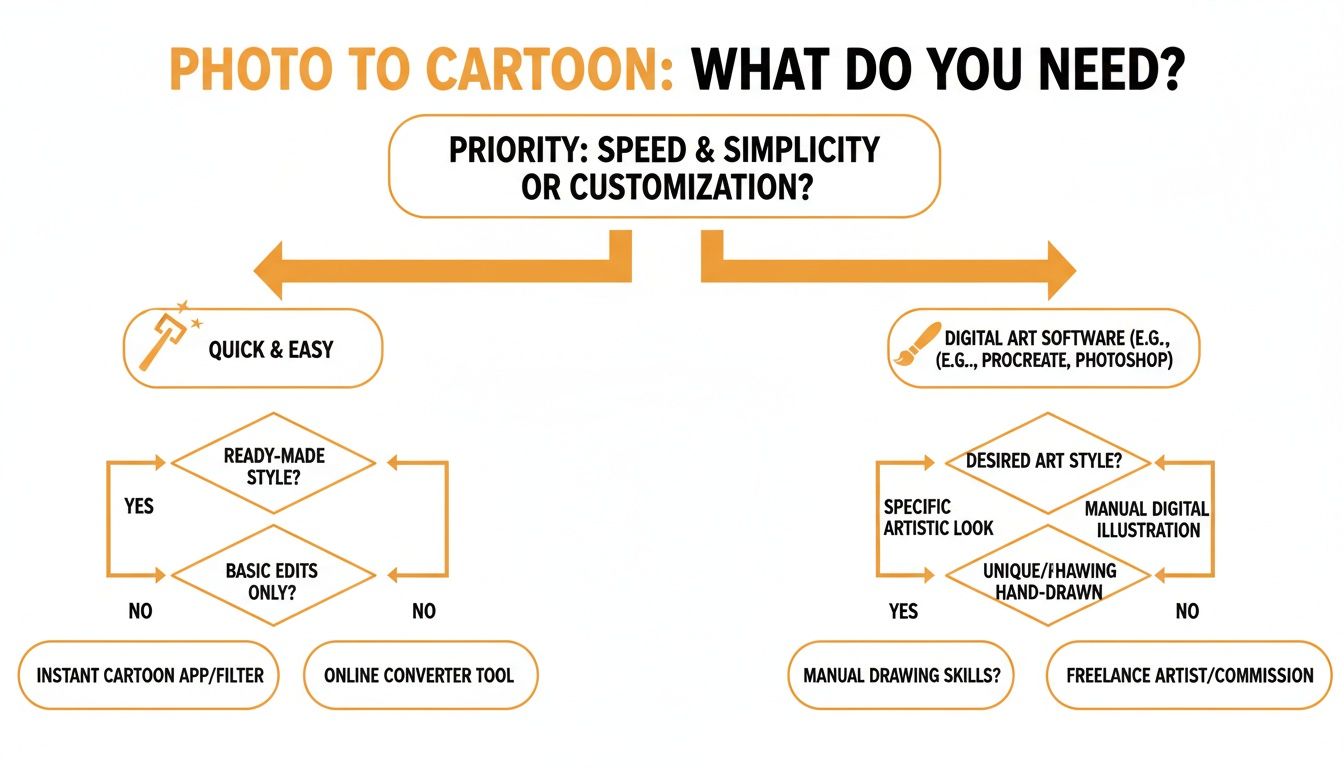
As you can see, if speed and simplicity are what you're after, AI tools and mobile apps are definitely the way to go. But if you're an artist at heart and want to tweak every little detail, manual editors give you that unparalleled control.
The bottom line: The "best" free method is the one that fits your goal. For a quick new profile picture, a one-click AI tool is a no-brainer. For a custom art piece, a manual editor gives you the power you need.
Knowing the difference is the first step. For a lot of people, an AI-powered platform like Tooncraft hits that sweet spot, offering high-quality results without a steep learning curve. It handles all the technical heavy lifting, letting you focus on the fun part: picking a style you love.
Free Photo-to-Cartoon Methods at a Glance
To make it even clearer, here’s a quick rundown of your options. This table breaks down the most common free methods so you can see at a glance which one might be the right fit for you.
| Method | Best For | Pros | Cons |
|---|---|---|---|
| One-Click AI Tools | Quick social media posts, avatars, and fun experiments | Incredibly fast and easy; no skills needed; lots of style options. | Limited customization; may have watermarks or resolution limits. |
| Mobile Apps | On-the-go editing and sharing directly to social media | Convenient; often includes extra editing features like filters and text. | Can be full of ads; quality varies wildly between apps. |
| Manual Photo Editors | Custom artwork, professional projects, and total creative freedom | Full control over every detail; high-resolution output; no watermarks. | Requires time, patience, and some knowledge of the software. |
| Freemium Web Apps | High-quality results with some advanced options | Often produces better quality than fully free tools; good balance of ease and control. | Free use is typically limited by credits, trials, or watermarks. |
Ultimately, choosing the right tool comes down to balancing your need for speed against your desire for creative control. There’s a perfect free option out there for everyone.
If you want incredible results without spending hours in a photo editor, AI tools are your new best friend. They do all the heavy lifting, letting you convert a photo to cartoon free with just a few clicks. It’s genuinely the quickest path to a professional-looking, stylized image that looks like it was plucked right out of an animation studio.
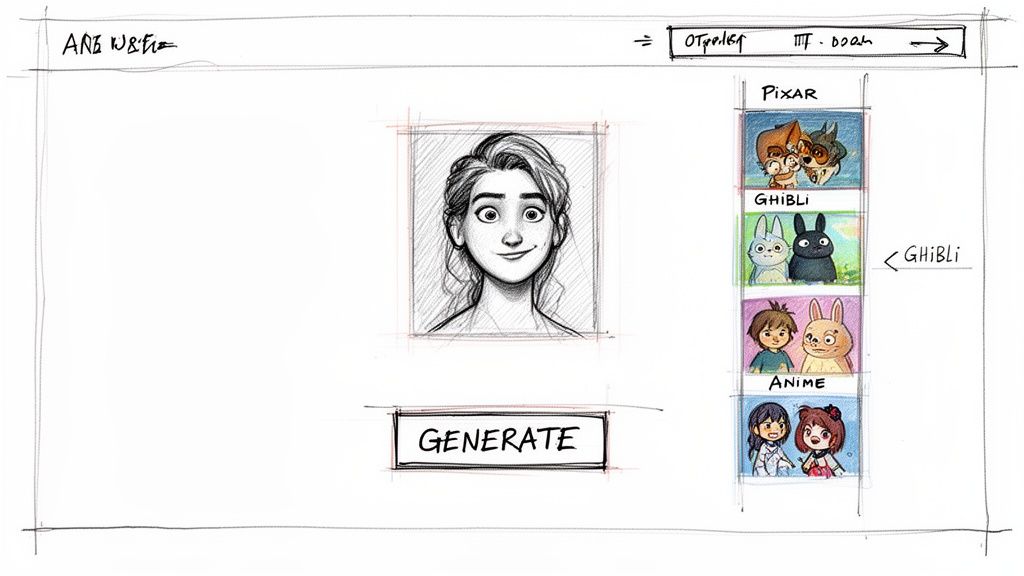
Think about turning that perfect family vacation photo into a Pixar-style poster or transforming a simple selfie into an anime character. The entire process is refreshingly straightforward: upload your picture, pick a style you love from a gallery, and let the AI work its magic.
Picking the Right Photo for AI Conversion
To get those really eye-popping results, the photo you start with makes a huge difference. While the AI is incredibly capable, giving it a high-quality image to work from is like giving a painter a crystal-clear reference instead of a blurry, confusing one.
Here’s what I’ve learned works best:
- Good Lighting is Everything: Photos with harsh shadows or super dark backgrounds can confuse the AI. Look for shots with soft, even lighting where the face is clearly visible.
- Focus on the Face: A headshot or a close-up that clearly shows facial expressions gives the AI more to play with. This leads to a much more expressive and detailed cartoon.
- Higher Resolution Helps: It's not always a deal-breaker, but a sharper, higher-resolution photo will almost always give you a cleaner, more polished final cartoon.
This method is a lifesaver for creators who need a consistent look for a brand mascot or anyone trying to make a themed set of portraits for a special occasion. It's also perfect for creating a custom anime portrait or avatar to make your social profiles stand out.
How to Get the Most Out of Free Trials and Credits
A lot of the best AI platforms run on a "freemium" model. This is great news for us, because it means you can often try out the premium, high-quality features without dropping a dime—at least for a little while. It's the perfect way to test drive the tool and see if it delivers the results you’re after.
Pro Tip: Free trials or a handful of starting credits are your golden ticket. Use them to generate a few high-resolution, watermark-free images to see if you like the style and quality before even thinking about a paid subscription.
This approach has blown the doors wide open, making photo cartooning accessible to anyone. In fact, 75% of social media users between 18 and 34 have tried a free photo-to-cartoon converter. This huge trend is all about creating fun, expressive content quickly. For streamers and creators, a cartoonized profile pic can even boost follower growth by as much as 28% on platforms like YouTube and Twitch. If you're curious, you can find more data on this over at Capcut's resource page.
At the end of the day, using an AI tool is about getting the biggest creative impact for the least amount of effort. It takes the technical hurdles out of the equation, so you can focus on the fun part—bringing your creative vision to life. Whether you're crafting a one-of-a-kind gift, a new profile picture, or content for your followers, AI makes it fast, fun, and surprisingly powerful.
Go from Photo to Cartoon in Seconds with a Mobile App
When you need a cartoon photo right now, your smartphone is your best friend. Mobile apps have completely changed the game, putting a surprisingly powerful cartooning studio right in your pocket. They're perfect for those spontaneous moments—like jumping on a new TikTok trend or wanting a quirky new profile pic.
The whole process is usually dead simple. You either snap a new photo right in the app or grab one you already have from your camera roll. After that, it's just a matter of scrolling through a gallery of different artistic filters, tapping the one you like, and voilà—you've got a cartoon version of yourself ready to share.
Finding the Right App for You
A quick search on the app store will show you a ton of options, but a few standouts consistently deliver the goods. Apps like ToonMe, Picsart, and Voilà AI Artist are popular for a reason—they offer a great mix of styles and are incredibly easy to use.
Each app has its own personality. Some are fantastic at creating those polished, 3D-style characters you see in animated movies, while others focus on classic 2D animation or hilarious caricatures.
- ToonMe: This one blew up with the viral "Toon Me Challenge" and is still a go-to for high-quality, one-tap cartoon styles.
- Picsart: Think of this as a full-blown photo editor that just happens to have a powerful set of cartoon effects packed inside.
- Voilà AI Artist: This app is brilliant at turning your photos into stunning Pixar-style characters, old-school Renaissance paintings, or funny caricatures.
The tech powering these apps is miles ahead of where it was a few years ago. We've moved on from the basic Photoshop plugins of the 2010s to seriously smart AI. Free mobile and online tools now convert over 200 million photos every year, a huge number driven by global mobile usage hitting 85%.
Interestingly, 62% of these conversions are for social media avatars. And it makes sense—having a unique avatar can boost post interactions by an average of 35%, a pretty big deal in the $21 billion influencer economy.
What to Expect from a Free App
Of course, "free" usually has a catch. Most free apps will run ads or place a small watermark on your finished image. It’s the standard trade-off for getting access to their cool technology without pulling out your wallet.
My Advice: Honestly, don't sweat the small watermark. For personal use, like a new profile picture, you can often just crop it out. Or, keep an eye out for free trials. Many apps let you test their premium version for a few days, which gets rid of ads and watermarks, letting you create a handful of clean images for free.
These apps are a blast for playing with visual trends and showing off your creative side online. They’re also perfect for making fun, lighthearted pictures of your family and friends. And yes, that includes the furry ones! If you're obsessed with your pets like I am, you’ll love seeing what they look like cartoonified. Check out our gallery for some ideas on creating adorable cartoon versions of your pets.
Creating Your Own Cartoon Style with Free Editors
Sure, AI tools and mobile apps are lightning-fast, but what if you want to be the one calling the creative shots? For anyone who wants total control, diving into a free photo editor is the best way to convert a photo to cartoon free and invent a look that’s 100% you. It puts you in the artist’s chair, letting you tweak every last detail.
Powerful tools like the browser-based Photopea or the downloadable GIMP offer a professional-level toolkit without the subscription fees. This is a fantastic route for hobbyists looking to pick up some new editing skills or for anyone with a specific vision that the one-click tools just can't nail. You get to decide exactly how bold the lines are, how simplified the colors get, and which features you want to make pop.
Simplifying Colors with Posterization
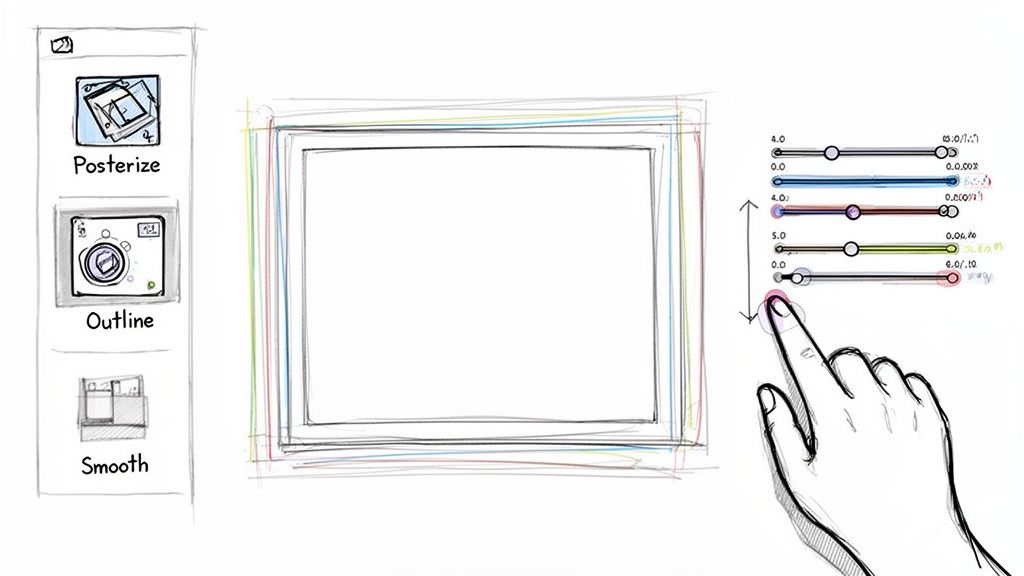
The first thing you’ll want to do is tackle the colors. Real-life photos have millions of subtle shades and gradients, but cartoons rely on flat, distinct blocks of color. The secret weapon for this is the Posterize effect.
You can usually find this tool under the adjustments or filters menu in your editor. It works by limiting the number of colors in the image, which instantly gives it that simplified, graphic feel.
- Higher Value (like 20): This setting will keep more of the original color detail, so the result stays closer to the source photo.
- Lower Value (like 4): This drastically cuts down the color palette, creating the bold, flat look you see in classic animation.
I recommend starting low—maybe around 4 or 5—and then slowly dial it up. You're looking for that sweet spot where the image is simplified but you haven't lost the important details that define the subject.
Creating Bold Cartoon Outlines
Next up: those iconic outlines that make cartoons jump off the page. This part usually takes a few steps, but the basic idea is to create a black-and-white layer that defines all the edges and then lay it over your posterized image.
Here's a workflow I've used many times: duplicate your original layer, turn it grayscale (desaturate it), and then apply a filter like "Find Edges." Some "Oil Paint" filters with the stylization cranked up can also do a great job of isolating the main lines. Once you have that line art, you can use a layer blending mode like "Multiply" to make the outlines appear on top of your colored image, giving it a hand-drawn vibe.
Expert Tip: Don't be afraid to go in and touch up the lines by hand. Grab a digital brush and thicken the outlines around key features like the eyes, jawline, or hair. This little bit of manual work can make a massive difference in selling the effect.
Smoothing Features for an Animated Feel
The final touch is to smooth everything out. Real photos have skin textures, pores, and tiny blemishes that just look weird in a cartoon. You want that clean, almost airbrushed aesthetic. A "Surface Blur" or "Smart Blur" filter is your best friend here.
Just be sure to apply this blur to your posterized color layer, not the outline layer you just made. This will blend the color blocks together beautifully while keeping your hard-earned edges sharp and crisp. The result is a clean, painted look that completes the transformation.
This manual method definitely takes more effort than a one-click solution, but the reward is a completely custom piece of art. If you'd rather explore some ready-made options, you can check out a whole collection of different cartoon styles on our platform.
Pro Tips for Better Cartoon Photos
Getting a decent cartoon out of your photo is pretty simple with today's tools. But going from decent to amazing? That’s all in the details. A few simple tweaks can make a world of difference, no matter which method you're using.
Think of your original photo as the foundation. If you start with a blurry, low-res image, you're just not going to get a sharp, impressive result. Always, always start with the highest-resolution photo you have. The more detail the software has to work with, the cleaner your lines will be and the better the final cartoon will look. It's that simple.
Match the Style to the Subject
This is a big one. You wouldn't use a whimsical, bubbly font for a horror movie poster, right? The same logic applies here. The cartoon style you choose needs to match the vibe of your photo.
A playful, 3D Pixar-style effect can be perfect for a fun family portrait, but it would feel totally wrong for a dramatic shot of your latest cosplay masterpiece. For that, you’d want something with more edge, like a bold anime or comic book style.
Think about the feeling you're trying to capture:
- Fun and lighthearted? Go for styles with bright colors and soft, rounded features. Think classic Disney or modern 3D animation.
- Action-packed or dramatic? You'll want sharp lines, dynamic shading, and high contrast. Styles inspired by Japanese anime or graphic novels are your best bet.
- Artistic and classic? Try something that mimics a pencil sketch, a watercolor painting, or even a vintage cartoon for a more timeless look.
When the style complements the photo, the whole thing just clicks. It feels intentional and powerful.
Key Takeaway: You’re not trying to fight the original photo's mood; you're trying to amplify it. The right style helps tell a better story and turns a simple conversion into a real piece of art.
Keep Your Characters Consistent
If you're creating a set of images—maybe for a personal brand, a comic strip, or just a fun series for Instagram—consistency is your best friend. You want your cartoon avatar to look like you every single time.
While some of the more advanced AI tools are getting pretty good at this, you can give them a huge head start. Try to work from a batch of photos all taken during the same photoshoot. When the lighting, angles, and even your expression are similar, the AI has a much easier time creating a consistent character from one image to the next.
Finally, don't forget about the technical stuff. Where is this cartoon going to live? The file format you choose actually matters. If you need a profile picture with a transparent background (so you can pop it on top of anything), you absolutely need to save it as a PNG. For just about everything else, like sharing on social media, a high-quality JPEG is your go-to. It keeps the file size down without making your image look pixelated. Getting this right ensures your creation looks polished and professional wherever you post it.
Got Questions About Cartooning Your Photos?
Jumping into the world of photo-to-cartoon converters can bring up a few questions, especially when you're trying to do it for free. That's totally normal. Getting some clear answers upfront can save you a ton of time and help you pick the right tool for the job.
Let's break down some of the most common things people ask when they want to convert a photo to a cartoon for free.
One of the first questions I always hear is, "What's the best tool?" The honest-to-goodness answer is: it depends entirely on what you're trying to do.
If you need a high-quality, polished look—think something that looks like it came from a Pixar or anime studio—an AI platform is your best bet. If you're just messing around and need a quick edit on your phone, a mobile app like ToonMe is super handy. But for those who love getting their hands dirty and want absolute control over every line and color, free software like GIMP is the undisputed king.
Can I Really Get a Cartoon Photo Without a Watermark for Free?
This is a big one. The short answer is yes, but there's usually a catch. Some online tools are genuinely free and won't slap a watermark on your final image. The trade-off? They might serve you a bunch of ads or limit your download to a lower resolution.
A great little workaround is to find an AI platform that offers a free trial or gives you a few credits to start. This is often the sweet spot—you can generate a couple of high-resolution, professional-looking images without any watermark. It's perfect for when you need something special without committing to a subscription.
My Two Cents: Before you get invested in creating something, always poke around the tool's export settings or terms. Finding out about watermarks or resolution caps after you’ve done all the work is a real letdown.
How Can I Make Sure the Cartoon Version Actually Looks Like Me?
Getting a good likeness is everything, and it all starts with the photo you choose. To give the software the best chance of capturing your features, stick to these simple guidelines:
- Start with a Clear Photo: Use a well-lit picture where your face is front and center. No blurry concert shots!
- Avoid Obstructions: Ditch the sunglasses and avoid photos with harsh shadows covering your face. The tool needs to see your key features clearly.
- Play with Different Styles: If you're using an AI tool, don't just stick with the first style you see. Some are designed for more realistic portraits, while others are more abstract. Experimenting is key.
If you’re going the manual route, the secret is to really focus on tracing the unique shapes of your eyes, nose, and mouth. Those are the features that people recognize instantly.
Is It Safe to Use These Images for My Business?
Okay, this is a super important question, and it gets into legal territory. The vast majority of free converters state in their terms that the images you create are for personal, non-commercial use only.
What does that mean? Using a cartoon photo from a free tool for your company logo, a marketing campaign, or anything else that helps you make money could land you in hot water.
For any business use, you absolutely must use a service that grants you a commercial license. This is almost always part of a paid plan. Please, read the fine print before you use a generated image to represent your brand.
Ready to create your own amazing cartoon images without the hassle? Tooncraft makes it ridiculously easy to transform your photos into 50+ beloved styles, from anime to Pixar, in just a few clicks.
Get started for free at https://tooncraft.ai and bring your creative vision to life