
Create Magical Studio Ghibli-Style AI Art and Videos
Learn to create stunning Studio Ghibli-style AI art. Our guide covers the best prompts, tools, and techniques for creators, brands, and families.
So, you want to create art that has that magical Studio Ghibli feel? It's totally possible with AI art generators. The secret is knowing how to talk to the AI, using the right mix of keywords and visual cues to capture that iconic aesthetic.
Think of it as translating your ideas—whether a simple text prompt or a family photo—into a nostalgic, hand-drawn visual filled with soft colors, emotional characters, and breathtaking, nature-filled scenes.
The Magic of Ghibli-Inspired AI Animation
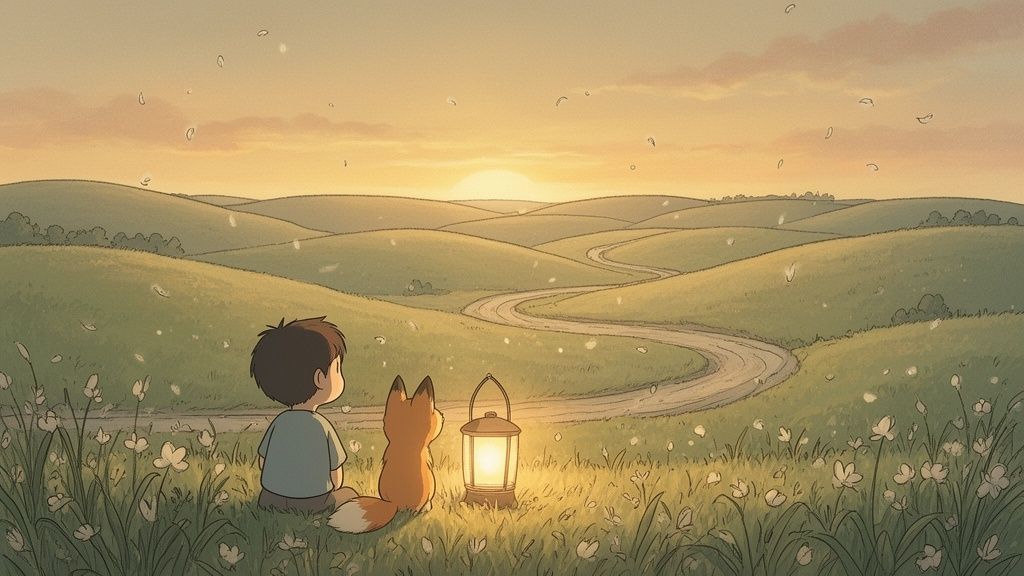
This is where timeless animation meets modern technology, and the results are pretty amazing. For decades, the hand-drawn look of Studio Ghibli has won over audiences with its unique blend of warmth, wonder, and deep storytelling. Now, generative AI lets anyone step into that world.
This isn't just about slapping a filter on a photo. It's a true creative partnership with a powerful tool. Platforms like Tooncraft give you the ability to recreate that iconic style without needing years of art school.
Imagine creating a magical portrait for your family, a one-of-a-kind avatar for your stream, or a memorable mascot for your brand. This opens up a whole new world of creative possibilities.
Why This Style Resonates So Deeply
That Ghibli charm is more than just nostalgia. It’s built on specific artistic choices that an AI can learn to replicate, as long as you guide it with the right prompts. To do that, you first need to understand what makes the style so special.
- Emotional Character Designs: The characters feel alive. Their large, expressive eyes and soft features manage to convey a ton of emotion with just a few simple lines.
- Lush, Living Backgrounds: Nature is never just a backdrop; it’s a living, breathing character. The backgrounds are packed with detail, from sun-dappled forests to beautifully rendered cityscapes.
- Soft Color Palettes: The colors feel like a warm hug. They’re often gentle, harmonious, and have a watercolor-like quality that creates a comforting, dreamlike atmosphere.
This powerful combination has sparked a massive cultural movement. The global anime market, which includes the trend of Studio Ghibli-style AI art, is on track to hit an incredible USD 77.27 billion by 2033. This boom is largely thanks to streaming platforms and social media, where Ghibli’s whimsical visuals have found a natural home. You can dig into more of these market trends over at Accio Business.
Key Elements of the Ghibli Aesthetic for AI Prompts
To help you get the language right, here’s a quick-reference table. Think of this as your cheat sheet for crafting prompts that nail the Ghibli look and feel.
| Visual Element | Description | Keywords for AI Prompts |
|---|---|---|
| Color & Light | Soft, warm, and often uses natural lighting like sunbeams or gentle glows. | soft color palette, pastel colors, warm lighting, golden hour, dappled sunlight, watercolor style |
| Characters | Expressive, with large eyes and simple, rounded features that convey emotion. | charming character design, expressive eyes, whimsical, innocent, nostalgic anime style, Hayao Miyazaki style |
| Nature & Backgrounds | Detailed, lush, and often overgrown with a sense of wonder and tranquility. | lush nature, overgrown ruins, hand-drawn background, detailed foliage, pastoral landscape, cloudy sky |
| Overall Mood | A mix of nostalgia, wonder, and gentle melancholy. | nostalgic, dreamlike, whimsical, enchanting, serene, melancholic, heartwarming |
Once you start weaving these keywords into your prompts, you’ll see your creations transform. It’s all about giving the AI the right ingredients to work with.
By learning to prompt an AI with the right language, you're essentially becoming a director, guiding the technology to capture the soul of the Ghibli universe in your own creations.
This guide is here to show you exactly how to do that. Let's get started on turning your simple ideas into breathtaking visuals that honor the spirit of this beloved animation style.
Picking the Right AI Art Generator
Finding the right tool to create that signature Studio Ghibli-style AI art can feel like a bit of a treasure hunt, but landing on the right one makes all the difference. The world of AI art is packed with options, from super technical models for the pros to simple apps that do the magic with one click. Honestly, the best choice really boils down to your goals, your budget, and how much time you're willing to invest.
Some of the big names, like Midjourney and Stable Diffusion, are absolute powerhouses. They give you incredible control over every little detail, but you have to be willing to wrestle with complex text prompts. If you geek out on "prompt engineering"—the art of crafting the perfect sentence to get the perfect image—then you'll feel right at home with these.
But let's be real: a lot of creators, families, and small businesses don't need that kind of firepower. The goal is usually much simpler: turn a favorite photo into a beautiful Ghibli-inspired scene, and do it fast. That’s where specialized, user-friendly tools really come into their own.
Text-to-Image or Photo-to-Anime?
First, it helps to understand the two main paths you can take. Each one is a totally different creative journey.
-
Text-to-Image Generators: Think of tools like Midjourney as a blank canvas. You type in a description, and the AI builds an image from scratch based on your words. You're the director, describing the scene, the characters, and the mood. This is perfect for bringing completely original ideas from your imagination to life.
-
Photo-to-Anime Converters: Then you have platforms like Tooncraft, which are designed for a totally different job. They take your photos—of your kids, your dog, a great selfie—and intelligently redraw them in a specific anime style. This is, hands down, the quickest way to see yourself or your loved ones reimagined in that enchanting Ghibli aesthetic.
The best tool for you really hinges on your starting point. Are you working from a vivid scene in your head, or do you have a cherished photo you want to see in a magical new light?
A Quick Look at the Top Contenders
So, let's break down the most popular choices and see how they stack up for nailing that iconic Ghibli look. Each has its own vibe, so think about what's most important for what you're trying to create.
| Tool | Best For | Ease of Use | Key Feature |
|---|---|---|---|
| Tooncraft | Families, creators, and brands wanting to turn photos into Ghibli-style art with high accuracy. | Very Easy | Directly converts photos, so the final image actually looks like the person in the original. |
| Midjourney | Artists and hobbyists who love detailed text prompting and creating brand-new scenes from imagination. | Moderate | Produces stunning, highly artistic images with a very strong and recognizable default style. |
| Stable Diffusion | Tech-savvy folks who want total control, open-source flexibility, and the option to run models on their own hardware. | Difficult | Insanely customizable with thousands of community-trained models, including specific Ghibli-style ones. |
While Midjourney and Stable Diffusion give you a ton of creative freedom, getting them to make an image that actually looks like someone you know from a photo can take a mountain of trial and error. For anyone wanting to turn a selfie into a Ghibli-esque avatar or a family portrait into a whimsical keepsake, a dedicated photo-to-anime tool is just way more efficient.
This is where platforms like Tooncraft shine. They're built from the ground up to preserve the essence of the original photo, translating real faces and features into the art style. This specialized approach tackles one of the biggest headaches in AI art—character consistency. If you want to dive deeper into this, check out our guide on the best Ghibli AI image generator options out there. This focus on recognizability is exactly why it's the go-to for personal projects, gifts, and even branded content where you need people to know who they're looking at.
Getting the Words Right: Crafting the Perfect Ghibli Prompt
Here’s where the real fun begins. The magic behind stunning Studio Ghibli-style AI art isn't just the tool—it's the words you feed it. Think of yourself as the director of your own animated short. Simply describing a scene isn't enough; you need to breathe life into your instructions to get that genuinely enchanting Ghibli feel.
Prompting is an art in itself. It’s a dance of layering details, knowing what to emphasize, and, just as importantly, what to leave out. This is how you turn a generic request into a specific, emotionally resonant image that feels like it was plucked right out of a classic film.
The Anatomy of a Powerful Ghibli Prompt
A truly great prompt is like a recipe. You can’t just throw in one ingredient and expect a masterpiece. You need to combine several key elements to paint a complete picture for the AI. Instead of just saying, "a girl in a forest," a well-crafted prompt will specify her mood, the time of day, and the very soul of the scene.
Let's break down the core components you'll want to mix and match:
-
Subject and Action: Start with the basics. Who or what is the star of your scene? What are they doing? Get specific. "A girl" is fine, but "a young girl with a bright red ribbon in her messy hair, chasing a butterfly" is so much better.
-
Atmosphere and Mood: This is crucial. How do you want the scene to feel? Use words that stir emotion. Are you going for nostalgic, serene, mysterious, or heartwarming?
-
Lighting and Environment: In the Ghibli aesthetic, lighting is everything. Describe it like you’re seeing it with your own eyes. Is it the "soft golden hour light filtering through tall pine trees"? Or maybe the "gentle glow of a paper lantern on a misty evening"?
-
Artistic Style Cues: Don't be shy—tell the AI exactly what you want. Phrases like
in the style of Hayao Miyazaki,classic 90s anime aesthetic,watercolor background, andhand-drawn detailsare your secret weapons.
Blending these elements is what separates a decent image from a breathtaking one.
Prompt Examples for Different Scenes
To see this in action, let's look at a few prompts I've used. Notice how they weave together all the components we just talked about.
For a Whimsical Character Design:
A curious young boy with messy brown hair and oversized round glasses, wearing a simple blue tunic, sitting on a giant, moss-covered mushroom, looking up at a glowing firefly, whimsical and enchanting, detailed watercolor style, soft pastel colors.
For Transforming a Pet Photo:
A fluffy Samoyed dog reimagined as a gentle forest spirit, with soft glowing fur and wise, kind eyes, sitting peacefully in an ancient, overgrown forest clearing, dappled sunlight through the canopy, Studio Ghibli aesthetic, serene and magical.
For a Breathtaking Landscape:
A vast, pastoral landscape with rolling green hills under a sky filled with fluffy, painterly clouds, a single winding dirt path leading to a small, charming cottage in the distance, nostalgic summer afternoon, in the style of My Neighbor Totoro.
See the difference? These detailed instructions give the AI so much more to work with. The more vivid your description, the closer you'll get to what's in your head.
Pro Tip: Don't hesitate to reference specific films directly. I've found that mentioning "a bustling town square like in Kiki's Delivery Service" or "an enchanted bathhouse in the style of Spirited Away" gives the AI a powerful visual anchor to work from.
Why Negative Prompts Are Your Best Friend
Sometimes, what you don't want is just as important as what you do. This is where negative prompts become your secret weapon for quality control. They help you steer the AI away from common digital art hiccups and push it closer to that perfect, hand-drawn look.
Most AI image generators have a special field for negative prompts. I use it all the time to filter out things like:
- Digital Junk:
blurry, pixelated, jpeg artifacts, watermark, signature - Wrong Styles:
3D render, photorealistic, CGI, modern, futuristic - Weird AI Quirks:
deformed hands, extra limbs, ugly, disfigured, poorly drawn faces
Using negative prompts is like being an editor for your art. It trims the fat, cleans up the final image, and ensures the focus stays on the authentic, painterly qualities we’re all here for. It’s a total game-changer for consistency.
This ability to create such beautiful art has kicked off a huge wave of creativity online. Tools that can capture Ghibli's hand-drawn charm have really started a movement in digital art spaces. It’s wild—even tools like ChatGPT are being used as brainstorming partners, helping artists find the right words to inject that Miyazaki-level emotional depth into their prompts and stories.
It's more than just a visual trend; it’s a full-on renaissance happening in online forums and communities. Creators are merging Ghibli’s imaginative worlds with their own narratives, using AI as a collaborator to smash through creative blocks. If you want to dive deeper into this whole dynamic, you can find some fascinating insights on Ghibli vs. artists and how this tech is shaking things up.
By getting comfortable with both positive and negative prompts, you gain an incredible amount of control, ensuring every image you create is a beautiful tribute to this beloved animation style.
Getting Your Characters to Look the Same in Every Shot
It’s one thing to create a single, stunning Studio Ghibli-style AI image. It’s another challenge entirely to make that same character show up consistently across a dozen pictures or a full video clip. Honestly, this is one of the biggest headaches for anyone working with AI art. If you don't steer it just right, the AI will give you a new version of your character with every single click, which can get old fast.
But for a streamer building a brand around an avatar, a small business creating a mascot, or even a family making a storybook with a beloved hero, consistency is everything. The good news? You can absolutely rein in the AI's randomness. You just need to give it a much stronger, more detailed blueprint to follow from one frame to the next.
This flowchart breaks down the core pieces you need to nail down in your prompts to get more consistent results.
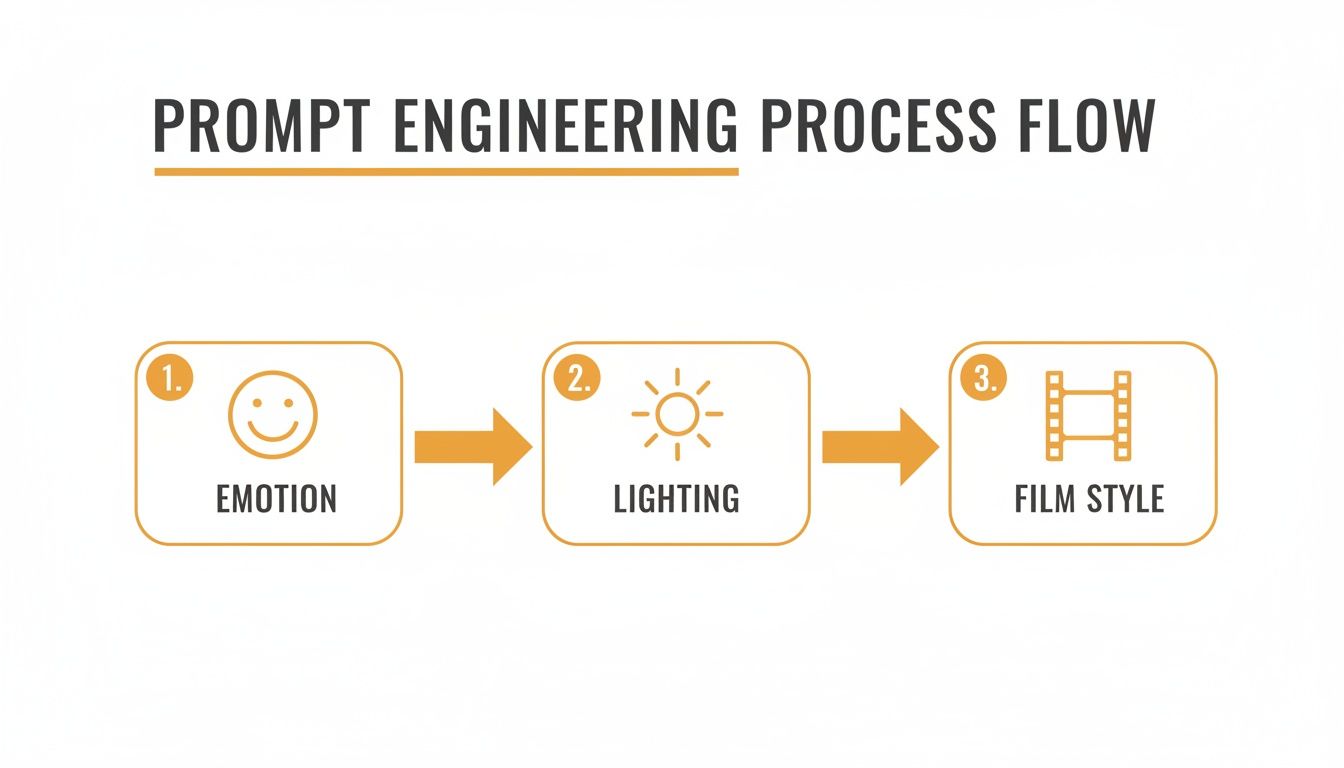
As you can see, locking in your character starts with defining the creative pillars—the emotion, the lighting, and the overall film style—and then keeping those elements the same across all your prompts.
Build a Super-Detailed Character Sheet
Your best friend in this process is a text-based "character sheet." This is just a highly specific, repeatable description of your character that you’ll copy and paste into every prompt you write. The idea is to leave as little to the AI's imagination as possible.
Think of it like you're a casting director. Instead of just asking for "a girl," you need to be precise:
- Physical Features: "A 10-year-old girl with shoulder-length messy brown hair, a single red ribbon tied on the left side, bright green eyes, and a light dusting of freckles across her nose."
- Clothing: "Wearing a simple, short-sleeved yellow A-line dress with a white collar and worn brown leather boots."
- Key Accessories: "Always carrying a small, weathered leather satchel over her right shoulder."
By creating an exhaustive textual description, you give the AI a rigid set of rules. The more unique and specific the details, the more likely the AI will regenerate a visually similar character each time.
Harness the Power of Seed Numbers
Many of the more advanced AI art tools, like Stable Diffusion and certain modes in Midjourney, have a feature called a seed number. A seed is basically the random starting point the AI uses to begin generating an image from digital noise. If you use the same prompt and the exact same seed number, you can often get nearly identical images.
This is a fantastic trick for keeping the style, composition, and character structure consistent. Once you generate an image you absolutely love, find its seed number and save it somewhere safe. Now you can use that seed as your foundation, making tiny tweaks to your prompt (like changing "smiling" to "laughing") to create variations while keeping the core look intact.
Use a Strong Reference Image
The most direct route to consistency is using a reference image, often called an "image-to-image" or "img2img" process. You begin by generating one perfect portrait of your character. This becomes your visual anchor.
From there, you feed this reference image back into the AI along with your new prompts. It’s a pretty straightforward workflow:
- Create Your "Hero" Image: Generate the perfect shot of your character. Let’s stick with our girl with the red ribbon, looking right at the camera.
- Use It as a Reference: Upload that hero image. Now, in your new prompt, you can describe a different action or feeling. For example: "A girl with a red ribbon, looking up at the sky in wonder."
- Adjust the "Strength" Setting: Most tools will have a "strength" or "denoising" slider. A lower strength tells the AI to stick very closely to your reference image, while a higher strength gives it more creative freedom. For consistency, start with a low strength (somewhere around 0.4 to 0.6) and experiment from there.
This method is a total game-changer for getting different expressions and poses without losing the character's likeness. Some platforms, like Tooncraft, are built entirely around this concept, letting you build a whole library of poses from just one photo, guaranteeing your character looks perfectly consistent every single time. It takes the guesswork out of the equation and makes creating a series of related visuals so much easier.
Bringing Your Ghibli AI Art to Life
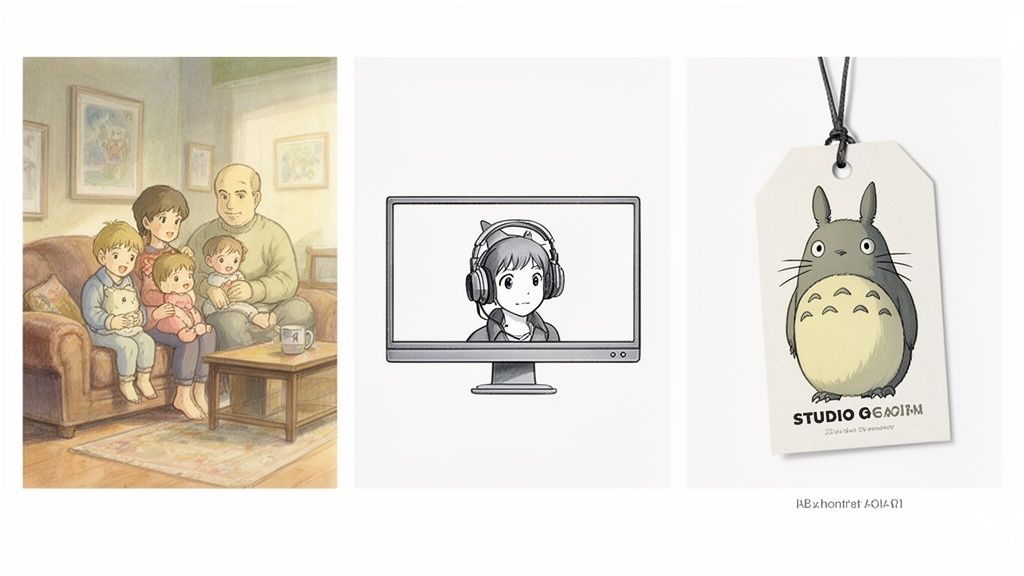
Alright, so you've nailed the art of creating stunning Studio Ghibli-style AI images. That's awesome! But the real magic begins when you start using these beautiful creations in the real world. This isn't just a fun experiment; it's a way to add a layer of warmth and enchantment to pretty much anything you can think of.
What I love most is how flexible this style is. You can take a simple idea—a family photo, a brand logo, a channel avatar—and turn it into something genuinely special. Let's walk through a few practical ways you can put this nostalgic aesthetic to work.
For Families and Personal Projects
Imagine turning your favorite family photos into pages from a storybook. Honestly, this is one of the most heartwarming ways to use Ghibli-style AI. The soft, gentle feel is perfect for capturing the cozy moments of family life and making keepsakes you'll actually want to look at for years.
Here are a few ideas I've seen work beautifully:
- Personalized Holiday Cards: Ditch the generic store-bought cards for good. Take a family photo and transform it into a whimsical winter scene. The personal touch of seeing your family in a Ghibli-esque landscape is something your friends and relatives will absolutely adore.
- Custom Storybooks: Got a little one at home? Create a short story with them as the main character. You can generate a series of illustrations based on their photos, turning a simple bedtime story into an unforgettable adventure where they're the hero.
- Anniversary and Wedding Gifts: This is a killer gift idea. Turn a couple's favorite photo into a timeless, romantic piece of art. It’s so much more personal than a framed picture and captures a special moment in a dreamlike, memorable way.
Sample Prompt Idea: Find a great family photo to start with. Try something like this: "A heartwarming family portrait in the style of Studio Ghibli, sitting together on a cozy, oversized sofa in a sunlit room filled with plants, soft watercolor aesthetic, gentle and nostalgic."
For Content Creators and Streamers
In the crowded world of online content, having a unique visual identity is everything. If you're a streamer, YouTuber, or influencer, a cohesive and charming look can make you instantly recognizable. The Ghibli style gives you an aesthetic that's both professional and incredibly inviting.
Think about building out your entire visual brand:
- Unique Avatars and Profile Pictures: A Ghibli-style version of yourself is so much more expressive than a standard selfie. It sets a creative, friendly tone for your channel and immediately tells people what you're about.
- Custom Twitch Emotes and Badges: Design a whole set of emotes that show off your personality. Imagine your subscribers using tiny, hand-drawn versions of your face to react in chat—it's a fantastic way to build a real sense of community.
- Engaging YouTube Thumbnails: Create thumbnails that look like a scene from an animated movie. That kind of visual appeal can seriously boost your click-through rates because it just pops off the screen. If you want to get even fancier, you can animate a photo online for free to add a bit of motion to your branding.
For Brands and Small Businesses
It’s not just for personal projects. Businesses can tap into the warmth and nostalgia of the Ghibli aesthetic to build a much stronger connection with customers. This style is a perfect fit for brands that want to feel more approachable, creative, and human.
Here are a few ways businesses can use it:
- An Endearing Brand Mascot: Develop a memorable mascot for your business. A charming, Ghibli-inspired character can make your brand feel more relatable, whether it's on your website, social media, or product packaging.
- Visually Compelling Marketing: Instead of using bland stock photos, create short animated clips or illustrated posts for your social media campaigns. A gorgeous Ghibli-style scene is far more likely to stop someone mid-scroll.
- Charming Product Mockups: Showcase your products in a beautifully illustrated setting. This works especially well for handcrafted goods, kids' products, or any brand with an organic, wholesome vibe.
From heartfelt gifts to a full-blown professional brand identity, the applications for Studio Ghibli-style AI art are pretty much endless. It’s all about taking that creative spark and turning it into something real and meaningful.
Understanding the Ethics of AI-Generated Art
Jumping into the world of Studio Ghibli-style AI art is a blast, but it's smart to walk into this new space with your eyes open. Like any big technological leap, there's a serious conversation happening around the ethics of AI art, and it's one every creator should be tuned into.
This isn’t about giving legal advice. It’s about building a creative community that’s both responsible and respectful. When we draw inspiration from an aesthetic as iconic and cherished as Studio Ghibli's, we need to know the line between paying homage and potentially causing harm. The goal is to celebrate this incredible style with integrity.
The Core of the Debate
The whole discussion really boils down to a few key questions about originality, consent, and who actually owns the art. AI models are trained by sifting through massive datasets, which often include copyrighted artwork pulled from all corners of the internet. This has kicked off a pretty heated debate: if an AI generates an image "in the style of" an artist, is it a brand-new work or is it just a derivative piece that piggybacks on the original artist's hard work?
Plenty of artists have voiced their concerns, including Studio Ghibli's own Hayao Miyazaki. He famously called a grotesque AI animation "an insult to life itself," a comment that gets to the heart of the belief that true art comes from human hands and human experience. Many creatives share this feeling, worried that AI tools might devalue the blood, sweat, and tears it takes to hone a unique artistic voice over many years.
The real challenge is finding a balance. We need to weigh the amazing creative freedom AI gives us against a genuine respect for the human artists who paved the way for the styles we love.
The viral explosion of Ghibli-style AI art also threw a harsh spotlight on the economics of it all. As interest in the aesthetic skyrocketed, the money went to AI companies and social media giants, not to the studio or artists who created the style in the first place. This isn't a new problem; it reflects a long-standing issue where platforms profit from user content that helps train their own systems. For a fascinating look at this, you can find a deeper analysis of the Ghibli-AI economic impact here.
Creating with Confidence and Respect
So, where does that leave you? How can you play with this tech in a way that feels right? The secret is to use the Ghibli aesthetic as a starting point for something totally new, rather than just copying what's already been done.
Here are a few principles I try to stick to:
- Make it Your Own: Think of the Ghibli style as a visual language. Use it to tell your stories. Dream up original characters, build unique worlds, or turn your own family photos into something magical.
- Don't Replicate: Stay away from prompting for copyrighted characters like Totoro or Chihiro. The style itself isn't protected by copyright, but those specific characters definitely are.
- Be Open About Your Process: A little transparency goes a long way. Simply adding a note like "Made with AI" lets people know what they're looking at and keeps the conversation honest.
At the end of the day, being a responsible creator is all about being mindful—of your tools, your process, and the artists who inspire you. And if you're making videos, it’s always a good idea to know the platform rules. You can get up to speed by checking out our guide on AI video moderation guidelines to make sure your work is good to go.
A Few Common Questions Answered
As you start your journey into creating Studio Ghibli-style AI art, you're bound to run into a few questions. This is a pretty new creative frontier, after all, so it’s totally normal to wonder about the specifics. Let's tackle some of the most common ones so you can feel confident hitting that "generate" button.
Can I Actually Sell the Art I Make?
This is the big one, and the honest answer is a solid "it depends." The whole legal landscape around selling AI art that mimics a famous, copyrighted style is still pretty murky.
First thing's first: always check the terms of service for the AI tool you're using. Some, like Midjourney, grant you full commercial rights to what you create (with a paid plan), while others might restrict it.
The real catch, though, is creating art "in the style of" a studio as iconic as Ghibli. While a general style isn't technically copyrightable, their specific characters and scenes absolutely are. To stay on the safe side for anything you plan to sell, focus on creating 100% original characters and scenes that are simply inspired by the Ghibli aesthetic. If you're just making something for a social media profile or a gift for a friend, you have a lot more freedom.
Why Do My AI Characters Look Different in Every Picture?
Ah, the classic AI character consistency problem. It's a frustrating but common hurdle. Most AI models generate each image completely fresh, meaning they have no memory of what your character looked like in the previous frame.
The trick is to give the AI a much stronger, more specific reference point. Here’s what works for me:
- Lock in a Seed Number: If your AI tool has a "seed" feature, grab the seed number from an image you love and reuse it. This encourages the AI to produce very similar outputs.
- Write a "Character Sheet" Prompt: Get super detailed. I'm talking "a girl with short, messy brown hair, a single red ribbon tied on the left side, and bright green eyes with gold flecks." Use this exact description every single time.
- Use an Image as a Guide: This is often the most effective method. Take a great image you generated of your character and use it as an "image-to-image" reference for the next one. You're basically showing the AI, "Hey, make the next one look like this."
Inconsistency is the default for most AI generators. Achieving a consistent look requires you to be deliberate and provide the AI with very clear, repeatable instructions for every single image you create.
How Do I Get Those Dreamy, Hand-Painted Backgrounds?
To nail those lush, detailed backgrounds Ghibli is famous for, you need to prompt for atmosphere and feeling, not just objects. It's less about listing what's in the scene and more about describing its soul.
Think about words that bring up a sense of wonder and nostalgia. I’ve had great luck with phrases like:
lush, overgrown green landscaperolling hills dotted with wildflowersfluffy, impossibly large cloudsa nostalgic, hazy summer afternoonancient ruins reclaimed by naturesoft, painterly watercolor details
Dropping in a film title can also give the AI a powerful visual anchor. Something like "a bustling port town in the style of Kiki's Delivery Service" works wonders. Combine these descriptions with lighting cues—golden hour sunlight or dappled light filtering through a forest canopy—and you'll be amazed at how close you can get to that iconic, magical look.
Ready to turn your own photos into enchanting Ghibli-style masterpieces? Tooncraft makes it easy to create consistent, high-quality characters in seconds. Upload a photo and try it for free!