
Create Cartoon From Photo Free: A Friendly How-To Guide
Want to create cartoon from photo free? This guide shares the best AI tools and pro tips to easily turn your pictures into unique cartoon art.
It seems like everywhere you look online, people are swapping out their regular profile pictures for amazing cartoon versions of themselves. From Pixar-style avatars to portraits that look like they jumped straight out of a Ghibli film, turning photos into cartoons is a huge trend. And the best part? You don't need any design skills to do it.
Why Is Everyone Turning Their Photos Into Cartoons?
Ever scrolled through your feed and seen a friend reimagined as an anime hero or a family portrait turned into a Disney-esque scene? This isn't just a fleeting filter fad; it's a whole new way for people to express themselves online. Gamers are designing custom Twitch profiles, and families are creating truly unique holiday cards that everyone remembers.
The reason this has blown up is simple: AI has made it incredibly easy. What used to require expensive software and a ton of artistic talent can now be done in minutes with a free tool.
This shift has totally changed how we think about our online personas. Just a short while ago, we were excited about the basic cartoon filters on apps like Snapchat, which, to be fair, racked up 1.2 billion uses in 2023. But those were pretty limited. Today's AI tools, like the image generator in ChatGPT's GPT-4o, offer over 24 different styles, from classic cartoons to gritty graphic novel art. This is true creative freedom, and you can learn more about how AI is changing photo editing on cartoonize.ai.
Turning a photo into a cartoon is more than just applying a cool effect. It's about crafting a new identity—a fun, creative way to stand out in a sea of faces while also keeping a bit of your privacy.
Finding the Right Free Tool to Cartoon Yourself
With a million different "photo-to-cartoon" tools popping up online, picking the right one can feel overwhelming. The truth is, the "best" one really depends on what you're trying to do. Are you just having some fun and need a new profile picture for your gaming Discord? Or are you a creator who needs a consistent, branded look across all your channels?
Different tools are built for different jobs. Some are incredibly fast and simple, while others give you a ton of artistic styles or spit out super high-quality images. When you're comparing them, keep an eye on how easy they are to use, the variety of styles they offer, and whether they slap a big, ugly watermark on your final creation. For ongoing projects, a tool like Tooncraft is a game-changer because it’s built to give you a huge library of styles and keep your character looking consistent every time.
First, Figure Out Your "Why"
Before you even start uploading photos, take a second to think about why you're doing this. Is it purely for personal fun, or are you aiming for something more professional that you can use for your business?
This quick decision tree can help you nail down your main goal.
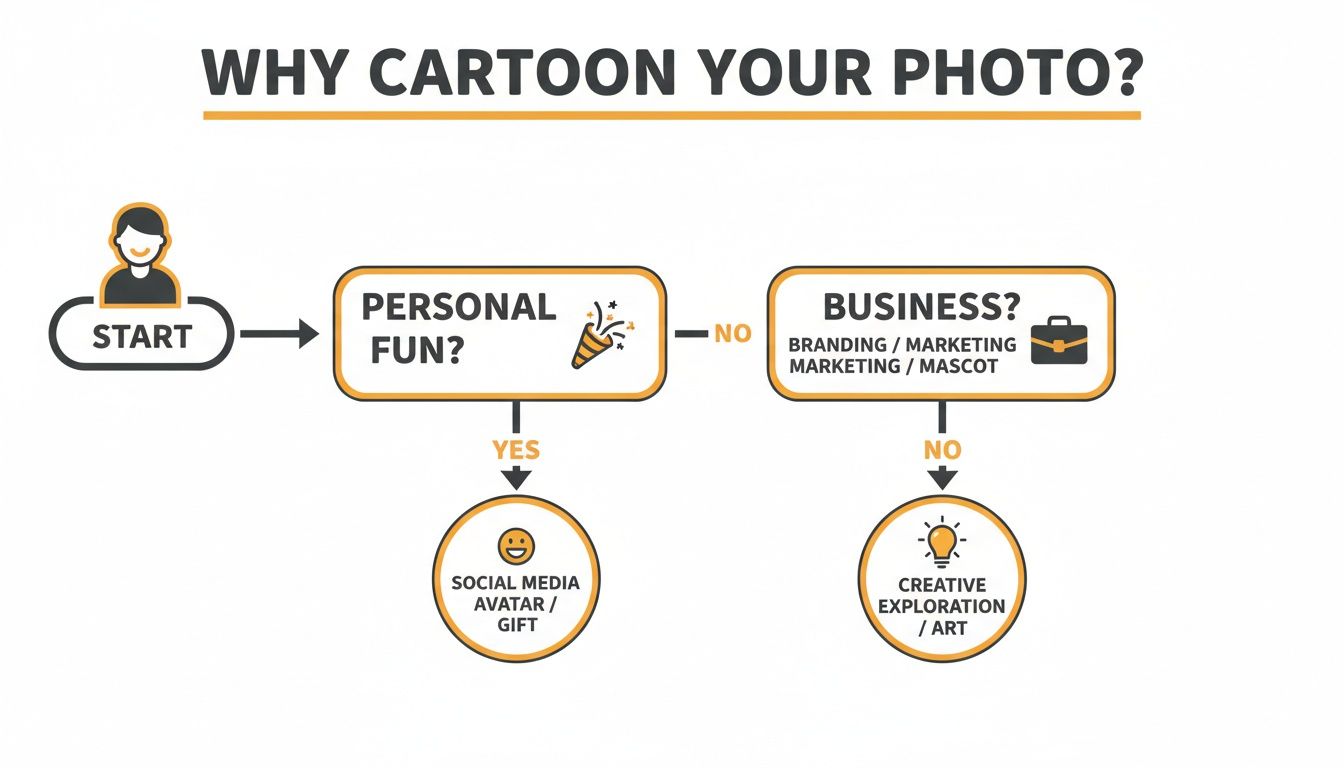
As you can see, both paths lead to some pretty cool and creative results, but knowing your destination helps you pick the right features from the start.
And you're not alone in this! The demand for these tools is exploding. Since 2023, downloads for mobile cartoonizer apps have jumped by a staggering 450% worldwide, hitting over 150 million installations. This wave is powered by popular apps like ToonTap and even built-in features like Canva’s Cartoonify effect, which handled over 10 million images in its first year alone.
Comparing Top Free Photo To Cartoon Tools
I've spent a lot of time testing these tools, and they generally fall into three main buckets. To make it easier, here’s a quick comparison of popular free AI cartoon generators to help you choose the best fit for your needs, whether you're making a new social media profile or building a professional brand.
| Tool Feature | Basic Free Web Tools | Mobile Apps | Tooncraft (Free Tier/Starter) |
|---|---|---|---|
| Best For | Quick, one-off conversions and experimenting with the idea. | On-the-go editing and trendy social media filters. | Creators needing high quality, style variety, and consistency. |
| Ease of Use | Super easy. Upload, click a button, and you're done. | Simple, with a familiar tap-and-swipe interface. | Easy to start, with advanced options for more control. |
| Style Variety | Very limited, often just one or two basic "cartoon" styles. | Good, but often focused on what's currently trending. | Excellent. Huge library of diverse and professional styles. |
| Output Quality | Usually low-to-medium resolution. Good enough for a profile pic. | Varies wildly. Can be good, but often compressed for mobile. | High-resolution output, perfect for professional use. |
| Watermarks | Almost always. Can be large and distracting. | Often, but sometimes removable by watching an ad. | No watermarks, even on the free tier. |
| Privacy | A bit of a gamble. Always check the terms of service. | Can be a major concern. Many apps collect user data. | Privacy-focused. Your images are your own. |
As you can see, what you gain in convenience with a simple web tool, you might lose in quality and flexibility. Mobile apps are great for quick social posts, but Tooncraft's free offering really shines for anyone who wants professional-grade results without annoying limitations.
The best free tool isn't just about not paying money; it's about the value you get. I always recommend looking for a generator that respects your privacy, delivers a clean, high-quality image, and offers the specific art styles you're actually excited to use.
If you're looking to create a whole set of consistent images—maybe for a YouTube channel theme or a brand mascot—then digging into a platform with a deep style library is a must. To get some inspiration, check out our guide on different cartoon art styles to see what's really possible. Finding a style you love is the first step to creating a cartoon that truly represents you.
Let's Make Your First Cartoon, Step-by-Step
Ready to jump in and turn a photo into a cartoon for free? The most crucial step actually happens before you even touch a single tool: picking the right photo. A fantastic cartoon always starts with a fantastic source image.
Think of the AI as a talented but very literal artist. You need to hand it a clean, well-lit canvas to work with. I’ve found that photos with clear facial features, good lighting that doesn't cast strange shadows, and a simple background almost always give the best results.
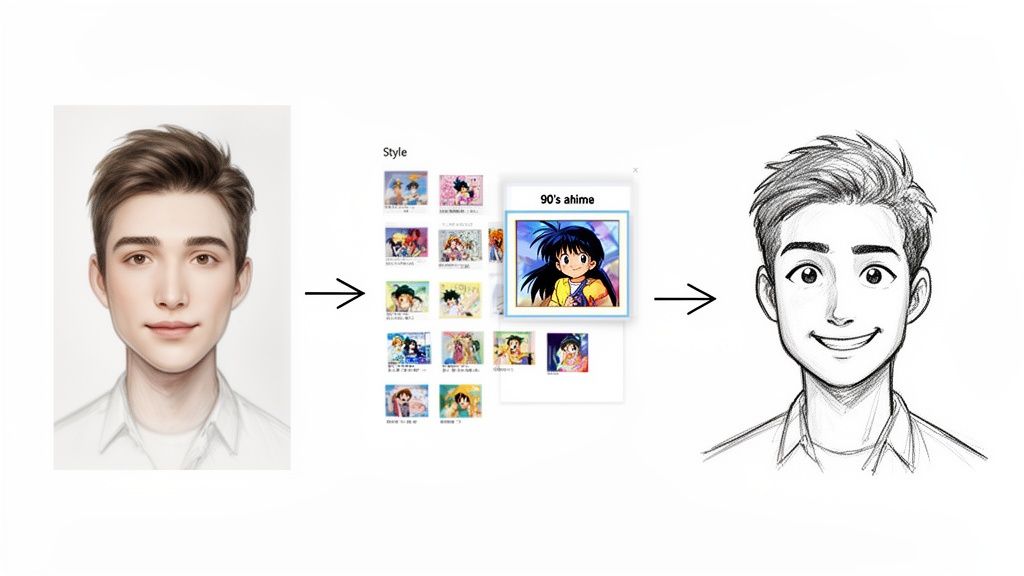
For this guide, we'll use a beginner-friendly tool like Tooncraft as our example. The whole process is super simple and usually breaks down into a few quick actions.
- Upload Your Photo: First thing you’ll see is a big "Upload" button. Go ahead and select the picture you prepped.
- Pick Your Style: This is where the fun begins. Take a minute to scroll through all the different art styles. You’ll see everything from a cool ‘90s Anime’ vibe (perfect for a new avatar) to a polished ‘3D Model’ look if you want something more modern.
- Let the AI Do Its Thing: Found a style you love? Just click the generate button. The AI will need a few seconds to work its magic and transform your image.
Polishing Your New Cartoon Look
Most free tools will spit out a great result on the first try, but don't be afraid to experiment. If the first style you chose doesn't quite capture the right vibe, just go back and try another one. Seriously, sometimes the difference between "meh" and "perfect" is just one more click.
For example, a photo of you at the beach on a sunny day might look incredible with a bright, vibrant "Pop Art" filter, but it could feel totally wrong with a moody, "Ghibli-inspired" style. Play around a bit until you find a match that makes you smile.
Remember, the goal isn't just to make a cartoon; it's to create a version of yourself that feels authentic and fun. The best results always come from trying a few different styles to see which one really clicks with your personality.
Once you’ve got an image you're happy with, just look for the download button. Nearly all of these free platforms let you save a high-quality JPG or PNG file right to your computer or phone. Now it's ready to become your new profile picture, a fun post for Instagram, or even a custom sticker to send to your friends.
Insider Tips for Amazing Cartoon Results
Alright, this is where you can really start having fun and get results that look professionally made. The secret to a truly great cartoon isn't just the tool you use; it's the photo you start with. Think beyond the standard headshot. A picture with a unique angle, a genuine laugh, or an over-the-top expression will always produce a more dynamic and interesting cartoon.
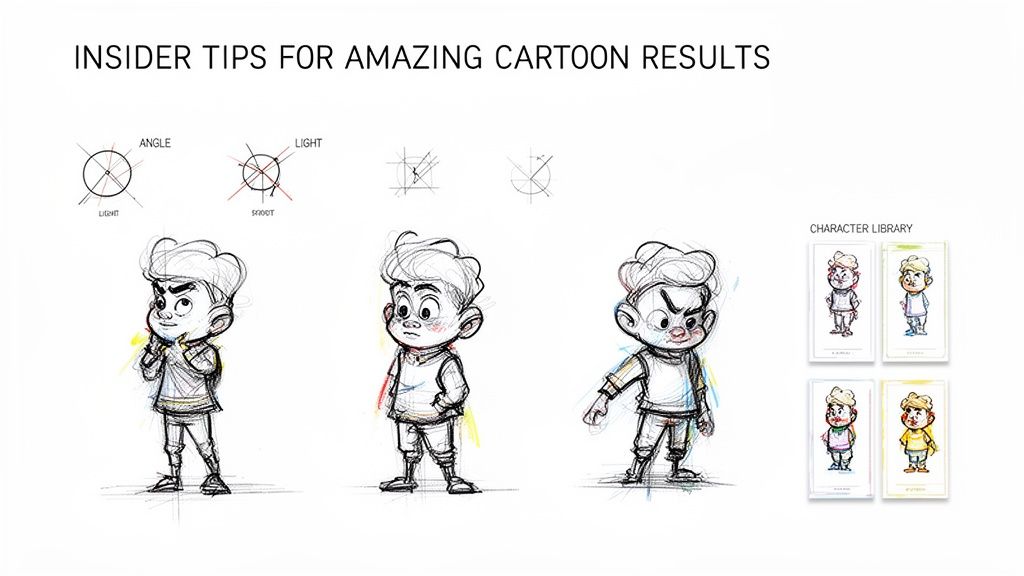
This level of creative control means you can do so much more than just make a new profile picture. You could design custom stickers of your dog, create a whole set of on-brand images for your business, or even play around with different artistic vibes like the ones in our pop art and comic collections.
Build a Character Library
Here’s a powerful technique I’ve seen content creators use to great effect: build a "character library." The idea is to generate your cartoon self in a bunch of different poses, outfits, and expressions. For streamers, YouTubers, and influencers who need a consistent look, this is an absolute game-changer.
Think about all the graphics you might need on the fly:
- An excited pose: Perfect for announcing a giveaway or a new video.
- A thinking pose: Great for a tutorial or a deep-dive discussion.
- A waving pose: A friendly "welcome to my page" graphic.
When you create these assets ahead of time, you'll always have the right image ready to drop into a thumbnail or social post. It keeps your personal brand looking polished and consistent without any extra effort.
This approach is a massive time-saver. In fact, AI cartoon generators have been shown to cut down content creation time for some influencers by up to 90%. When you can generate unlimited styles in seconds with free tools, it's no surprise that it contributes to a 35% increase in how often they can post on social media. For streamers, a consistent avatar has even been linked to a 22% boost in subscriber growth—that’s the power of strong visual branding right there. You can dig into these findings on AI cartoon tools at whatplugin.ai.
Pro Tip: As you build your library, focus on feeding the AI photos with real, distinct emotions. A genuine laugh, a thoughtful glance, or a look of determination will inject so much more personality into your cartoon versions than a generic, neutral smile ever could.
Sharing Your Cartoon and Navigating the Fine Print
Alright, you’ve created an awesome cartoon version of your photo! Now comes the fun part: showing it off. But before you hit "post," let's talk about the best way to save it.
Think about where it's going. For something like an Instagram post or a Facebook profile picture, a JPG is your best bet. It keeps the file size small and loads quickly. But if you need a transparent background—say, for a custom Twitch emote or a sticker design—you’ll want to save it as a PNG.
Getting this right from the start makes all the difference. It’s what separates a sharp, professional-looking graphic from one that looks fuzzy and out of place.
A Quick Word on Usage Rights
This is the part everyone skips, but it's super important. Just because a web tool is free to use doesn't automatically mean you own the commercial rights to the art it creates.
Many free cartoonizers are strictly for personal use only. That means you can use it for your social media avatar, but you can't slap it on a t-shirt to sell or use it as your official business logo.
Before you even think about using your new cartoon for a commercial project, find the "Terms of Service" on the website. I know, it's boring, but spending two minutes reading their rules can save you from a major legal migraine later. It's a tiny bit of effort for total peace of mind.
Most good tools are upfront about their policies. If you're curious about how we handle things, you can read our clear usage and privacy guidelines on Tooncraft.ai. Knowing the rules lets you share your creation with confidence, and it's also smart to be mindful of the photos you upload to protect your privacy.
A Few Common Questions About Cartooning Your Photos
Jumping into the world of AI art usually brings up a few questions. Let's clear up some of the most common ones so you can feel totally confident when you start turning your photos into cartoons.
Can I Really Do This for Free?
Absolutely! Plenty of fantastic AI tools have free versions that can spit out some seriously impressive, high-resolution cartoons.
Now, there's sometimes a small catch. A free tool might add a little watermark to your final image or limit you to a handful of creations per day. But for things like a new social media profile picture, an avatar for a gaming forum, or just having a bit of fun, the quality is usually more than enough. The trick is to find a service with a generous free plan that has the art styles you're excited about.
Will the Cartoon Version Actually Look Like Me?
Yes, and honestly, this is where the magic happens. Modern AI isn't just applying a simple filter; it's trained to recognize and preserve your key facial features. It picks up on the shape of your smile, your eyes, and your face's structure, then redraws them in the new style. The resemblance is often shockingly good.
My best advice for getting a result that people will instantly recognize? Start with a clear, well-lit photo. Make sure your face is front and center. The AI's job is to capture your likeness, so giving it good source material is half the battle.
The most impressive part of today's AI isn't just that it can make a cartoon, but that it can make your cartoon. It keeps the little details that make you look like you.
What Should I Watch Out For with These Free Tools?
It's smart to be a little bit savvy when using any free online service. The two big things to keep an eye on are privacy and usage rights.
Before you upload a personal photo, it’s worth taking 30 seconds to glance at the tool's privacy policy. You just want to see how they handle your data. Most reputable sites are upfront about this and will delete your images after a short period.
Then there are the usage rights. For personal use—like sharing with friends—you're almost always in the clear. But if you're thinking of using that awesome new cartoon for a business logo, a t-shirt you plan to sell, or a commercial ad, you'll likely need a paid license. A quick scan of their terms will tell you what's allowed.
Ready to create stunning, consistent, and watermark-free cartoons from your photos? Tooncraft, Inc. gives you access to over 50 beloved art styles and powerful tools to build your own character library. Start creating your first masterpiece today at Tooncraft.ai