
Cartoonize Photo Online A Guide to Viral AI Art
Want to cartoonize photo online? This guide breaks down how to turn your pictures into amazing AI art, choose the right style, and get pro-level results.
You can instantly cartoonize a photo online with AI tools like Tooncraft. These apps take your everyday selfies, portraits, and even pet pictures and magically transform them into awesome cartoon art. We’re talking dozens of styles—anime, Pixar, classic comics, you name it—all done with just a few clicks.
Why Everyone Is Turning Their Photos Into Cartoons
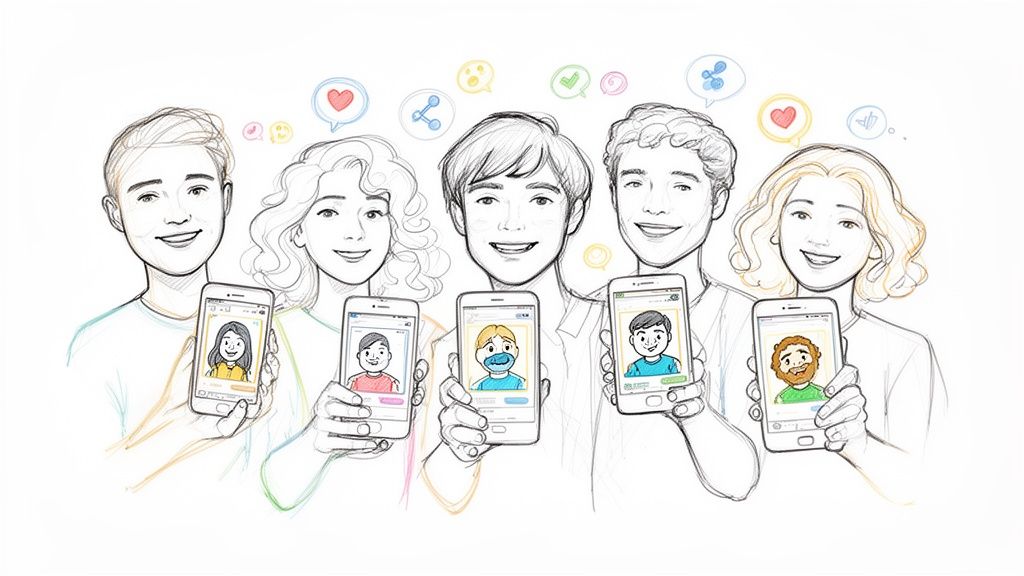
Have you noticed your social media feeds lately? It seems like everyone has an animated avatar or a cool, artistic portrait. You're not imagining it. The trend of turning photos into cartoons has gone from a niche hobby to a full-blown form of digital expression.
This isn't just about slapping a simple filter on a picture. It's about completely reimagining your digital identity in fun and creative ways. The reason it has exploded in popularity is simple: new, accessible AI tools have put the power of a digital artist into anyone's hands. What used to take hours and expensive software now takes seconds.
A New Art Form for Everyone
The appeal of this trend is incredibly wide, touching almost every part of our online lives. Gamers are creating unique avatars for their streaming profiles, and marketers are designing friendly mascots to represent their brands. The uses are both fun and surprisingly practical.
Here’s a look at who’s jumping on board:
- Social Media Users: Crafting eye-catching profile pictures that show off their personality.
- Families and Couples: Designing one-of-a-kind gifts, holiday cards, and personalized art for their homes.
- Content Creators: Building a consistent and memorable look across platforms like Twitch and YouTube.
- Businesses: Adding a human, approachable touch to their marketing with cartoon versions of their team or brand mascots.
The recent spike in popularity is easy to see. When a ChatGPT update let people create Ghibli-style cartoons, Google searches for the "cartoon photo trend" went through the roof. That one event led to a massive 221% surge in downloads for one app and a 59% jump for another in just three days. You can read more about how AI trends are driving app downloads to see the full picture.
This isn't just a passing fad. It's a real shift in how we think about our online personas. It’s a new language for self-expression that lets us be playful, artistic, and memorable.
With platforms like Tooncraft, you have everything you need to join this creative wave and start turning your own photos into something special.
You know the old saying, "garbage in, garbage out"? Well, it's never been more true than when you're trying to cartoonize a photo online. The real magic behind getting a jaw-dropping result isn't just about picking the right AI tool—it's all about the photo you feed it.
Think of it this way: a sharp, clear, high-resolution photo gives the AI a perfect blueprint to work from. It has more detail, better lighting cues, and cleaner lines to interpret, which leads to a cartoon that actually looks like you. On the other hand, a blurry, dark, or heavily filtered picture just confuses the AI, often leading to wonky features and muddy colors. A portrait you snapped on a recent smartphone will almost always beat a grainy image you saved from a social media post ten years ago.
This whole cartoon photo thing has absolutely exploded lately. We saw a huge spike after a recent OpenAI update, with one app grabbing an extra 184,000 downloads in just a few days—on top of a 221% surge it was already experiencing. It’s wild to see how this technology has evolved. You can dive deeper into the AI trends behind this app boom on appfigures.com.
Optimizing Your Source Image
Beyond just picking a high-res photo, a few small adjustments can make a world of difference. Your main goal is to make the subject—you, your friend, your pet—the undeniable star of the show.
- Lighting is Your Best Friend: Find a photo with bright, even lighting. Harsh shadows across the face or intense backlighting are the AI's worst enemy because they hide key features. The soft, diffused light from a cloudy day or near a window is perfect.
- Keep the Background Simple: A clean, uncluttered background helps the AI zero in on what matters. If the background is too busy with patterns or other people, the AI can get confused and try to blend it into your cartoon self.
- Think About the Vibe: Your expression sets the tone. A big, clear smile is fantastic for a friendly Pixar or Ghibli style. Want something more intense for an anime look like Attack on Titan? A more dynamic or serious expression will sell it.
Pro Tip: I almost always do a quick crop before uploading. A tighter shot focusing on the face and shoulders usually produces a much more detailed and compelling result, especially if you're making a new profile picture or avatar.
Photo Preparation Checklist for AI Cartoonization
Getting the hang of what works and what doesn't can take a little practice. I put together this quick checklist to help you nail it on the first try and avoid those common pitfalls that can trip up the AI.
| Image Quality Factor | Recommended | What to Avoid |
|---|---|---|
| Resolution | High-resolution (1080p or higher) is best. | Low-quality, pixelated, or blurry images. |
| Lighting | Bright, even, and natural light. | Dark shadows, harsh backlighting, or uneven exposure. |
| Background | Simple, clean, or out-of-focus. | Busy, cluttered, or distracting patterns. |
| Filters | Start with an unfiltered, original photo. | Heavy Instagram-style filters or beauty effects. |
| Subject | A clear view of the face and features. | The face being hidden by hands, hair, or large accessories. |
Honestly, just spending 30 seconds to pick the right photo based on this checklist will save you a ton of frustration and get you a much better cartoon in the end. A clean starting point is the secret sauce.
Your Guide to Using Tooncraft Like a Pro
Alright, you've got your photo prepped and ready for its big transformation. Now for the fun part! Using a tool like Tooncraft is designed to be super straightforward—what used to take an artist hours now just takes a few clicks. Let's walk through the platform and bring that creative idea of yours to life.
When you land on the Tooncraft dashboard, you'll see it’s all laid out to get you started quickly. No confusing menus or hidden settings here. The upload area is front and center, basically inviting you to jump right in. The whole experience feels less like wrestling with software and more like playing in a digital art studio.
Getting great results fast is all about this simple workflow.
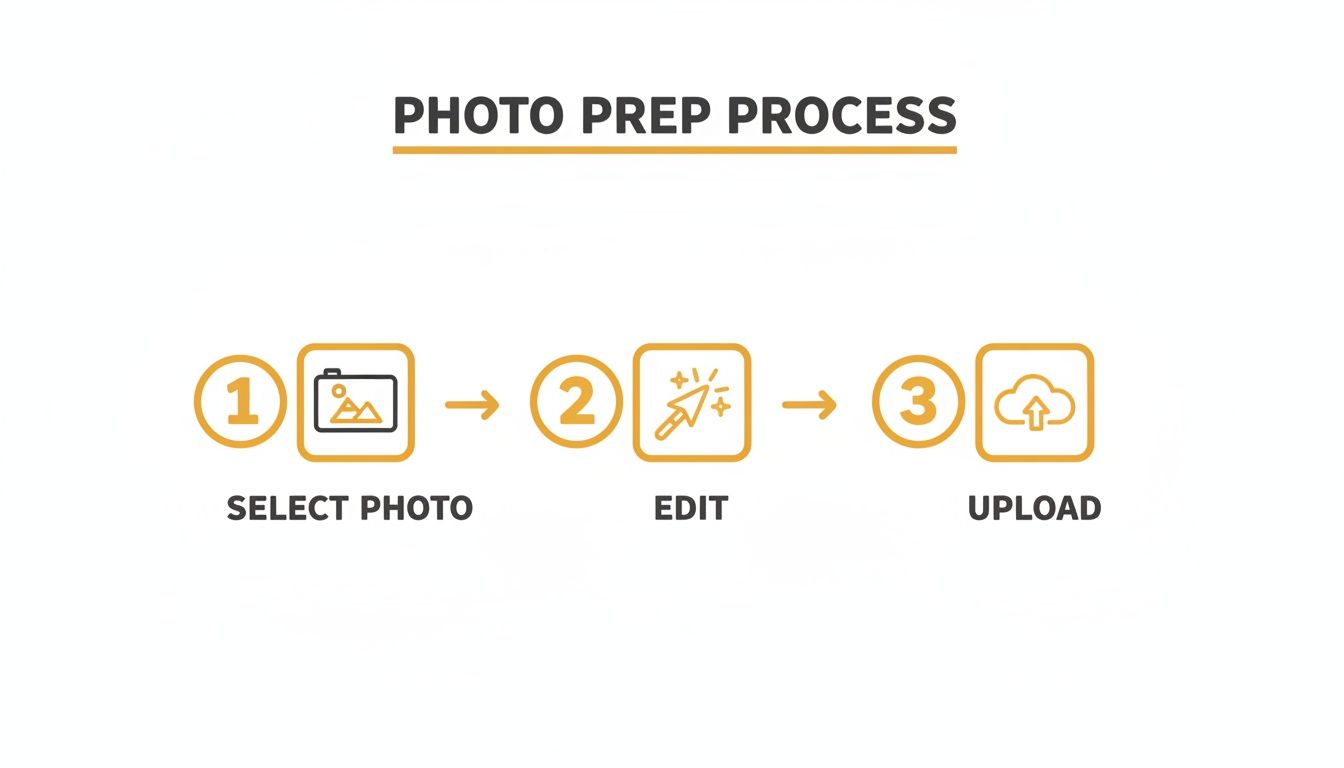
As you can see, it's a direct path from your original photo to an amazing cartoon. Just select, give it a quick check, and upload.
Uploading and Exploring Styles
Once your perfectly prepped photo is uploaded, you’ll get to browse Tooncraft’s library of over 50 unique styles. This is where your creativity really gets to run wild. As you scroll through the options, you’ll find everything from popular anime aesthetics to beloved Western cartoon looks.
Instead of just picking one at random, think about the vibe of your photo. Is it a high-energy shot from a convention? The bold lines and dynamic shading of a 'Naruto' or 'Dragon Ball Z' style could be a perfect fit. Or maybe it’s a sweet, heartwarming family portrait? In that case, a 'Pixar' or 'Ghibli' inspired style can capture that warmth beautifully.
Here are a few ideas to get you started:
- For a professional headshot: Try a clean, modern style. It creates a friendly and approachable avatar for your website or LinkedIn profile without being too over-the-top.
- For a pet photo: I love using styles with softer edges and expressive eyes. It can turn a picture of your furry friend into a character straight out of an animated movie.
- For a cosplay picture: This one’s a no-brainer—match the style to the source material! An 'Attack on Titan' style for an Eren Yeager cosplay adds an incredible layer of authenticity.
Fine-Tuning and Finalizing Your Creation
After you’ve picked a style, the AI gets to work. Tooncraft’s system is built for speed, so you won’t be staring at a loading bar for ages. The platform processes your image, applying all the stylistic elements of your chosen theme while making sure to preserve the key features that make the person recognizable.
Honestly, a lot of the time, the first result is exactly what you were hoping for. But don't be afraid to experiment! Sometimes, a photo that felt a bit "off" in one style will look absolutely stunning in another. The process is so quick that you can easily generate a few different versions just to compare.
The real magic happens when you pair the right photo with the right style. A great photo with an ill-fitting style can look good, but a great photo with the perfect style looks unforgettable. It’s always worth trying a few options to find that perfect match.
Once you’ve landed on a cartoon you absolutely love, the final step is downloading it. Tooncraft gives you high-resolution, watermark-free outputs if you're on a paid plan, making sure your new artwork is ready for printing, posting on social media, or even using in a professional project. It really is that simple—from photo to masterpiece in just a few minutes.
How to Pick the Perfect Cartoon Style for Your Photo
This is where the real fun begins. You've got your photo ready to go, and now you get to play director. Choosing the right cartoon style isn't just a technical step; it's about matching the vibe of your picture to the personality of the art style. Get this right, and you'll create something truly special.
Think about the mood of your original image. A quiet, scenic landscape or a sweet family photo? That might look absolutely stunning in a soft, dreamy Ghibli-inspired aesthetic. That style is all about warmth and emotion. But if you have a high-action shot from a skate park or a dynamic selfie, something with punchier lines and bold colors—like a classic anime or comic book look—might be a better fit.
It's amazing to think that over 15 billion images have been created by text-to-image AI tools. That's a milestone traditional photography took ages to hit. A huge slice of that growth comes from people turning their photos into cartoons, often inspired by viral trends. You can dive deeper into these mind-blowing AI image statistics to see just how massive this creative wave has become.
Creating a Consistent Character
What if you need more than just a single image? If you’re building a brand, a social media presence, or even a mascot, keeping your cartoon character looking consistent is crucial. The trick is to find a signature style and stick with it.
Let's say you're a streamer. Using the same anime look across your profile pics, banners, and emotes creates a polished, recognizable identity. To pull this off, here are a few tips I've learned along the way:
- Choose a Signature Style: Pick one main look, whether it’s ‘The Simpsons,’ ‘Pixar,’ or a sleek vector art style, and make it your foundation.
- Keep Your Lighting Consistent: Try to use source photos with similar lighting. Good, even light helps the AI nail your features accurately every single time.
- Vary Expressions, Not Head Angles: If you want a set of avatars showing different emotions (happy, surprised, focused), use photos with those expressions but try to keep the angle of your head mostly the same. This helps the AI recognize it's still you.
When you put this much thought into your style choice, you’re doing more than just editing a photo. You’re crafting a visual story, whether for one standout image or an entire series that represents you or your brand.
A Style for Every Vibe
Still not sure where to start? The best way to get inspired is to just look around. Browsing a full collection of cartoon styles can give you all sorts of ideas you hadn't even considered.
A goofy picture of your dog could be hilarious in a classic comic book style. A professional headshot for LinkedIn might look incredibly sharp and modern with a minimalist animated twist. Don't hesitate to play around and try a few different options—the perfect match is in there, just waiting for you to find it.
Creative Ways to Use Your New Cartoon Art
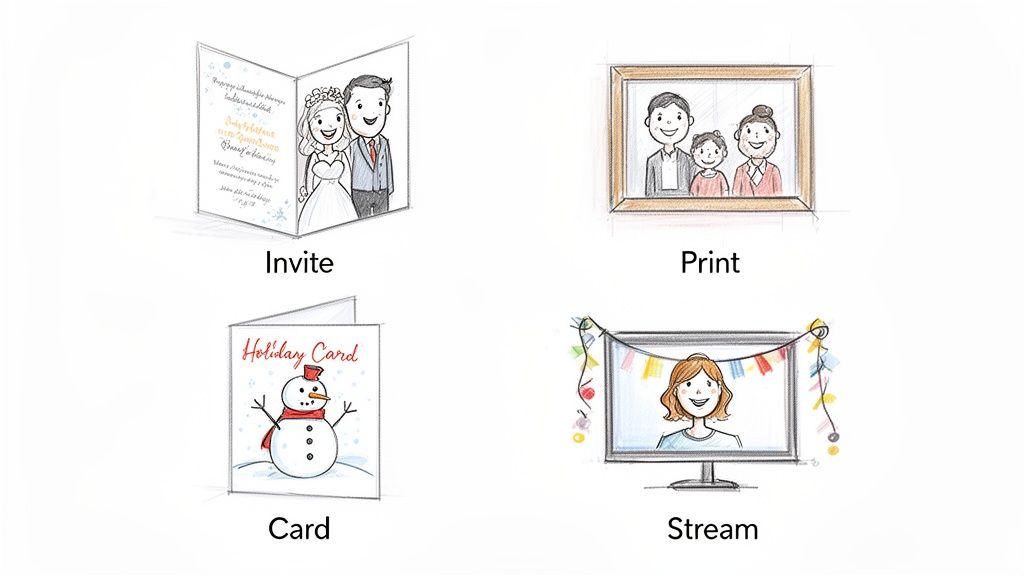
Alright, so you’ve just turned a photo into a killer piece of cartoon art. Awesome. It's sitting there on your hard drive, looking fantastic. Now what?
Sure, you could just update your profile picture and call it a day, but that’s barely scratching the surface of what’s possible. Think of that cartoon version of yourself as a brand-new asset, one you can use for everything from heartfelt gifts to smart business branding.
The real fun begins when you take that digital creation and bring it into the physical world. Your cartoonized images are the perfect starting point for all sorts of memorable and unique projects.
Ideas for Personal Projects
Let's be honest, generic store-bought cards and gifts can feel a bit impersonal. Your custom cartoon art is the perfect antidote, adding a personal touch that makes any occasion feel special.
- Custom Gifts: Imagine printing a cartoonized family portrait on a big canvas. It’s a modern, fun alternative to a standard photo and makes for an incredible anniversary, birthday, or Mother’s Day gift.
- Event Stationery: Planning a wedding or a big party? A cartoon of you and your partner on the invitations or save-the-dates immediately sets a whimsical, fun-loving tone for the whole event.
- Holiday Cheer: Forget the standard family photo. A cartoon of your family—pets included, of course—will make your holiday cards the ones that actually get a prime spot on the fridge.
Your cartoon art is more than just a digital file; it's a creative tool. Using it for gifts or events ensures your personality shines through, making the final product something people will treasure.
Level Up Your Professional Brand
If you're a content creator, a small business owner, or a professional looking to stand out, a friendly and consistent visual identity is gold. When you cartoonize a photo online, you're not just making a cool image; you’re creating a potential mascot for your brand.
Think about your favorite Twitch streamer. Chances are, they use the same dynamic anime avatar across their profile, stream overlays, and merch. That consistency builds a strong, recognizable brand that their community connects with. It’s a simple but powerful strategy.
You can do the same thing for your brand or business:
- Website Bios: Ditch the stuffy corporate headshots on your "About Us" page. Replacing them with friendly cartoon versions of your team makes everyone seem more approachable and injects some much-needed personality into your site.
- Marketing Materials: Use your cartoon self in your email newsletters, on social media graphics, or even on your business cards. It acts as a visual signature that helps people remember you long after they’ve closed the tab.
And why stop there? These cartoon creations can even be brought to life. If you're ready to take the next step, you can learn more about creating AI videos and animate your new character for even more dynamic content. At the end of the day, your new art is a blank canvas just waiting for your next big idea.
Got Questions? We've Got Answers
Jumping into AI photo editing for the first time usually sparks a few questions. It's totally normal to wonder about things like privacy or how to get your art looking just right. We've heard them all from creators, so we put together this quick rundown to clear things up.
Think of this as your cheat sheet for creating with confidence. Let's get to it.
Is It Safe to Upload My Photos?
This is the big one, and for good reason. Your privacy is paramount. When you use a trusted service to cartoonize a photo online, you should expect top-notch security. Any reputable platform will use secure, encrypted connections for every upload.
That means your original photos are only used to work their AI magic—nothing else. They aren't shared, sold, or repurposed. We believe in being transparent, so you can always understand our approach to your legal and privacy rights right on our site.
Can I Use My Cartoon Images Commercially?
Fantastic question! The short answer is: it usually depends on the platform and your plan. With a service like Tooncraft, for example, any image you create on a paid plan is yours to use, watermark-free, with broad commercial rights.
This opens up a ton of possibilities for your business or side hustle:
- Marketing Materials: Imagine a friendly, cartoon version of you on your website, social media, or in your newsletters.
- Brand Mascots: Create a character that becomes the recognizable face of your brand.
- Custom Merchandise: Think unique t-shirts, mugs, or stickers that your audience will love.
Pro Tip: Always take a quick glance at the terms of service for whatever tool you're using. A few seconds of checking can save you a headache later and ensure your brilliant marketing idea is good to go.
How Do I Get a Consistent Look?
Ah, the key to building a real character. Getting a consistent look across different images is where a powerful AI really flexes its muscles. The secret starts with your source photos.
Feed the AI a handful of pictures of the same person, ideally with similar, even lighting. This gives it the best possible data to lock onto core facial features and expressions.
Tooncraft's tech is built for exactly this. It's perfect if you're a streamer needing a full set of avatars, a business developing a brand mascot, or just someone who wants their cartoon self to look like, well, themselves every single time. A little prep with your photos makes a huge difference.
Ready to see it in action? With over 50 unique styles, Tooncraft helps you create incredible, high-quality cartoons in just a few clicks. Try Tooncraft today and bring your creative vision to life!